CapCut Review and the Hidden Cost for Creators
CapCut Review and the Hidden Cost for Creators
A CapCut review for short-form creators after the price hike, the ByteDance license clause, and the hidden AI-credit costs. Is Pro still worth it?
- 1Is CapCut Still Free in 2026
- 2Why CapCut Pro Costs So Much More Now
- 3What You Get With CapCut Pro
- 4The CapCut Trap Nobody Warns You About
- 5CapCut Pros and Cons for Creators
- 6Who Should Use CapCut and Who Should Switch
- 7Frequently Asked Questions
- Is CapCut still free in 2026?
- Is CapCut Pro worth it?
- Can I use CapCut videos commercially?
- Does CapCut own my content?
- How do I remove the CapCut watermark?
- Why did CapCut get more expensive?
- 8Quick Takeaways
Bottom Line: CapCut is still the fastest mobile editor for short-form video, and the free tier is fine for casual posters. For anyone monetizing daily, the 2026 price jump to $179.99 a year, the persistent AI-Generated label, and a terms clause that licenses your voice and likeness make it worth a hard second look. This CapCut review covers the real cost and who should switch.
Most CapCut reviews stop at the obvious stuff: it is free, it is fast, the templates are great. The part that should make a monetizing creator pause sits buried in the terms of service, and almost nobody writing about this app mentions it.
CapCut’s 2025 terms grant its parent company ByteDance a perpetual, irrevocable, royalty-free license to use content you upload, including your voice and your likeness, for its own commercial purposes. That is not a watermark you can delete. For a creator whose face and voice are the brand, it is the single biggest reason to read the fine print before building a business on this app.
I still think CapCut is the best free entry point into short-form editing. The speed is real and the AI tools genuinely save time. The way I see it, the honest question for 2026 is not whether CapCut works, it is whether the free tier still works for a daily poster and whether Pro is worth $179.99 once you add up the hidden costs. That is what this review answers.
Is CapCut Still Free in 2026
CapCut is still free, but the free tier became a trial more than a tool. The free plan now caps you at five exports per week and meters the AI features, which breaks any consistent daily posting schedule the moment you hit the wall.
The free editor still covers the basics well: multi-track timeline, cutting, transitions, and 1080p export. What changed is the throttle around it. Free users get roughly five AI Auto-Edits and three custom AI Effects per month, and those run out inside the first week if you lean on them.
Five exports a week sounds generous until you post daily. That is seven uploads against a five-export ceiling, before you re-export a single fix. To me, the free tier now looks built to push daily creators toward Pro rather than to serve them.
What is the AI-Generated label: A mandatory tag CapCut applies to clips made with certain AI features. It stays on the export even for Pro subscribers and cannot be removed in-app.
Why CapCut Pro Costs So Much More Now
CapCut Pro nearly doubled to $179.99 a year, and existing users hit a renewal cliff. The annual Pro price jumped from around $77 to $179.99, and long-time subscribers on older rates can be auto-rolled onto the new price as early as February 20, 2026.
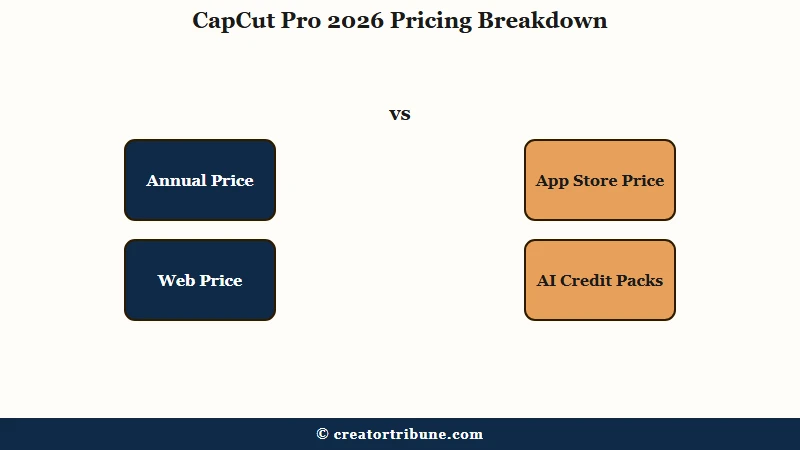
There are two pricing traps worth knowing before you subscribe. The price jumped overnight, and where you buy changes the bill too. Subscribing through the Apple App Store or Google Play runs $13.99 to $19.99 a month because the platform commission gets passed to you, while buying direct on capcut.com is usually 20 to 30 percent cheaper at $7.99 to $9.99 a month.
The second trap is AI credits. Pro includes a monthly allotment, but heavy users of background removal or AI upscaling burn through it and then buy add-on credit packs priced from $4.99 to $19.99. What I would budget for is the subscription plus at least one credit pack a month if AI features touch every post.
Here is how the tiers break down.
| Plan | Price | Export | Best for |
|---|---|---|---|
| Free | $0, five exports per week | 1080p, personal use only | Casual or occasional posters |
| Standard | About $9.99 a month, mobile | 1080p, watermark-free templates | Mobile-only creators on a budget |
| Pro | $179.99 a year, cheaper on web | 4K at 60 fps with HDR | Daily creators and client work |
What You Get With CapCut Pro
Pro buys 4K export, a full commercial license, and the heavy AI tools, but not a clean AI look. The upgrade unlocks 4K at 60 fps with HDR, commercial rights for client work, 100 GB to 1 TB of cloud storage, and Pro-only tools like camera tracking, vocal isolation, and unlimited background removal.
The commercial license is the part that matters most for anyone doing brand deals. The free tier licenses you for personal social accounts only, so running a client’s ad on a free export is a license violation. Pro is the tier that makes paid work legitimate.
What surprised me is what Pro does not fix. The mandatory AI-Generated label still rides along on clips made with AI features, even after you pay. If a clean, unbranded look matters for your feed, test whether that label changes how your audience reads the content before you commit.
Here is the cost difference that catches people off guard.
Before: You buy Pro through the iOS App Store at $19.99 a month and assume that is the going rate. After: You buy the same Pro plan direct on capcut.com for $7.99 to $9.99 a month, which saves roughly $120 across a year for the identical features.
The CapCut Trap Nobody Warns You About
Canceling Pro can lock you out of your own unfinished projects. Any Pro-tagged template, effect, or music track sitting inside an active project reverts to a watermark or a missing asset once you stop paying, so your archive becomes un-editable unless you keep the subscription.
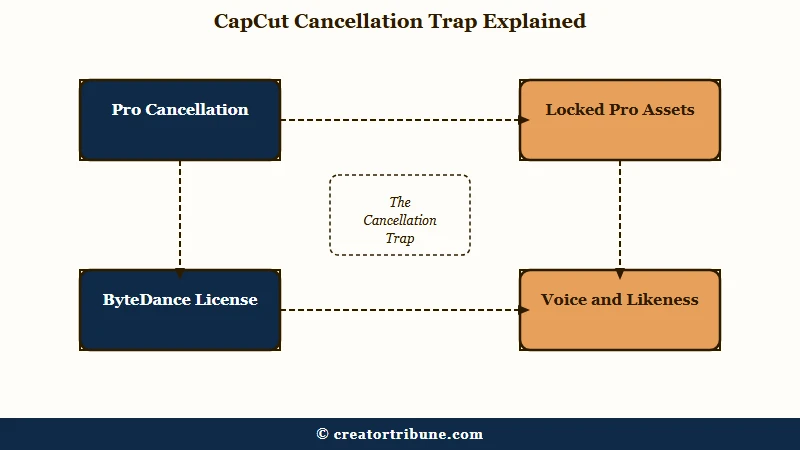
This is the detail I wish someone had told me before I built projects around Pro assets. It means a cancellation is not clean. If you stop paying mid-project, you either finish and export everything before the billing cycle ends or you watch finished edits break.
Pair that with the content-license clause and a clear picture forms. You are paying to keep access to your own work, on a platform that holds a perpetual license to your face and voice. For a hobbyist that is a shrug. For someone monetizing, the licensing risk around creator content is the kind of thing that decides whether you build your catalog here or somewhere safer.
The ownership question got quieter in 2026. As of January 22, the US operations of CapCut and TikTok moved into a joint venture where Oracle, Silver Lake, and MGX hold 50 percent and ByteDance keeps a 19.9 percent stake, with Oracle managing US user data. According to TechSmith’s rundown of editor options, the data picture improved, but the content-license terms did not change with the ownership.
CapCut Pros and Cons for Creators
CapCut wins on speed and the mobile workflow, and loses on pricing, licensing, and lock-in. The strengths are real, so this is not a teardown, but the tradeoffs landed harder in 2026 than in any year before it.
What CapCut does well:
- The fastest mobile editing workflow in the category, with templates that turn a raw clip into a posted video in minutes.
- A genuinely capable free editor for basics: multi-track timeline, 1080p export, transitions, and auto-captions.
- Strong AI tools on Pro, including camera tracking, vocal isolation, and unlimited background removal.
- Direct-on-web pricing that undercuts the app-store rate by 20 to 30 percent if you know to use it.
Where it falls short:
- The free tier now caps you at five exports per week, which quietly breaks daily posting.
- Pro roughly doubled to $179.99 a year, with a renewal cliff for users on older rates.
- A perpetual ByteDance license over your uploaded voice and likeness sits in the terms.
- Canceling Pro can lock you out of unfinished projects that used Pro-tagged assets.
Who Should Use CapCut and Who Should Switch
CapCut Pro is worth it for high-volume mobile creators who need speed and a commercial license, and skippable for everyone else. If you post daily, need 4K, and do client work, the workflow speed justifies the price. If you post occasionally or your face is your whole brand, the free limits and the license clause point you elsewhere.
Here is the quick decision guide I would hand a creator weighing the upgrade.
| If you | Best choice |
|---|---|
| Post a few times a week | Free tier, watch the export cap |
| Post daily and do client work | Pro, bought direct on the web |
| Want zero watermarks for free | VN Video Editor |
| Need pro power at no cost | DaVinci Resolve |
The way I see it, the switch decision comes down to what you value. For pure speed on mobile, nothing beats CapCut yet. For a watermark-free free option, VN Video Editor is the closest match. For long-form and text-based editing, our Descript review covers the strongest alternative, and DaVinci Resolve remains the free powerhouse if you can climb the learning curve.
If the price hike is your trigger, the full CapCut alternatives roundup maps each option to a use case. And if you edit once and post everywhere, our guide on cross-posting without a watermark pairs well with whichever editor you land on.
Frequently Asked Questions
Is CapCut still free in 2026?
CapCut still has a free plan, but it now caps you at five exports per week and meters AI features to roughly five auto-edits and three effects per month. It works for casual posters and frustrates daily creators.
Is CapCut Pro worth it?
CapCut Pro is worth it for daily, high-volume creators who need 4K export and a commercial license for client work. For occasional posters, the free tier or a free alternative like VN Video Editor makes more sense.
Can I use CapCut videos commercially?
Only on Pro. The free tier license covers personal social accounts only, so running a client ad on a free export breaks the terms. Pro includes a full commercial license for revenue-generating work.
Does CapCut own my content?
CapCut’s 2025 terms grant ByteDance a perpetual, irrevocable, royalty-free license to use uploaded content, including your voice and likeness, for its own commercial purposes. You keep ownership, but the license is broad and permanent.
How do I remove the CapCut watermark?
Delete the branded ending clip from your timeline for free. Template watermarks clear automatically on Pro. The mandatory AI-Generated label on AI-made clips stays even for Pro subscribers.
Why did CapCut get more expensive?
The annual Pro price roughly doubled from about $77 to $179.99, and buying through mobile app stores adds a 15 to 30 percent commission. Direct purchase on capcut.com is 20 to 30 percent cheaper.
Quick Takeaways
- CapCut is still the fastest free mobile editor, but the free tier now caps you at five exports a week, which breaks daily posting.
- Pro jumped to $179.99 a year, and buying direct on capcut.com instead of the app store saves roughly $120 annually for identical features.
- The 2025 terms license your voice and likeness to ByteDance permanently, and canceling Pro can lock you out of unfinished projects.
- Switch to VN for a free watermark-free option, Descript for text-based editing, or DaVinci Resolve if you want pro power for nothing.