VN Video Editor Review for Creators Leaving CapCut
VN Video Editor Review for Creators Leaving CapCut
VN Video Editor review for TikTok and Reels creators. Free 4K60 exports with no watermark, what Pro adds, and where the app falls short.
- 1Is VN Video Editor Worth It for Short-Form Creators
- 2What Does VN Pro Cost and What Stays Free
- 3Who Owns VN and What Happens to Your Drafts
- 4How Good Are VN’s Auto Captions
- 5Where VN Breaks Down
- 6Verdict and Who Should Skip VN
- 7Frequently Asked Questions
- Is VN Video Editor really free with no watermark?
- Does VN Video Editor own your content?
- Can VN export SRT caption files?
- Does VN work on Windows?
- Is VN better than CapCut?
- 8Quick Takeaways
Bottom Line: VN Video Editor gives short-form creators free 4K60 exports with no watermark, desktop-grade keyframes and speed curves, and terms of service that claim no license over your content. The trade-offs are real: captions cap out below dedicated tools, there is no native Windows app, and exports sometimes stall on older devices.
This VN Video Editor review is aimed at one specific reader: the TikTok or Reels creator who watched CapCut’s terms change and started shopping for an editor that does not want a license to their drafts. VN keeps coming up as the answer, and most of the recommendation is deserved.
The free tier is the headline. You get a multi-track timeline, keyframe animation, curve speed ramps, auto captions, and 4K exports at 60fps, all without a watermark and without handing over a credit card. That combination is rare enough that VN has become the default suggestion whenever someone asks what to use instead of CapCut.
What the one-line recommendations skip is the fine print. There is a Pro tier whose value depends entirely on what you make, a caption engine with a hard ceiling, and a reliability record that wobbles on older hardware. I’ll cover all of it, including who should skip VN entirely.
Is VN Video Editor Worth It for Short-Form Creators
VN Video Editor is worth it for most TikTok and Reels creators because the free tier covers the full editing workflow, exports clean 4K60 with no watermark, and its terms do not claim rights over your footage.
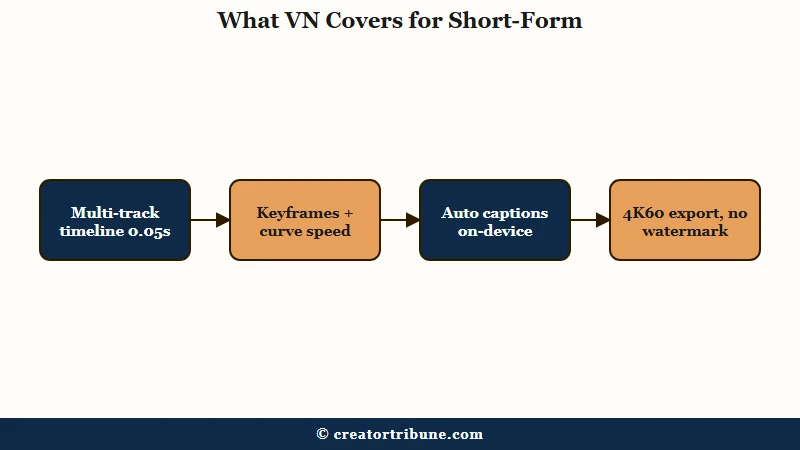
The app earns its “Premiere Pro of mobile” reputation on the timeline. You get frame-accurate editing down to 0.05 seconds, proper keyframe control on position, scale, and opacity, and curve speed for those slow-to-fast velocity ramps that carry half the trending transitions. Version 2.5.0 added a Pro Mode with tighter timeline control and frame interpolation for smoother slow motion.
The format support goes further than most phones can shoot. VN handles Dolby Vision HDR footage from an iPhone 12 or newer and exports aspect ratios from 9:16 all the way to a 42:9 panorama. For a free app around 600MB, the spec sheet reads like paid desktop software.
What I’d flag before you commit is the platform list. VN runs natively on iOS, Android, and macOS, and that is the whole list.
Windows users are stuck running the Android version through an emulator like BlueStacks, and large projects that glide on a phone will stutter and lag there. If your editing machine is a Windows PC, VN is the wrong pick, and the CapCut alternatives roundup has better-suited options.
What Does VN Pro Cost and What Stays Free
VN Pro costs $7.99 per month or $69.99 per year, and most creators never need it because the timeline, keyframes, captions, watermark-free 4K60 exports, and speed curves all stay on the free tier.
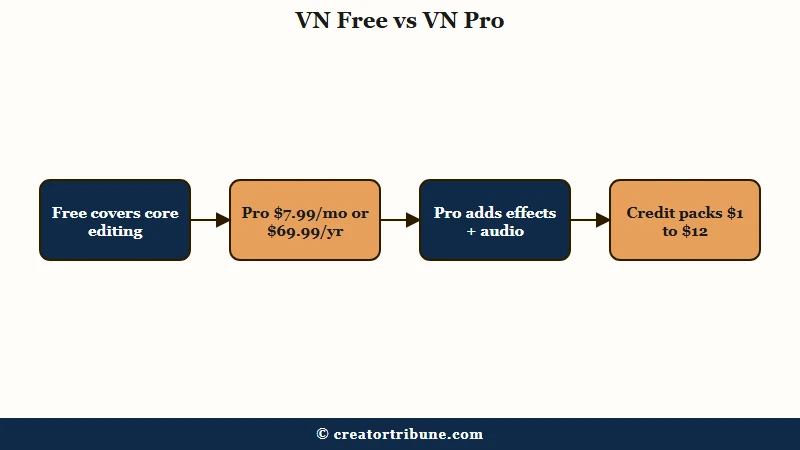
The way I’d think about the paywall: VN keeps the essentials free and charges only for the extras. Pro unlocks advanced effects, higher-grade export options, and professional audio tools. There are also optional credit packs for premium assets, running from one dollar for 100 credits to twelve dollars for 1,000.
| Tier | Price | What you get |
|---|---|---|
| Free | $0 | Multi-track timeline, keyframes, curve speed, auto captions, 4K60 export, no watermark |
| VN Pro | $7.99/mo or $69.99/yr | Advanced effects, higher-grade exports, professional audio tools |
| Credit packs | $1 to $12 | 100 to 1,000 credits for premium assets, no subscription required |
Compare that to the editor it keeps replacing. CapCut’s free tier now meters exports and AI features, while its Pro plan climbed to roughly $180 per year, a squeeze covered in the full CapCut review. VN’s annual Pro undercuts that by more than $100, and the free tier asks for nothing.
Who Owns VN and What Happens to Your Drafts
VN is developed by Ubiquiti Labs, and its terms of service contain no clause granting the company a license to use your uploaded content, which is the single biggest reason creators are migrating from CapCut.
This is the part of the review that surprised me most when I went through the legal pages. CapCut’s June 2025 terms update grants ByteDance a royalty-free, perpetual license over content that touches the app, a change serious enough that DPReview brought in a lawyer to unpack it. VN’s terms make no equivalent claim on your footage.
The privacy posture extends into how the app processes video. Caption generation runs on-device with no server upload, so unreleased brand-deal footage never leaves your phone. There is even a Secure Mode that lets you lock individual project drafts behind a password with an expiration date, which matters if you edit client work on a shared device.
For creators posting across platforms, that local-first design pairs well with a clean master-file workflow. Export once from VN, then distribute per platform as covered in the watermark-free cross-posting guide, and no intermediate service ever holds your original.
How Good Are VN’s Auto Captions
VN’s auto captions hit 90 to 94 percent accuracy on clear single-speaker English using the Base model, but the tool cannot export SRT files or animate word-by-word highlights, so caption-first creators will outgrow it.
The caption engine offers two on-device models. Tiny processes fast and misses more; Base runs slower and lands in that 90 to 94 percent range, dropping to 80 to 88 percent on noisy audio or accented speech. Every caption sits on the timeline as an editable text layer you can restyle per segment.
From my testing of mobile caption tools, the workflow matters as much as the accuracy, and here is the practical difference:
Before: You record a talking-head clip on a busy street, run Tiny mode for speed, and the transcript mangles your brand name twice. You retype both captions and the style resets on the segments you touched.
After: You record the same clip with the phone closer to your mouth, run Base mode, and fix one word. Then you set the font and position once and copy that style across segments instead of styling each one fresh.
The ceiling is structural. There is no karaoke-style word highlighting, and captions burn into the video with no SRT or VTT export for YouTube or accessibility workflows. Creators whose entire format depends on animated captions should look at the Submagic review instead, since dedicated caption tools keep template libraries VN does not try to match.
Where VN Breaks Down
VN’s weak spots are export reliability on older devices, a missing native Windows app, and complex projects that degrade over time.
The complaint pattern is consistent across user problem reports. Exports stall at fixed percentages, often 10 or 46 percent, on long or layered projects. The 2020 iPad Pro crashes when adding files, some iPhone 12 and 13 users hit a “video generation failed” error, and old multi-layer projects occasionally lose their music.
None of that is constant, and the App Store rating sits at 4.4 out of 5, so the average session is fine. The risk concentrates exactly where it hurts: long projects, older hardware, deadline night. My rule for any mobile editor applies double here, keep projects under ten minutes of timeline, export in segments when a render stalls, and never store the only copy of finished work inside the app.
The Windows gap deserves its own warning. Emulated VN consumes CPU and RAM out of proportion to the work, and file importing turns into a chore. A creator on a Windows-only setup gets a worse experience than the free tier of almost any native PC editor.
Verdict and Who Should Skip VN
VN is the best free mobile editor for TikTok and Reels creators who want ownership-clean terms and desktop-grade controls, and the wrong pick for caption-first formats, Windows editors, and hour-long projects.
The pros, ranked by how much they matter day to day:
- Free tier with no watermark and 4K60 export covers the entire short-form workflow.
- Terms of service claim no license over your content, with on-device processing and password-protected drafts.
- Keyframes, curve speed, and 0.05-second precision match paid desktop tools.
- Pro at $69.99 per year undercuts CapCut Pro by more than $100 if you ever need it.
The cons, same ranking:
- Captions cannot export as SRT and have no word-by-word animation.
- No native Windows version, and emulation performs poorly.
- Exports stall and crash more often on older devices and long projects.
- Per-segment caption styling turns tedious on videos with heavy dialogue.
| You are | Use VN? |
|---|---|
| TikTok or Reels creator editing on a recent phone | Yes, start on the free tier |
| Creator leaving CapCut over the content-license terms | Yes, this is the closest like-for-like swap |
| Caption-heavy format with animated word highlights | No, use a dedicated caption tool |
| Windows-based editor | No, pick a native PC editor |
| Documentary-length or 50-layer project editor | No, that is desktop software territory |
Where you publish matters too. A clean VN export uploaded natively to each platform sidesteps the recycled-content penalties covered in the native upload breakdown, and that is exactly the workflow I’d pair VN with.
Frequently Asked Questions
Is VN Video Editor really free with no watermark?
Yes. VN’s free tier exports up to 4K at 60fps with no watermark and no account requirement. VN Pro at $7.99 per month adds advanced effects and audio tools, but core editing stays free.
Does VN Video Editor own your content?
No. VN’s terms of service contain no clause granting a content license, and caption processing happens on your device rather than a server. That contrast with CapCut’s 2025 terms is driving much of VN’s growth.
Can VN export SRT caption files?
No. Captions burn directly into the exported video. There is no SRT or VTT export, which rules VN out for YouTube caption workflows and accessibility pipelines.
Does VN work on Windows?
Not natively. VN ships on iOS, Android, and macOS only. Windows users must run the Android app through an emulator, which lags on layered projects.
Is VN better than CapCut?
For ownership terms and price, yes. VN is free without a watermark and claims no license over your footage. CapCut still wins on template volume and trend-driven effects, so creators who live on templates may miss them.
Quick Takeaways
- VN’s free tier covers the full short-form workflow, multi-track editing, keyframes, curve speed, and watermark-free 4K60 exports.
- The terms of service claim no license over your content, the opposite of CapCut’s June 2025 terms, and captions process on-device.
- VN Pro costs $69.99 per year but most creators can ignore it; the paywall guards extras, not essentials.
- Skip VN if you edit on Windows, need SRT exports, or build animated caption-first videos.
- Keep projects short and export finished work out of the app; reliability dips on older devices and long timelines.