Why the Same Video Flops on TikTok but Goes Viral on Instagram
Why the Same Video Flops on TikTok but Goes Viral on Instagram
A clip can flop on TikTok yet go viral on Instagram because each algorithm seeds and rewards posts differently. Here is how to fix your cross-posting.
- 1Why Does the Same Video Flop on TikTok but Go Viral on Instagram
- 2How TikTok and Instagram Decide Who Sees Your Video First
- 3What TikTok Rewards That Instagram Quietly Punishes
- 4The Watermark and Audio Traps That Kill Your Reach
- 5Is Cross-Posting the Same Video a Reach Penalty
- 6How to Cross-Post Without Tanking Your Reach
- 7Frequently Asked Questions
- Why does my TikTok flop but my Instagram goes viral with the same video?
- Does Instagram penalize TikTok watermarks?
- Is it bad to post the same video on TikTok and Instagram?
- Why is the audio missing when I cross-post to Instagram?
- How many videos can I repost before Instagram penalizes me?
- 8Quick Takeaways
TL;DR: The same video flops on TikTok but goes viral on Instagram because the two algorithms seed new posts to completely different test audiences and reward opposite things. TikTok shows your video to 200 to 500 strangers no matter how many followers you have, while Instagram leans on your existing followers and a much smaller first push. Fix it by exporting one clean file and editing it twice, never re-uploading a downloaded copy.
If you have ever posted the exact same clip to both apps and watched it pull 80,000 views on Instagram and 212 on TikTok, you are not imagining it, and you did nothing wrong. The reason the same video flops on TikTok but goes viral on Instagram comes down to two engines that seed and score your post in almost opposite ways.
I have watched creators rewrite their whole content strategy over a single flop, convinced their account got shadowbanned, when the real culprit was a TikTok watermark or a sound that was muted the second it crossed platforms. Most of the time the video was fine. The handoff between the two apps was the problem.
This guide breaks down exactly how TikTok and Instagram decide who sees your video first, what each one rewards, and the specific cross-posting mistakes that quietly cap your reach. You will walk away knowing how to diagnose a flop in two minutes and cross-post without tanking either side.

Why Does the Same Video Flop on TikTok but Go Viral on Instagram
The same video performs differently because TikTok and Instagram use different test audiences, weight different metrics, and expect different production styles.
One platform is built to hand strangers your video, the other is built to show it to people who already follow you. Identical input, two different machines.
The single biggest reason is how each app seeds a brand new post. TikTok treats every upload as a stranger and pushes it to a broad test pool regardless of your follower count, which is why a 200-follower account can suddenly hit two million views. Instagram is relationship-first: it shows your Reel to a small slice of your existing followers before it decides whether anyone else deserves to see it.
The way I see it, that one difference explains most cross-platform flops on its own. A clip that needs warm, familiar viewers to land will do well on Instagram and die on TikTok’s cold audience. A raw, punchy clip built to grab a scrolling stranger will rip on TikTok and feel out of place on a polished Instagram feed.
For context on scale, Instagram passed roughly 2 billion monthly active users in 2026 according to Statista, so a “small” first push there is still a meaningful test. The point is not audience size. It is who gets shown your video first.
How TikTok and Instagram Decide Who Sees Your Video First
TikTok seeds a new post to roughly 200 to 500 strangers based purely on the content, while Instagram seeds to a smaller 50 to 100 viewers that lean heavily on your existing followers.
That gap is the mechanical reason the same clip spreads on one app and stalls on the other.
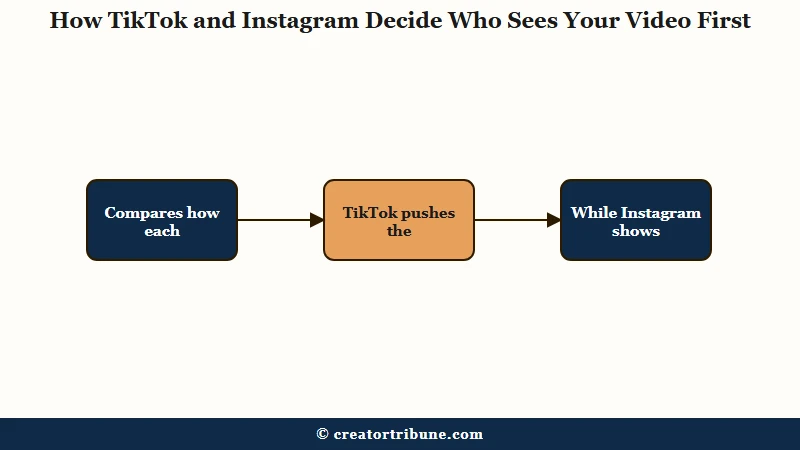
What is a test audience: The small first batch of viewers a platform shows your new post to before deciding, based on their reaction, whether to push it to a much larger audience.
On TikTok, because every video is judged on its own, a format experiment that flops does almost no damage to your next upload. On Instagram, the algorithm relies on account-level trust, so a sudden change of style that underperforms with your followers can actively drag down the reach of your following Reels. From my testing, that is why Instagram punishes erratic posting far more than TikTok does.
This also flips the growth math. A new TikTok account has a real shot at a breakout because the algorithm does not care that you have 12 followers.
A new Instagram account climbs slower because reach is calibrated against an audience you have not built yet, which is the same dynamic behind a lot of low Instagram Reels reach complaints.
If your TikTok is the side that keeps stalling at a few hundred views, that is usually a hook and completion problem on the cold audience, not a ban. I walk through that specific failure in the breakdown of low TikTok FYP views, and most of it comes back to the first three seconds.
What TikTok Rewards That Instagram Quietly Punishes
TikTok rewards completion rate and raw, fast energy, while Instagram rewards total watch time and polished, high-quality production.
Post the same edit to both and you are guaranteed to satisfy one algorithm and annoy the other.
What is completion rate: The percentage of viewers who watch your video all the way to the end. TikTok treats a high completion rate as its strongest signal that a video deserves more reach.
TikTok videos that clear a 65 percent completion rate can see several times the reach of videos that stall around 40 to 50 percent, so length and pacing are everything. Instagram leans more on total watch time, which means a longer Reel with decent retention can outperform a 12-second clip with perfect completion. What I would recommend is matching the edit to the metric: tighter for TikTok, a little more room to breathe for Instagram.
Aesthetic expectations split the same way. TikTok audiences reward face-to-camera, text-heavy, slightly messy clips, while Instagram viewers reward clean color grading and intentional composition.
A native-feeling TikTok dropped onto Instagram often reads as low effort and gets capped before it ever reaches non-followers, which is a cousin of the post-viral view collapse people see when their content stops matching what the feed wants.
| What the algorithm does | TikTok | Instagram Reels |
|---|---|---|
| First test audience | 200 to 500 strangers, ignores follower count | 50 to 100 viewers, leans on existing followers |
| Top metric | Completion rate, 65 percent is a reach trigger | Total watch time and sends per reach |
| Preferred style | Raw, fast, face to camera, text overlays | Polished, color graded, clean composition |
| New account odds | High, content judged on its own | Lower, reach tied to account history |
The Watermark and Audio Traps That Kill Your Reach
Instagram actively suppresses Reels that carry a TikTok watermark, cutting reach by an estimated 50 to 70 percent, and using TikTok audio on Instagram can mute or throttle the post.
These two traps cause more “mystery flops” than the algorithm itself.
When you download a finished video from TikTok, it stamps a moving watermark and logo on the file. Instagram’s system reads that competitor logo and limits how far the Reel travels, which CNET documented as official Instagram policy. The fix that surprises people is that your own brand logo is fine. Head of Instagram Adam Mosseri has confirmed a personal or brand watermark does not hurt reach, only third-party app logos do.
Audio is the second trap. A trending TikTok sound is often not licensed for Meta platforms, so the same edit can land silent or capped on Instagram. This one is brutal for anyone on a business account, because those profiles are restricted to the pre-cleared Commercial Music Library on both apps.
What is the Commercial Music Library: The set of pre-licensed tracks that business and brand accounts are allowed to use. Trending pop songs and viral TikTok sounds usually sit outside it.
If watermark-free cross-posting is your main headache, the deeper mechanics live in the guide on cross-posting without a watermark. The short version is plain: never move a video by downloading it from one app and uploading it to the other.
When a clip flops and you cannot tell why, this is the quick diagnostic I run before blaming the algorithm:
| Flop symptom | Likely cause | Fix |
|---|---|---|
| Reel reach far below your follower count | A TikTok watermark sits on the file | Upload a clean export, never a downloaded TikTok |
| Video posts silent or capped on Instagram | The TikTok sound is not licensed for Meta | Swap in a Commercial Music Library track |
| TikTok stuck at a few hundred views | Weak first-second hook on a cold audience | Tighten the opening and raise completion rate |
| Reach drops across every recent post | An erratic format change on Instagram | Return to a consistent style for a week |
Is Cross-Posting the Same Video a Reach Penalty
Cross-posting the same video is not penalized on its own, because TikTok and Instagram do not share content fingerprints with each other.
The penalties people blame on “duplicate content” almost always trace back to a watermark, a muted sound, or a within-platform repost, not the act of posting the same clip to two different apps.
Here is where I would slow down, because the advice splits and the split matters. One camp argues the platforms are effectively blind to each other and can only catch a visible watermark. The other camp warns that modern systems use visual fingerprinting that compares frame sequences and composition, so scrubbing file metadata alone will not disguise a re-upload.
Both are right about different things, and that is the useful part. Across two different apps there is no shared fingerprint, so posting your clip to TikTok and Instagram is safe. Within one platform, re-uploading the same file to dodge a flop can get flagged as a duplicate, because there the system absolutely does compare visuals, not just metadata.
Instagram added a separate wrinkle in 2026: an aggregator penalty that pulls accounts out of recommendations entirely if they post 10 or more unoriginal or reposted clips in a 30-day window, as Engadget reported. That targets reposters and clip farms, not creators sharing their own work across their own accounts.
How to Cross-Post Without Tanking Your Reach
Cross-post by exporting one clean master file and uploading it natively to each app, then customizing the hook, captions, and audio per platform.
The goal is to feed each algorithm what it wants instead of forcing one edit to satisfy both.
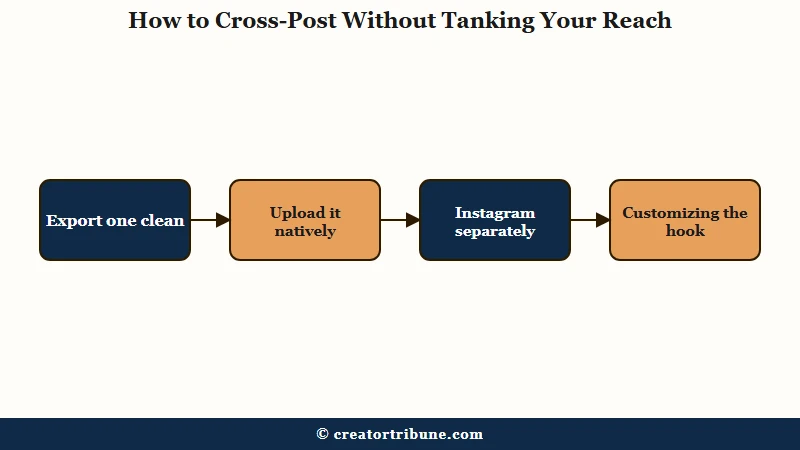
Lazy re-uploads cause most of the damage, so here is the sequence I would walk through every time:
- Edit your base video in CapCut or your editor of choice, then export the finished file straight to your camera roll with no platform watermark.
- Upload that clean file natively into TikTok. Add TikTok captions, a trending sound, and a fast text hook in the first second.
- Upload the same clean file natively into Instagram. Swap in a Commercial-Library-safe track if you run a business account, color grade slightly, and give it a cleaner opening frame.
- Rewrite the caption for each app. A copy-pasted caption underperforms because the two audiences expect different tones.
- Check the safe zone. Text in the bottom corner can sit clear on TikTok but hide behind the caption bar on Reels, so reposition per app.
Here is the difference that makes in practice:
Before: Film once, post to TikTok, download the finished TikTok with its watermark, upload that file to Instagram with the same caption and the same muted trending sound. Result, the Reel is suppressed for the watermark and stalls.
After: Film once, export a clean master, upload it natively to each app, give Instagram a licensed track and a tighter opening frame, and write a separate caption for each. Result, both versions get a fair test with their own audience.
One last thing worth saying. Your reach on either app is rented, and a single algorithm tweak can erase it overnight, so the smartest creators turn borrowed views into an owned audience.
Setting up your own link-in-bio funnel means a TikTok flop or an Instagram outage never wipes out your ability to reach people. If you are also recycling long videos, repurposing one upload into shorts pairs well with this.
Frequently Asked Questions
Why does my TikTok flop but my Instagram goes viral with the same video?
Because TikTok seeds your post to 200 to 500 strangers and rewards completion rate, while Instagram first shows it to your existing followers and rewards watch time. A clip that needs warm viewers does better on Instagram, and a clip built to grab strangers does better on TikTok.
Does Instagram penalize TikTok watermarks?
Yes. Instagram detects third-party app watermarks like TikTok’s logo and suppresses the Reel’s reach by an estimated 50 to 70 percent. Your own brand or personal logo does not trigger this, only competitor app watermarks do.
Is it bad to post the same video on TikTok and Instagram?
No. The two platforms do not share content fingerprints, so posting the same clip to both is safe. Problems come from watermarks, unlicensed audio, or re-uploading the same file twice within one app.
Why is the audio missing when I cross-post to Instagram?
Trending TikTok sounds are often not licensed for Meta platforms, so they get muted or throttled on Instagram. Business accounts are limited to the Commercial Music Library on both apps, so swap in a licensed track before uploading.
How many videos can I repost before Instagram penalizes me?
Instagram’s 2026 aggregator rule can pull an account out of recommendations if it posts 10 or more unoriginal or reposted clips within 30 days. Sharing your own original content across your own accounts does not count against this.
Quick Takeaways
- The same video flops on one app and flies on the other because TikTok seeds to 200 to 500 strangers while Instagram leans on your existing followers first.
- TikTok rewards completion rate and raw energy, Instagram rewards watch time and polish, so one edit cannot win both.
- A TikTok watermark can cut your Instagram reach by 50 to 70 percent, and your own brand logo is the only watermark that is safe.
- Posting the same clip to both apps is not a penalty, but re-uploading it twice inside one app can be flagged as duplicate.
- Export one clean master, upload it natively to each platform, and customize the hook, audio, and caption per app.