TikTok Account Not Found and How to Tell What Went Wrong
TikTok Account Not Found and How to Tell What Went Wrong
TikTok account not found? Learn the 6 real causes, a 30-second test to spot yours, and the exact fix for each one.
- 1What Does TikTok Account Not Found Mean
- 2How to Tell Why You See Account Not Found
- 3Is It Your Account or Someone Else’s
- 4How to Fix Account Not Found on Your Own Account
- 5When the Account Is Banned, Deleted, or Age Removed
- 6Why a Disappeared Account Isn’t Always Gone
- 7Frequently Asked Questions
- Did they block me or delete their account?
- Can I recover a permanently deleted TikTok account?
- Is my account banned or just glitching?
- Why did my friend’s account suddenly disappear?
- Will reinstalling the app fix account not found?
- Can I lose my username just from not logging in?
- 8Quick Takeaways
TL;DR: A TikTok account not found message has six possible causes, and the one most people assume (you got blocked, or the account was deleted) is usually wrong. The fastest way to diagnose it is to search the exact username from a second account or while logged out. This guide walks through every cause and the exact fix for each.
A TikTok account not found error feels like a dead end, but it almost never means what you think it means the first second you see it. I have watched creators panic-delete the app over a message that turned out to be a five-minute caching glitch.
The phrase covers six completely different situations that all show the same grey screen. Your own account can trip it. So can someone else’s.
A banned account, a deleted account, a renamed account, a blocked viewer, an age flag, and a regional block all produce the identical “Couldn’t find this account” wording.
The cause decides the fix, and guessing wrong wastes the one window you sometimes have to recover the account. So before you appeal anything or reinstall anything, run one quick test that tells you which of the six you are dealing with. You will finish this guide knowing which cause is yours and the precise next step for it.

What Does TikTok Account Not Found Mean
TikTok account not found means the app cannot load the profile you requested, but it does not tell you why on its own.
The same message fires whether an account was banned, deleted, deactivated, renamed, set private, blocking you, or just failing to load from a cache bug. It is a symptom, not a diagnosis.
The way I see it, that ambiguity is the whole problem. Other platforms give you different errors for “this user blocked you” versus “this account was removed.” TikTok collapses all of them into one screen, which is why the internet is full of people convinced they were blocked when the account owner just changed their username.
There is one official user-count fact worth anchoring on here. TikTok has well over a billion monthly active users (see the Statista user breakdown), and at that scale, cache desync and search-index lag are constant background noise. A profile failing to load is statistically far more likely to be a glitch than a personal ban.
How to Tell Why You See Account Not Found
The single most useful test is to search the exact username from a different account or while logged out, because that one check rules out blocks, glitches, and region issues in about 30 seconds.
If the profile loads for the second account, your first account is the problem. If it does not load anywhere, the account itself is gone or hidden.
From there, the cause splits cleanly depending on whether it is your account or someone else’s. I keep this decision matrix on hand because it cuts the guesswork to almost nothing.
| Symptom | Likely cause | Fix |
|---|---|---|
| Only you see the error, profile loads on a second account | That user blocked you, or set private and removed you | Nothing to fix on your end; it is their setting |
| You cannot log in and see a ban banner | Permanent ban for a guidelines violation | Tap Appeal on the ban banner |
| You can log in but your profile shows the error to others | Shadowban or account under review, not removal | Check Account status; wait out the review |
| Account vanished right after a name change | Username changed; old handle is dead | Get the new handle from the creator |
| Account gone after months of no logins | 180-day inactivity username reset | Owner logs in to reclaim the name |
| Error appears only in one country | Regional block | Account is fine elsewhere |
The trap I see most often is treating a private account like a deleted one. If a creator flips their profile to private and you are not an approved follower, you can get the exact same not-found wording as a full deletion. The decision matrix keeps you from filing pointless appeals.
Is It Your Account or Someone Else’s
If the error is about your own account, your three checks are the login banner, your in-app Account status tool, and the 30-day deletion clock, in that order.
Each one points to a different cause and a different fix, so running them in sequence saves you from chasing the wrong problem.
For your own account, I would walk through it like this. The login screen tells you the most: a real ban shows a notification banner the moment you try to sign in, so if you can still log in normally, you are not banned.
- Try to log in. A ban banner means a guidelines removal; no banner means you are not hard-banned.
- Open TikTok Studio or the Safety Center and tap Account status to see if you are restricted from posting, commenting, or appearing in search.
- If you recently requested deletion, remember the account sits in a 30-day grace period before it is erased for good.
- Rule out a platform-wide outage by checking a status tracker before assuming the problem is yours, the same way you would for a TikTok server outage.
If it is someone else’s account, the secondary-account search is the entire game. Found on the other account means you are blocked or removed as a follower. Not found anywhere means they deleted, deactivated, renamed, or got banned, and you usually cannot tell which from the outside.
What is a shadowban: A shadowban is silent algorithmic suppression where your account still works and you can still post, but your reach collapses and your videos stop appearing in search and the For You feed.
A shadowban is not the same as an account-not-found removal, and people confuse them constantly. The clean tell I rely on: a shadowbanned account stays fully visible and lets you log in, but roughly 90 percent of its views come from the Personal Profile source instead of For You.
A removed account, by contrast, blocks login and shows others the error. If suppression is your real issue, the fix path lives in the TikTok shadowban recovery guide, not here.
How to Fix Account Not Found on Your Own Account
When the cause is a glitch, cache, or connection problem rather than a ban, the fix ladder takes about two minutes and resolves it most of the time.
I would start with the lightest fix and only escalate if the error survives each step.
A corrupted local cache or an unstable connection is behind the majority of self-resolving cases, and the lightest fixes clear those fastest. Here is the order I would run.
- Switch between Wi-Fi and cellular data to rule out a connection drop.
- Clear the app cache: Profile, then the menu, then Settings and privacy, then Free up space, then Clear next to Cache. This wipes junk data without touching your account.
- Force-close the app fully and reopen it.
- Check a status tracker like Downdetector for a wider outage before doing anything drastic.
- Only if all of that fails, delete and reinstall the app. On iPhone this is the heavier fallback, since the in-app cache clear does the same lighter job first.
There is one contradiction worth clearing up, because guides disagree on it. Some older walkthroughs claim iPhone users have to delete and reinstall to clear the cache, while TikTok’s own help docs give an in-app Free up space path that works on both platforms. The in-app clear is real and it is the one to try first; reinstalling is the nuclear option, not the starting point.
Before: You see the error, assume the worst, and immediately delete the app and your account to “start fresh,” losing your drafts and your username in the process.
After: You run the secondary-account search, confirm it is a local glitch, clear the cache, and the profile loads again in under five minutes with nothing lost.
When the Account Is Banned, Deleted, or Age Removed
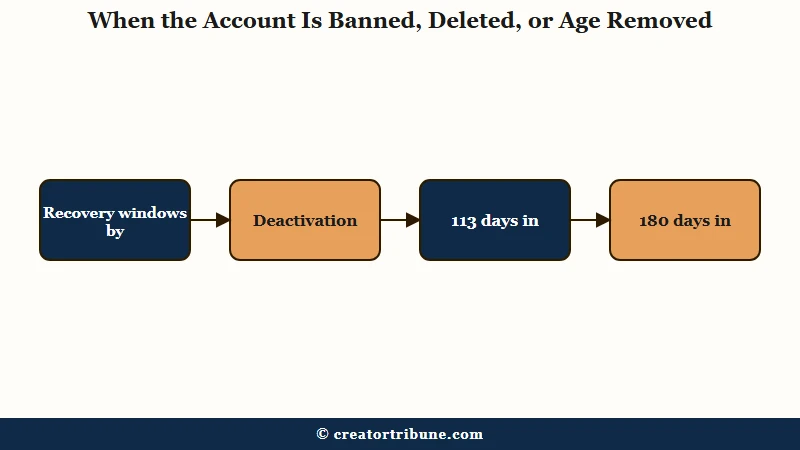
If the account was genuinely removed, your recovery window depends on which removal it was, and some windows are brutally short.
Bans get an appeal, deletions get a 30-day grace period, and age-gate removals get a region-specific deadline you do not want to miss.
A permanent ban hits accounts that severely or repeatedly break the rules, things like content involving minors, real-world violence, or repeated copyright violations. The fix is to log in, find the ban banner, and tap Appeal to request a human review.
The deeper walkthrough for that sits in the TikTok ban appeal guide, and a softer “not recommended” flag has its own path in the account not recommended fix.
Deletion works on a clock most people misread. Requesting deletion makes your profile show the not-found error to the public immediately, but TikTok holds the account for exactly 30 days before erasing the data.
Log back in within those 30 days and you can cancel and restore it; after day 30 it is gone. Deactivation runs on the same 30-day death clock, so treating it as an indefinite pause is a mistake that quietly costs people their accounts.
Age-gate removals are where the deadlines get sharp and region-dependent. Here is the breakdown that almost no guide spells out.
| Removal type | Recovery window | What to do |
|---|---|---|
| Deletion or deactivation | Exactly 30 days | Log in before day 30 and tap Reactivate |
| Age-gate appeal, United States | 23 days | Open the banner, tap Appeal, verify age |
| Age-gate appeal, most regions | 113 days | Same appeal flow, longer to act |
| Age-gate appeal, EEA, UK, Switzerland | 180 days | Same appeal flow, longest window |
Two age-appeal details catch people out. The selfie-with-ID method runs through a verification partner with a tight 15-minute session window, so locate your ID before you tap Appeal.
And the teen “photo with a parent or guardian” method requires the adult in the photo to be over 25 and holding a paper that reads “TikTok proof of age” with a unique code, which the digital-rights group EFF has written about in the broader age-gate context.
Why a Disappeared Account Isn’t Always Gone
An account showing in search is not proof it still exists, and an account missing from search is not proof it was deleted, because TikTok’s index lags reality in both directions.
This is the counterintuitive part that sends people down the wrong path.
The most common harmless cause is a simple username change. The moment a creator changes their handle, every old link and every search for the previous name returns account not found, even though the account is alive and well under the new name.
The old username does not even free up right away; it can take days to weeks to enter the available pool, which is why snipers sometimes miss it and sometimes grab it.
Then there is the inactivity reset, which surprises long-absent users. Under TikTok’s inactive-account policy, an account untouched for 180 days or more can have its custom username reset to a random string, so searches for the original handle return the error while the account technically still exists.
If you are worried the account was compromised rather than reset, the hacked TikTok account recovery steps cover that separate path.
The strangest case is the ghost account. Users have reported a deleted account still appearing as active in search well past the 30-day window, and attempting to log into it loops them to a different account entirely.
It proves the search index can serve stale cached data, so I would never treat a search result as confirmation that an account is or is not really there.
This is also the best argument I know for not building your whole presence on rented land. A platform can make your account vanish from every search overnight through a glitch, a flag, or a policy you did not see coming.
Pulling your most engaged followers onto something you control, with a setup like the free Creator Money Page, means a not-found screen is an annoyance instead of a catastrophe.
Frequently Asked Questions
Did they block me or delete their account?
Search the exact username from a different TikTok account or while logged out. If the profile loads there, you were blocked or removed as a follower. If it does not load anywhere, the account was deactivated, deleted, renamed, or banned, and you usually cannot tell which from outside.
Can I recover a permanently deleted TikTok account?
Officially no, once the 30-day grace period ends. You can cancel a deletion by logging back in within 30 days, but after that the data is erased and unrecoverable. Reports of “ghost” accounts still appearing in search are a caching artifact, not a recovery method.
Is my account banned or just glitching?
If you can still log in with no ban banner, you are not hard-banned. Open Account status in TikTok Studio to check for restrictions, and check a status tracker for a wider outage. A glitch resolves with a cache clear; a ban shows a banner and an Appeal button.
Why did my friend’s account suddenly disappear?
The likeliest reasons are a username change, a switch to a private account that removed you, a voluntary deactivation, or a ban. A name change is by far the most common and the most harmless, since the account is fine under its new handle.
Will reinstalling the app fix account not found?
Only if the cause is a local glitch, corrupted cache, or connection drop. Try switching networks and clearing the in-app cache first, since those fix most self-resolving cases. Reinstalling is the heavier fallback, not the first move.
Can I lose my username just from not logging in?
Yes. After 180 days of inactivity, TikTok can reset your custom username to a random string, so anyone searching your old handle sees account not found. Logging in periodically protects the name.
Quick Takeaways
- Account not found has six causes; the secondary-account search tells you which one in about 30 seconds.
- A glitch or cache problem, not a ban, is behind most self-resolving cases, so clear the cache before you panic.
- Deletion and deactivation both run on a strict 30-day clock; log in before day 30 to restore.
- Age-gate appeal deadlines are region-specific: 23 days in the US, 113 in most regions, 180 in the EEA, UK, and Switzerland.
- A search result is not proof an account exists; username changes, inactivity resets, and index lag all fake a deletion.