Is Instagram Down Right Now or Is the Problem on Your End
Is Instagram Down Right Now or Is the Problem on Your End
Is Instagram down right now or is it just your account? Here is how to check Instagram server status in 60 seconds and what to do while it is down.
- 1Is Instagram Down Right Now or Is It Just You
- 2How to Check If Instagram Is Down in 60 Seconds
- 3How to Tell an Outage From an Account Problem
- Instagram Web Not Working but the App Is Fine
- 4What the Error Messages Really Mean
- 5What to Do When Only You Are Affected
- 6What Creators Should Do While Instagram Is Down
- 7Frequently Asked Questions
- How do I know if Instagram is down or if it is just my phone?
- Why does Instagram say I am logged out during an outage?
- Can I trust Meta’s official status page to check Instagram?
- How long do Instagram outages usually last?
- Is “Couldn’t Refresh Feed” a shadowban?
- 8Quick Takeaways
TL;DR: When Instagram stops loading, check a crowd-report tracker like Downdetector and test whether Facebook or WhatsApp are also broken. If they are, it is a Meta-wide outage and you just wait. If only you are affected, it is almost always your connection, your app cache, or an account restriction, and those you can fix in a few minutes. Skip Meta’s own status page, it does not cover the consumer Instagram app.
Almost nobody tells you this when you frantically Google “is Instagram down” at 9pm with a dead feed. Meta does not run an official status page for the consumer Instagram app.
The only status dashboard it publishes covers business and advertising products, and that one happily shows green lights while millions of people cannot refresh a single post.
So the obvious move, checking the official source, is the one move that wastes your time. The real answer comes from crowd-report trackers and a 60-second test you can run yourself.
This guide shows you how to tell a true platform outage apart from a problem that lives on your phone or your account, how to check Instagram server status fast, what the error messages mean, and what to do, whether it is down for everyone or just for you.
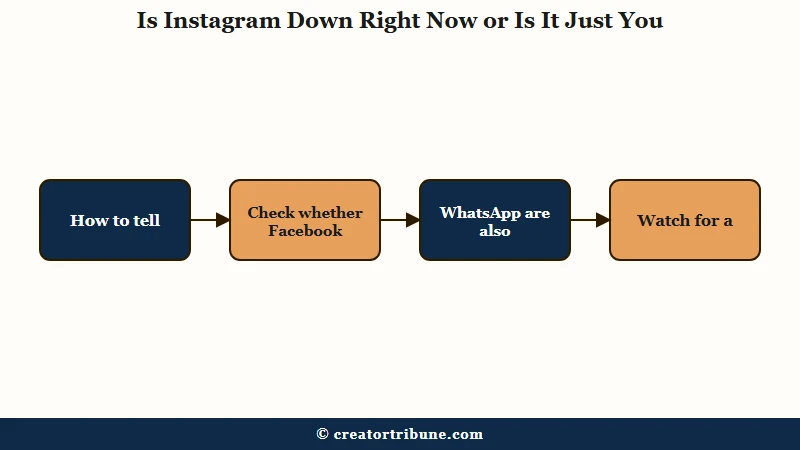
Is Instagram Down Right Now or Is It Just You
Instagram is down for everyone if Facebook and WhatsApp are also failing and crowd-report trackers show a spike, but it is just you if those other apps work fine.
The single fastest test costs you 60 seconds and zero apps.
What is Downdetector: A site that counts real-time problem reports from users, so a sudden spike means a lot of people are hitting the same issue at the same time.
The way I check is dead simple. Open Facebook or WhatsApp, both owned by Meta and run on shared infrastructure, and see if they are broken too. A historic example: the October 2021 blackout that took down Instagram, Facebook, and WhatsApp together for six to seven hours generated a record 10 million problem reports, and AP News traced it to a botched network configuration change.
If the sister apps work fine but Instagram does not, the problem is far more likely to be on your end. To rule out your phone entirely, open instagram.com in a desktop or laptop browser. If the website loads your feed normally, the servers are up and your phone app is the culprit, which is the most useful 60-second diagnostic I know. If you want to dig into a frozen app specifically, the deeper steps live in the guide on Instagram crashing and freezing.
How to Check If Instagram Is Down in 60 Seconds
The fastest way to check if Instagram is down is a crowd-report tracker plus the #InstagramDown hashtag on X, not Meta’s status page.
Stack two or three signals and you get a confident answer in under a minute.
Here is the sequence I run, in order of speed:
- Open a crowd tracker like Downdetector or IsDown and look for a report spike in the last 30 to 60 minutes.
- Search #InstagramDown on X. When Meta comments at all, an executive usually says so there before anywhere else, though plenty of outages pass with no statement.
- Test Facebook and WhatsApp. If all three fail together, it is a confirmed Meta-wide event.
- Load instagram.com on desktop. If the web works and the app does not, it is a local app issue, not an outage.
One reliability note worth knowing. Independent monitors do not all work the same way, and that changes how fast and how accurately they catch an outage.
| Way to check | How it decides | Best for |
|---|---|---|
| Downdetector | Counts user-submitted problem reports | Spotting a big outage as it starts |
| IsDown or StatusGator | Mixes user reports with status monitoring | Fewer false alarms, alert subscriptions |
| X hashtag search | Live human reports and Meta statements | Official confirmation during a crash |
| Meta business status page | Tracks business and ad tools only | Almost useless for the consumer app |
How to Tell an Outage From an Account Problem
A platform outage hits the whole app for everyone at once, while an account problem shows a specific pop-up like “Action Blocked” or “Account Suspended” that targets only you.
The error you see is the tell.
What is an action block: A temporary restriction Instagram puts on a single account when its systems flag the behavior as bot-like, usually after too many follows, likes, or comments in a short window.
If your feed will not refresh and no message appears at all, lean toward outage or connection. If a pop-up names a restriction, the issue is your account, not Meta’s servers.
Established accounts can trip an action block past roughly 200 follows, 1,000 likes, or 200 comments in a day, and brand-new accounts get capped far lower. The fix there is to stop all activity for 48 hours, not to keep tapping.
A shadowban is the sneaky middle case, where the app works but your reach quietly collapses. That is a visibility issue, not an outage, and I have written the full diagnostic in the guide on spotting an Instagram shadowban.
If a login screen tells you the account is disabled, that is a separate track covered in recovering a disabled Instagram account.
| Symptom | Likely cause | What to do |
|---|---|---|
| Feed will not load, no error message | Outage or your connection | Check a tracker, test other Meta apps |
| “5xx Server Error” on screen | Server-side outage | Wait it out, nothing to fix on your end |
| “Action Blocked” pop-up | Account restriction | Stop all activity for 48 hours |
| Reach collapsed but app works | Possible shadowban | Run a shadowban test, not an outage check |
| Logged out unexpectedly | Often an outage login glitch | Do not panic, wait before resetting password |
| Website broken, phone app fine | Web front end only, still server-side | Confirm in a second browser and on mobile data, then wait |
Instagram Web Not Working but the App Is Fine
When the Instagram website fails in a second browser and on a second network while the phone app keeps working normally, the fault is on Meta’s side and there is nothing to fix on your computer. The web front end can fall over on its own while app traffic keeps flowing, though a browser cache or an extension can produce the same symptom, so rule those out first.
The evening of Sunday 20 September 2026 in the United States was a clean example. Downdetector logged more than 17,000 Facebook reports and over 5,000 for Instagram by 9.11pm Eastern, and r/Instagram filled with the same complaint inside that half hour.
The news coverage missed the shape of it. One person posting in r/Instagram that night wrote “Interestingly, the phone apps are still working”, while others ruled out their own setup, one launching Edge to check it was not a Firefox problem, another trying different desktop browsers and then mobile data.
Confirming it takes about thirty seconds. Open instagram.com in a second browser, so Firefox or Edge if you normally use Chrome, then load it again on mobile data instead of your home Wi-Fi, and if it fails both times the cause is not your cache, your extensions or your connection.
Check facebook.com in the same pass, because Facebook web went down alongside Instagram that night, while no source that named specific services listed Threads or WhatsApp among them.
A web outage does not always show up as a dead page. During that September break some people stayed logged in and still lost the site, reporting that “the UI and page format are all screwed up”, which is the same server fault surfacing as a broken layout instead of an error screen.
Meta said nothing publicly while it ran, and its status page showed no disruption throughout. That page covers Meta’s business and advertising products, so an all-clear on it is not evidence that the consumer website is healthy.
What the Error Messages Really Mean
A “5xx Server Error” means the problem is on Instagram’s servers, while “Couldn’t Refresh Feed” usually means your connection, cache, or app version, not a shadowban. Reading the message correctly saves you from fixing the wrong thing.
What is a 5xx error: A class of server-side error codes (500, 502, 503) that mean the website itself failed to handle the request. It is never something you can fix from your phone.
The most misread message is the surprise logout. When a major outage hits Meta’s login servers, people get kicked out and immediately assume they were hacked. The way I see it, that panic causes more damage than the outage, because users rush to reset passwords through sketchy links. A sudden logout during a known outage is a symptom of the crash, not a breach.
The “Couldn’t Refresh Feed” error gets blamed on shadowbans constantly, and that is a myth. It is a network, cache, or server hiccup. One genuinely counterintuitive cause: a VPN.
People switch one on hoping to dodge a regional block, but a VPN or proxy often slows or blocks Instagram’s servers and creates the very error they were trying to escape. If your comments specifically will not load, that has its own causes covered in Instagram comments not loading.
What to Do When Only You Are Affected
When Instagram is up for everyone else, work through connection, cache, and app version in that order before touching your account.
Most solo failures clear in a few minutes with the right sequence.
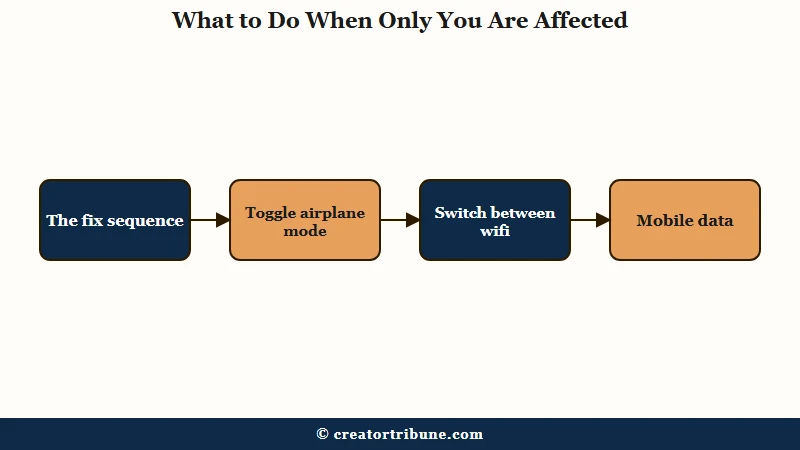
Cache and a stale connection cause most of these, so here is the order I would run before assuming anything is broken:
- Toggle Airplane Mode on for 10 seconds and off again to force your phone to re-register with the network.
- Switch between Wi-Fi and mobile data to rule out one bad connection.
- Turn off any VPN or proxy, then reload.
- On Android, clear the cache at Settings, Apps, Instagram, Storage, Clear Cache. On iPhone there is no equivalent button, and Offload App is not a substitute for one.
- Update the Instagram app, or reinstall it if an update is not available.
Offload App is the step usually recommended in place of an iPhone cache clear, and it does not do that job. Apple describes offloading as a feature that “frees up storage used by the app, but keeps its documents and data”, so the app goes and the stored data stays.
Deleting and reinstalling is the route that clears that data, and Apple is equally plain that Delete App “removes the app and its related data”. That sweep takes unposted drafts with it, so keep it as the last thing you try.
Here is what the difference looks like in practice:
Before: Feed will not refresh, so you log out, panic that you were hacked, reset your password three times, and reinstall while a global outage is the real cause. You have changed nothing except your own stress level.
After: You open Downdetector, see a 9,000-report spike, confirm Facebook is down too, and close the app for an hour. It comes back on its own, your account untouched.
What Creators Should Do While Instagram Is Down
The smartest move during an outage is to stop refreshing, pause scheduled posts so they do not misfire, and reach your audience on a channel you own.
An outage is exactly why a platform-independent audience matters.
Most guides tell you the story ends when the servers come back. It does not. A brief Meta outage can scramble ad delivery and algorithmic reach for days afterward as the system recalibrates, so do not assume normal performance the instant the app loads, especially if you run paid campaigns. Watch your analytics for a week and adjust expectations rather than budgets.
The bigger lesson is the one the October 2021 blackout taught everyone. Your reach on Instagram is rented, and it can vanish for hours with zero warning. Setting up a simple link-in-bio funnel that captures an email list means a Meta blackout never cuts you off from your own audience.
If reach problems persist after the outage clears, that may be a separate algorithm issue covered in why Instagram reach drops.
Frequently Asked Questions
How do I know if Instagram is down or if it is just my phone?
Open Facebook or WhatsApp, since they share Meta’s infrastructure. If they fail too and a tracker like Downdetector shows a spike, it is a platform outage. If they work fine, the issue is your phone, connection, or account.
Why does Instagram say I am logged out during an outage?
A surprise logout during a known outage is usually a glitch in Meta’s login servers, not a hack. Do not rush to reset your password, especially through links sent by email or text, since outage-time scams are common. Wait for service to return.
Can I trust Meta’s official status page to check Instagram?
Not for the consumer app. Meta only runs a status page for its business and advertising products, and it often shows everything as operational during a widespread outage. Crowd-report trackers and the #InstagramDown hashtag are more reliable.
How long do Instagram outages usually last?
Most are resolved within minutes to a couple of hours. Major infrastructure failures are rarer but longer, like the October 2021 blackout that lasted six to seven hours across Instagram, Facebook, and WhatsApp.
Is “Couldn’t Refresh Feed” a shadowban?
No. That error is a connection, cache, server, or VPN problem, not a visibility penalty. A shadowban quietly cuts your reach while the app keeps working, so it needs a different test entirely.
Quick Takeaways
- Check Facebook and WhatsApp first, if all three Meta apps fail together it is a confirmed outage and you just wait.
- Skip Meta’s official status page, it only covers business tools and shows green during consumer outages.
- A “5xx Server Error” is on Instagram’s servers, while “Couldn’t Refresh Feed” is usually your connection, cache, or a VPN.
- An “Action Blocked” or “Account Suspended” pop-up means your account, not the platform, so stop all activity for 48 hours.
- Build an owned channel like an email list so a Meta blackout never cuts you off from your audience.