How to Remove a Follower on Instagram Without Blocking Them
How to Remove a Follower on Instagram Without Blocking Them
Removing a follower on Instagram is silent and takes two taps, but the reason to do it and the safe pace are where people get it wrong.
- 1How Do You Remove a Follower on Instagram?
- 2Does Removing a Follower Notify Them?
- 3What Is the Difference Between Remove, Block, and Restrict?
- 4Can You Remove Followers in Bulk on Instagram?
- 5Does Removing Ghost Followers Boost Your Reach?
- 6How Many Followers Can You Remove Per Day Safely?
- 7Frequently Asked Questions
- Does removing a follower on Instagram notify them?
- Can a removed follower still see my posts?
- Can I remove all my ghost followers at once?
- Will removing followers get me shadowbanned?
- Did Instagram delete my followers in May 2026?
- Can a follower I removed follow me back?
- 8Quick Takeaways
TL;DR: To remove a follower on Instagram, open your profile, tap Followers, find the person, and tap Remove. They are not notified and they are not blocked, so they can still find your public profile. The bigger question is whether removing dead-weight followers genuinely helps your reach, and the honest answer is that it is hygiene, not a growth hack.
If you searched how to remove a follower on Instagram, you are probably here for one of two reasons. Either one specific account needs to go, or you watched your follower count wobble during the May 2026 bot purge and started wondering how many of the rest are dead weight.
The mechanics take two taps and nobody gets a notification. What trips people up is the strategy around it: whether removing followers helps your reach, how many you can safely remove in a day, and why Instagram’s own bulk-removal tool has been quietly infuriating people all year.
Here is the part that surprised me. A bloated follower count can actively throttle your reach, because Instagram tests every new post on a small slice of your followers first.
So this guide covers the two-tap removal, the difference between remove and block, the buggy bulk tool, and the real math on whether any of it moves the needle.
How Do You Remove a Follower on Instagram?
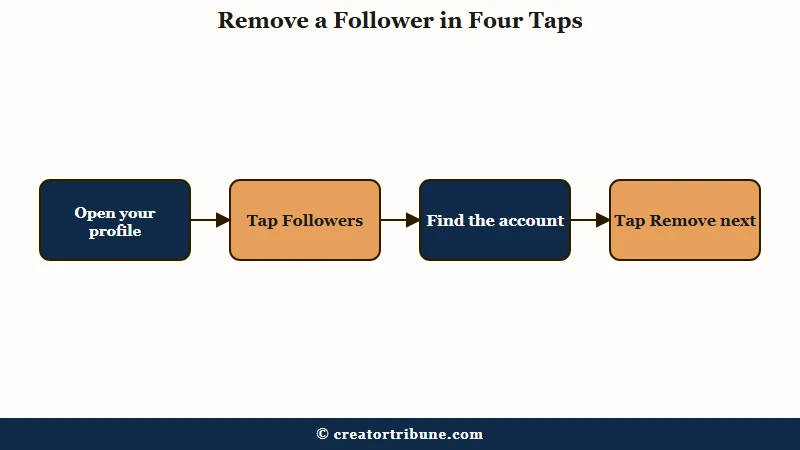
To remove a follower on Instagram, open your profile, tap your Followers list, find the account, and tap Remove next to their name.
The person is not notified, and this is separate from blocking them.
What is removing a follower: Taking someone off your followers list so your posts stop appearing in their home feed, without blocking them or alerting them.
There is a quiet second method some people prefer for a cleaner break. If you block an account and immediately unblock it, that account no longer follows you and still gets no notification, which forces a full unfollow rather than just dropping them from your feed. I would only reach for that when you want the person fully detached, not just removed.
Here is the standard sequence, which is the one I would use for almost every case:
- Open your profile and tap Followers at the top.
- Scroll or search for the account you want gone.
- Tap Remove next to their name, or tap the three dots and choose Remove Follower.
- Confirm when Instagram asks. The follower is gone with no alert sent.
That is the whole process for a single account. The friction only starts when you try to do this at scale, which is where the rest of this guide comes in.
Does Removing a Follower Notify Them?
Removing a follower does not notify them, and because they are not blocked, they can still visit your profile and see your public posts.
The only thing that changes is that your content stops showing up automatically in their feed.
This is the reassurance most people are looking for, so let me be exact. There is no alert, no badge, and no message. The person would only notice if they went looking and realized they were no longer following you.
Re-following is where it gets interesting. A removed follower can request to follow you again, but if Instagram had already flagged that account as suspicious, the new request lands in a follow-requests folder even on a public account.
Our guide on Instagram unfollowing people covers the flip side, when the app drops your follows without you touching anything.
What Is the Difference Between Remove, Block, and Restrict?
Removing drops someone from your followers quietly, blocking makes you invisible to them, and restricting keeps them as a follower but silences their comments and messages. Each one fits a different problem.
The way I see it, most people reach for Block when Remove or Restrict is the calmer tool. Blocking is loud and total, and a determined person notices fast. Restricting is the underrated option for a follower whose comments you want to mute without any drama.
Here is how the three compare in practice:
| Action | Are they notified | Can they see your posts | Best for |
|---|---|---|---|
| Remove | No | Yes, public posts | Quiet cleanup of dead or unwanted followers |
| Block | No alert, but easy to notice | No, you become invisible | Harassment or accounts you never want back |
| Restrict | No | Yes, they stay a follower | Muting comments and DMs without a scene |
If your real problem is a hacked or spammy account impersonating engagement, our walkthrough on fixing fake views and bots goes deeper on that specific mess.
Can You Remove Followers in Bulk on Instagram?
You can bulk-remove suspected spam using Instagram’s Flagged for Review tool, found under Profile then Followers then Flagged for review, but be warned that the tool has been badly buggy all year.
For everything else, removal is still one account at a time.
The promise is clean: Instagram surfaces accounts it thinks are bots or inactive, and you tap Remove all in one go. In practice, creators keep hitting a wall.
The most common failure is the tool freezing or throwing a “Sorry we couldn’t complete your request” error after you approve a handful of accounts. Worse, the flagged list often contains real clients and followers while ignoring obvious bots, so I would review it manually rather than trusting a blind Remove all.
There is also a nasty side effect where thousands of real followers get trapped in the review queue and your engagement stalls until it clears.
Before: you tap Remove all on the Flagged for Review list, trusting Instagram’s picks, and quietly delete a batch of real customers it mislabeled.
After: you scroll the flagged list first, spot the real accounts mixed in, and only remove the obvious spam, so no genuine followers get lost.
Does Removing Ghost Followers Boost Your Reach?
Removing ghost followers can raise your true engagement rate and clean up the signal you send the algorithm, but it is hygiene, not a growth hack. It will not make you go viral on its own.
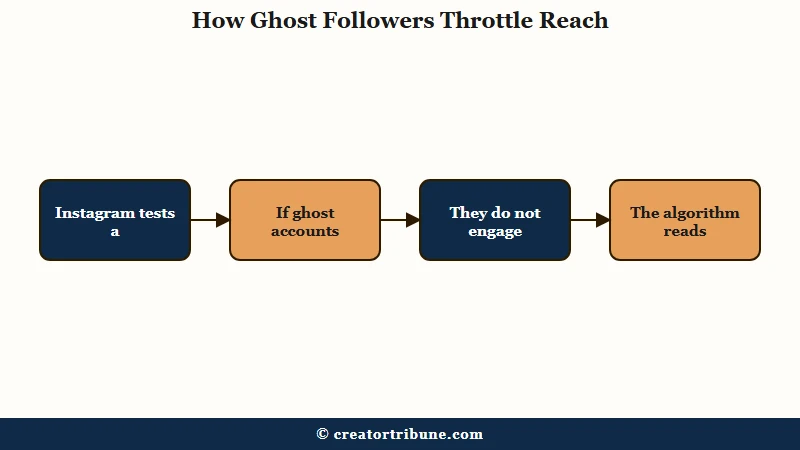
The reason comes down to how the algorithm samples your audience. Instagram tests a new post by showing it to a small slice of your followers first, often cited as around 10 percent, and if that slice is stuffed with inactive accounts that never engage, the algorithm reads the post as boring and throttles it before your real fans ever see it.
The math is the clearest way to see it. An account with 10,000 followers and 420 engagements shows a 4.2 percent engagement rate, but if 3,000 of those followers are ghosts, the real 7,000 are engaging at a true 6.0 percent. Instagram serves more than two billion people worldwide according to Statista, and at that scale the platform leans hard on these ratios to decide what to distribute.
One honest caveat before you go on a deleting spree. Not every silent follower is a ghost, plenty are lurkers who buy from you without ever liking a post, so a mass purge can quietly delete your next sale.
Case studies do show real upside, with one creator reporting a 300 percent jump in views and Reels climbing from 200 to several thousand after a cleanup, but expect up to a week of lag before reach settles. If reach is your real worry, our guide on why your Instagram reach dropped covers the causes that have nothing to do with ghosts.
The deeper point is that a follower count you rent on someone else’s platform is a fragile asset. That is why I would route your best followers toward something you own, and your own links page is a simple way to start doing that.
How Many Followers Can You Remove Per Day Safely?
Removing too many followers too fast can trigger a shadowban, so keep manual removals under about 100 a day and spread them across short sessions.
Instagram treats rapid bulk actions as bot-like behavior.
The exact ceilings get reported differently, which is its own headache. Some accounts hit limits around 20 removals per hour and 300 per day, and Instagram is known to flag users who delete more than 100 followers in a day.
| Limit type | Reported cap |
|---|---|
| Per hour | Around 20 removals |
| Per day, hard ceiling | Around 300 removals |
| Daily flag trigger | More than 100 removals |
| Recommended safe pace | 50 to 100 per day |
The safe read across all of it is to go slow. From my read of the conflicting advice, here is the pace I would follow to stay clear of a flag:
- Cap manual removals at roughly 50 to 100 per day, not one giant burst.
- Break that into two or three short sessions rather than one long one.
- Skip third-party auto-remove apps entirely, since they violate the terms and are the fastest route to a shadowban.
- If you feel your reach dip mid-cleanup, pause for a few days before continuing.
If your posts already feel suppressed and you are not sure why, our guide on fixing an Instagram shadowban helps you tell a real penalty from a normal slow week.
Frequently Asked Questions
Does removing a follower on Instagram notify them?
No. Instagram sends no alert when you remove a follower. The person is not told and would only find out by noticing they no longer follow you.
Can a removed follower still see my posts?
Yes, if your account is public. Removing is not blocking, so they can still visit your profile and view your public content. Your posts just stop appearing in their feed automatically.
Can I remove all my ghost followers at once?
Only through Instagram’s Flagged for Review tool, and it is unreliable. It often freezes, mislabels real followers as spam, and there is no other safe one-tap bulk option. Manual removal is capped by daily limits.
Will removing followers get me shadowbanned?
It can if you move too fast. Removing large numbers rapidly looks bot-like and can trigger an action block. Keep it under about 100 a day and avoid third-party removal apps.
Did Instagram delete my followers in May 2026?
Probably, if you saw a sudden drop. Instagram ran an AI-driven bot purge on May 6 and 7, 2026. Celebrities lost millions, while most creators saw a 2 to 5 percent dip.
Can a follower I removed follow me back?
Yes, they can request to follow you again. If Instagram flagged their account as suspicious, that new request goes to a follow-requests folder even on a public account.
Quick Takeaways
- Removing a follower is two taps under Profile then Followers, it sends no notification, and it does not block them.
- Remove for a quiet cleanup, restrict to mute someone without drama, and block only for accounts you never want back.
- The Flagged for Review bulk tool is buggy, mislabels real followers, and should be checked by hand before you remove anything.
- Clearing ghost followers fixes your true engagement rate and signal, but it is hygiene, not a growth hack, and lurkers are not ghosts.
- Keep manual removals under about 100 a day across short sessions, and never use third-party auto-remove apps.