How to Hide Likes on Instagram Without Hiding Who Liked It
How to Hide Likes on Instagram Without Hiding Who Liked It
Hiding likes on Instagram takes three different settings, and the popular one does not do what you think. Here is how to hide the right thing.
- 1What Hiding Likes on Instagram Really Changes
- 2How Do I Hide My Own Like Count on a Post?
- 3How Do I Hide Like Counts on Other People’s Posts?
- 4How Do I Hide What I Liked From the Friends Tab?
- 5Why the Hide Likes Option Is Missing or Greyed Out
- 6Does Hiding Likes Hurt Your Reach?
- 7Frequently Asked Questions
- Does hiding my like count hide who liked the post?
- Can I hide likes on Instagram Reels?
- Does hiding likes reduce my reach?
- Why can’t I find the hide like count option?
- How do I stop friends seeing what I liked on Reels?
- Can I hide likes on all my old posts at once?
- 8Quick Takeaways
TL;DR: Hiding likes on Instagram is really three separate settings: hiding the count on your own posts, hiding everyone else’s counts from your feed, and hiding the Reels you liked from the new Friends tab. The one most people use only removes the number, not the list of who liked, so anyone can still tap through and see every name.
If you want to know how to hide likes on Instagram, the first thing worth clearing up is that there is no single switch. There are three, they live in different menus, and they protect three different things. Most guides only show you one and let you assume it does more than it does.
The setting nearly everyone reaches for hides the like count on your own posts. What surprised me is how little it hides. It swaps the number for the words “Liked by someone and others,” but that “and others” is a tappable link that opens the full, scrollable list of every account that liked the post.
So by the end of this you will know which of the three settings you want, where each one lives, and the one privacy leak in 2026 that none of them fixes on their own.
I will also cover why the option goes missing for some accounts and whether any of this touches your reach.
What Hiding Likes on Instagram Really Changes
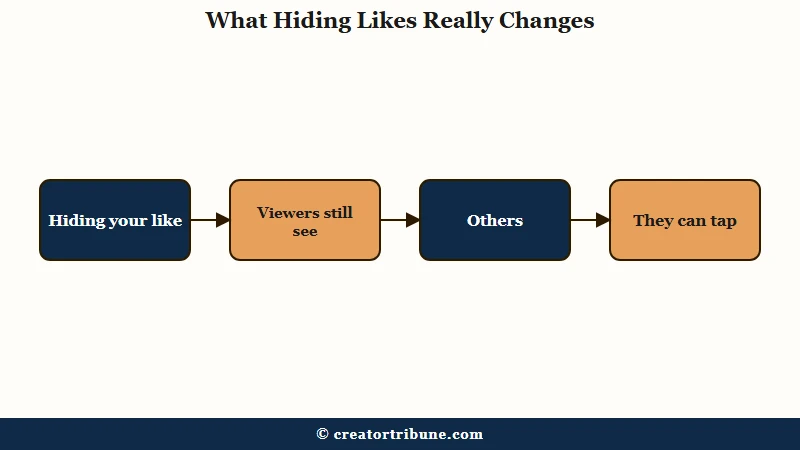
Hiding likes on Instagram removes the number, not the list of who liked.
Viewers see “Liked by someone and others” instead of a count, and they can still tap “and others” to scroll every account that liked the post.
What is the like count versus the likes list: The count is the total number shown under a post. The list is the set of usernames who liked it. Hiding the count leaves the list fully visible.
This is the gap that trips people up, and it bears stating plainly before you touch any settings. Hiding your count is a display choice about the number, not a privacy wall around your engagement.
If your goal is to stop people knowing exactly how a post performed, it helps. If your goal is total anonymity, it does nothing. For a related privacy myth, our guide on who views your Instagram profile clears up another one people get wrong.
The way I see it, the confusion comes from lumping three separate controls under one phrase. You can hide the count on your own posts, hide other people’s counts so you stop comparing, or hide the Reels you personally liked from being broadcast to your followers.
Each one is a different menu, and mixing them up is why people think they have hidden something they have not.
How Do I Hide My Own Like Count on a Post?
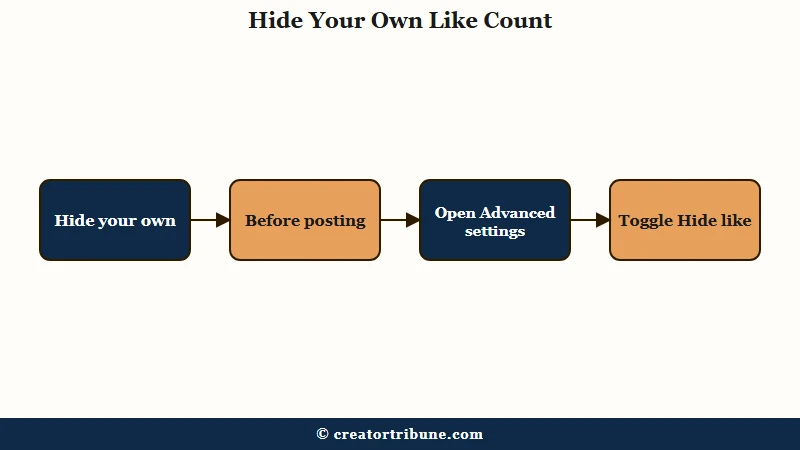
You hide your own like count either before posting, in Advanced settings, or after posting, from the three-dot menu on the post.
Both toggle the same thing, and neither one signs you out or affects the caption.
There is no bulk switch, so an older feed has to be done post by post. For anything going forward, I would set it at the moment you publish so you never think about it again. Here is the sequence for a brand new post:
- Build your post as normal and go to the final screen with the caption and share button.
- Tap Advanced settings near the bottom.
- Find the Like and view counts section and toggle on Hide like and view counts on this post.
- Share the post as usual.
To hide the count on something already live, open the post, tap the three dots in the top right corner, and choose Hide Like Count. You can reverse it the same way whenever you want the number back.
Before: you hide your like count assuming your engagement is now private and nobody can tell how the post did.
After: a follower taps the “and others” text under your post, scrolls the full list of likers, and counts them by hand in about ten seconds.
How Do I Hide Like Counts on Other People’s Posts?
To hide like counts on other people’s posts, turn on the global setting under Settings and activity, in the What you see section.
This only changes your own feed, and nobody else can tell you switched it on.
This is the setting I would reach for if the numbers on other accounts are what get in your head. It strips the count from every post you scroll past, yours included, without touching who can see anything on your profile. The path is straightforward once you know it is separate from the per-post toggle.
Open your profile, tap the menu in the top right, then Settings and activity. Scroll to the What you see section, tap Like and share counts, and toggle on Hide like and share counts.
From then on your feed shows content without the running scoreboard, which is a cleaner way to browse if comparison is the problem. Our guide on why your Instagram reach dropped covers the other half of that anxiety, the reach numbers themselves.
How Do I Hide What I Liked From the Friends Tab?
To hide what you liked, open Settings and activity, tap Activity in Friends tab, and set it to No One.
This is the 2026 privacy leak most people miss, because Instagram turned your liked Reels into something your mutuals can browse.
Instagram rolled the Friends tab into the Reels feed globally the week of August 8, 2025, as Mashable reported. The tab shows your followers which Reels you have liked or commented on, which caught a lot of people off guard when they realized their casual double-taps were now public to friends.
What I would check first, honestly, is this setting, because it is the one that exposes the most. Hiding your like counts does nothing for it. Here is how to shut it off:
- Go to your profile and open Settings and activity from the menu.
- Scroll down to Activity in Friends tab.
- Select No One, or toggle off Show my activity.
Once it is off, your likes and comments on Reels stop feeding into the Friends tab for your mutuals to see. If you also want to lock down who can see your follower and following lists, our walkthrough on hiding your followers on Instagram pairs well with this.
Why the Hide Likes Option Is Missing or Greyed Out
The hide likes option usually goes missing because of an outdated app, an unsupported account type, a regional limit, or a temporary glitch.
A few people also hit a red error message when the toggle refuses to save.
In my experience the account type is the quiet culprit more often than a bug. Some older or restricted profiles do not surface the toggle at all, and switching to a standard personal or creator account brings it back. Before you assume your app is broken, run through the simple causes in order.
| Symptom | Likely cause | Fix |
|---|---|---|
| Toggle not in Advanced settings | Outdated Instagram app | Update the app from the store |
| Red error when saving | Temporary server glitch | Log out, wait, and retry |
| Option missing entirely | Unsupported account type | Switch to a personal or creator account |
| Works for some posts only | Regional rollout limit | No fix, the feature is gated in your region |
If none of those apply and the app is still misbehaving, clearing the app cache is the next reasonable step, and our guide on clearing the Instagram cache walks through doing it without losing your drafts.
Does Hiding Likes Hurt Your Reach?
Hiding likes does not directly hurt your reach, because the algorithm still counts every like on the backend.
Adam Mosseri has repeatedly framed hiding likes as a display choice, not a ranking signal.
In 2026 the platform is deep in what creators call a like recession, where 100 likes is the new 1,000, and likes have quietly become one of the weaker signals anyway. Mosseri has said sends per reach, meaning how often people DM your post to others, is the metric that matters most for reaching new audiences, while likes mostly matter for existing followers.
The numbers behind that shift are stark. Median engagement on Instagram fell about 79 percent, from 2.94 percent in early 2024 to 0.61 percent a year later, sliding toward 0.45 percent by mid 2025, and the platform sits among the largest social networks tracked by Statista. So a low like count is often the platform, not you.
There is one honest caveat, and the sources genuinely disagree here. A couple of guides warn that visible likes act as social proof, so hiding them on a post that is doing well can cost you the herd-mentality bump where people like what they see others liking. What I would do is situational: hide the count on a quiet post to protect perception, and leave it on when a post is performing and the social proof works for you.
The bigger lesson is that vanity metrics are a rented signal on a platform that keeps changing the rules. That is why I would put real effort into a channel you control.
If you want somewhere your audience can find you no matter what Instagram does to likes next, your own links page is worth setting up.
Here is how the three settings compare side by side:
| Setting | What it hides | Where to find it | Who it affects |
|---|---|---|---|
| Hide your own count | The number on your post, not the likers list | Advanced settings or the post three-dot menu | Everyone viewing your post |
| Hide other people’s counts | Every count in your own feed | Settings and activity, What you see | Only you |
| Hide your Friends tab activity | The Reels you liked or commented on | Settings and activity, Activity in Friends tab | Your mutual followers |
Frequently Asked Questions
Does hiding my like count hide who liked the post?
No. Hiding the count only removes the number. Viewers still see “Liked by someone and others” and can tap “and others” to scroll the full list of accounts that liked it.
Can I hide likes on Instagram Reels?
It depends on your app version, and the guides genuinely disagree. Some accounts show the hide toggle in Advanced settings for Reels, while others report it is limited to feed posts. Check Advanced settings right before you post a Reel to see if the toggle appears for you.
Does hiding likes reduce my reach?
Not directly. Instagram still tracks every like on the backend, and Adam Mosseri calls hiding likes a display choice, not a ranking signal. The only indirect risk is losing the social-proof nudge on a post that is already doing well.
Why can’t I find the hide like count option?
It is usually an outdated app, an unsupported account type, a regional limit, or a temporary glitch. Update the app first, then try switching to a personal or creator account if the toggle still does not appear.
How do I stop friends seeing what I liked on Reels?
Go to Settings and activity, tap Activity in Friends tab, and select No One. This is separate from hiding like counts and is the setting that keeps your Reels likes private from mutuals.
Can I hide likes on all my old posts at once?
No. There is no bulk option for existing posts, so you have to open each post, tap the three dots, and choose Hide Like Count one at a time.
Quick Takeaways
- Hiding your like count removes the number only, so anyone can still tap “and others” and see the full likers list.
- There are three separate controls: your own count, everyone else’s counts in your feed, and your liked Reels in the Friends tab.
- The Friends tab, live since August 2025, quietly shows mutuals what you liked, so set Activity in Friends tab to No One if that matters.
- Hiding likes does not hurt reach, since likes are a weak signal in the 2026 like recession anyway.
- If the toggle is missing, update the app or switch to a personal or creator account before assuming it is a bug.