How to Change Your Age on TikTok When the Birthday Is Locked
How to Change Your Age on TikTok When the Birthday Is Locked
TikTok won't let you edit your birthday in the app, so changing your age takes an ID appeal. Here's the exact process, timing, and what to skip.
- 1Why You Can’t Change Your Age on TikTok in the App
- 2How Do You Change Your Age on TikTok Through an Appeal?
- 3What Verification Method Should You Pick to Confirm Your Age?
- 4How Long Does a TikTok Age Change Take and What’s the Deadline?
- 5What Goes Wrong When You Try to Change Your Age
- 6Does Changing Your Age Unlock TikTok Monetization?
- 7Is It Safe to Hand TikTok Your ID to Change Your Age?
- 8Frequently Asked Questions
- Can I change my age on TikTok without an ID?
- How long does TikTok take to change my age?
- Why won’t TikTok let me edit my birthday in Settings?
- What happens if my TikTok account was banned for being underage?
- Does a VPN bypass TikTok age verification?
- Can I just make a new account with the right age?
- 9Quick Takeaways
TL;DR: You cannot change your age on TikTok from the settings menu. TikTok locks your birthday after signup, so an age change now runs through the same ID appeal system it uses to remove underage accounts. This guide walks the exact appeal path, the verification options, and the mistakes that get people stuck.
If you have tried to change your age on TikTok and hit a wall, you are not doing it wrong. The birthday field is greyed out on purpose. TikTok removed the ability to freely edit your date of birth, and now the only way to correct it is a formal appeal with a photo of your ID.
That surprises most people, because every other profile detail is a quick edit. Your username, your bio, your photo all change in seconds. Your birthday does not, and the reason is that TikTok treats the birth date as an age-gate, not a profile preference.
Here is the part worth knowing before you start. The same machinery that reviews your age-change request is the machinery TikTok uses to remove roughly 6 million underage accounts every month. That means the system is tuned to be suspicious, and a sloppy request gets auto-denied.
I will walk you through the appeal that works, the verification method I would pick, the deadlines you are up against, and the privacy trade-off nobody mentions.

Why You Can’t Change Your Age on TikTok in the App
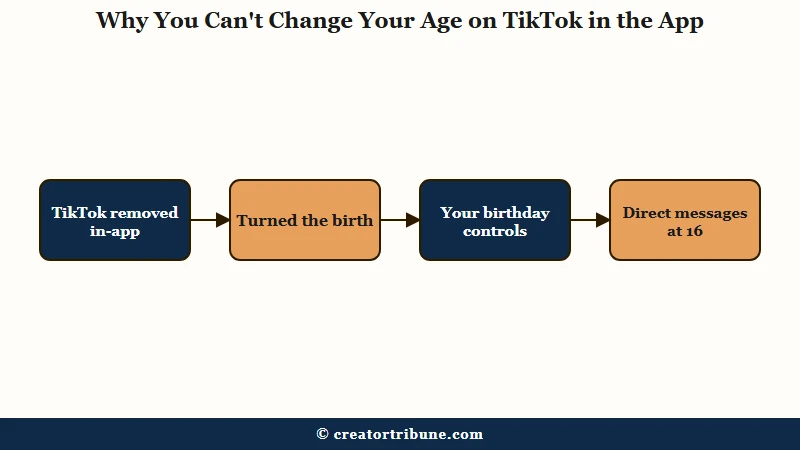
Changing your age on TikTok is blocked in-app because TikTok converted the birthday field into a locked age-gate.
You edit it through a support appeal with ID, not through Settings, and the lock exists to stop minors from aging themselves up past content restrictions.
The way I see it, this is the single fact that saves you the most time. People spend twenty minutes hunting through Settings and privacy looking for a birthday edit that was removed.
It is not hidden. It is gone.
What is an age-gate: A rule that ties account features to your stated age, so your birthday controls what you can access rather than acting as a simple profile detail.
TikTok uses your confirmed age to unlock or restrict specific features. You need to be 13 to hold an account at all (14 in South Korea and Indonesia), 16 to send and receive direct messages and to allow downloads, Stitch, and Duet, and 18 to go live, use TikTok Shop, or collect virtual Gifts.
That is why a wrong birthday is not cosmetic. It can quietly block half the app.
The pressure behind all of this is regulatory. The UK Online Safety Act and the EU rules on age assurance pushed platforms to prove they are keeping minors out of adult experiences, and you can read the plain-English version in the Online Safety Act explainer. TikTok’s response was to lock the birthday and route every change through verification.
How Do You Change Your Age on TikTok Through an Appeal?
You change your age on TikTok by filing a support request under Report a Problem and attaching a photo of your government ID.
The path is buried several menus deep, and you need your correct birth date and a clear ID photo ready before you start.
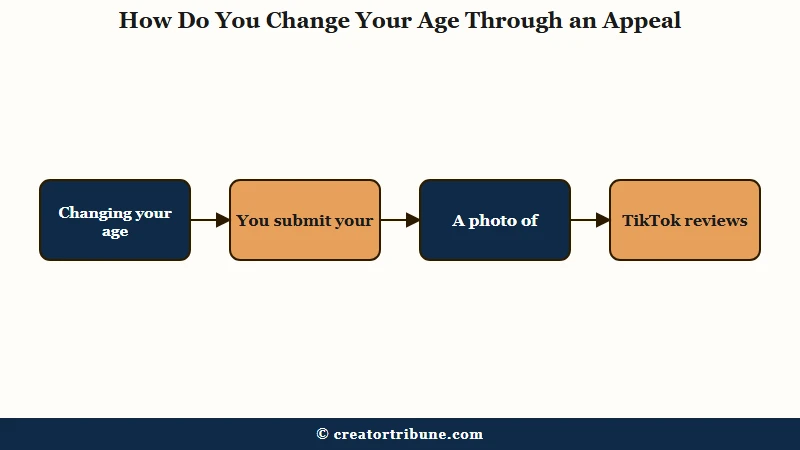
Here is the exact sequence I would follow. The menu labels shift slightly between updates, so match the intent of each tap rather than the exact wording.
- Open your profile and tap the menu icon, then go to Settings and privacy.
- Tap Report a problem.
- Choose Account and Profile, then Editing profile.
- Tap Other, then Need more help?
- Write a short, clear request that states your correct date of birth and says the current one is an error.
- Attach a clear photo of your government-issued ID. You can add up to 4 photos, so include a second angle if the first is glossy.
- Submit, then watch the inbox tied to your account for the follow-up.
The wording of your request matters more than people expect. State the correct birth date as a fact, keep it to two sentences, and do not editorialize. A request that reads like a story gets triaged slower than one that reads like a correction.
Here is the difference in practice.
Before: “Hi, I think there might be a mistake with my account and I have been having trouble accessing some features lately, can someone please look into why my age seems wrong because I really need this fixed soon.”
After: “My date of birth is listed incorrectly. The correct date is 4 March 1998. I have attached my government ID for verification.”
The second version gives the reviewer everything in one glance and nothing to interpret. That is what moves it forward.
What Verification Method Should You Pick to Confirm Your Age?
The best TikTok age verification method for most adults is the credit card check, because it clears in about 5 minutes and avoids uploading your ID.
TikTok offers several paths depending on your region and the feature you are unlocking, and they differ a lot in speed and privacy.
I would rank them by how little friction and exposure they carry. The credit card route runs a small temporary charge to confirm you are 18 or older, and one user reported the hold as about $1.50, refunded shortly after. That is the method I would try first if you have a card, since it never touches your ID.
What is Yoti: A third-party service TikTok uses for facial age estimation. It reads a live selfie for age signals like wrinkles rather than identifying who you are.
What is Incode: A third-party identity partner that verifies you by matching a government ID against a live selfie. TikTok gives you exactly 15 minutes to finish before the session times out.
The table below is the quick version I wish I had before starting. Note the retry limits and the timing, because running out of retries on a bad photo is the most common way people get stuck.
| Method | How it works | Speed and limits | Best for |
|---|---|---|---|
| Credit card | Temporary hold of about $1.50, refunded, to confirm you are 18+ | About 5 minutes, up to 6 retries | Adults who want to skip ID upload |
| Facial age estimation (Yoti) | A live selfie is analyzed for age, not identity | About 5 seconds, up to 3 retries | Fast checks when you look your age |
| ID and selfie (Incode) | Government ID matched to a live selfie | 15-minute session, locks you out 15 minutes if you exit early | Cases where a card or selfie estimate failed |
| ID and 3 selfies | Photos of your ID plus selfies from different angles | Up to 24 hours, up to 6 retries | The standard fallback for a birthday correction |
| Parent or guardian | A parent confirms by email and card, or a photo with a trusted adult over 25 | Varies by region | Users aged 13 to 17 appealing a restriction |
One detail catches teens off guard. The “photo with a trusted adult” option requires the adult to be over 25, so an 18-year-old sibling or friend does not count. That rule exists specifically to stop young teens from borrowing a barely-adult stand-in.
How Long Does a TikTok Age Change Take and What’s the Deadline?
A manual TikTok age change usually takes 24 to 72 hours, but if your account was banned for being underage you are on a hard deletion clock that varies by region.
Miss the appeal window and the account and its data are erased for good.
This is where I would stop treating it as casual. If TikTok flagged you as under 13 and banned the account, the deletion timeline is region-specific and unforgiving. The pipe table below is the one to screenshot.
| Situation | Appeal window | Permanent deletion |
|---|---|---|
| Underage ban, United States | 23 days | Day 30 |
| Underage ban, global default | 113 days | Day 120 |
| Underage ban, EEA, UK, Switzerland | 180 days | Day 187 |
| Lost an age-gated feature only | 180 days from notice | Feature stays locked |
The US window is brutally short at 23 days, so a US creator who ignores the ban email for a month can lose the account outright. Use the “Download your data” tool the moment you see a ban notice, before you even start the appeal.
For a plain birthday correction with no ban attached, the 24 to 72 hour range is normal. It stretches when support volume is high or when your ID photo is blurry, which is the single most controllable variable on your side. If you are stuck on the verification screen rather than waiting on a human, my guide to age verification not working covers the loop fixes in detail.
What Goes Wrong When You Try to Change Your Age
The most common failure is an automated rejection loop, where TikTok’s system denies or re-flags you before a human ever sees the request.
Adults with verified IDs report being repeatedly accused of being minors, and the fix is usually switching verification methods, not resubmitting the same one.
Here is the pattern I would watch for. You submit an ID, get an instant denial or an endless loading screen, resubmit the same ID, and get the same result.
Doing the same thing harder does not break the loop. Changing the input does.
The credit card method is the quiet escape hatch. When selfie or ID scans get stuck in a bug, the temporary card authorization often clears instantly because it checks a different signal. If you have burned through retries on one method, switch rather than repeat.
There is also the “wrongly flagged as a minor” case, which hits legitimate adult creators hardest. If facial estimation misreads you, and you do not carry a physical ID or a credit card, you are in the thinnest part of the system. In that spot I would go straight to a written appeal through TikTok support with the clearest ID photo you can produce, and avoid the automated tools that already failed you.
A word on the tempting shortcut. If support rejects your change, some guides tell you to just make a new account with the correct birthday. That works, but you lose every follower, every posted video, and your algorithm history.
TikTok also suspends your ability to immediately recreate an account with a different birth date on the same device, so a rushed typo at signup can lock you out of retrying for a while. Fixing the existing account is almost always worth the wait.
Does Changing Your Age Unlock TikTok Monetization?
Changing your age to 18 does not fully unlock monetization on its own, because payout programs also require tax and banking details that verify adulthood a second time. Aging up gets you to the door, not through it.
This is the gap most “change your age” guides skip, and I think it is the most important one for creators. Say a 17-year-old changes their listed age to 18 to join Creator Rewards or TikTok Shop.
To collect a single payment, they still need a valid tax identity and a linked payout account, both of which independently require you to be an adult. The age edit alone earns nothing.
The way I see it, that makes faking your age for money a dead end, and it points at a better lesson. Real creator income does not come from unlocking one platform feature. It comes from owning the audience you can take anywhere.
If you are old enough to monetize and serious about it, building a proper creator money page that captures your audience off-platform outlasts any single app’s payout rules.
If your goal was only to get direct messages or downloads back, that is a lower age bar (16) and a cleaner fix. Keeping your account private while you sort it out is smart, and making your TikTok account private takes about ten seconds.
Is It Safe to Hand TikTok Your ID to Change Your Age?
Handing over your ID for a TikTok age change carries a real privacy cost, since third-party verifiers have been fined and one is known to hold ID images by default.
The convenience is real, and so is the exposure, so pick the lowest-data method that works.
I do not say this to scare anyone off. Millions verify without incident. The point is to choose deliberately, because the methods are not equal on privacy.
Two data points changed how I would rank them. In March 2026, the Spanish data protection authority fined Yoti, one of TikTok’s facial-estimation partners, 950,000 euros over privacy failings. Separately, the Electronic Frontier Foundation has warned that Incode, a document-verification partner, defaults to retaining uploaded ID images unless a deletion is explicitly triggered.
TikTok itself says it deletes submitted IDs and selfies once the check completes, but the retention behavior sits with the vendor, not only the app.
That is exactly why I put the credit card method at the top. It confirms your age without ever exposing a government document. If you must use ID, facial estimation reads for age signals rather than storing your identity, which is a lighter footprint than a full ID upload.
One myth worth killing: a VPN does not fix this. Some articles claim you can dodge the check by switching servers, but age verification here is tied to your account, not your location, so changing your IP does nothing.
The bypass everyone recommends does not work on an account-level gate. If you have already flagged the account, only verification clears it, and my guide to verifying your age on TikTok walks through the legitimate paths.
Frequently Asked Questions
Can I change my age on TikTok without an ID?
Sometimes. Adults can often use the credit card method, which confirms you are 18+ with a small refundable hold and no ID. Facial age estimation is another no-ID option in some regions, though a birthday correction on a flagged account usually still needs a government ID.
How long does TikTok take to change my age?
A manual birthday correction typically takes 24 to 72 hours once you submit your request and ID. Blurry photos and high support volume push it longer, so a clear, well-lit ID image is the fastest thing you control.
Why won’t TikTok let me edit my birthday in Settings?
TikTok removed in-app birthday editing to stop minors from aging themselves up. Your birth date now works as a locked age-gate, so any change has to go through a support appeal with verification rather than a normal profile edit.
What happens if my TikTok account was banned for being underage?
You get a region-specific window to appeal and download your data: 23 days in the US, 113 days globally, or 180 days in the EEA, UK, and Switzerland. Miss it and the account is permanently deleted around day 30, 120, or 187 respectively.
Does a VPN bypass TikTok age verification?
No. TikTok’s age check is tied to your account, not your location, so switching your IP with a VPN does not remove the gate. Only completing a verification method or a successful appeal clears an age restriction.
Can I just make a new account with the right age?
You can, but you lose your followers, videos, and algorithm history, and TikTok may block you from immediately recreating an account with a new birth date on the same device. Correcting the existing account is usually the better call.
Quick Takeaways
- You cannot edit your TikTok birthday in Settings; a change requires a support appeal with a photo of your government ID.
- The credit card method is the fastest, lowest-exposure way for adults to confirm 18+, clearing in about 5 minutes with no ID upload.
- If your account was banned as underage, act inside your region’s window, 23 days in the US, and use “Download your data” immediately.
- Aging up to 18 does not unlock payouts alone, since Creator Rewards and TikTok Shop also require adult tax and banking details.
- A VPN does not bypass the age check, and third-party verifiers carry real privacy risk, so pick the lowest-data method that works.