How to Hide Your Following List on Instagram From Strangers
How to Hide Your Following List on Instagram From Strangers
Instagram has no toggle to hide your following list, so here is what really works, what only looks like it works, and the safe way to stay private.
- 1Can You Hide Your Following List on Instagram Right Now?
- 2How Do You Hide Your Following List From People You Don’t Follow?
- 3What About Hiding Your Following List From One Specific Person?
- 4Which Instagram Settings Do NOT Hide Your Following List?
- 5Why Does Instagram Sometimes Hide a Following List on Its Own?
- 6How Do You Audit Who You Follow Without Risking Your Account?
- 7What If You’re a Creator or Public Figure?
- 8Frequently Asked Questions
- Can I hide my following list on Instagram without going private?
- Does going private hide my following list from current followers?
- Does restricting someone hide my following list from them?
- Why does Instagram say it limits what I can see on someone’s list?
- Are third-party apps that hide your following list safe?
- Can a business or creator account hide its following list?
- 9Quick Takeaways
TL;DR: Instagram has no single button to hide your following list. On a public account the list is visible to anyone, so the only real levers are going private, blocking a person, or removing a follower. This guide covers what works, the myths that waste your time, and why Instagram sometimes hides the list on its own.
If you want to hide your following list on Instagram and keep hitting dead ends, there is a reason. As of early 2026, there is no toggle anywhere in the app that hides only the accounts you follow.
That catches almost everyone off guard. People expect a privacy switch sitting next to the follower count, and it does not exist.
What does exist is a small set of methods that really change who can see your list, a pile of settings that look like they should work but do not, and an automated system that sometimes hides the list for you without asking.
I will walk through all three so you stop wasting taps on the myths.
Can You Hide Your Following List on Instagram Right Now?
You cannot hide only your following list on Instagram, because the platform ships no native toggle for it as of early 2026.
On a public account your following list is visible to anyone, follower or not, and the only ways to limit it are going private, blocking someone, or removing a follower.
The way I see it, this is the fact that saves you the most frustration. Every “hide following list” setting people hunt for was never built.
There is one wrinkle worth knowing. Instagram support has told at least one paying user that a manual hide-following feature exists but has not rolled out globally, sitting with a small set of verified accounts for testing. So the toggle may be coming, it is just not on your account today.
What is a following list: The public list of accounts you follow, shown on your profile next to your follower count. It is separate from your followers list, which shows who follows you.
Until that feature ships widely, everything below is about the levers you really have.
How Do You Hide Your Following List From People You Don’t Follow?
The only native way to hide your following list from strangers is to switch your account to private, which limits your lists to approved followers.
It does not hide anything from people who already follow you.
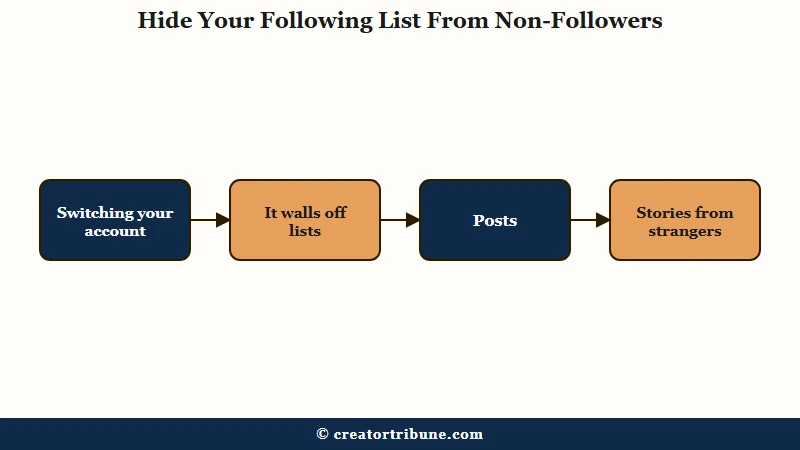
This is the main lever, and I would reach for it first if privacy is the real goal. Going private walls off your following list, your followers list, your posts, and your stories from anyone you have not approved.
Here is the exact path on mobile, which shifts slightly between app updates.
- Open your profile and tap the three lines in the top corner.
- Tap Settings and activity.
- Tap Account privacy.
- Toggle Private account on and confirm.
There is a catch that trips people up constantly. Going private only hides your lists from non-followers. Everyone you have already approved keeps full access to see exactly who you follow.
If you want to cut off a current follower, private alone will not do it. You have to open your followers list and remove that person by hand, which I cover next. For the neighboring question of hiding your follower count, our guide to hiding followers on Instagram walks the separate settings.
What About Hiding Your Following List From One Specific Person?
To hide your following list from one specific person, block them or, on a private account, remove them as a follower.
There is no setting that hides your list from a single named user while leaving it visible to everyone else.
From what the options allow, blocking is the cleanest cut. A blocked person loses all access to your profile, so your following list disappears for them along with everything else.
Removing a follower is the softer move, and it only works if your account is private. On a private account, removing someone means they can no longer see your lists and would have to request to follow you again.
Here is the trap. On a public account, removing a follower is close to useless for hiding your list.
The person can walk straight back to your profile and read your entire following list without following you at all, because a public list is public to the whole internet. If someone keeps resurfacing, removing them as a follower only sticks once you have gone private first.
Which Instagram Settings Do NOT Hide Your Following List?
Restrict, Mute, Limits, and Close Friends do not hide your following list, despite being the settings people try first.
Each one changes how a person interacts with you, not whether they can see who you follow.
I want to be blunt here because these myths cost the most time. Muting only removes someone’s posts from your feed.
Restrict moves their comments and DMs out of sight but leaves your profile fully visible to them. Limits just pauses interactions for up to four weeks.
The quick-reference below is the version I wish more guides led with.
| Setting | Hides your following list? | What it does |
|---|---|---|
| Private account | Yes, from non-followers | Walls off lists, posts, stories from strangers |
| Block | Yes, from that person | Removes all profile access for the blocked user |
| Remove follower | Only if private | Revokes a follower’s access on a private account |
| Restrict | No | Filters that user’s comments and DMs only |
| Mute | No | Hides their posts from your feed |
| Close Friends | No | Controls who sees a story, not your lists |
One source even tells readers that Restrict hides your follower list, which is flat wrong. Most guides and Instagram’s own behavior agree Restrict changes interactions only, so treat any “just restrict them” advice as a red flag.
Why Does Instagram Sometimes Hide a Following List on Its Own?
Instagram will automatically hide a following list and show a “community protection” message when its systems detect unusual activity or a regional privacy rule applies.
This is an algorithmic block, not a setting the profile owner turned on.
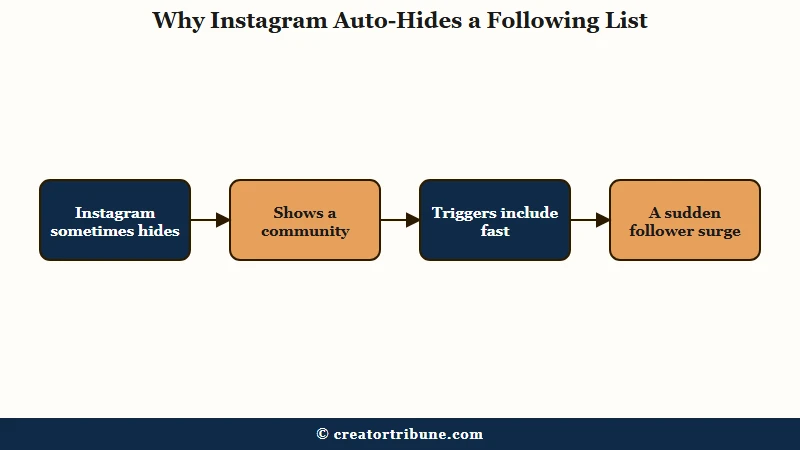
What surprised me is that almost no mainstream guide explains this, and it confuses everyone who hits it. If you try to view a list and see the message “We limit certain things you can see, such as someone’s followers or following lists, to protect our community,” nobody flipped a switch. Instagram’s system hid it.
A handful of triggers set this off. Clicking through profiles too fast reads as scraping, and a sudden surge of new followers looks like spam targeting. Following a lot of sensitive or flagged content raises the same guard, and accounts tied to minors get extra protection by default.
What is the community protection message: An automated Instagram notice that appears when the app blocks list visibility for safety reasons, unrelated to any privacy setting the profile owner chose.
Region matters too. In the UK and parts of Europe, laws like the Online Safety Act push platforms to lock down default visibility, and you can read the plain-English scope in the Online Safety Act explainer. That is why a plainly public account abroad can still show a hidden following list.
How Do You Audit Who You Follow Without Risking Your Account?
The safe way to audit your following list is to export your Instagram data as JSON and analyze it yourself, never a third-party “hide following” app.
Those apps cannot change Instagram’s visibility rules and routinely turn out to be credential-phishing scams.
I feel strongly about this one. Any app promising to hide your following list is selling something Instagram does not permit, and handing it your password is how accounts get hijacked. It also violates Instagram’s terms, which can get you suspended.
There is a genuinely clever workaround for the real reason people install those apps, which is tracking who does not follow back. You can request your data export from Instagram, which arrives as JSON files, then have a tool read them for you.
Vague: “Which app lets me see who I follow that doesn’t follow me back?”
Specific: “Download your Instagram data as JSON, open ChatGPT, and paste: Here are my followers and following exports, list every account I follow that does not follow me back.”
That gets you the audit with zero password sharing. While you are in settings, turning off Similar Account Suggestions also quietly reduces how often your profile surfaces inside other people’s recommendations, which trims your network’s exposure without going fully private.
What If You’re a Creator or Public Figure?
Creators and public figures often cannot hide their following list at all, because professional and business accounts cannot be switched to private.
The standard privacy lever is not available once you convert to a creator account.
This is the ceiling most growth guides skip. If you rely on a creator or business profile for reach, going private is off the table, so your following list stays public no matter what. Some users also report losing features like the mutual “followed by” bubble past a large follower threshold.
The common workaround is a second private account, often called a Finsta, for the accounts you want to follow quietly. You keep the public creator profile clean and do your private following from the locked-down one.
What is a Finsta: A secondary, private Instagram account used for personal or low-profile activity, kept separate from a person’s main public profile.
The way I see it, if you are building a public brand, chasing list privacy is the wrong battle. The durable move is owning an audience you control off-platform, which is exactly what a creator money page is built for.
For the day-to-day of trimming who is visible, hiding your likes is a lighter lever that public accounts can still use.
Frequently Asked Questions
Can I hide my following list on Instagram without going private?
No. On a public account your following list is visible to everyone, and there is no toggle to hide it while staying public. Your only options are blocking specific people or switching the whole account to private.
Does going private hide my following list from current followers?
No. Going private only hides your following and followers lists from people who do not follow you. Anyone you have already approved keeps full access, so you must remove a follower manually to cut them off.
Does restricting someone hide my following list from them?
No. Restrict only filters that person’s comments and sends their DMs to a requests folder. They can still open your profile and see your following list exactly like any other visitor.
Why does Instagram say it limits what I can see on someone’s list?
That message is an automated safety block, not a user setting. Instagram hides the list when it detects fast profile-clicking, a follower surge, sensitive content, a minor’s account, or a regional privacy rule like the Online Safety Act.
Are third-party apps that hide your following list safe?
No. No app can override Instagram’s visibility rules, and most are phishing scams built to steal your login. They also violate Instagram’s terms and can get your account suspended, so avoid them entirely.
Can a business or creator account hide its following list?
Not by going private, because professional accounts cannot be set to private. The common workaround is following privately from a separate personal account while keeping the public creator profile open.
Quick Takeaways
- Instagram has no native toggle to hide only your following list as of early 2026, so going private is the main lever.
- Private hides your lists from non-followers only; remove approved followers by hand to cut them off.
- Restrict, Mute, Limits, and Close Friends change interactions, not list visibility, so skip them for this.
- The “We limit certain things you can see” message is an automated Instagram block, not a setting anyone chose.
- Never trust a third-party “hide following” app; audit unfollowers by exporting your data as JSON instead.