Revid AI Review and the Credit Burn Nobody Warns You About
Revid AI Review and the Credit Burn Nobody Warns You About
Honest Revid AI review for faceless creators. Real pricing, how fast credits burn, output quality, and who should skip it before paying.
- 1What Revid AI Does
- 2How Much Does Revid AI Really Cost
- 3Why the Credit System Burns Faster Than You Expect
- 4Is the Video Quality Good Enough to Post
- 5Is Revid AI Legit and Safe to Pay For
- 6How Revid AI Compares to Crayo, AutoShorts, and Opus Clip
- 7Who Should Use Revid AI and Who Should Skip It
- 8The Verdict on Revid AI
- 9Frequently Asked Questions
- Is Revid AI free to use?
- How much does Revid AI really cost per video?
- Does Revid AI put a watermark on videos?
- Is Revid AI legit and safe to pay for?
- How does Revid AI compare to Opus Clip?
- 10Quick Takeaways
Bottom Line: Revid AI is a capable faceless-video generator for established channels that need volume, but its credits burn far faster than the pricing implies and the billing has a real cancellation-friction problem. At roughly $39 to $199 a month with no credit rollover, it earns its keep only if you ship dozens of videos a month and back up your work. Beginners and perfectionists should skip it.
Most Revid AI reviews stop at the pricing page. The number that decides whether this tool is worth it is buried in the credit ledger, where one user reported a single short video quietly eating 735 credits with no warning before it rendered.
That gap between the advertised plan and the real cost per usable video is the whole story with Revid AI. The tool can generate a faceless Short from a script, a URL, or a one-line idea, and for a high-volume channel that is genuinely useful.
I went through the pricing, the credit math, the output quality, and the billing complaints so you can decide before you enter a card. This review covers what Revid AI does well, where it falls apart, and exactly who should walk away.
What Revid AI Does
Revid AI is a full-pipeline faceless video generator that turns a script, URL, or idea into a short-form video with AI voiceover, captions, stock footage, and optional avatars. It is built for TikTok, Reels, and YouTube Shorts, not long-form.
What I like about the concept is that it starts further back than a clipping tool. Where Opus Clip or Submagic need existing long footage to cut down, Revid generates the whole thing from a prompt, which is why faceless-channel operators reach for it.
The platform leans hard into volume. It advertises thousands of templates, including more than 2,693 for TikTok and 2,099 for YouTube Shorts, plus 50-plus voices and captions in over 100 languages.
The catch is the hard ceiling on length. The engine is tuned for 60 to 90 second clips and reportedly struggles or fails past that, so this is a Shorts machine and nothing more.
How Much Does Revid AI Really Cost
Revid AI runs about $39 a month for Hobby, $99 for Growth, and $199 for Ultra, but the sticker price is not the real cost because everything you make spends credits that do not roll over. The effective price per usable video is what matters.
Here is how the plans line up.
| Plan | Monthly price | Best for | Watch out for |
|---|---|---|---|
| Free trial | $0 | Testing quality once | Watermark and resolution limits |
| Hobby | ~$39 | Solo creators posting weekly | Credits run out fast on Pro models |
| Growth | ~$99 | Daily faceless channels | Failed renders still cost credits |
| Ultra | ~$199 | Agencies and multi-channel ops | Highest-quality model burns 200 credits per 5 seconds |
One independent breakdown put the Starter unit cost at about $1.86 per video, against $0.48 per video on a newer rival, FluxNote. That nearly 4x premium is the kind of math I would run before committing, because Revid is not the cheapest option in 2026.
Annual plans exist and add credits on the first of each month, but unused credits reset rather than stacking. If you do not use the volume you pay for, it is gone.
Why the Credit System Burns Faster Than You Expect
Revid AI charges credits per generation by model quality, so a single video can cost anywhere from 15 to over 700 credits, and there is no free retry when the AI returns something unusable. The “wasted output” tax is the real budget killer.
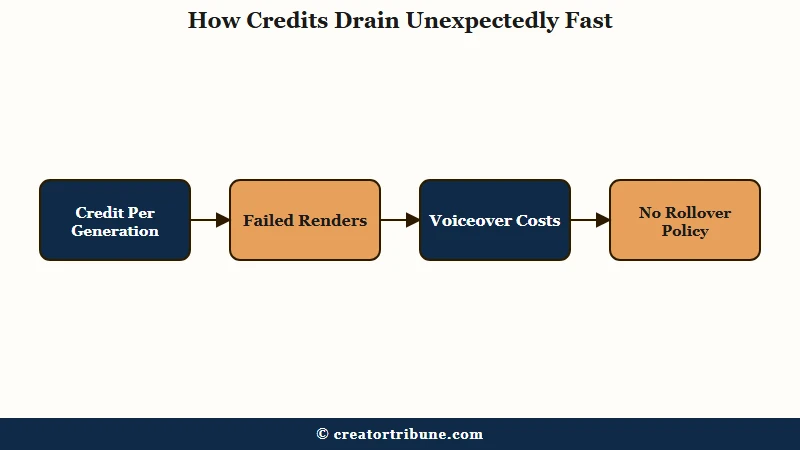
What surprised me most is that there is no storyboard preview. You spend the credits on a full render before you can see whether the AI picked relevant footage, so a bad result is a bad result you already paid for.
The per-action costs add up quickly once you look at them directly.
| Action | Credit cost | Note |
|---|---|---|
| Video, Base model | 15 per 5 seconds | Cheapest, lowest quality |
| Video, Pro model | 60 per 5 seconds | Mid-tier |
| Video, Ultra model | 200 per 5 seconds | Highest quality, fastest burn |
| Voiceover | 10 per 500 characters | Adds up on long scripts |
| Avatar lip sync | 40 per 500 characters | Plus 20 for background removal |
| Train a character or preset | 200 flat | Upfront tax for AI-influencer workflows |
If you need three generations to land one postable video, your real monthly bill on the Growth plan effectively triples. The way I see it, that acceptance-rate math is the single most important thing Revid’s marketing leaves out. Keeping a deliberate AI video consistency workflow is the only way to keep the waste down.
Is the Video Quality Good Enough to Post
Revid AI quality is hit or miss: voiceovers and captions are solid, but the AI visuals range from clean to genuinely broken, and the stock footage is often generic. Plan to scrap a share of what you generate.
What I would flag first is that the avatars and voices land more often than the generated video does. One Trustpilot user trying to make music videos described getting “rabbits with four ears and two heads,” the kind of hallucination that turns a paid render into scrap.
The other recurring complaint is filler footage. A script about “business” tends to pull the same generic handshake clip, and the captions, while clean, lack the karaoke-style pop animations that drive watch time on 2026 Shorts.
Specific prompts help, but they do not fully fix it.
Vague: “Make a video about productivity.”
Specific: “Generate a 45-second faceless Short using the Hormozi caption preset on the two-minute rule for procrastination, with B-roll of a desk timer and a checklist.”
The specific version gives you a usable draft far more often, but even then the stock B-roll can drift off-topic. If your channel competes on visual polish, the style-consistency problem in AI video is one you will fight constantly here.
Is Revid AI Legit and Safe to Pay For
Revid AI is a real, working product operated by an entity called TMAKER, but it is low on corporate transparency and has a documented pattern of cancellation and refund friction. Use a payment method you can control.
This is the part I would not gloss over. The site does not prominently disclose a company name, address, or support team, and the domain sits behind a WHOIS privacy mask, which is why third-party trust analysts rate it cautiously.
The billing complaints are specific and repeated: charges after cancellation, a dashboard that makes canceling hard, and refund requests that go unanswered until users file bank chargebacks. The terms allow a refund only if you have used under 10 percent of your credits, and EU users waive their 14-day cooling-off right the moment they generate anything.
There is one more trap worth flagging. You cannot export a project again once your subscription lapses, and some users reported older videos being deleted after they stopped paying. Download and back up everything the day you make it. For context on why AI-generated volume can also draw platform penalties, the issues around AI slop and demonetization are worth reading before you scale output.
How Revid AI Compares to Crayo, AutoShorts, and Opus Clip
Revid AI is the right pick when you want to generate a video from scratch, while Opus Clip and Submagic win for cutting existing long footage and AutoShorts wins for hands-off daily auto-posting. They solve different jobs.
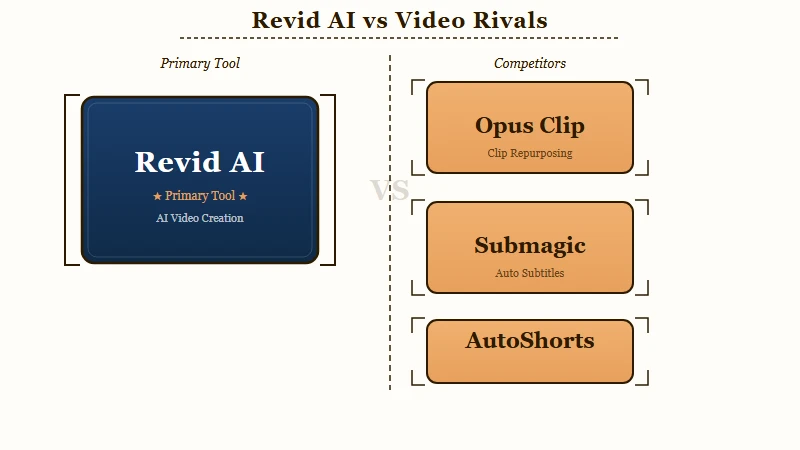
I would not frame these as straight competitors, because they sit at different points in the workflow. Revid starts from a script or idea, the clippers start from your existing footage, and AutoShorts is closest to a set-and-forget poster.
| Tool | Core job | Best for |
|---|---|---|
| Revid AI | Generate a Short from script/URL/idea | Faceless channels needing originals |
| Opus Clip | Clip long video into shorts | Repurposing podcasts and long-form |
| Submagic | Captions and short-form polish | Caption-led editing |
| AutoShorts | Automated daily faceless posting | Fully hands-off pipelines |
If your real need is turning one long upload into many clips, the Opus Clip review and the Submagic review cover the better-fit tools, and the guide to repurposing long videos into Shorts shows where each one slots in.
Who Should Use Revid AI and Who Should Skip It
Use Revid AI if you run an established faceless channel that ships high volume and can absorb wasted credits; skip it if you are a beginner, a perfectionist, or on a tight budget. The economics only work at scale.
What I would tell a friend is that the tool rewards volume and punishes caution. If you publish daily and back up your library, the speed is worth the friction.
If you are testing the waters, the non-refundable credits, the no-rollover policy, and the cancellation hurdles make this a high-risk place to learn. The lack of a storyboard preview is a dealbreaker for anyone who needs to see a scene before paying to render it.
The Verdict on Revid AI
Revid AI is worth it for monetized, high-output faceless creators and a poor fit for everyone else, mostly because of credit burn and billing friction rather than weak features. It is a 3.7-star tool for a reason.
To me, that 3.7 average across about 210 Trustpilot reviews tells the real story: roughly half are five stars and a third are one star, a split that matches the gap between people shipping volume and people fighting the billing.
Here is what works in its favor.
- Generates complete short-form videos from a script, URL, or idea, no footage required.
- Deep template library and 50-plus voices across 100-plus languages.
- Useful presets, including a Hormozi-style caption look tuned for retention.
- Genuinely fast once you dial in a repeatable prompt and style.
And here is what holds it back.
- Credits burn unpredictably, with single videos reported over 700 credits and no rollover.
- No storyboard preview, so failed renders waste paid credits with no retry.
- Cancellation and refund friction, plus charges after cancellation in user reports.
- Opaque corporate identity and content deletion after a lapsed subscription.
Frequently Asked Questions
Is Revid AI free to use?
Revid AI has a limited free trial with a fixed credit allowance, but exports carry a watermark and resolution limits. To remove the watermark and unlock full quality you need a paid plan starting around $39 a month.
How much does Revid AI really cost per video?
On the Starter plan the effective cost works out to roughly $1.86 per video, against about $0.48 on some newer rivals. Failed renders that you scrap raise the real per-usable-video cost well above the sticker price.
Does Revid AI put a watermark on videos?
Yes, free-trial exports include a watermark and reduced resolution. Paid plans remove both, but credits still apply to every generation, so a paid plan is not unlimited.
Is Revid AI legit and safe to pay for?
Revid AI is a functioning product operated by an entity called TMAKER, but it is light on corporate transparency and has repeated complaints about hard cancellation and ignored refunds. Pay with a method you can control and back up your videos.
How does Revid AI compare to Opus Clip?
Revid generates videos from scratch, while Opus Clip cuts existing long footage into clips. If you already have podcasts or long uploads, Opus Clip fits better; if you start from a script or idea, Revid is the closer match.
Quick Takeaways
- Revid AI generates full faceless Shorts from a prompt, but credits burn fast and never roll over, so the real cost is the per-usable-video price, not the plan.
- Quality is uneven: voices and captions are fine, but AI visuals can break badly and there is no storyboard preview to catch it before you pay.
- Billing is the biggest risk, with cancellation friction, ignored refunds, and content deleted after a lapsed subscription, so back up everything you make.
- Worth it for monetized high-volume faceless channels; beginners, perfectionists, and tight budgets should skip it and start with a clipping tool instead.