
How to Recover an Instagram Account Disabled for Integrity
How to Recover an Instagram Account Disabled for Integrity
Instagram disabled your account for "integrity" reasons. Use this creator-tested recovery path with the Meta Verified backdoor that really works.
- 1What an Instagram Account Integrity Violation Actually Covers
- 2How to File the First Appeal So It Reaches a Human
- 3What Triggers a False-Positive Integrity Ban
- 4What to Do If Your First Appeal Is Denied
- 5Can the EU Appeals Centre Reverse an Instagram Account Suspension?
- 6How to Build an Evidence Vault Before the Next Ban
- 7What Not to Do While Waiting for Recovery
- 8Frequently Asked Questions
- What does “disabled for account integrity violation” mean on Instagram?
- How long does an Instagram integrity ban appeal take to resolve?
- Can I get my followers back if my account is restored?
- Does Meta Verified really help recover a disabled account?
- What happens if I create a new Instagram account while my old one is disabled?
- Is an “integrity” ban the same as a community guidelines ban?
- Does using a VPN during the appeal help or hurt?
TL;DR: An Instagram account integrity violation is usually a false positive from Meta’s expanded AI moderation rather than a real policy breach. The fastest recovery path is in-app Request Review first, then a clean-fingerprint Help Center appeal framed around your business case, then Meta Verified support on a secondary account if those fail. In-app appeals usually resolve within a few hours to three days, and Meta publishes no overall recovery rate for disabled accounts.
The notice “your account was disabled for an account integrity violation” is what creators across the platform woke up to in May 2026, and most of them had not done anything wrong.
The 10 million figure that circulates in ban-wave threads does not describe this. Meta removed roughly 10 million Facebook profiles impersonating large content creators in the first half of 2025, a different platform, a different year, and a different enforcement category.
Meta has published no equivalent count for Instagram account integrity actions, so nobody outside the company knows how large these waves actually are. The recovery path itself has become a creator skill anyway.
As of August 2026 the recovery sequence below still holds: in-app Request Review, the instagram.com/hacked human-review path, and Meta Verified priority support are the routes creators report winning with. Meta Verified Standard is $11.99 a month on the web against $14.99 in the mobile app, checked against Meta’s own Meta Verified pricing page in August 2026.
Most creators underrate how much the framing of that first appeal matters.
The “Request Review” button reads like a single decision, but a case can end with an automated reviewer or a human one, and what you put in the explanation field is part of what decides which. Meta does not publish how that routing works, so treat any specific queue count quoted elsewhere as guesswork.
This guide walks through the full recovery sequence, including the specific moves that put your appeal in front of a human reviewer faster, the Meta Verified route creators fall back on when a first appeal is denied, and the proactive evidence you should be collecting right now so a future ban does not cost you your business.
What an Instagram Account Integrity Violation Actually Covers
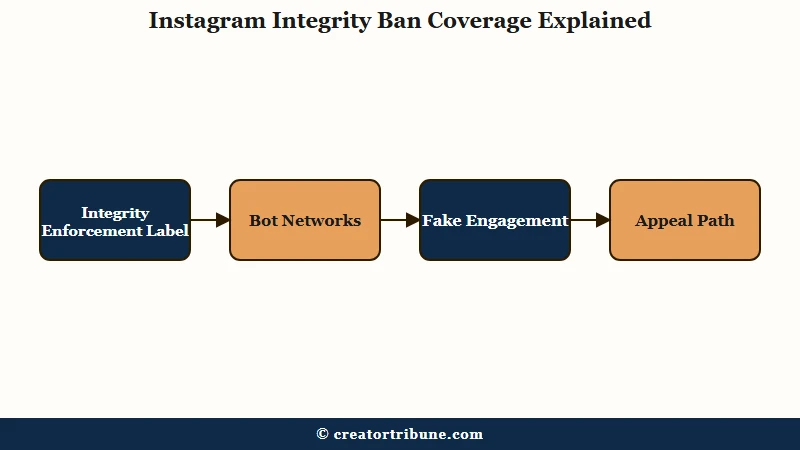
An Instagram integrity ban is Meta’s automated enforcement label for accounts flagged as fake, bot-driven, or engaged in inauthentic activity, even when the account is run by a real person.
Per Meta’s stated policy, integrity covers fake accounts, bot networks, spam activity, follower boosting services, fake engagement, unoriginal content, and AI-generated engagement.
Reports from the 2026 waves point the same way: most false positives come from creators tripping the bot-behavior detectors without realizing it.
Mass-following a hashtag, scheduling 30 posts in a batch, logging in from a new country during a trip, or running a Meta Business Suite session at the same time as a third-party scheduler all look suspicious to the AI even when the activity is legitimate.
The label matters because it is broader than the older “community guidelines violation” category. Integrity covers behavioral signals as much as content, which is why creators with squeaky-clean post history are still getting hit.
If your suspension notice mentions integrity, account integrity, or “to protect our community”, you are in this enforcement bucket, and the recovery path is different from a content takedown.
For context on related enforcement patterns this year, our Instagram aggregator account crackdown writeup walks through what changed in Meta’s automated detection in 2026.
How to File the First Appeal So It Reaches a Human
The fastest first-appeal path is the in-app “Request Review” button, filed from a fresh device with a clean IP and a business-case framing in the explanation field.
In-app appeals are processed within hours to a few days when they land in the right queue. Web Help Center forms take 1 to 5 business days.
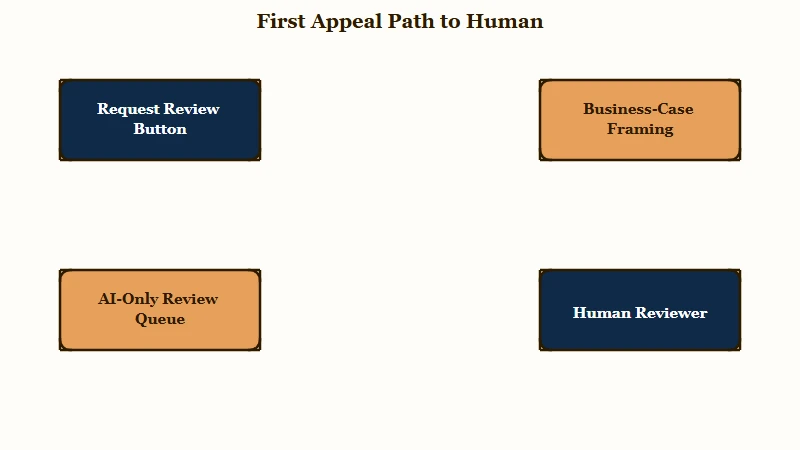
The way I would think about this: your appeal is competing for human reviewer time with millions of others. The signals that route a case to a human instead of the AI are device cleanliness, account history, and the language of the explanation. Get those three right and your first appeal does most of the work.
Here is the sequence I would walk through:
- Open the Instagram app on the device where the account was logged in most often. Familiar device + familiar IP increases the chance the system treats you as the legitimate owner. If you cannot log in at all, move to step 2 from a phone you use daily, not a fresh install.
- Tap “Request Review” or “Disagree with Decision” on the disabled-account screen. This is the in-app path and it skips the public web form.
- Complete the identity verification. Most current cases require a video selfie (turn your head slowly) or a “selfie with code” (handwritten note with a code, your name, and your handle). Use good lighting and your real name, no Photoshop, no filters.
- In the explanation field, lead with the business case. Mention active Meta ad spend if you have it, your years on the platform, your follower count, and the fact that this is a professional creator or business account. Skip apologies, skip rule recitations.
- Submit once, then wait 24 hours before doing anything else. Refiling the same appeal multiple times resets the queue position and can flag you as suspicious.
Before: “I do not understand why my account was disabled, I have not broken any rules, please review and restore it as soon as possible.”
After: “This is the professional Instagram account for my creator business, active since 2022, with 47,000 followers and active Meta advertising spend of approximately $1,800 per month. The disabling on May 18 appears to be an automated error. I have never used third-party automation tools or follower services. Account history and ad billing are available for verification.”
The second version is shorter, more specific, and gives a human reviewer the three pieces of evidence they need to overturn the case. Our Instagram account disabled fix covers the long version of the appeal-message template if you want a fuller script.
What Triggers a False-Positive Integrity Ban
The five most common false-positive triggers are aggressive AI moderation, third-party automation tools, sudden engagement spikes, login activity from multiple IPs, and using long-dormant accounts at high volume.
None of these require a real policy violation to trigger.
The same patterns come up again and again in creator reports. The AI looks for behavioral fingerprints that match bot networks, and if your normal creator workflow happens to share a few of those fingerprints, you get swept up.
| Trigger | What it looks like to Meta | Lower-risk alternative |
|---|---|---|
| Third-party schedulers | Bot-like posting cadence, especially identical timestamps | Use only schedulers that authenticate via the official Instagram Graph API |
| Auto-like or auto-DM tools | Inauthentic engagement, almost always flagged | Remove every tool of this category, no exceptions |
| Travel logins across countries | Account compromise pattern | Set “From a new location” alerts and confirm the login as legitimate within minutes |
| Engagement spike on dormant account | Hijacked or purchased account | Ramp posting volume slowly if reactivating an old account |
| Cross-account contagion | A linked Facebook page banned for another reason | Audit Meta Account Center; unlink any account you do not actively manage |
The cross-account contagion one catches creators off guard the most. If your Instagram is linked to a Facebook page that gets banned for any reason, the integrity system often suspends the Instagram side as well.
Our Instagram action blocked guide covers the related shorter-term limits that often precede a full integrity ban.
What to Do If Your First Appeal Is Denied
A denied first appeal is almost never the final word. The two paths creators most often report succeeding with after denial are subscribing to Meta Verified on a secondary account to access priority support, and routing the case through Meta Business Help Chat if you have active ad spend.
Both work even when the standard appeal returns “decision is final”.
That “final” wording is the most misleading part of the process. It describes the outcome of one appeal attempt, and creators do recover accounts on a second or third try after switching channels.
Here is how the recovery paths compare on speed, cost, and who each one suits:
| Recovery path | Typical timeline | Cost | Best for |
|---|---|---|---|
| In-app Request Review | A few hours to 3 days | Free | Every first appeal, always try this first |
| Web Help Center form | 1 to 5 business days | Free | If the in-app option is missing |
| Meta Verified backdoor | Hours to 3 days | $11.99/mo web, $14.99 in-app | Denied first appeals, permanently disabled cases |
| Meta Business Help Chat | 24 to 72 hours | Free with active ad spend | Creators running ongoing Meta ads |
| Hacked-portal route | 1 to 7 days | Free | When you need the video selfie review path |
| GDPR or AG complaint | 2 to 8 weeks | Free | EU or California residents after all faster paths fail |
Here is the escalation ladder I would use, in order:
- Meta Verified priority support. Sign up for Meta Verified on any active account you control, not the disabled one. Subscribe through the web at $11.99 a month rather than in the mobile app, where Apple and Google commissions push the Standard tier to $14.99. Once verified, you unlock priority support chat. Open a case from your verified account, explain that your other account was disabled in error, and provide the disabled account’s username and the date of the ban. Creators report resolutions in 1 to 3 days, sometimes hours, though Meta publishes no figures for this route.
- Meta Business Help Chat. Available only if you have an active ad account with billing history. Find the chat option inside Meta Business Suite, not the public Help Center. Lead with your ad spend total and the business impact.
- Hacked-portal route. Visit instagram.com/hacked from a clean browser, even if your account was not technically hacked. This routes the case through the compromised-account flow, which often forces a human review step (video selfie or ID check) that the standard disabled-account flow skips.
- GDPR or consumer protection complaints (EU and California residents). File a data access request through your local Data Protection Authority, or a consumer complaint with the California Attorney General. These rarely solve the case on their own, but they trigger a paper trail that Meta legal handles separately from the AI queue.
- Third-party recovery specialists, last resort only. Services like Unban.net advertise recovery for $200 to $800. Some are legitimate, many are not. Use only if all four paths above have failed and the account is worth the spend.
For the related case where a permanently disabled account also impacts a connected Facebook page or business manager, our Instagram account hacked recovery guide covers the linked-asset cleanup path.
Meta’s official enforcement policies are documented on the Meta Transparency Center, which is worth reading once so the policy language matches what you write in your appeal.
Can the EU Appeals Centre Reverse an Instagram Account Suspension?
Sometimes, but check the scope rules before you count on it. The Appeals Centre Europe reviews suspensions on Instagram, Facebook, Threads, TikTok, Pinterest, YouTube and Google Maps for EU users at no charge, but it cannot review decisions about how an account behaved, including accounts the platform believes are fake, bot-driven or automated. Integrity notices often use that exact language, and its rulings are not binding on Meta in any case.
Read the exclusion list first. The Appeals Centre Europe does not take disputes about fake accounts, bots or automated activity, coordinated networks, accounts removed for being under the minimum age, decisions about identity verification, accounts linked to a previously suspended account, accounts created to get around an earlier suspension, a suspension for spam tied to technical or automated systems, or any platform decision more than six months old.
An integrity ban is frequently filed under exactly those headings, which can put your case outside the remit even though the label on your screen says nothing about fake accounts. Check the wording of your suspension notice against that list first.
This is the route almost no recovery guide mentions, and the numbers behind it set realistic expectations. In the reporting period from April 2025 to March 2026 the Appeals Centre took in more than 24,000 disputes, found more than 12,000 within its scope, and issued decisions on over 10,000 of them.
On the roughly 3,000 cases where it actually received the material and could review it, it disagreed with the platform 59% of the time. That average covers every dispute type. On the account suspension cases it could actually review, the overturn rate was around a third, from a much smaller sample.
More than 5,000 of the eligible disputes in that window were account suspensions. The Appeals Centre reached a decision on fewer than 150 of them after receiving the content from the platform.
Meta is the specific bottleneck if your account is on Instagram. The Appeals Centre received more than 4,600 eligible Facebook and Instagram account suspension disputes from EU users and received the content from Meta in fewer than 100 of those cases.
Platforms hand over the content least often on account bans. Where they do not, the Appeals Centre issues a default decision in the user’s favour, which Meta is under no obligation to implement.
File it as a parallel track, never as a replacement for the in-app appeal and its 30-day clock.
Users in India have a separate legal route once the in-app appeal fails. You can complain to Instagram’s grievance officer, and if the officer rules against you or misses the deadline, appeal to the government’s Grievance Appellate Committee, whose orders Meta must follow. Our Instagram grievance officer guide covers both steps.
How to Build an Evidence Vault Before the Next Ban
A Creator Evidence Vault is a folder of timestamped exports and screenshots that prove your account is human-operated, original, and security-clean before a ban happens.
Almost no creator does this until after their first suspension, by which point the data is already locked behind the disabled account.
What I would suggest building right now, before you need it:
- Analytics history exports. Download your monthly Instagram Insights as a PDF or CSV. This proves the growth curve is organic and gradual, not the spike-pattern that triggers bot detection.
- Originality logs. Keep raw video files, CapCut project files, or timestamped drafts in a dated folder. If Meta flags content as unoriginal, you can show the source files.
- Login history screenshots. Every two weeks, screenshot Settings → Account Center → Password and Security → Where you’re logged in. This proves a clean security record.
- Linked-asset map. Maintain a one-page document listing every Facebook page, Instagram account, and ad account in your Meta Account Center, with the purpose and owner of each. Useful when explaining cross-account contagion to a reviewer.
- Verification artifacts. A current passport or ID scan, ready to upload. Most appeals that escalate to human review require photo ID within 48 hours.
The other piece that very few creators do is keep one secondary account on a standing Meta Verified subscription. At $11.99 a month on the web it buys a support channel that survives a ban on any of your other accounts. Set against the cost of losing an audience, that is a small business insurance line.
If you are running an aggregator, fan-page, or themed account, our aggregator account survival guide has the specific pre-ban hardening checklist for that account type, which faces a slightly different risk profile.
What Not to Do While Waiting for Recovery
The single fastest way to make recovery harder is to immediately create a new Instagram account from the same device or IP.
Meta’s systems flag the new account as ban evasion and lock it within hours, plus the move signals to the integrity system that the original account was correctly suspended.
The way I see it, your job during the 30-day appeal window is to look as normal and patient as possible. Specifically:
- Do not create a replacement account from the same phone, same IP, or with the same email.
- Do not log into other accounts you own from the same device in rapid succession. Meta treats device fingerprints as identity signals.
- Do not message or follow your audience from a friend’s account asking them to “report the disabling”. Coordinated reports do not work and look like manipulation.
- Do not use VPN to make new accounts. Meta detects VPN signatures and treats them as fraud indicators.
- Do post a public-facing update on your other platforms (TikTok, YouTube, an email list) explaining a “technical issue” so brand partners are not blindsided.
If you have a paid sponsorship deliverable due during the recovery window, the right move is to email the brand within 24 hours, explain the platform issue without overpromising a date, and offer to extend the deliverable or pivot to a different platform for that one post. Most brands have lived through this exactly because the wave hit so many creators in spring 2026.
For the longer-term content strategy question of what to do while your reach is rebuilding after restoration, our Instagram reach dropped diagnostic covers the post-recovery cooldown period.
Frequently Asked Questions
What does “disabled for account integrity violation” mean on Instagram?
It means Meta’s automated systems flagged your account as fake, bot-driven, or engaged in inauthentic activity, and disabled it under the account integrity policy rather than for any specific post. The label targets behavior patterns, so real creators get caught by false positives, and the way back is an appeal that proves a human runs the account.
How long does an Instagram integrity ban appeal take to resolve?
In-app Request Review appeals are typically resolved within a few hours to 3 days. Web Help Center forms take 1 to 5 business days.
Creators report Meta Verified priority support resolving cases in 1 to 3 days, sometimes within hours. Meta has never published a resolution time for it.
You have a 30-day window to appeal before the account is permanently deleted.
Can I get my followers back if my account is restored?
Yes, in almost all cases. When Instagram restores an account after a successful appeal, all followers, DMs, posts, and reels return intact. Only specific posts that were the direct cause of a violation are removed, which is rare for integrity bans since those target behavior, not content.
Does Meta Verified really help recover a disabled account?
It is the route most creators fall back on when a first appeal is denied, though Meta does not disclose how often it works. You subscribe on any account you control, cheapest through the web at $11.99 a month against $14.99 in the mobile app, then use priority support chat to escalate the disabled account. Reported resolutions run 1 to 3 days, faster than the public appeal queue.
What happens if I create a new Instagram account while my old one is disabled?
Meta’s systems detect the new account as a ban-evasion attempt and usually disable it within hours. This also signals to the integrity system that the original ban was correct, which makes recovering the original account significantly harder. Wait until the original is resolved.
Is an “integrity” ban the same as a community guidelines ban?
No. Community guidelines bans target specific content (nudity, hate speech, etc.). Integrity bans target behavior and account patterns (bot-like activity, third-party automation, sudden engagement spikes).
The appeal language and the recovery path differ between the two.
Does using a VPN during the appeal help or hurt?
It hurts in most cases. Meta uses VPN signatures as a fraud indicator.
File your appeal from your normal home or office IP on a device you have used to log into the account before. Save the VPN only for situations where you cannot access Instagram from your normal network at all.

My instagram disabled ples recover
My Instagram account disabled please recover my account my username is (_urs.maanavvv)
Maanav, I’ve tidied up your repeat comments so this one is easy to find. This site isn’t run by Instagram, so posting your username here won’t reach a reviewer.
Repeating yourself works against you on Instagram too, since sending the same appeal again and again can push you back in the queue. File one in-app Request Review from your usual phone and complete the selfie check. If that gets denied, Meta Verified support on a second account you own is the next step most creators lean on.
I wish I could, but Creator Tribune is a guide written for creators and isn’t part of Instagram, so we can’t recover accounts from here. Most integrity bans are automated mistakes, though, and the in-app “Request Review” button is where you start.
Do it from the phone you usually use, finish the video selfie, and mention how long you’ve had the account. You have 30 days from the ban to appeal, so send it once soon and give it a few days before trying anything else.
Recover my account
We can’t do that from here, unfortunately, because Creator Tribune is an independent site with no access to Instagram accounts. The way to recover an Instagram account in this situation is the “Request Review” or “Disagree with decision” option on the disabled screen in the app.
Say briefly that a real person runs the account, finish the selfie check, and send it once. You have 30 days from the ban to appeal, so don’t leave it too long.
My instagram account is disabled but through this website I still can’t figure out how so pls help…
My Instagram account @o_aadil_a was disabled on October 17, 2026. I believe this may have happened by mistake. I kindly request you to review my account and restore access.
I am ready to verify my identity if required.
Please help me recover my account.
Aadil, you’re well inside the 30-day appeal window, which matters. Creator Tribune isn’t Instagram, so the request in your comment needs to go into the app instead: tap “Request Review” on the disabled screen and finish the identity check. Offering to verify is the right instinct, since most cases now ask for a video selfie, so do it in good light with your real name.
Add a line on how long you’ve had the account and that no third-party apps touch it. If the review is denied, the next step for an Instagram account disabled for integrity is Meta Verified support on another account you own.
Anjika, your route depends on what you see when you try to log in. If there’s a “Request Review” or “Disagree with decision” button, tap it, complete the video selfie, and write two or three lines saying you’re a real person and the account is personal. If there’s no button at all, open instagram.com/hacked in a browser even though you weren’t hacked, because that path often leads to a human selfie or ID check.
Pick one, then wait 24 hours before doing anything else. Hold off on making a new account while you wait, since Instagram treats that as ban evasion and it makes an integrity case harder to win.
Reply: Hello Instagram Support Team, My Instagram account was recently suspended, and I believe this may have happened by mistake. I always try to follow Instagram’s Community Guidelines and Terms of Use carefully. If any activity on my account unintentionally violated your policies, I sincerely apologize. I have already secured my account, changed my password, and removed any third-party applications that may have caused issues. Please review my account manually and restore access if possible. My account is very important for my content, audience, and personal work. Thank you for your time and support. Regards, akkya bansode 0707Choubey @technicaldhirajkcom
Akkya, that letter reads well, but this page is an independent guide, so Instagram’s support team never sees comments posted here. Put the same text in the explanation field of the in-app appeal and drop the apology, since admitting you may have broken a rule doesn’t help an integrity ban appeal. Keep the part about securing the account and removing third-party apps, because those details help.
If the in-app appeal fails and you’re in India, you can complain to Instagram’s grievance officer and then the Grievance Appellate Committee. Our Instagram grievance officer guide walks through both steps.
My instagram account was got disabled i don’t know what kind of community standards i doesn’t follow please review my account @__enoughkexhav
Keshav, integrity bans often name no clear rule because they’re triggered by behaviour patterns, such as automation apps, logins from new places or sudden activity spikes, rather than by one post. That’s why it can feel random. Comments here don’t reach Instagram, so the review has to start in the app: tap “Request Review” on the disabled screen, do the video selfie, and say plainly that you run the account yourself.
If you ever used an auto-like or follower app, remove it before you appeal. Then submit once and give it a few days.
sharma_mgn_748
My account has been disabled, please recover it.
Magan, there’s no need to share your username here, because this site isn’t connected to Instagram and nobody here can act on it. An Instagram account disabled like yours has to be appealed through the app.
On the disabled screen, tap the review option, complete the selfie check, and send one short note saying it’s your personal account and you haven’t used any automation tools. Don’t make a new account from the same phone while you wait, because Instagram treats that as ban evasion.
My Instagram account @sarthak_gupta1806 was disabled on September 30, 2026 I believe this may have happened by mistake. I kindly request you to review my account and restore access.
I am ready to verify my identity if required.
Please help me recover my account.
Hello Instagram Team,
My account @_mr*rahul*.340 was disabled on 18/10/2026. I believe this was a mistake as I have not violated Community Standards.
I respectfully request you to review my account again. This account is very important to me for my personal memories and connections.
I will be careful to follow all guidelines going forward. Thank you for your time.
Full Name: Vadodariya Rahul
Username: @_mr*rahul*.340
Rahul, this comment section belongs to an independent guide, so Instagram won’t see it here. Your note is close to a good appeal, though, and the in-app review form is still the quickest way to recover an Instagram account in your situation.
Paste it there, cut the line about following the guidelines going forward because it reads like an apology, and add how long you’ve had the account. If the appeal fails, India has a legal route as well: Instagram’s grievance officer first, then the Grievance Appellate Committee, whose orders Meta has to follow.
Sarthak, the date is the urgent part. Instagram gives you 30 days from the ban to appeal, so with a September 30 disabling you have until about the end of October. Creator Tribune can’t review accounts, so if you haven’t filed the in-app Request Review yet, do it today and complete the selfie check.
If you already appealed and heard nothing, don’t send duplicates. Try instagram.com/hacked from a browser, or Meta Verified support from another account you own, which are the two fallbacks the integrity ban guide above covers.
Hello Meta Team,
I am the original owner of the Instagram account @_sontyaaa_016/. I have lost access to my account and I am unable to log in. I request your help in recovering my account. The email address previously associated with my account is [email protected]. I am ready to provide any information or verification required to confirm my ownership. Please review my case and help me restore access to my Instagram account.
Thank you.
Hello Meta Team,
I am the original owner of the Instagram account @_sontyaaa_016/. I have lost access to my account and I am unable to log in.