Kling AI Review and the Hidden Cost of Every Failed Clip
Kling AI Review and the Hidden Cost of Every Failed Clip
Kling AI review for short-form creators. The real cost per usable clip, the credit traps reviews skip, and who should buy it versus Runway.
- 1Kling AI Review at a Glance
- 2What Kling AI Does Well
- 3The Hidden Cost of Every Failed Clip
- 4How Much Kling AI Really Costs
- 5Kling AI vs Runway and the Bigger Names
- 6The Fine Print Most Reviews Skip
- 7The Verdict on Kling AI
- 8Frequently Asked Questions
- Is Kling AI free to use?
- How much does Kling AI really cost per video?
- Can you use Kling AI videos commercially?
- Is Kling AI better than Runway?
- How do I cancel Kling AI and avoid auto-renewal?
- 9Quick Takeaways
Bottom Line: Kling AI makes the most realistic AI motion you can buy right now, and image-to-video is genuinely good for short-form B-roll. The catch is the billing. Failed generations still cost you credits, the cheap headline price is a teaser, and heavy creators burn through a plan in days. Worth it for occasional cinematic clips, a trap for high-volume channels.
If you are reading a Kling AI review to decide whether to pay, the number that matters is not the $10 starting price. It is what one finished, usable clip really costs you after the failed attempts.
I like Kling. The motion is the best in the category, and for a single hero shot in a Reel it can look like something a studio made. The problem is everything wrapped around that output: the credit math, the renewal traps, and a support team people describe as hostile.
Most reviews stop at the pricing table and call it a day. This one digs into the part that drains your wallet, the failed generations that still bill you, then lays out exactly which creator should subscribe and which one should walk to Runway instead.
You will walk away knowing the real cost per published clip, the fine print on your video rights, and the one billing habit that saves you from a surprise charge.
Kling AI Review at a Glance
Kling AI is a text-to-video and image-to-video generator from Kuaishou that leads the field on realistic motion, sold through a credit-based subscription that runs from a free tier up to $180 a month.
It is strong on quality and weak on billing fairness.
The headline pitch is simple. You type a prompt or upload an image, Kling animates it, and the result has physics and human movement that most rivals still cannot match. The latest Kling 3.0 model, which landed in February 2026, added native audio, multi-shot sequences, and true 4K on the top tier.
Here is the honest framing I would give a creator friend. Treat Kling as a premium hero-shot tool, not a volume machine. For one striking 5-second cutaway in a video, it earns its keep; for a faceless channel pumping out daily Shorts, the credit anxiety will eat you alive.
What is image-to-video: A mode where you upload a still image and Kling animates it, which locks in your colors, faces, and lighting far more reliably than a pure text prompt.
What Kling AI Does Well
Kling AI’s strength is motion realism, the area where it has earned the nickname “the Motion King” among creators.
Physics, weight, and human movement look believable in a way that still trips up most competitors.
The camera and motion controls are the part I keep coming back to. You can direct movement with a reference clip, and Kling 3.0 Omni can string together up to six distinct camera shots with clean transitions in a single generation. For a short-form creator, that means a mini cinematic sequence without stitching clips by hand.
Image-to-video is the underrated mode here. It runs faster, costs fewer credits, and holds your brand look far more consistently than text-to-video, which tends to reinvent faces and colors every regeneration. If you have a product shot or a character reference, start there.
That one choice is the difference between a usable clip on attempt one and a coin flip.
Kling is also being taken seriously at the high end, with work shown at Cannes this year in a generative-video market that Statista now tracks in the tens of billions.
Aggregators that package cinematic AI video, like the tool in the Higgsfield review, often run Kling as the engine underneath, which tells you the ceiling is real even if your daily output never needs it.
The Hidden Cost of Every Failed Clip
The most important thing this Kling AI review can tell you is that failed or glitched generations still consume your credits on consumer plans, with no automatic refund.
The advertised cost per clip assumes everything works on the first try, and it rarely does.
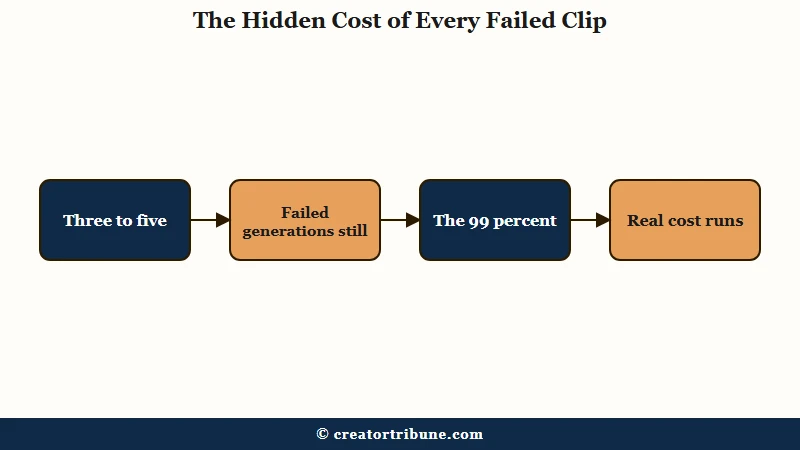
Here is the gap nobody puts on the pricing page. AI video needs three to five attempts to land one clean clip without a warped hand or a physics glitch, and every one of those misses spends credits.
One documented bug freezes a generation at 99 percent and fails it, and a verified user reported losing 700 credits, roughly $10.61, on a single failed 10-second attempt.
The double standard makes it worse. On Kling’s developer API, failed tasks do not deduct credits, but on the consumer plans you and I use, they do. The platform protects enterprise developers from its own instability and passes the cost of failure straight to individual creators.
Before: “I will get cheap clips on the $10 Standard plan with its 660 monthly credits.”
After: One 15-second cinematic 1080p clip with native audio runs about 210 credits, and when one in three attempts fails and still bills you, the Standard plan realistically yields two or three finished clips a month before you are buying top-ups.
That reframing is the whole review in a nutshell. The sticker price is real, the cost per published video is two to three times higher.
How Much Kling AI Really Costs
Kling AI has a free tier plus four paid plans, but the monthly credit cap, not the dollar price, is what decides whether a plan fits you.
Credits drain fast once you add resolution, length, and audio.
The free tier is a sandbox, not a workhorse. You get 66 credits a day that expire in 24 hours, outputs are capped around 540p with a forced Kling watermark, commercial use is banned, and Professional Mode is limited to three lifetime trials. It is enough to test the water and nothing more.
One trap to watch on the paid plans is the promo price. The cheap first month is a teaser that quietly renews higher, so the $6.99 you see on Standard becomes $8.80, and the $25.99 Pro offer renews at $32.56. Here is how the real numbers shake out.
| Plan | Real monthly price | Monthly credits | Roughly what it buys |
|---|---|---|---|
| Free | $0 | 66 per day, expire daily | 1 to 2 watermarked test clips a day |
| Standard | $10 (annual ~$79) | 660 | 2 to 3 finished cinematic clips |
| Pro | $37 (annual ~$293) | 3,000 | A regular posting cadence, the creator sweet spot |
| Premier | $92 (annual ~$729) | 8,000 | High-output or small-team workloads |
| Ultra | $180 (no annual) | 26,000 | 4K at 60fps, agency-level volume |
The Pro plan at $37 is the one I would point most working creators to. If you post even a few AI clips a week, the 660 credits on Standard vanish in days, and you end up buying expensive top-up packs that cost more than just upgrading.
One upside on those top-ups: unlike monthly subscription credits, which expire at the end of each cycle, purchased credit packs stay valid for about two years.
Kling AI vs Runway and the Bigger Names
Kling wins on motion quality and price, but Runway wins on speed and volume, which matters more for most short-form workflows.
The right pick depends on whether you value one perfect clip or many fast ones.
Kling generations are not quick. Paid plans get priority and still take two to five minutes per clip, and the free queue can stretch to half an hour or worse during peak traffic. Runway processes roughly 60 times faster and sells a $95 Unlimited plan, which kills the credit-counting anxiety entirely for high-volume creators.
| Tool | Strength | Speed | Best for |
|---|---|---|---|
| Kling AI | Best motion realism and camera control | Slow, 2 to 5 minutes a clip | Occasional cinematic hero shots |
| Runway | Speed and a flat Unlimited plan | Very fast, around 20 seconds | High-volume daily output |
| Google Veo | Strong 4K photorealism | Moderate, pricier per second | Polished cinematic work with budget |
There is one credit drain I would tell every short-form creator to avoid. Kling charges double credits for native audio, but TikTok and Reels run on trending external sounds and voiceovers you add in editing. You will mute the clip and drop a trending audio on top anyway, so paying for Kling’s built-in sound is usually wasted money.
Generate silent and save the credits. The same logic applies whether you are sourcing clips for a Reel or turning one upload into Shorts.
The Fine Print Most Reviews Skip
Kling AI keeps a license to your generated videos and stamps every export with an invisible watermark, on free and paid plans alike.
Owning the commercial rights does not make your output private or untraceable.
Two pieces of fine print deserve real attention. First, every Kling video carries an invisible Google SynthID watermark embedded at the pixel level, which survives cropping, screenshots, and re-compression, so your output is always identifiable as AI-made even after you toggle the visible logo off.
Second, the terms grant Kling and parent company Kuaishou a worldwide, royalty-free, sublicensable license to use your videos, which can include training future models or featuring them in promotions.
The billing reputation is the part I would not gloss over. Reviews on Trustpilot and Reddit describe charges that continue after cancellation, a cancel button that is hard to find, and a support team that leans on a no-refund policy and offers store credit instead of cash. A practical defense people swear by is paying through a virtual card with a hard spending limit so a surprise renewal cannot go through.
Here is the balanced scorecard. The pros:
- Best-in-class motion realism and physics, the genuine reason to pick it.
- Image-to-video that is fast, cheaper, and brand-consistent from a reference image.
- Multi-shot 3.0 sequences up to 15 seconds with up to six camera angles in one go.
- Strong quality per dollar at the Pro tier compared to Sora or Veo.
The cons:
- Failed generations still burn credits on consumer plans, with no refund.
- Hostile billing, from promo-renewal jumps to charges after you cancel.
- Monthly credits expire each cycle, and the free tier is a 540p watermarked sandbox.
- A permanent SynthID watermark plus a Kuaishou license on everything you make.
The Verdict on Kling AI
Kling AI is worth paying for if you want occasional cinematic clips and you treat it as a premium tool, and it is the wrong choice for high-volume creators who need speed and predictable cost.
I would score it a 7.5 out of 10: elite output, frustrating business model.
Buy Kling, on the Pro plan, if you publish a few AI clips a week and you care more about one striking shot than churning out volume. Image-to-video for product reveals, logo animations, and short cinematic cutaways is where it shines, and at $37 a month the quality per credit beats the pricier flagships.
Skip Kling if you run a high-output faceless channel. The credit math and slow queue will fight you daily, and Runway’s flat Unlimited plan removes the anxiety that makes Kling exhausting at scale. Skip it too if you need clips in seconds rather than minutes.
The deeper lesson sits underneath the billing complaints. When a single tool can change its prices, lock your credits, and keep a license to your work, you do not want your whole business riding on it.
That is the same reason I keep nudging creators toward owning a direct line to their audience, and a free creator money page is a simple first step toward that. Kling can be a sharp tool in the kit, just not the foundation you build on.
You can test everything Kling does on the free tier at Kling AI before paying.
For lighter everyday alternatives, the Revid AI review and the InVideo AI review cover two faster all-rounders.
Frequently Asked Questions
Is Kling AI free to use?
Kling AI has a free tier with 66 credits per day that reset every 24 hours. Outputs are capped around 540p with a forced watermark and no commercial use, so it works for testing but not for publishing real client or monetized content.
How much does Kling AI really cost per video?
The advertised cost ignores retries. A usable clip often takes three to five attempts and failed generations still burn credits, so the real cost lands around $0.50 to $1.50 per finished clip, sometimes more when a generation fails at 99 percent.
Can you use Kling AI videos commercially?
Yes, but only on a paid plan. The free tier bans commercial use, while Standard and above grant a commercial license. You still keep legal responsibility for making sure your prompts and reference images do not infringe on others.
Is Kling AI better than Runway?
Kling wins on motion realism and price per clip, while Runway wins on speed and a flat Unlimited plan. For occasional cinematic shots, pick Kling. For high-volume daily output without credit anxiety, Runway fits better.
How do I cancel Kling AI and avoid auto-renewal?
Cancel through the same channel you subscribed on, whether that is the website billing page, Google Play, or the Apple App Store. There are no prorated refunds, and since users report charges after canceling, paying with a limited virtual card is the safest guard.
Quick Takeaways
- Kling AI makes the best AI motion you can buy, but failed generations still cost you credits with no refund.
- The real cost is $0.50 to $1.50 per finished clip, two to three times the advertised price after retries.
- The $37 Pro plan is the creator sweet spot, since Standard’s 660 credits vanish in days of regular posting.
- Skip native audio for short-form, it doubles credits and you will overlay a trending sound anyway.
- Buy it for occasional cinematic clips, choose Runway for high-volume speed, and never bet your whole business on one tool’s billing.