Predis AI Review and the 20 Percent That Ships
Predis AI Review and the 20 Percent That Ships
Predis AI review for short-form creators. Only about 20 percent of its output ships without edits, and video burns credits fast. See who should pay.
- 1Predis AI Review and What You Get
- 2How Much Does Predis AI Cost
- 3How Good Is Predis AI Video Generation
- 4Predis AI vs Canva and Other Alternatives
- 5Who Should Use Predis AI and Who Should Skip It
- 6Is Predis AI Worth It
- 7Frequently Asked Questions
- Is Predis AI free to use?
- Is Predis AI worth it for creators?
- How good is Predis AI video?
- Does Predis AI post automatically?
- How does Predis AI compare to Canva?
- 8Quick Takeaways
Bottom Line: Predis AI is worth it for solo creators and small teams who need static posts and carousels at volume, fast. The catch is that only about a fifth of its output is publish-ready, the rest is a first draft that needs your editing time, and AI video drains credits five to ten times quicker than images. Treat it as a fast draft engine, not a hands-off poster.
A Predis AI review usually comes down to one question: can you really turn a single prompt into a finished social post? The honest answer is partly. The tool generates the caption, the visual, and the hashtags in one pass, but only a slice of what it produces is ready to publish untouched.
That slice matters more than any feature list. Most of what the tool spits out is a solid first draft that still needs your edits, which changes the math on whether it saves real time.
This review covers what Predis AI does well, where it falls short, what the tiers cost, how badly video eats your credits, and who should pay versus who should skip it. I have weighed it for short-form creators making Reels, TikToks, and Shorts, not for enterprise marketing teams.
What is Predis AI: An AI social media tool that generates posts, carousels, captions, hashtags, and short videos from one text prompt, then schedules them across more than 30 platforms.
Predis AI Review and What You Get
Predis AI is an all-in-one social content generator that turns a prompt or a URL into a caption, a visual, and hashtags, then schedules the result across more than 30 platforms.
It handles static posts, multi-slide carousels, short videos, competitor analysis, and a drag-and-drop content calendar.
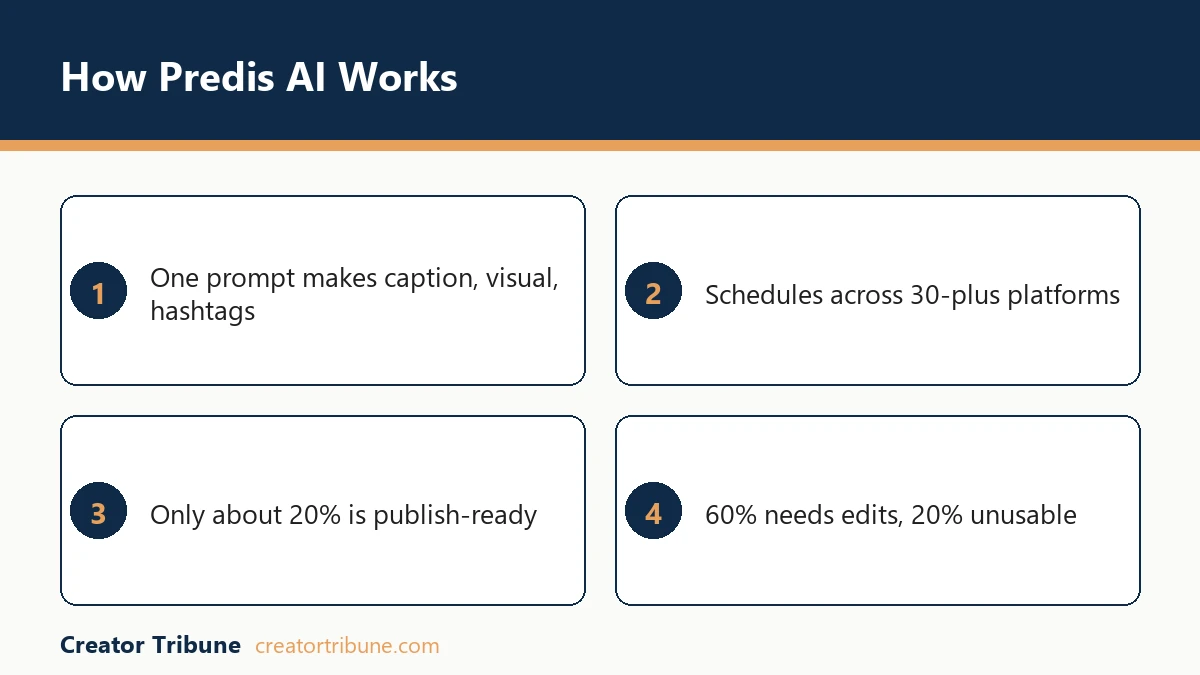
Here is the number that should shape your decision. Across independent testing, roughly 20 percent of what Predis generates is publish-ready, about 60 percent is a usable draft that needs editing, and the last 20 percent is unusable. So a 100-post plan really means about 20 posts you can publish as-is and 60 first drafts you still have to finish.
The way I read that, Predis is a drafting accelerator rather than a replacement for a designer or a writer. The captions lean generic, and one independent test flagged its AI text with an 81 percent probability of reading as machine-written, so the tone usually needs a human pass before it sounds like your brand.
Where it genuinely earns its keep is volume. If you need a week of carousels and static posts roughed out in an afternoon, the one-prompt workflow is faster than building each post by hand. The competitor analysis feature also tracks rival posting patterns and hashtags, though it only sees organic content, not paid ad strategy.
Vague: “make me a post about coffee”
Specific: “Create a 5-slide Instagram carousel on cold brew myths for a specialty coffee brand, punchy hook on slide 2, brand colors navy and cream, casual tone”
The second prompt gets you something close to usable. The first gets you the 20 percent junk tier. For more options in this category, the best AI social graphics tools cover where Predis fits against the alternatives.
How Much Does Predis AI Cost
Predis AI runs from a free watermarked tier up to a 249-dollar-a-month agency plan, and the 59-dollar Premium tier is the first one that unlocks unlimited posts plus auto-posting.
Everything below that meters you on credits.
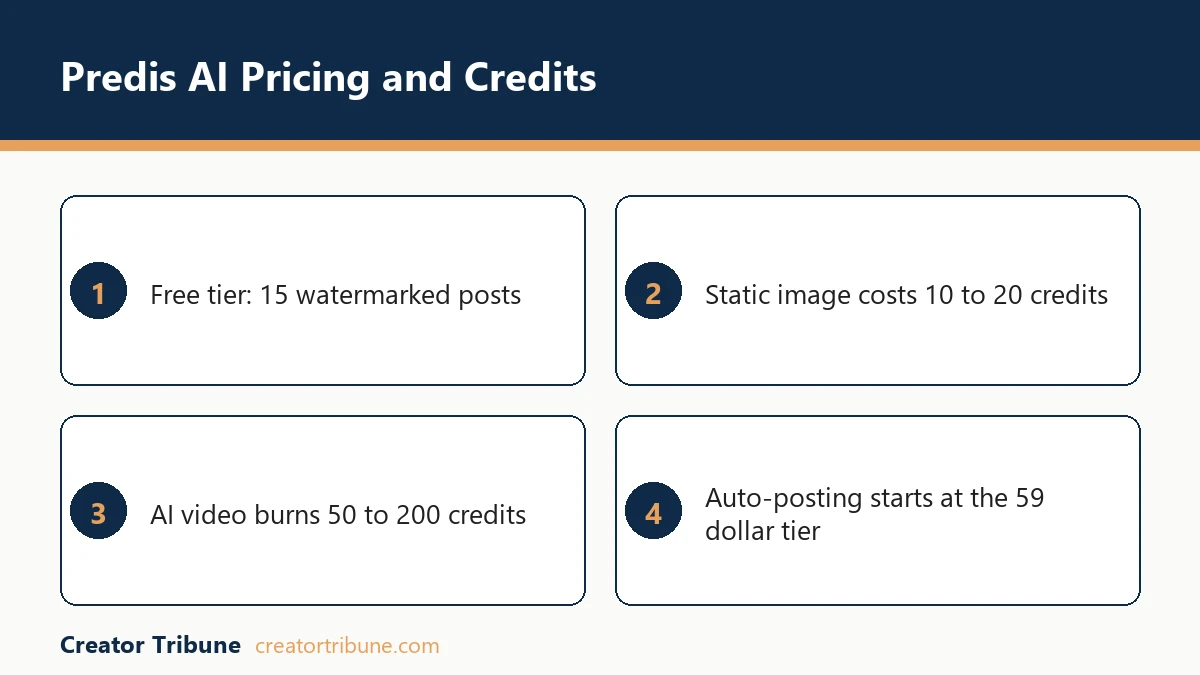
The credit system is the part buyers misread. Plans advertise post counts, but content draws from a credit pool, and the costs are wildly uneven. A static image post runs 10 to 20 credits, while a single AI video or Reel burns 50 to 200, so a plan that looks generous on paper empties in days if you only make video.
| Plan | Price monthly or annual | What you get |
|---|---|---|
| Free | $0 | 15 posts/mo, 1 brand, watermark, no commercial use |
| Lite | around $32 or $27 annual | 120 posts (1,300 credits), 10 social accounts, no watermark, manual posting |
| Premium | around $59 or $49 annual | Unlimited posts (3,200 credits), 10 brands, 2 seats, auto-post 2 a day, video and voiceover |
| Agency | around $249 or $199 annual | 50-plus brands, 10 seats, 60 accounts, 10,200 credits, auto-post 3 a day, white-label, API |
What I would flag before you pay annually: the entry Lite plan makes you trigger publishing by hand, so it is not the “set and forget” tool the marketing implies. Real auto-posting starts on Premium, capped at two posts a day, and even the Agency tier caps at three.
High-volume creators blasting five-plus posts daily hit that ceiling fast. Extra team seats on Premium run 25 to 35 dollars each, which can quietly push a four-person team toward the Agency plan anyway.
How Good Is Predis AI Video Generation
Predis AI video is its weakest output, landing around 6 out of 10 in independent reviews, and it consumes 50 to 200 credits per clip against 10 to 20 for a static image.
It works for basic explainers, not for high-energy creator content.
This is the single biggest reason to be careful before committing to an annual plan. Short-form success leans on raw, authentic, beat-synced video, and the template-driven output here tends to read as a corporate ad rather than native Reels or TikTok content. If your brand depends on a raw, user-generated feel, the video alone may not clear your bar.
What I would do is treat Predis as a static-and-carousel tool first. Its images and carousels score 70 to 80 percent usable, a real gap above the video.
For the short-form pieces, you are often better routing through a dedicated tool, and the InVideo AI review walks through one option built for that job. A clip-first workflow also pairs well with turning one video into shorts.
Support is the other quiet weak spot. There is no live chat, only email, and reviewers describe responses as slow, which stings if a scheduling glitch hits right before a launch window.
Predis AI vs Canva and Other Alternatives
Predis AI beats Canva on automation and speed but loses on design flexibility and template depth, so the call comes down to whether you want hands-off generation or hands-on control.
Neither replaces a real scheduler if posting is your bottleneck.
Canva still wins when you want to art-direct every pixel and pull from a huge template library. Predis wins when you want a full post, caption and hashtags included, from one prompt. The honest framing is that they solve different problems, and plenty of creators run both.
| Tool | Best for | Weak spot | Starting price |
|---|---|---|---|
| Predis AI | One-prompt posts plus scheduling | Video quality and credit burn | Free, paid from around $32 a month |
| Canva | Manual design control and templates | Less automation, no one-prompt captions | Free, Pro around $15 a month |
| Scheduler-first tools | Posting cadence and analytics | No content generation | Free, paid per channel |
If your real pain is consistency, not creation, I would look at a dedicated scheduler instead. The scheduling tool comparison lines up the options that put posting cadence first.
Who Should Use Predis AI and Who Should Skip It
Predis AI fits solo founders, e-commerce brands, and small agencies who need consistent static posts at volume, and it is the wrong tool for anyone whose brand lives on high-end, native-feeling video.
What decides the fit is content type more than budget.
What I keep coming back to is the editing reality. If you have the time to polish a 60 percent draft, the speed is a real win. If you expected to press one button and post, you will be disappointed by the tone passes and the credit math.
Here is where it earns the money:
- You publish static posts and carousels across several platforms every week.
- You want captions, hashtags, and a visual generated together, not separately.
- You run more than one brand or client and need a content calendar in one place.
- You value speed over pixel-level design control.
And here is where I would skip it:
- Your growth depends on raw, high-energy short-form video.
- You need publish-ready output with zero editing.
- You post five or more times a day and would hit the auto-post cap.
- You want instant support when something breaks mid-launch.
Is Predis AI Worth It
Predis AI is worth it as a first-draft engine for static and carousel content if you will put in the editing time, and not worth it if you expected hands-off, publish-ready video.
My honest take is that it scores about a 7 out of 10 for the right user.
The smart move is to run the seven-day trial and generate a full week of your real content, not the demo prompts. Count how many posts you would publish without edits, then divide your plan cost by that number. That gives you the true price per usable post, which is the only figure that matters.
I would also start monthly, never annual, until you have proven the video output meets your standard. Annual billing saves 15 to 50 percent but is described as hard to flex, with refunds negotiable rather than guaranteed.
Short-form video is exactly where the tool is weakest, so locking in a year before testing it is the most common way creators overpay. You can try it from the Predis AI site directly.
Content tools keep getting cheaper, while the attention they are built to win only gets harder to earn. Global social media ad spend has pushed north of 200 billion dollars, per Statista, and a drafting tool helps you keep that pace. The polish, though, is still on you.
Frequently Asked Questions
Is Predis AI free to use?
Predis AI has a free-forever plan, but it is capped at 15 posts a month, stamps a watermark on everything, and bans commercial use. It works for testing the interface, not for running a real account.
Is Predis AI worth it for creators?
Predis AI is worth it for creators who need static posts and carousels at volume and will edit the output. Reviewers score it around 7 out of 10, since only about 20 percent of what it makes is publish-ready without a human pass.
How good is Predis AI video?
Predis AI video is its weakest feature, rated near 6 out of 10. It suits basic explainers but tends to look template-driven rather than native, and each clip burns 50 to 200 credits versus 10 to 20 for a static image.
Does Predis AI post automatically?
Predis AI auto-posts only on the Premium plan and above, capped at two posts a day on Premium and three on Agency. The cheaper Lite plan schedules posts but makes you trigger publishing by hand.
How does Predis AI compare to Canva?
Predis AI is faster and more automated, generating a full post from one prompt, while Canva offers deeper manual design control and a larger template library. Many creators use Predis for speed and Canva for art direction.
Quick Takeaways
- Only about 20 percent of Predis AI output is publish-ready, so treat it as a first-draft engine, not a hands-off poster.
- AI video burns 50 to 200 credits per clip against 10 to 20 for images, draining plans fast if you make Reels.
- Real auto-posting starts on the $59 Premium tier and caps at two posts a day, three on Agency.
- Static posts and carousels are the strong output at 70 to 80 percent usable; video lags at around 6 out of 10.
- Run the seven-day trial on your real content, count the no-edit posts, and start monthly before any annual lock-in.