HeyGen Review for Faceless YouTube and Translation
HeyGen Review for Faceless YouTube and Translation
HeyGen review for faceless YouTube creators and solo creators translating into 175 languages. Pricing math, Avatar IV limits, and who should skip.
- 1HeyGen Pricing in 2026 and What the Credit System Really Means
- 2Where Avatar IV Earns the Hype and Where It Falls Short
- 3The Translation Engine Is the Actual Killer Feature
- 4Who Should Use HeyGen and Who Should Skip It
- 5How HeyGen Compares to Captions, Synthesia, and BIGVU
- 6Common Bugs and Friction Worth Knowing About
- 7Frequently Asked Questions
- Is the HeyGen free plan enough to try the platform?
- How much does HeyGen really cost per month for a weekly publisher?
- Will HeyGen avatars work for a faceless YouTube channel?
- Does YouTube penalize 100% AI avatar channels?
- Is the video translation feature reliable enough to publish?
- Can I keep my own voice across translated videos?
Bottom Line: HeyGen is the best AI avatar generator in 2026 for short faceless explainers under 90 seconds and for solo creators expanding into new languages, but the $29 Creator plan is functionally a 10-minute monthly budget for the good avatar model. Cinematic storytellers and high-energy TikTok creators should skip it. Translation is the feature that earns the bill, not the avatars.
The reason a lot of faceless YouTube creators tried HeyGen and quietly went back to their old voiceover stack is the gap between what the homepage promises and what the credit meter really delivers. The platform leads with “unlimited videos” on every paid tier, and that line is true in the same way a buffet shrimp tray is unlimited.
The unlimited part is the older avatar engine. The good engine, Avatar IV, runs on a metered Premium credit budget that runs out fast.
If you are looking at HeyGen because you want to scale a talking-head faceless channel, ship the same video in 12 languages, or experiment with avatar UGC for paid ads, this review covers the pricing math, the quality cliff most reviews skip past, and the specific creator profiles where HeyGen is the right tool and the ones where it is the wrong one.
The way I see it, HeyGen is misunderstood as an avatar company. The video translation engine is the part really worth paying for, and the Avatar IV story is more nuanced than the marketing copy admits. Below is the full breakdown.
HeyGen Pricing in 2026 and What the Credit System Really Means
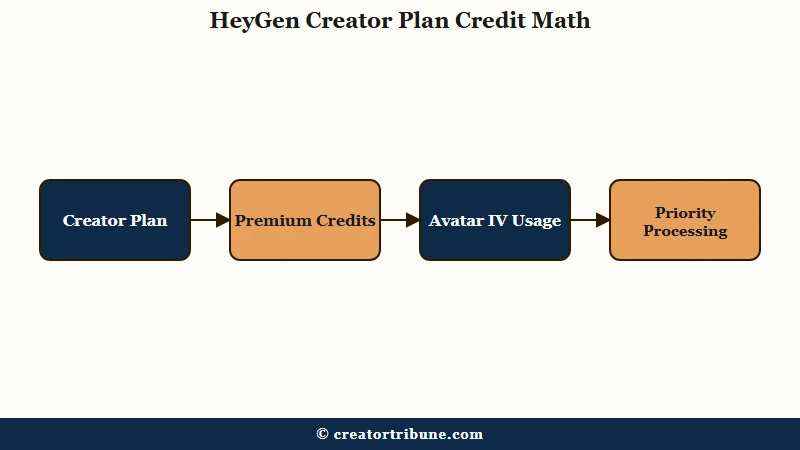
HeyGen pricing in 2026 is Free at $0, Creator at $29 monthly or $24 annual, Pro at $99 monthly or $79 annual, Business at $119 monthly or $149 annual, with Team and Enterprise tiers above. Every paid plan gates the Avatar IV engine through a Premium credit budget, not by raw video minutes.
The plan menu is straightforward on the surface and confusing once you try to use it.
| Plan | Monthly price | Annual equivalent | Premium credits per month | Avatar IV minutes possible |
|---|---|---|---|---|
| Free | $0 | $0 | Trial only, watermarked output | None usable for production |
| Creator | $29 | $24 ($288/yr) | 200 | About 10 minutes |
| Pro | $99 | $79 ($948/yr) | 2,000 | About 100 minutes |
| Business | $119 | $149 | 1,000 | About 50 minutes |
| Team | $39 per seat | $30 per seat | Per seat, 2-seat minimum | Per seat |
The math that catches creators off guard is the credit-to-minute conversion. Avatar IV burns 20 Premium credits per minute of finished video.
A 90-second avatar clip costs 30 credits. A 4-minute walkthrough costs 80 credits.
The Creator plan’s 200 credits cap real Avatar IV output at roughly 10 minutes of finished video per month, before any retakes, before any test renders, and before any video translation calls.
What I find interesting is how easily that ceiling sneaks up. A single faceless YouTube channel publishing two 8-minute Avatar IV videos a week needs at least 1,300 credits a month, which is Pro territory. The Creator plan is for sporadic publishers, short-form bursts, or one-off translated assets, not for a real weekly long-form schedule.
What is a Premium credit: HeyGen’s metered budget for high-quality features. Avatar IV, lip-synced video translation, and a few other generative features consume credits. Standard avatars and audio-only dubbing do not.
Add-on credits are sold at $15 per 300 credits, which is about 15 minutes of Avatar IV. The Priority Processing add-on costs another $15 a month and is the difference between a 30-second render and a 30-minute queue wait during peak hours. By the time a Creator plan user adds Priority Processing and one or two credit top-ups, the real monthly bill lands closer to $59, not the $29 on the homepage.
The Business tier at $119 monthly is the surprise value pick for solo creators who need more than 10 minutes of Avatar IV but who do not need Pro’s 4K export and faster rendering. The 1,000 credits there cover roughly 50 minutes of Avatar IV monthly, which is plenty for a weekly publisher.
Where Avatar IV Earns the Hype and Where It Falls Short
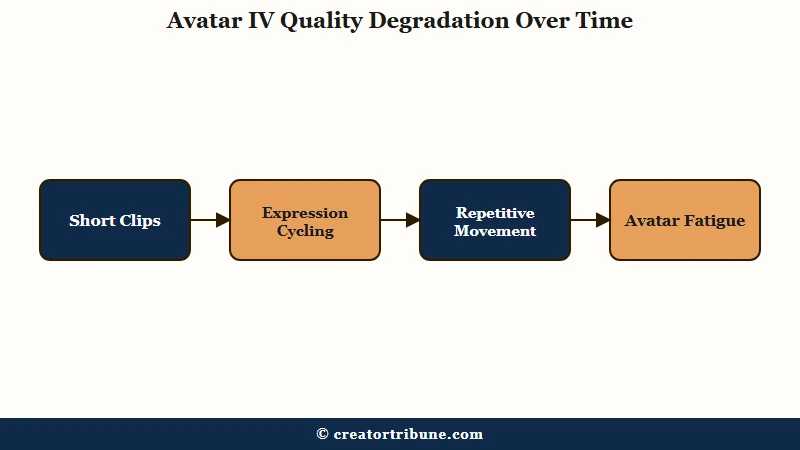
Avatar IV is HeyGen’s diffusion-inspired audio-to-expression engine launched in August 2025. It produces realistic micro-expressions, natural head movement, and script-synced hand gestures, but the quality holds only for short clips and degrades on longer scripts.
The technology deserves the hype on short videos. From what I have tested, Avatar IV clips under 90 seconds pass casual review as a real person on camera.
The blinks land at natural intervals, hand gestures track the script’s rhythm rather than looping, and the lip-sync holds tight on English source audio. For sub-2-minute corporate explainers, product demos, and short-form social hooks, it is the best avatar model shipping today.
Where it falls apart is the 90-second cliff. Independent testing across multiple reviews tracks the same pattern: somewhere between 90 seconds and 2 minutes, the avatar’s expressions start cycling, hand gestures repeat, and the overall presence stops feeling human and starts feeling like an animated puppet. On 10-minute long-form essays, the repetition becomes obvious enough that viewers comment on it.
The second pattern that surprised me is the energy ceiling. HeyGen avatars cannot match the vocal intensity of a fast-paced TikTok-style script. One reviewer graded HeyGen a C+ on a high-energy TikTok script test because the body language could not keep up with the audio.
The avatar reads as composed and corporate even when the voice is pushing energy. For finance, tech news, education, and B2B explainer niches, that composed presence is a feature. For lifestyle, gaming, comedy, and emotional storytelling, it is a deal-breaker.
The voice clone feature has the same nuance. The cloned voice sounds professional and passes most listening tests, but if you compare side by side with the human source, the AI quality still bleeds through on emotional extremes. There is a subtle but consistent gap between the avatar’s facial expressiveness and the voice’s emotional range, and on high-stakes content the mismatch is distracting.
If you are repurposing long-form YouTube into shorts, the repurpose YouTube into Shorts workflow still favors a real human source clip over generating fresh Avatar IV per platform. The avatar pipeline is for scripts that did not exist before, not for re-cutting existing footage.
The Translation Engine Is the Actual Killer Feature
HeyGen Video Translation with 175+ languages and matched lip-sync is the feature with the highest ROI for individual creators in 2026. It is more valuable to most solo creators than the avatar generation itself.
Most reviews lead with avatars and treat translation as a side feature. The way I see it, that ordering is backwards for creators.
Avatar IV is a substitute for filming yourself, which most creators can already do. Video Translation is a substitute for hiring native-speaker dubbing teams, which most creators cannot afford.
The mechanics work like this. You upload a finished video in your source language, HeyGen transcribes it, translates the script, generates a translated voice that matches your original speaker’s tone, and re-renders the video with lip-sync that matches the new audio. The result is a video in Spanish, German, Hindi, Mandarin, or any of 175+ supported languages where the speaker’s mouth moves correctly for the new words.
In independent testing, lip-sync accuracy graded an A on Spanish and German translations. The mouth movements track the new audio convincingly enough that non-native viewers do not immediately notice the post-production. This is the part that opens international markets a solo creator could not realistically reach before.
The credit consumption math here is different from Avatar IV. Lip-synced video translation burns credits based on duration. Audio-only dubbing without lip-sync re-render is unlimited on every paid plan, which is the secret budget pick for creators who do not need the visual lip-sync (podcast translations, voiceover-only content, faceless montage videos).
| Feature | Credit cost | Best for |
|---|---|---|
| Avatar IV video | 20 credits per minute | Talking head explainers under 90 seconds |
| Lip-synced video translation | Credits per duration | Reaching new language markets with existing footage |
| Audio-only dubbing | Unlimited on paid plans | Podcasts, voiceover-only content, faceless videos |
| Standard (non-IV) avatars | Unlimited on paid plans | Bulk educational content, no-frills explainers |
| Voice cloning | $99 per year add-on | Long-term creators using their own voice across translated assets |
| Priority Processing | $15 per month add-on | Anyone publishing more than twice a week |
The workflow gap most reviews miss is what happens after you ship a translated video. If you push a video into Spanish and it earns 50,000 views from Spanish speakers, you now have a Spanish-speaking audience leaving comments, joining your community, and expecting follow-ups.
The translation feature is not a one-and-done. It commits you to either ongoing language coverage or a clear, polite explanation that you are not maintaining the channel in that language. Plan for the comment-management workload before you push your first translated upload.
Who Should Use HeyGen and Who Should Skip It
HeyGen is the right tool for faceless creators in authority-based niches, solo creators expanding into international markets, and short-form corporate explainer producers. It is the wrong tool for high-energy social creators, narrative-driven YouTube essayists, and creators whose brand depends on imperfection and spontaneity.
The decision framework I would use is built around two questions: does your niche reward a polished talking-head presence, and does your content average under or over 2 minutes per piece.
Here is the decision matrix:
- Authority niches with short content (Finance, Tech News, B2B Education, SaaS explainers, Real Estate): HeyGen is the right pick. The composed presence reads as expertise. Sub-2-minute average means you stay inside the 90-second quality window. Avatar IV plus Translation gives you international reach a solo creator could not afford otherwise.
- Narrative niches with long content (True Crime, Video Essays, Travel, Documentary): Skip HeyGen for the host. The 90-second cliff makes the avatar repetitive on long-form. Use HeyGen only for the translated dub track of footage you already shot with a real human or stock visuals.
- High-energy social niches (Comedy, Gaming, Lifestyle TikTok, Reels reactions): Skip HeyGen entirely. The energy ceiling cannot match the vocal intensity these niches require. Stick with on-camera filming or a tool like Captions Mirage for vertical-first content.
- Physical demonstration niches (Fitness, Cooking, DIY, Crafting): Skip HeyGen for the demonstration itself. Use it only for talking-head intros, outros, or translated dubs of demo footage.
- Low-volume publishers (under 5 videos per month): Reconsider the credit math. At under 10 minutes of Avatar IV per month, you might be better served by a high-quality AI voiceover stack plus stock footage rather than a $29 monthly HeyGen bill.
Vague: “I want to start a faceless YouTube channel with AI”
Specific: “I want to publish 8 minutes of authoritative AI tech news on YouTube every week, translated into Spanish and Portuguese, with a custom voice clone matching my brand presenter.”
The vague prompt is where most creators start, and it ends in churn after the first month. The specific version maps cleanly to HeyGen Business tier at $119 monthly with the $99 voice clone add-on, giving you about 50 minutes of Avatar IV monthly and unlimited translation runs on the translated tracks.
How HeyGen Compares to Captions, Synthesia, and BIGVU
HeyGen leads in language coverage and avatar quality for short clips, but Captions Mirage is the better pick for mobile-first vertical video creators, Synthesia is better for enterprise teams, and BIGVU wins for creators who want to appear as themselves with teleprompter and eye-contact correction.
The competitive landscape in 2026 is more crowded than HeyGen marketing suggests. Each tool has a specific job it does best.
Captions Mirage AI Twin runs mobile-first, integrates with the same editor that handles caption generation and B-roll layering, and targets short-form vertical video creators directly. If your workflow is TikTok and Reels first, Captions is closer to your habits. The Captions app review covers the mobile editing pipeline in more depth, and the Opus Clip vs Submagic comparison covers the captioning side of that toolchain.
Synthesia has slightly more realistic avatars on average and stronger enterprise security certifications (SOC 2, ISO 42001), but it covers fewer languages (140+) and pricing trends higher. If you are a solo creator, HeyGen wins on languages and cost. If you are a corporate L&D team, Synthesia wins on compliance.
D-ID is the cheapest option for occasional personal use and still produces serviceable talking-photo videos, but the avatar quality is a generation behind Avatar IV. BIGVU is the best pick for creators who want to keep filming themselves with teleprompter and eye-contact correction rather than replacing themselves with an avatar.
Runway Gen-4 is the better pick if you need a real timeline-based video editor, scene transitions, and creative visual control. HeyGen has no native timeline editor, which is the single biggest workflow constraint for creators who think in cuts and pacing rather than scripts and avatars.
Common Bugs and Friction Worth Knowing About
Visual artifacts on complex backgrounds, hand gesture glitches on transitions, render queue delays during peak hours, and avatar emotional repetition on long-form content are the four most common friction points reported across 2026 reviews.
The friction points cluster into four categories:
- Background artifacts: Photo Avatars and Avatar IV both struggle with complex backgrounds. Loose hair against busy backgrounds bleeds into the background image. Plain backdrops and tight headshot crops avoid most of this.
- Hand gesture popping: During cuts and transitions, hands sometimes appear or disappear in unnatural positions. Trim or re-render the affected segment, do not try to fix it in post.
- Render queue stalls: Without Priority Processing, peak-hour renders queue 10-30 minutes. The $15 monthly add-on is near-mandatory for anyone publishing more than twice a week.
- Moderation rejections: Some script content triggers automated moderation rejections with vague explanations. The pattern is opaque and the support response is slow. Keep the original transcript so you can rewrite and resubmit without losing your place.
According to a Statista analysis, creator-focused AI video platforms saw a sharp uptake through 2025 and into 2026. The market is crowded but HeyGen’s translation lead remains the most defensible feature in the category.
Frequently Asked Questions
Is the HeyGen free plan enough to try the platform?
Yes for evaluation, no for production. The Free plan caps at 3 watermarked videos per month, each up to one minute, with trial access to Avatar IV. It is enough to test whether the avatar quality matches your script style, but not enough to ship publishable content.
How much does HeyGen really cost per month for a weekly publisher?
For a creator publishing one Avatar IV video a week averaging 5 minutes each, real monthly cost lands at roughly $119 to $149 (Business tier plus Priority Processing). The $29 Creator plan only fits sporadic publishers or short-form bursts.
Will HeyGen avatars work for a faceless YouTube channel?
Yes if your niche is authority-based and your videos average under 2 minutes. Strong fit for finance, tech news, B2B explainers, SaaS tutorials. Weak fit for narrative essays, true crime, and any long-form content over 5 minutes where the 90-second quality cliff becomes obvious to viewers.
Does YouTube penalize 100% AI avatar channels?
YouTube’s 2026 monetization policy treats reused-content rules and AI-generated content rules as overlapping. Channels with substantively transformed AI scripts and educational value tend to monetize fine. Channels reposting AI-narrated scripts over stock footage with no original perspective face the YouTube monetization denial path more often.
Is the video translation feature reliable enough to publish?
For lip-synced output, yes on Romance languages, German, and major Asian languages where lip-sync accuracy graded an A in independent testing. For tonal languages or scripts where mouth shapes diverge from English, audio-only dubbing without lip-sync re-render is the safer pick.
Can I keep my own voice across translated videos?
Yes, with the $99 per year voice clone add-on. Clone quality is professional but not perfect on emotional extremes. For most creator use cases the clone passes casual listening.
You can try HeyGen here if you want to start with the Free plan and decide where you land on the Creator-vs-Business question after a few test renders.