Beacons AI Review and Where the Free Plan Costs You
Beacons AI Review and Where the Free Plan Costs You
Beacons AI review covering the real cost of the free plan, the 334 dollar monthly break point, and who should pay for the Plus tier.
- 1What Beacons AI Does for Creators
- 2How the Four Tiers Really Break Down
- 3Where Beacons Earns Its Spot in the Stack
- 4Where It Falls Short
- 5How Beacons Compares to the Real Alternatives
- 6Verdict
- Pros
- Cons
- 7Frequently Asked Questions
- Is Beacons AI free to use?
- What is the 9% fee on Beacons free plan?
- How does Beacons AI compare to Linktree?
- Does Beacons AI work for non-English creators?
- Can I get a refund if I upgrade to Beacons paid plans and do not like it?
- Is Beacons AI worth it for new creators with no sales yet?
Bottom Line: Beacons AI is a solid link-in-bio plus light storefront for creators, but the free plan’s 9% transaction fee makes it more expensive than the $25 paid plan once you cross $334 in monthly sales. Pick the right tier first, then commit, because there are no refunds.
If you make money from your audience, the link in your bio is the most valuable real estate you own. It is the one place every platform sends people, and the one place where casual followers turn into paying customers.
Beacons AI is one of the most popular tools in that slot right now, with over 7 million creators on the platform as of 2026. I have been testing it against the same use case I run for client work, which is a creator with a digital product and a small email list trying to make their bio link convert.
The short version is that Beacons does most things well, but the pricing math has a trap that the marketing copy quietly hides. This review walks through what it is, the four tiers, the 9% fee math, and the three real situations where I would or would not use it.

What Beacons AI Does for Creators
Beacons AI is a mobile-first link-in-bio platform that bundles a landing page builder, a small digital storefront, email capture, brand-deal media kits, and basic analytics into one creator-focused dashboard.
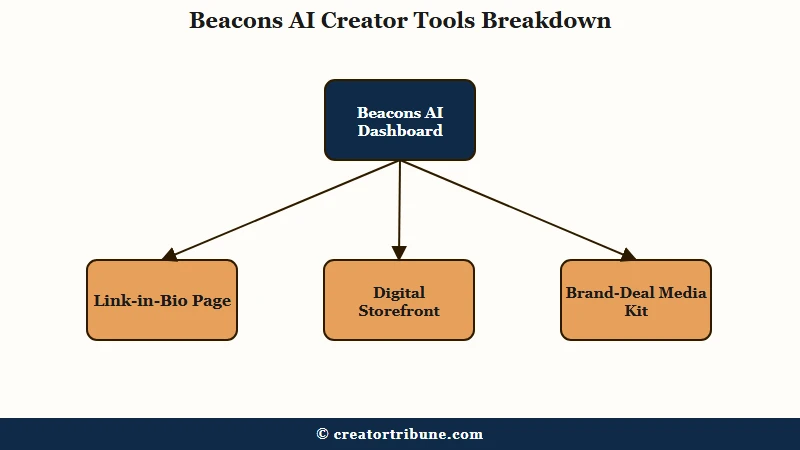
In practice, you sign up, pick a template, and you have a working landing page in about ten minutes. The page lives at beacons.ai/yourhandle by default, with the option to attach a custom domain on paid tiers.
What I would describe as the genuine differentiator is the monetization layer. Most link-in-bio tools treat selling as an afterthought; Beacons treats it as a first-class feature. You can sell digital products, take tips, run a small membership, manage affiliate links, and pitch brand deals from the same page your audience is already visiting.
The AI tools are what you would expect in 2026. Caption generators, email drafts, product descriptions, and an automatic media kit that pulls live social metrics into a brand-pitch PDF. The media kit is the one piece I genuinely liked because it solves a tedious task creators avoid.
How the Four Tiers Really Break Down
Beacons AI has four tiers (Free, Creator, Creator Plus, Creator Max) and the choice that matters most is whether your monthly product sales are above or below roughly $334, because the 9% fee on the free tier crosses the price of the paid plan at that exact line.
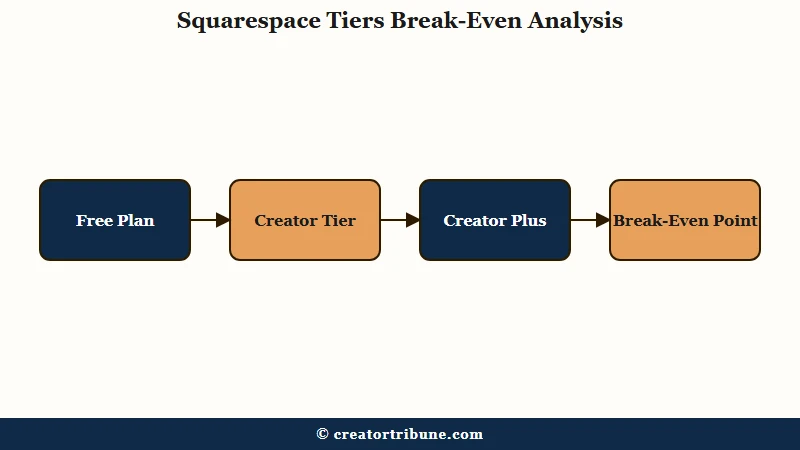
Here is the breakdown I would walk a creator through before they pick a tier:
| Tier | Monthly cost | Transaction fee | Best for |
|---|---|---|---|
| Free | $0 | 9% on sales | Brand-new creators testing the platform |
| Creator | ~$10 | 9% on sales | Creators who want a custom domain but do not sell yet |
| Creator Plus | ~$25 to $30 | 0% | Anyone with consistent monthly sales above $334 |
| Creator Max | ~$50 to $75 | 0% | Full-time creators needing advanced brand-deal and analytics features |
The break-even math is the part that surprised me most. A $25 paid plan costs exactly the same as a 9% fee on $278 of sales, and once you cross around $334 monthly the free tier starts losing you money.
Most creators I have talked to assume the free plan is a forever-free starter; the actual answer is that free is only the right call until your store works at all.
Here is the worked comparison so the math is concrete:
Vague: “The free plan is cheaper for small creators.”
Specific: If you sell $500/month in digital products on the free plan, you pay $45 in fees, which is $20 more than the Creator Plus plan that has zero fees. If you sell $200/month, you pay $18 in fees, so free still wins by $7. The break point is around $334 monthly, and there is no warning inside the dashboard when you cross it.
Where Beacons Earns Its Spot in the Stack
The link-in-bio plus storefront combination saves real money for creators who would otherwise pay for Linktree plus Gumroad plus ConvertKit plus a media kit tool, because Beacons covers all four jobs in a single $25 plan.
In my testing, the consolidation argument is the strongest case for the platform. A creator running a small business off Instagram or TikTok typically pays for Linktree ($5 to $24), Gumroad (10% + $0.30 per sale), ConvertKit ($15 to $29), and a media kit builder ($10 to $20). That stack runs $40 to $80 monthly even before the per-transaction cuts.
Replacing it with Creator Plus at $25 with zero transaction fees is a real saving for any creator selling more than a couple of products a month. The interface is also genuinely fast for the page-builder part, which I cannot say for some of the older tools in this category.
The automated media kit is the feature I would not have predicted I would care about. You connect your social accounts, and Beacons generates a brand-pitch PDF with live follower counts, engagement rates, and audience demographics. Brand managers have told me they prefer Beacons media kits over the manually-built PDFs creators usually send.
The AI caption tools are useful but not differentiated. They do roughly what every AI writer in 2026 does, which is generate a competent first draft you still have to edit. If you already pay for ChatGPT or Claude, the in-app AI saves clicks but is not the reason to subscribe.
If you want to dig deeper into AI assistance for short-form workflows, the Submagic review and the Captions app review cover the dedicated tools more thoroughly.
Where It Falls Short
The friction points are slow customer support, an English-only interface, a strict no-refund policy on paid plans, and a backend that hides the upgrade math from creators who would benefit most from upgrading.
Customer support is the one I would weigh most heavily. The pattern across G2 and Trustpilot reviews is that email response times stretch to three to five days, and there is no live chat option on any tier. For a tool that handles payment processing, that turnaround is rough when a sale fails or a customer reports a billing issue.
The no-refund policy is the second concern. If you upgrade to Creator Plus and decide it is not for you, you are out the money. The reasonable workaround is to spend at least 30 days on the free tier first to confirm the platform fits how you work day to day.
The interface limitation that frustrated me is the language situation. Beacons is English-only, which is a real problem for creators with non-English audiences. Even if your headline is in Portuguese or French, default UI strings render in English alongside your custom content.
Backend navigation is the smaller but persistent issue. Comparing plans inside the account settings is harder than it should be, and the upgrade prompt does not surface the break-even math that would justify the upgrade. I would expect a 2026 platform to nudge active sellers toward the right tier, but Beacons does not.
How Beacons Compares to the Real Alternatives
Linktree wins for creators who only need link sharing, Stan Store wins for sales-funnel-first creators, Milkshake wins if you refuse to pay anything, and Beacons wins when you want a balance of all four jobs in one dashboard.
Here is how I would map the choice for the creator I am working with:
| Platform | Starting price | Strongest at | Skip if |
|---|---|---|---|
| Beacons AI | Free or $25 for 0% fees | All-in-one link, store, email, media kit | You only need a simple link list |
| Linktree | Free or $5 | Pure link sharing, fastest setup | You want to sell digital products |
| Stan Store | $29 | Sales funnels, course delivery, coaching | You only need links plus a tip jar |
| Milkshake | Free | Zero-budget creators, mobile-only design | You need analytics or a custom domain |
If you are already paying for a separate email tool and a separate storefront, the Beacons consolidation case gets stronger. If you sell almost nothing yet and just want a bio link, save the money and use Linktree or Milkshake until your store is making real numbers. The same posting cadence logic from the best-time-to-post breakdown and the conversion math in the view-to-subscriber conversion guide apply directly when you finally do plug in a storefront.
Verdict
Beacons AI is the right pick for creators who already make money from their audience and want to consolidate their stack into one $25 monthly plan with zero transaction fees, and the wrong pick for creators who just want a static link list or have non-English audiences.
The reason I land here, after the testing, is that the platform’s strength is its bundling and its weakness is everything that depends on customer support or international flexibility. If you are an English-speaking creator with consistent monthly sales above $334, the math is straightforward and the tool is good enough to commit to.
If your situation is anything else, the better move is either to start on a simpler free tool (Milkshake or Linktree) until you genuinely need the storefront, or to pick a sales-funnel-first competitor like Stan Store if your business model is primarily selling courses or coaching.
The single piece of advice I would emphasise: do not pay for Creator Plus until you have spent at least 30 days using the free plan and confirmed your store is doing more than $300 in monthly sales. The no-refund policy means a wrong upgrade is a $25 hit you cannot reverse.
Pros
- The link plus storefront plus email plus media kit bundle genuinely replaces four separate tools for active sellers
- The page builder is fast and the templates look modern out of the box
- The automated media kit is the best brand-pitch PDF I have seen from a tool in this category
- Creator Plus at $25 with zero transaction fees is competitive against Stan Store at $29
Cons
- The 9% fee on the free tier quietly costs more than the paid plan once monthly sales pass $334, and the dashboard does not warn you
- Customer support response times stretch to three to five days with no live chat option
- No refund policy on paid plans means a wrong upgrade is a permanent loss
- The interface is English-only, which excludes a large slice of the global creator economy
Frequently Asked Questions
Is Beacons AI free to use?
Beacons AI has a free tier that includes a link-in-bio page and digital store, but it charges a 9% transaction fee on every sale. Paid plans start around $10 monthly for Creator and $25 for Creator Plus, which has zero transaction fees.
What is the 9% fee on Beacons free plan?
The 9% fee applies to every sale processed through your Beacons storefront on the free or Creator tier. It disappears entirely on Creator Plus and Creator Max plans. Once your monthly sales pass roughly $334, the paid plan is mathematically cheaper than staying free.
How does Beacons AI compare to Linktree?
Beacons AI is a fuller creator suite with built-in storefront, email capture, and a media kit builder. Linktree is more focused on simple link sharing and is easier for pure link-list use cases. Pick Beacons if you sell anything; pick Linktree if you just need a tidy bio link.
Does Beacons AI work for non-English creators?
Beacons currently runs an English-only interface, which is a friction point for creators serving non-English audiences. You can add your own translated content to the page, but UI strings, billing emails, and support remain English.
Can I get a refund if I upgrade to Beacons paid plans and do not like it?
No. Beacons has a strict no-refund policy on all paid subscriptions. Use the free tier for at least 30 days before upgrading, and confirm your monthly sales pass the $334 break-even line first.
Is Beacons AI worth it for new creators with no sales yet?
Not yet. For brand-new creators with no monthly product revenue, the free tier of Linktree or Milkshake covers the same job without the upgrade pressure. Move to Beacons when your store starts producing consistent monthly sales.