How to Revive a Dead YouTube Channel and Reset the Algorithm
How to Revive a Dead YouTube Channel and Reset the Algorithm
YouTube algorithm remembers your last 90 days. Learn the exact recovery framework to fix a dying channel before that window closes for good.
- 1Why Is My YouTube Channel Dying in 2026
- 2What the 90-Day Recovery Window Means for Your Comeback
- 3How Do I Reset My YouTube Algorithm?
- 4How Do I Build a Signal Video to Reset the Algorithm
- 5What Is the 24-Word Hook Ceiling and Why Does It Matter
- 6Does Retention Efficiency Beat Raw Watch Time
- 7How Do I Fix My First 60 Seconds to Stop the Bleed
- 8When Should I Upload to Avoid the Tuesday Trap
- 9Can YouTube’s Spoken-Word Search Indexing Help a Dying Channel
- 10What Metrics Should I Track During Recovery
- 11What If My Shorts Views Also Stopped
- 12Should I Revive My Old Channel or Start a New One?
- 13FAQ
- How long does it take to recover a dying YouTube channel?
- Should I delete underperforming videos during recovery?
- Does changing my niche reset the algorithm’s perception of my channel?
- Can I pay to boost a video and jumpstart recovery?
- Does posting frequency matter more than quality during recovery?
- Will YouTube’s algorithm ever completely forget my channel?
- 14Quick Takeaways
TL;DR: Recent uploads carry the weight in YouTube’s recommendation system, which is why a quiet channel can still come back. YouTube has never published signal weights or a fixed memory window, so the 90-day framing used here is a working heuristic for focusing your effort rather than a platform figure. This guide gives you the recovery framework and is explicit about which parts are documented and which are craft.
YouTube’s recommendation engine leans on what you have published recently. The 90-day window and the “last 3 uploads” rule that circulate in creator guides are working heuristics rather than figures YouTube has published, and it is worth knowing which is which before you build a plan on them.
That means a dying channel is not a dead channel. It is a channel sitting inside a closing window.
A sharp reach drop is the most common panic post in any creator community, and it is worth hearing how YouTube itself describes the pattern. Todd Beaupre, YouTube’s Senior Director of Growth and Discovery, put it plainly in an interview: “Just because your views on your channel are going down in a particular period doesn’t mean that your channel is going to die and go to zero. We see many waves of interest in channels where audiences might binge for a while on a particular channel and then move on to other channels for a while, and many channels that go down quite a bit will then come back up quite a bit.” The job is to be ready for the next wave.
What follows is the framework I would use if my own channel started bleeding views tomorrow. Where a number comes from YouTube it is cited, and where it is a rule of thumb from creator practice it is labeled as one.

Why Is My YouTube Channel Dying in 2026
YouTube has leaned harder on whether viewers were satisfied with what they watched, while many creators still optimize for the click that starts the view. The percentage weights that circulate for this shift are not YouTube figures.
The percentages that circulate for what each signal is “worth” did not come from YouTube. The platform has never published numeric weights for its ranking signals, so a tidy table of them is someone’s estimate rather than a specification.
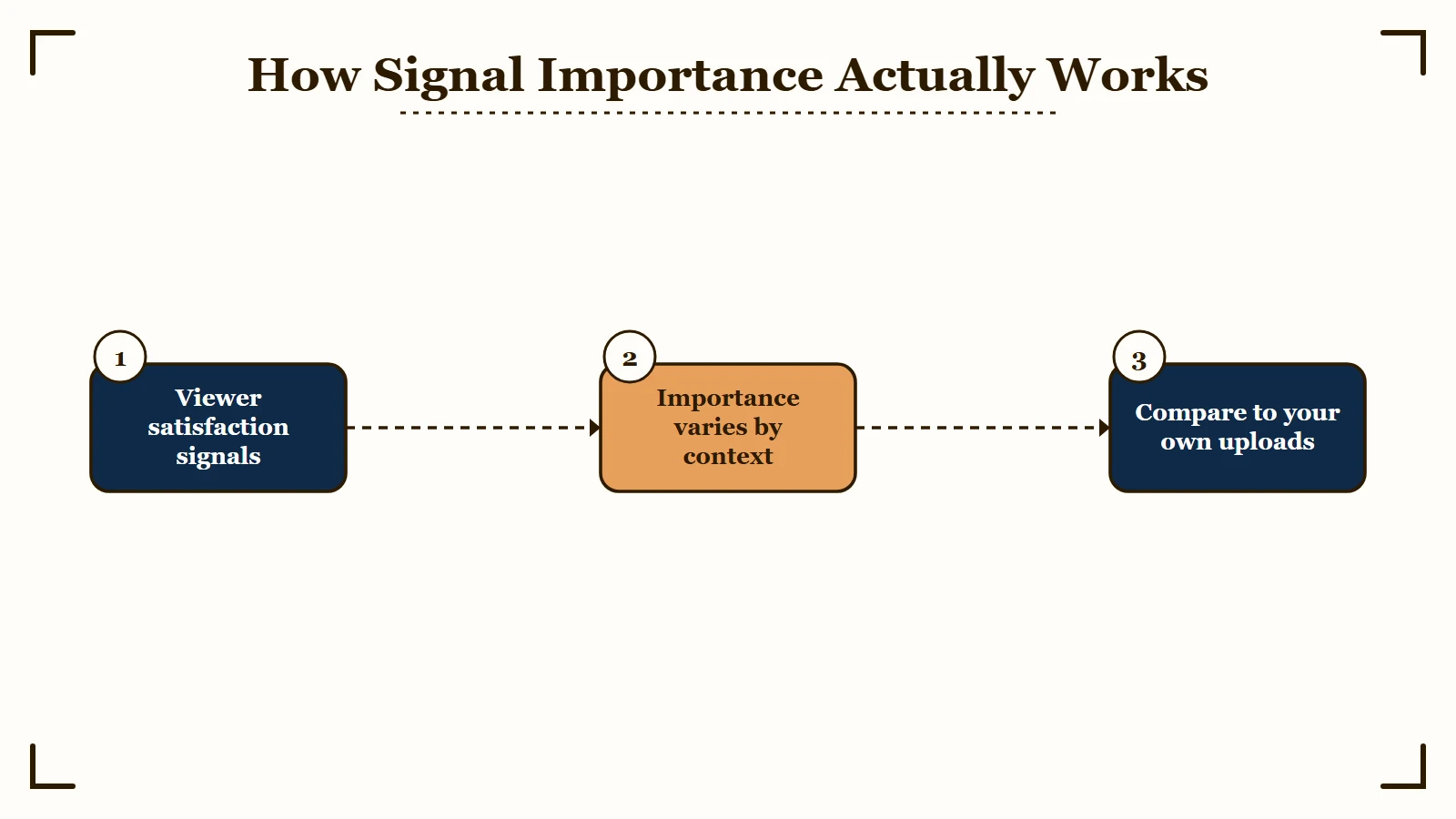
Here is what YouTube has actually said about each signal, and what to do with it:
| Signal | What YouTube has actually said | What to do about it |
|---|---|---|
| Click-through rate | A relevance signal with no published target. The benchmark ranges quoted online come from third-party tools, not from YouTube. | Compare a video against your own recent uploads, not against a blog benchmark. |
| Satisfaction | Beaupre describes satisfaction as the focus, measured partly through built-in viewer surveys. | Build for the viewer who is glad they clicked. |
| Watch time and retention | Importance varies by context: “Watch time may be more important in television versus mobile, or it may be more important in certain types of content like podcasts as opposed to music.” | Judge retention against your own format and length, since the bar moves. |
| Session behavior | Beaupre describes the system as pulling for each viewer rather than pushing any one channel. | Give the viewer an obvious next thing to watch. |
The middle column is where most “dying channel” complaints come from. Creators optimized for the click while YouTube kept tuning for whether viewers were glad they made it. Beaupre also describes the weighting as context-dependent, which is why a fixed table of percentages was never going to exist.
A high click rate paired with weak retention is the pattern creators most often mistake for good news. YouTube has published no threshold at which that combination counts against you, so treat it as a direction to move rather than a line you cross.
Retention averages vary so widely by niche and video length that a single cross-platform number makes a poor target. Compare a video against your own recent uploads, where format and audience are roughly held constant.
What the 90-Day Recovery Window Means for Your Comeback
Treat the last 90 days as your working recovery window and your last 3 uploads as the resume you are actively rewriting. YouTube publishes no such window. Use it as a planning frame that keeps your effort pointed at recent uploads.
Treat this as the organizing idea of the whole recovery conversation rather than a measured constant. Your channel is judged far more on what you uploaded last Tuesday than on your best video from two years ago.
Think of it like a job interview where they only read the last page of your resume. Everything before that still exists in your analytics, but the algorithm treats it as background noise.
The practical implication: you have roughly 12 weekly uploads (or fewer if you post less often) to convince YouTube your channel is worth recommending again. Every upload inside that window either builds momentum or confirms the downward trend.
Here is where most recovery advice falls apart. People say “just post more consistently.” But consistency without quality compounds the problem. Three mediocre uploads in a row inside that 90-day window train the algorithm to expect mediocrity from your channel.
How Do I Reset My YouTube Algorithm?
You cannot wipe the algorithm’s memory of your channel, and there is no reset button in YouTube Studio. What you reset is the algorithm’s read of your last 90 days, and you do it by feeding it fresh satisfaction signals.
People search for a way to reset the YouTube algorithm expecting a setting that clears the slate. That setting does not exist for a channel owner. The recommendation system is not holding a grudge you can appeal, it is simply reading whatever data your recent uploads produced.
What the system reads is how satisfied viewers were, which is why subscriber count does not set a floor under your reach. Satisfaction here means the post-watch signals in the table above. The click that started the view sits in a separate row for a reason.
So the honest answer to how you reset your algorithm is this: publish one upload that earns a genuinely high satisfaction score, then repeat it. The Signal Video approach that follows is exactly that reset put into practice.
How Do I Build a Signal Video to Reset the Algorithm
Create one high-quality upload specifically designed to generate strong satisfaction signals, not views. This “Signal Video” becomes your algorithm reset button.
The Signal Video strategy is not about going viral. It is about producing a single piece of content that generates disproportionately strong satisfaction metrics relative to your subscriber count. Here are the targets I would set, each one measured against your own channel baseline:
| Metric | Your Baseline | Signal Video Target |
|---|---|---|
| Like-to-View Ratio | Your current median | 4%+ (strong satisfaction) |
| Retention at 60 seconds | Your current median | 70%+ |
| Session Continuation | Viewer leaves app | Viewer watches another video |
| Average View Duration | Your current channel average | 50%+ of total |
The session continuation row is the one creators skip. “Session kill” circulates as creator shorthand for a viewer closing the app after your video, though YouTube Studio does not expose it as a metric you can open and track. Build the Signal Video so the viewer has somewhere obvious to go next.
Shares are worth designing for. A share to a group chat or a subreddit is a viewer vouching for you to their own network, which is harder to manufacture than a click. Build the Signal Video around a single idea worth sending to someone else, and design the first 24 hours to earn genuine comments.
What I would recommend: pick a topic your existing audience already engages with (check your analytics for highest like-to-view ratio videos, not highest views), then invest 3x your normal production effort into that single upload.
What Is the 24-Word Hook Ceiling and Why Does It Matter
Land your opening promise in 24 words or fewer. The ceiling is a discipline I impose on myself, and it forces you to say what the video delivers before a viewer has time to decide you are stalling. No published figure sets 24 as the limit.
Studio shows your own first-minute drop-off, and that curve matters more than any platform-wide average. Open your retention graph on your last five uploads and read the 60-second mark, since that is the number your recovery has to move.
Here is a before/after example of what I mean:
Vague hook (38 words): “Hey guys, welcome back to the channel. Today I want to talk about something really interesting that I have been thinking about a lot lately, which is how to recover your YouTube channel when views drop.”
Specific hook (22 words): “YouTube forgets your channel in 90 days. I am going to show you the exact framework to make it remember.”
The second version does three things the first does not. It states a specific, surprising fact. It implies a concrete deliverable. It lands under the 24-word ceiling.
Opening on a specific claim rather than a greeting is one of the few pieces of craft advice that nearly every working creator agrees on. Treat the gain as real but unmeasured, since no published figure separates the two openings cleanly.
Does Retention Efficiency Beat Raw Watch Time
Yes. A 6-minute video with 80% retention outperforms a 20-minute video at 30% retention in YouTube’s current system. The algorithm cares about the percentage of your video that gets watched, not the raw minutes.
This catches a lot of creators off guard. The conventional wisdom has been “make longer videos for more ad placements and watch time.” That advice is outdated.
The math is straightforward. A 6-minute video at 80% retention delivers 4.8 minutes of watch time and signals to YouTube that viewers found the content consistently valuable. A 20-minute video at 30% retention delivers 6 minutes of watch time but signals that most viewers abandoned the content early.
YouTube’s satisfaction weighting shift makes the second scenario worse than the numbers suggest. That 30% retention tells the algorithm viewers were disappointed. The 80% retention tells the algorithm viewers got what they expected or better.
What I would recommend for recovery: cut your video length by 30 to 40 percent from your current average. Trim the intro. Remove tangential sections. Keep only the material that directly delivers on your title’s promise. A tighter video with strong retention builds algorithm trust faster than a long video padded to hit a runtime target.
How Do I Fix My First 60 Seconds to Stop the Bleed
Apply the 10-Second Rule Stack: introduce a visual change every 10 seconds through the first 60 seconds, using a new camera angle, a B-roll cut, a text overlay, or a scene transition at each mark.
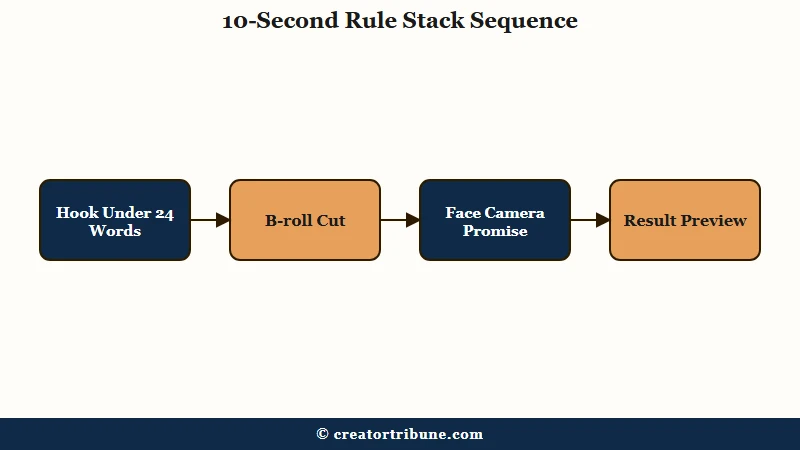
The reason this works comes down to pattern interrupts. Human attention follows a predictable decay curve, and each visual change resets that curve slightly. Six resets across your first minute compounds into a measurably higher retention rate at the 60-second mark.
Here is the framework I use:
- 0 to 10 seconds: Open with the hook (under 24 words). Show your face or the core visual immediately.
- 10 to 20 seconds: Cut to B-roll or a screen recording that illustrates the problem.
- 20 to 30 seconds: Return to face camera with the promise of what the viewer will learn.
- 30 to 40 seconds: Show a preview of the result or transformation.
- 40 to 50 seconds: Quick text overlay summarizing 3 key points (table of contents effect).
- 50 to 60 seconds: Transition into the first content section with energy.
Each cut signals to the viewer that something new is happening. The alternative, a static talking head for 60 seconds, invites the “this is going to be boring” judgment that shows up as a steep first-minute drop in your retention graph.
When Should I Upload to Avoid the Tuesday Trap
Avoid Tuesday mornings. Every creator following generic “best time to post” advice uploads then, creating the highest competition window of the week.
“Tuesday Trap” is my own shorthand for a scheduling habit. Marketing blogs and YouTube channels have recommended Tuesday and Thursday mornings as optimal upload times for years, so those slots attract a lot of scheduled uploads. Nobody publishes upload volume by hour, so test your own slots and watch what happens.
For a dying channel trying to recover, uploading during peak competition is the worst possible strategy. Your video needs every advantage it can get in the first 2 hours of being live, and competing with a flood of fresh content from established channels shrinks your window.
What I would recommend instead: upload on Sundays or Mondays, when competition is lower and your initial audience (subscribers and notification viewers) can engage without as many alternatives pulling their attention.
I use “Sandwich Effect” as shorthand for a bet about viewer mood, and YouTube has not described any adjacency bonus of this kind. A viewer arriving from a strong video is already in a watching mood when yours comes up, so the practical takeaway is that off-peak slots put you in front of a warmer, less distracted audience.
Can YouTube’s Spoken-Word Search Indexing Help a Dying Channel
Yes, and most creators are not using it. YouTube now indexes the audio content of your videos for search, meaning what you say is searchable even without manual captions or descriptions.
This is one of the most underutilized recovery tools available. YouTube’s speech-to-text indexing means that naturally mentioning your target keywords throughout a video improves its discoverability in search results, even if those keywords do not appear in your title, description, or tags.
For a dying channel, this is a low-effort way to convert existing views into subscribers. If someone searches “how to fix a YouTube channel that stopped growing” and you say that exact phrase during your video, YouTube can surface your content for that query.
The practical application: write a brief keyword list before recording. Include 3 to 5 phrases you want to rank for. Say each one naturally at least once during the video. Do not force them in awkwardly, but make sure they appear in your spoken script.
This pairs well with the Signal Video strategy. Your recovery video should target a specific search query that your audience is actively searching for, and speaking that query naturally throughout the video gives it search ranking potential on top of recommendation placement.
What Metrics Should I Track During Recovery
Focus on like-to-view ratio, retention percentage, and session continuation rate. Ignore subscriber count and total views during the recovery window.
According to Statista, YouTube has over 2.5 billion users. The channel-level counts often quoted next to that figure come from third-party estimates rather than YouTube, so hold them loosely. Chasing subscriber milestones during recovery is a distraction from the metrics the algorithm weights most heavily.
Here is the tracking framework I would set up:
- Like-to-View Ratio: Beat your own channel median, and treat a clear jump as the satisfaction signal you want
- Retention at 30 seconds: Measures hook effectiveness
- Retention at 60 seconds: Measures whether your intro converted attention to commitment
- Average Percentage Viewed: Should trend upward with each upload inside the 90-day window
- Session Continuation: Check “End Screen Clicks” and “Cards Clicked” as proxies
- Impressions Click-Through Rate: Compare each upload against your own recent median, since YouTube publishes no target
If your channel is showing zero external impressions, that is a separate issue from a dying channel. External impression problems indicate a technical or trust score issue that needs addressing before the content strategy will matter.
The mistakes that kill viral potential on YouTube often overlap with the same signals that cause a channel to decline. Fixing one tends to fix the other.
What If My Shorts Views Also Stopped
A Shorts decline often runs parallel to long-form decline, but the recovery mechanics differ. Shorts operate on a separate recommendation loop with different satisfaction signals.
If your Shorts views have stopped alongside your long-form content, the simplest reading is that both formats are drawing weak satisfaction signals at the same time rather than one penalty hitting the channel. The recovery framework above applies to long-form. For Shorts, the key differences are that retention is measured differently (loop rate matters more) and the audience overlap with your long-form content is often smaller than you expect.
I would not try to recover both formats simultaneously. Pick long-form or Shorts, execute the 90-day recovery framework on one format, and let the improved channel trust score lift the other format passively.
Should I Revive My Old Channel or Start a New One?
Revive the old channel in almost every case. There is no algorithmic penalty for inactivity, so a channel that sat quiet for a year reactivates the same way an active one does: upload by upload, judged on its last 90 days.
Starting over throws away assets a new channel has to rebuild from zero. Your old channel keeps its existing subscribers, many of whom reactivate the instant you post, plus its topic authority, the watch-history context YouTube uses to match your videos to the right viewers, and a back catalog that keeps feeding Suggested placements. A brand-new channel has none of that and starts cold.
The gap itself costs you nothing with the recommendation system. Google’s inactive account policy concerns accounts left entirely unused rather than channels that stopped uploading, and signing in resets that clock. Read the current policy text if you think it applies to you, since it carries conditions a summary tends to flatten.
The one time a fresh channel makes sense is a total identity change, where your old audience profile actively works against the new content. Even then, pivoting your existing channel into the new niche usually recovers faster than abandoning your history and the subscriber base that comes with it.
FAQ
How long does it take to recover a dying YouTube channel?
Plan for a full 90-day cycle and expect the pace to depend on how often you upload, because YouTube publishes no recovery schedule. Watch impressions and CTR on each new upload for the first sign of movement. The thing that has to be true is that each upload outperforms the previous one on satisfaction signals.
Should I delete underperforming videos during recovery?
No. Deleting videos removes whatever positive signals they generated. A video with low views but decent retention still contributes positively to your channel’s overall metrics. The only exception is content that actively generates dislikes or very high bounce rates, which can drag your channel’s satisfaction score down.
Does changing my niche reset the algorithm’s perception of my channel?
Partially. A niche change confuses the recommendation system because it has built an audience profile based on your previous content. If you pivot, expect 2 to 3 months of depressed reach while the algorithm rebuilds its understanding of who your content serves. During that period, consistency in the new niche accelerates the reset.
Can I pay to boost a video and jumpstart recovery?
YouTube ads can increase views but they do not improve your organic recommendation standing. Paid viewers typically have lower retention and satisfaction metrics than organic viewers, which can worsen your algorithm signals during a recovery window. The only scenario where ads help is driving subscribers who genuinely match your content profile.
Does posting frequency matter more than quality during recovery?
Quality wins decisively under the current satisfaction-weighted system. Posting daily with mediocre content fills your 90-day window with low-satisfaction signals. Posting twice a week with strong retention and engagement builds a pattern the algorithm rewards. Two excellent videos per week beats seven average ones.
Will YouTube’s algorithm ever completely forget my channel?
No. Todd Beaupre, YouTube’s Senior Director of Growth and Discovery, has said that channels experience waves of interest rather than permanent death. Your historical data never disappears from YouTube’s systems. What happens is that the recommendation engine deprioritizes channels whose recent signals indicate declining viewer satisfaction. The 90-day window is not a deletion timer, it is a relevance timer.
Quick Takeaways
- Recent uploads carry the most weight in what gets recommended. The specific 90-day and 3-upload figures are creator heuristics, not published YouTube numbers.
- Optimize for whether viewers were satisfied, not just for the click. YouTube has never published numeric weights, so ignore any table that assigns each signal a percentage.
- A 6-minute video at 80% retention outperforms a 20-minute video at 30% retention under the current system.
- Build one “Signal Video” designed to generate 4%+ like-to-view ratio and strong session continuation.
- Keep your opening hook under 24 words. Judge it against your own 60-second retention in Studio, not against a published average.
- Apply the 10-Second Rule Stack: visual changes every 10 seconds for the first minute.
- Avoid uploading on Tuesday mornings when competition from other creators peaks.
- Use spoken-word keyword targeting. YouTube indexes your audio for search results.
- Track like-to-view ratio, retention percentage, and session continuation. Ignore subscriber count during recovery.
- Channels do not permanently die. They enter waves of declining interest, and Beaupre’s own framing is that channels which drop a long way often climb back.