Veed Review and the Free Plan Trap That Locks Creators Out
Veed Review and the Free Plan Trap That Locks Creators Out
Honest Veed review for short-form creators. Real pricing, the free-plan caption trap, where the AI breaks, and who should skip it. See the verdict.
- 1What You Get on the Veed Free Plan
- 2How Much Does Veed Cost in 2026
- 3Are Veed’s AI Tools Worth Paying For
- 4Where Veed Breaks Down Under Real Deadlines
- 5Veed vs CapCut and the Clip Tools You Already Know
- 6Who Should Use Veed and Who Should Skip It
- 7The Verdict on Veed
- 8Frequently Asked Questions
- Is Veed free to use?
- Can you remove the Veed watermark?
- Is Veed good for TikTok and Reels?
- How accurate are Veed’s captions?
- Is Veed good for faceless channels?
- How does Veed compare to CapCut?
- 9Quick Takeaways
Bottom Line: Veed is worth paying for if you want a fast browser editor that turns long recordings into captioned vertical clips without installing anything. The free plan works for testing only, and one hidden caption cap can lock you out for a month. This Veed review covers the real pricing, the AI tools that deliver, and the ones that overpromise.
I went into this Veed review expecting another browser editor with a generous free tier, and I got something sharper and stranger than that. Veed is genuinely fast, it runs entirely in a browser, and its caption engine is among the best for short-form video. It also hides a caption cap on the free plan that almost nobody sees coming.
Here is the part that surprised me most. The free plan limits AI subtitle generation to roughly ten minutes of transcription per month total, so a single ten-minute upload can drain your whole monthly allowance in one shot. You think you are trying the headline feature, and you have already spent it.
That single detail tells you most of what you need to know about how Veed is built. The marketing promises a free editor, and the fine print quietly meters the one feature you came for. Over 10 million people use it every month, so plenty of creators make peace with that trade anyway.
This review walks through what you get for free, what the paid tiers cost, which AI tools earn their keep, and where the platform breaks down under real deadlines.
Read on to see whether Veed fits your workflow or whether a clip tool you already know does the job for less.
What You Get on the Veed Free Plan
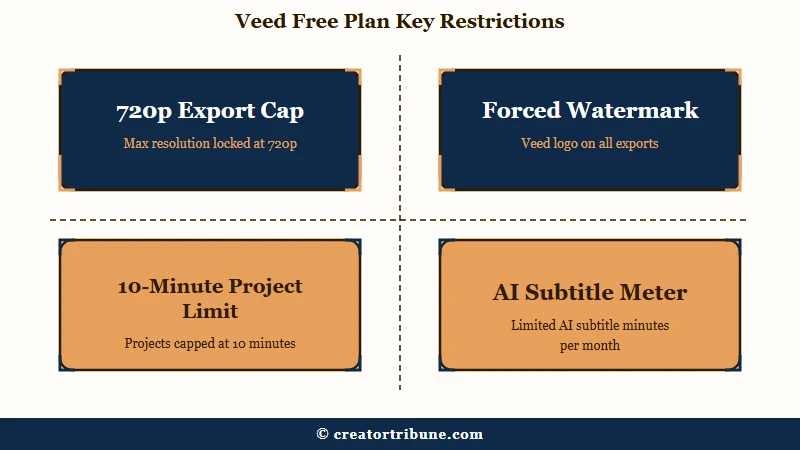
The Veed free plan is a test drive, not a production tool. It caps exports at 720p, stamps a Veed watermark on every video, limits projects to ten minutes, and meters AI subtitles to about ten minutes a month, which is enough to evaluate the editor but not to publish with it.
The watermark alone rules the free tier out for anything public-facing. You cannot post a clip with a competitor’s logo burned into the corner and expect it to look like your brand. So the free plan is really a way to see whether the interface clicks for you before you pay.
The caption cap is the trap I keep coming back to. Veed’s whole pitch is auto-captions, and the free allowance is gone after one medium clip. Compare that to CapCut, which hands you 1080p watermark-free exports on its free tier, and the Veed free plan starts to look more like a demo than a gift.
Here is how I would protect that tiny free allowance if you are only testing:
Before: Upload your full twelve-minute talking-head video to auto-caption it, and the free month’s subtitle budget is gone after that one file.
After: Trim to the two or three segments you plan to post, caption those short clips one at a time, and the same allowance stretches across a week of shorts.
How Much Does Veed Cost in 2026
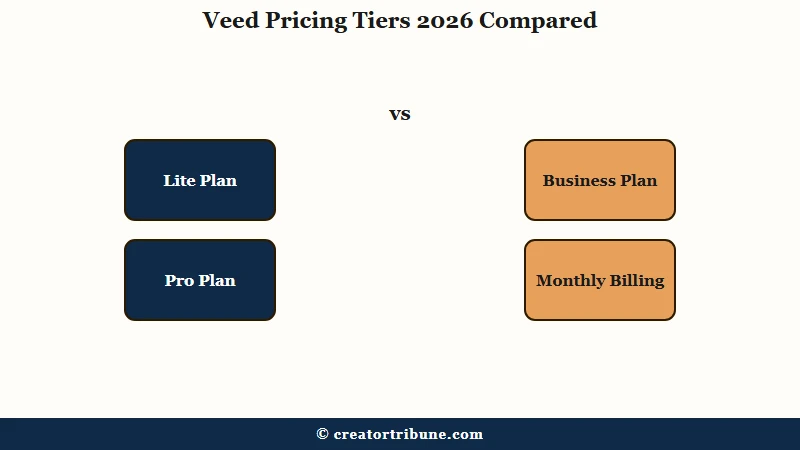
Veed costs about $9 to $12 a month on the entry Lite plan billed annually, $20 to $24 a month on Pro, and $59 to $75 per seat on Business. Monthly billing runs 25 to 33 percent higher, so the annual commitment is where the real value sits.
The jump from free to Lite is the one most creators really need. It removes the watermark, unlocks 1080p exports, and stretches project length to around 25 minutes. That covers the bulk of TikTok, Reels, and Shorts work.
Pro is the tier I would point a full-time creator toward. It adds 4K export, much longer videos, and the heavier AI features.
What I would not do is pay monthly. The flexibility tax on month-to-month billing is steep enough that even a few months annual usually wins.
| Plan | Annual price | Export and length | Best for |
|---|---|---|---|
| Free | $0 | 720p, watermark, 10 min, ~10 min subtitles per month | Trying the editor only |
| Lite | $9 to $12 per month | 1080p, no watermark, ~25 min projects | Most short-form creators |
| Pro | $20 to $24 per month | 4K, long videos, full AI suite | Full-time and faceless creators |
| Business | $59 to $75 per seat | 2 TB storage per seat, collaboration | Teams and agencies |
One number worth flagging before you commit to 4K: Pro storage fills faster than the marketing suggests. A ten-minute 4K project can run 2 to 4 GB, so 100 GB holds only 25 to 50 such projects before you are deleting old work to make room. If you shoot heavy, budget for a download-and-archive habit.
Are Veed’s AI Tools Worth Paying For
Veed’s caption and clipping AI are the tools worth paying for, while its avatars and gaze-correction read more like beta features locked behind the top tier.
Captions hit 92 to 95 percent accuracy and Magic Clips can cut a 60-minute recording into 10 to 15 vertical clips in under five minutes, which is the real time-saver.
The caption engine is the headline, and it mostly delivers. What stood out to me is that it leads the pack on complex South Asian accents, which matters if you work with international speakers.
It still stumbles on crosstalk and the occasional clean word, with one tester catching it mishear “fashion” as “fash.” Plan to proofread interviews.
What is Magic Clips: Veed’s AI tool that scans a long recording, finds the highlight moments, and exports them as captioned vertical clips ready for TikTok, Reels, or Shorts.
Version 3.0, which landed in August 2025, added an AI Agent that takes plain-language commands like “resize this for TikTok” or “add background music.” It is a neat party trick and occasionally a genuine shortcut. I would not build a workflow around it yet.
The faceless-creator features are where I would temper expectations. AI Avatars are capped at four hours per year even on Pro, which works out to about twenty minutes of content a month. For a consistent faceless channel that is not enough, and it is the kind of limit you only discover after you have committed.
Where Veed Breaks Down Under Real Deadlines
Veed’s biggest weakness is reliability at the finish line, paired with email-only support that averages three to five days.
Power users report a failure where a finished project gets scrambled on export with a “we can’t export your video” message, which turns a deadline into a crisis with no fast way to reach a human.
That export failure is the one that would worry me on client work. Lag on a slow connection is annoying but survivable. A project that corrupts after a full day of editing, right when you need the file, is a different category of problem.
The support gap makes it worse. There is no live chat or phone line for most users, and a three-to-five-day email turnaround does not match a posting schedule. If your content has hard deadlines, that response time is a real risk to weigh.
There is one oddly human safety net here. After viral complaints about unwanted B-roll and strange filters, Veed’s CEO has been monitoring Reddit and offering one-on-one calls to troubleshoot broken workflows. It says good things about the team and worrying things about how often the product needs that kind of rescue.
Short-form video keeps growing anyway, with TikTok alone past 1.5 billion monthly users according to Statista, so tools in this space get a lot of forgiveness.
Veed vs CapCut and the Clip Tools You Already Know
CapCut is the better pick for solo creators on a budget, while Veed pulls ahead for teams that need collaboration, brand kits, and a browser-only workflow.
CapCut offers 1080p watermark-free exports for free and starts around $9.99, where Veed gates those basics behind a paid tier.
If your work is repurposing long videos into clips, the comparison widens past CapCut. A dedicated clipper like the one in my Opus Clip review does the long-to-short job with less manual editing, and Submagic leans harder into animated captions. Veed’s advantage is that it does a bit of everything in one browser tab.
Here is how I would match the tool to the creator rather than chase a single winner:
| Creator type | Best fit | Why |
|---|---|---|
| Solo creator on a budget | CapCut | Free 1080p, no watermark, low entry price |
| Long-video repurposer | Opus Clip or Submagic | Purpose-built long-to-short clipping |
| Team or agency | Veed | Real-time collaboration, brand kits, 2 TB per seat |
| Browser-only multitasker | Veed | Captions, editing, and AI tools in one tab |
For a deeper walkthrough of turning one upload into a week of posts, the repurposing workflow guide covers the full pipeline, and the AI tools for social graphics roundup covers the design side that Veed does not touch.
Who Should Use Veed and Who Should Skip It
Veed is the right call for teams and multitaskers who value a browser-based all-in-one over raw editing power, and the wrong call for budget solo creators or anyone running tight client deadlines.
The free plan suits evaluation only, and the Lite tier is the real entry point.
I would recommend Veed to a creator or small team that records a lot of talking-head content, posts across TikTok, Reels, and Shorts, and wants captions, clipping, and light editing without juggling three apps. The collaboration features and brand kits genuinely help here.
I would steer away anyone whose budget is tight, since CapCut gives more for free, and anyone whose income depends on never missing a deadline, given the export-reliability and support gaps. Faceless-channel builders should also check the avatar cap before committing.
The Verdict on Veed
Veed earns a qualified recommendation as a fast, browser-based all-in-one for short-form teams, held back by a stingy free plan and finish-line reliability risks.
Pay annually for Lite or Pro, treat the free tier as a demo, and keep a backup plan for deadline days.
What I keep landing on is that Veed sells convenience more than raw power. It will not out-edit a desktop suite or out-clip a dedicated tool, but it puts a competent version of all of those in one browser tab. For the right workflow that consolidation is worth real money.
Here is how the pros and cons shake out after working through the details.
Pros:
- Caption accuracy of 92 to 95 percent, strong on complex accents
- Magic Clips turns a 60-minute recording into 10 to 15 clips in under five minutes
- Browser-based with nothing to install, plus real-time collaboration and brand kits
- Supports over 125 languages for auto-subtitles
Cons:
- Free plan caps AI subtitles at about ten minutes a month, draining on one upload
- Email-only support averaging three to five days, with no live chat for most users
- Reported export failures that can scramble a finished project
- AI Avatars capped at four hours per year even on Pro
Frequently Asked Questions
Is Veed free to use?
Veed has a permanent free plan, but it caps exports at 720p, adds a watermark, limits projects to ten minutes, and meters AI subtitles to about ten minutes a month. It works for testing the editor, not for publishing finished content.
Can you remove the Veed watermark?
No, the watermark stays on every free export. Removing it and unlocking 1080p requires the Lite plan, which runs about $9 to $12 a month billed annually. A few users report seeing watermarks after paying, usually due to confusion over which tier they are on.
Is Veed good for TikTok and Reels?
Yes, Veed is one of the faster tools for short-form. Its Magic Clips feature finds highlights in a long recording and exports 10 to 15 captioned vertical clips in minutes, and the AI Agent can resize footage for TikTok on command.
How accurate are Veed’s captions?
Veed’s captions land around 92 to 95 percent accuracy and lead on complex accents. Accuracy drops with crosstalk, fast speech, or multiple speakers, so interview-style content still needs a proofreading pass before you publish.
Is Veed good for faceless channels?
Partly. Veed includes AI Avatars and voice tools for faceless content, but the avatar quota is capped at four hours per year even on Pro, which is roughly twenty minutes a month. A dedicated faceless-video tool will scale further.
How does Veed compare to CapCut?
CapCut wins for solo creators on a budget with free 1080p watermark-free exports and a lower entry price. Veed wins for teams that need real-time collaboration, brand kits, and a browser-only all-in-one workflow.
Quick Takeaways
- The Veed free plan only works for testing, since one ten-minute upload can drain the monthly caption allowance.
- Pay annually for Lite at $9 to $12 a month to remove the watermark and unlock 1080p, the tier most creators truly need.
- Captions and Magic Clips are the features worth paying for, while AI Avatars cap at just four hours a year.
- Skip Veed if you run tight deadlines, since reported export failures and three-to-five-day support are real risks.