Best AI Tools for Social Media Graphics Worth the Money
Best AI Tools for Social Media Graphics Worth the Money
AI tools for social media graphics range from $9.99 to $599 a month, and the credit math is where most creators get burned. Here is what to pay for.
- 1What Most AI Graphics Tool Roundups Miss
- 2Where Each Tool Earns Its Spot
- 3The Hidden Costs Nobody Tells You About
- 4Who Should Choose Which Tool
- 5My Verdict on the Eight Tools
- 6Frequently Asked Questions
- Which AI graphics tool has the best free tier in 2026?
- How much do I realistically spend per month on AI graphics tools?
- Are the “Virality Score” features in tools like Opus Clip reliable?
- Which tool is best for AI-generated captions in 2026?
- Do AI graphics tool credits roll over month to month?
- Is Canva Pro at $12.99 still worth paying for in 2026?
Bottom Line: For most solo creators, Adobe Express at $9.99/month and Opus Clip Pro at $14.50/month cover 80% of the graphic and short-form video work that actually ships. Canva Magic Studio earns its $12.99 if you live inside Canva already. Skip HeyGen unless you really need avatar video, because the credit math is brutal once you do the per-minute conversion. The premium tier of any of these tools is rarely the right pick for a solo channel.
Most “best AI tools for social media graphics” roundups read the marketing pages and rank by free-tier generosity. That misses the part that matters in 2026, which is the credit math hidden behind every paid plan. A $29 plan that includes 200 credits sounds reasonable until you discover the premium feature you actually came for burns 20 credits per minute of output.
This roundup ranks the eight AI tools I would put on the shortlist for a solo creator or two-person team running graphics, posters, and short-form video across YouTube, TikTok, Instagram, and LinkedIn. The lens is real cost per minute of usable output, not headline subscription price. I have weighted the rankings toward tools that survive past the free tier, because nothing in this category is truly free once you start shipping daily.
The reader-actionable claim is this. The $9.99-to-$15 band of these tools is genuinely good in 2026, and most solo creators do not need anything above that band. The $29-to-$99 band is where vendors hide credit traps that turn the headline price into an effective $80-to-$300 monthly bill once you account for the credits the premium features actually burn. Treat the credit numbers as the real price.
What Most AI Graphics Tool Roundups Miss
The headline subscription price for an AI graphics or video tool in 2026 is rarely the real cost. The credit-burn rate per minute or per asset is the number that determines whether the plan covers your actual workflow or runs out in week two.
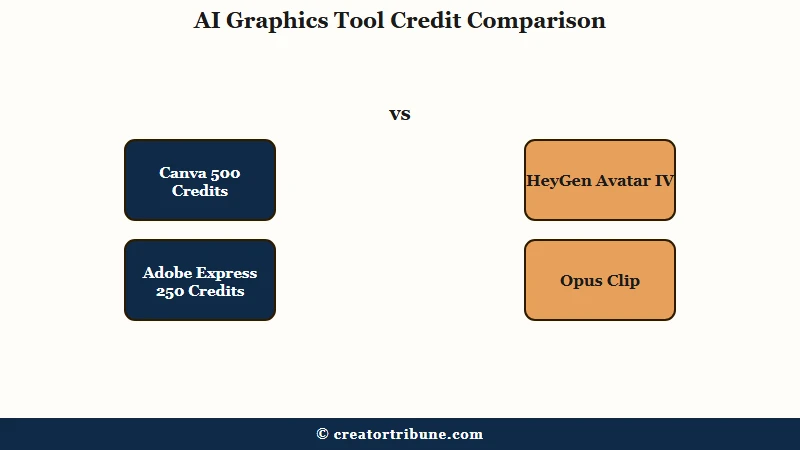
HeyGen is the cleanest example of the gap. The Creator plan is $29 a month and includes 200 Premium Credits, which sounds workable for a small channel.
The Avatar IV feature, which is the photorealistic presenter that makes HeyGen worth paying for in the first place, burns one credit every three seconds of output. That works out to 20 credits per minute and leaves the $29 plan covering exactly 10 minutes of Avatar IV video per month. Effective cost per minute is $2.90, not the $29 the pricing page implies.
What is a “credit” in AI tools: A consumable token that gets debited for premium operations like text-to-video, high-resolution export, AI background removal, or avatar rendering. Different vendors burn credits at very different rates for the same task.
The way I would read any AI graphics tool pricing page in 2026 is to ignore the headline and search for the credit-per-second or credit-per-asset table. Opus Clip charges 1 credit per minute of source video uploaded, regardless of how many short clips you generate from it.
Adobe’s new Creative Cloud Pro tier at $69.99 a month includes 4,000 Generative Credits for premium tasks like text-to-4K video, while the cheaper Standard plan caps at 25 credits a month and locks you out of the premium AI features entirely. Predis.ai’s Core plan includes 1,300 credits per month for $32, and the Rise plan jumps to 3,200 credits for $79.
The other detail competitor roundups miss is the credit-rollover rule. Most of these tools do NOT carry unused credits to next month. If you do not use them, you lose them, and that math changes which plan tier is actually right for a creator who works in bursts rather than steady weekly output.
Where Each Tool Earns Its Spot
The five jobs solo creators most often hire AI tools for are static graphics and posters, long-to-short video clipping, captions and subtitles, avatar or faceless video, and AI-generated ads. The right tool depends on the job, not the brand.
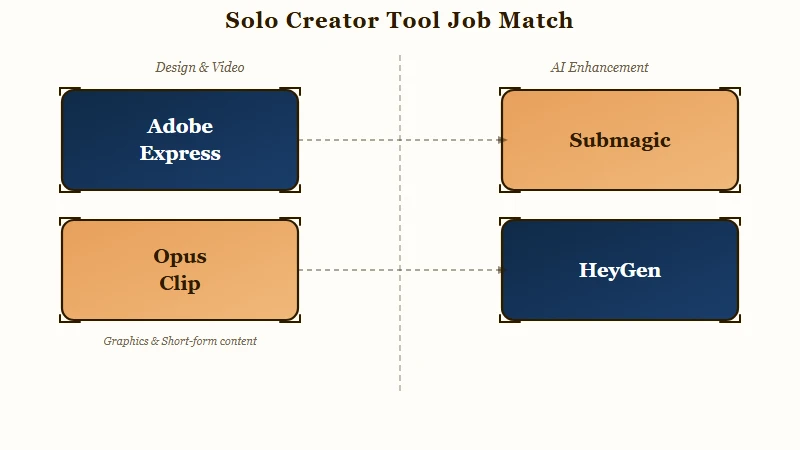
The honest ranking I would give a solo creator asking which one tool to start with is Adobe Express for static graphics, Opus Clip for long-to-short, and Submagic for captions if you are shipping more than five Reels a week. That stack runs about $47 a month all in and covers the bulk of a real publishing workflow.
Single-tool generalists like Canva or Predis.ai are tempting because they promise to cover everything, but the trade-off is that you pay for features you do not use and the per-feature quality is rarely best-in-class.
Here is the breakdown of where each tool earns its spot, with the credit math from my reading of the 2026 pricing pages:
| Tool | Best for | Real entry price | Credit gotcha |
|---|---|---|---|
| Canva Magic Studio | Generalist design inside an existing Canva workflow | $12.99/month Pro | 500 monthly Magic Studio credits, no rollover |
| Adobe Express | Typography-heavy graphics, brand consistency | $9.99/month Premium | 250 credits/month on both free and paid tier |
| Predis.ai | E-commerce posters, agency content batches | $32/month Core | 1,300 credits, $0.025 effective cost per credit |
| HeyGen | Avatar video, multi-language dubbing (175+ langs) | $29/month Creator | Avatar IV burns 20 credits/minute, 10 min/month covered |
| Opus Clip | Long-form to short-form clipping | $14.50/month Pro annual | 1 credit per source minute uploaded |
| Submagic | Captioned short-form, animated subtitle styles | $23/month Growth annual | 30 video credits at Growth tier, 95-98% caption accuracy |
| Vizard | Long-to-short, language coverage (32 langs) | Free tier 1 video, $14.50 Creator | Credit-per-minute model identical to Opus |
| Captions AI | Mobile-first captioning, AI eye contact correction | $9.99/month Pro | 97% caption accuracy on clean audio, decays at scale |
Adobe Express has the most underrated edge for typographic posters. The font library is 30,000+ fonts, which is roughly 10x the size of Canva’s library, and that matters when you are trying to build a brand voice that does not look like every other Canva template on the feed. The same plan also covers Adobe Stock with 200 million royalty-free assets, which removes the licensing headache for thumbnails and reel covers.
The HeyGen review I published earlier covers the avatar-video case in full, including the multi-language dubbing workflow that genuinely earns the price for creators who localize across 175+ languages. For most creators who do not localize, HeyGen is the wrong tool because the credit math is brutal once you leave the basic avatars behind.
The Hidden Costs Nobody Tells You About
Three credit-trap patterns recur across this category in 2026: premium-credit burn rates that hide the real cost, no-rollover rules that punish bursty workflows, and re-render charges that bill the same edit twice.
The first pattern is the one HeyGen leans on hardest, but it is industry-wide. The headline plan includes a credit pool sized for the basic feature set, and the premium feature you actually paid for burns those credits at a multiple of the basic rate. I have seen the same pattern in three of the eight tools on this list, where the entry plan covers maybe a third of what the marketing copy implies once you switch to the premium output.
The second pattern is no-rollover. If you sign up for a $29 plan with 200 credits and only use 40 in your first month because you are still learning the tool, the remaining 160 credits do not carry forward. That changes the math for creators who batch-produce content in monthly sprints, because you are effectively paying for credits you never use.
The third pattern, less discussed, is re-render billing. Several of these tools charge credits every time you export a video, even if you are exporting the same clip you already paid for with a minor caption tweak. My working assumption is that any tool whose credit pool runs small relative to the price tag is enforcing some version of re-render billing.
Here is the four-step protocol I would walk through before paying for any AI graphics tool in 2026:
- Find the credit-per-minute or credit-per-asset table on the pricing page, not just the plan summary card. If the table is hidden or vague, that is a signal the credit math is unfavorable.
- Multiply the credit-burn rate of the specific feature you came for by your expected monthly output. If the result exceeds the plan’s credit pool, the next tier up is what you need, or you need a different tool.
- Check the rollover rule. If credits expire monthly, your real cost is the plan price divided by the credits you will realistically use, not the credits included.
- Read the re-render policy. If exporting the same clip with a small change costs credits, batch your edits before exporting to avoid getting double-billed.
Before: “HeyGen Creator is $29 a month and includes 200 credits. That sounds like plenty for the few avatar videos I want to make.”
After: “HeyGen Creator is $29 a month but Avatar IV burns 20 credits per minute, so 200 credits covers 10 minutes of premium video. If I want 30 minutes a month, the actual cost is the next tier up at $99.”
Who Should Choose Which Tool
Adobe Express at $9.99 covers most solo creators for static graphics and posters. Opus Clip Pro at $14.50 covers long-to-short. Submagic at $23 covers high-volume Reels and Shorts with captions. HeyGen is the right choice only if avatar video or multi-language dubbing is core to your channel.
The split that matters most for a 2026 solo creator is whether you ship more static visuals (posters, carousels, thumbnails) or more short-form video. If it is static, start with Adobe Express, and only add Canva Pro if you are already deep inside the Canva ecosystem. If it is short-form video, start with Opus Clip Pro and pair it with Submagic Growth for captions when you cross five videos a week.
The agencies and multi-brand teams I would point toward Predis.ai are the ones running 10-plus client accounts at once. The $32 Core plan with 1,300 credits a month makes the per-asset cost competitive at that volume, and the AI competitor-analysis feature does a real job at agency scale. Below ten clients, Predis.ai is overkill and you are paying for capacity you will not use.
Lapis at $599 a month is genuinely the right tool only for performance-marketing teams running paid social ads at scale. The “Rate Your Ad” tool is free and unlimited without signup, which is the underused workflow most creators miss. Skip the $599 plan unless you are running more than 100 ad variations a month.
For deeper individual reviews of the short-form video specialists on this list, I have already published the Opus Clip review, the Submagic review, the Vizard review, and the Opus Clip vs Submagic comparison. Those go deeper into the captions accuracy, virality-score reliability, and credit math than this roundup has room for.
My Verdict on the Eight Tools
The two tools I would tell a solo creator to pay for in 2026 are Adobe Express Premium at $9.99 a month for static graphics and Opus Clip Pro at $14.50 a month for long-to-short clipping. Add Submagic Growth at $23 if Reels and Shorts are your primary output. Everything else on this list is situational.
The reason Adobe Express wins the static-graphics slot over Canva for me, even though Canva has more users and more templates, is the typography library and the brand-consistency tooling. Canva is genuinely better if you are designing for a team and need template sharing, but for a solo creator chasing a distinctive visual identity, Adobe Express is the cleaner pick.
Opus Clip is the long-to-short specialist that has earned its 10 million users by being the least bad at the hardest job in AI video: deciding which 30-second slice of an hour-long source video is going to perform on TikTok. The Virality Score it ships with is unreliable as a ranking signal, so use it as a first-draft filter, not as the final pick. Plan on discarding 20-40% of what the AI suggests.
HeyGen earns its price only if you are a faceless creator who needs avatar video or a creator localizing into 175+ languages. For everyone else, the credit math is what kills it. The Creator plan at $29 covers 10 minutes of Avatar IV per month, and the Pro plan at $99 covers 30 minutes, so anyone shipping more than 30 minutes of avatar video monthly is paying $99-plus with the credit ceiling still hovering.
Frequently Asked Questions
Which AI graphics tool has the best free tier in 2026?
Adobe Express has the most generous true-free tier with 250 monthly credits and access to most core features without a watermark. Canva’s free tier includes 140 million templates but locks the AI Magic Studio features behind Pro at $12.99 a month.
How much do I realistically spend per month on AI graphics tools?
A solo creator running daily output realistically spends $47 a month on a stack of Adobe Express at $9.99, Opus Clip Pro at $14.50, and Submagic Growth at $23. Adding HeyGen or Captions AI brings the total to roughly $80-95 a month.
Are the “Virality Score” features in tools like Opus Clip reliable?
No. The Virality Score is a useful first-draft filter that helps you skip the worst 60-80% of generated clips, but it routinely scores the wrong segments highly and misses the comedic timing humans catch. Treat it as a sort filter, not a ranking signal.
Which tool is best for AI-generated captions in 2026?
Submagic and Captions AI both hit 95-98% caption accuracy on clean audio, but Captions AI has the AI Eye Contact Correction feature that redirects gaze to the camera digitally. Submagic has the deeper template library for animated subtitle styles favored by social algorithms.
Do AI graphics tool credits roll over month to month?
Most do not. Canva Pro, HeyGen, Adobe Express, and Predis.ai all reset monthly credit pools and lose unused credits. The exception is Adobe’s new Creative Cloud Pro at $69.99, which carries some credits forward for premium tasks.
Is Canva Pro at $12.99 still worth paying for in 2026?
Yes, if you already work inside Canva. The Magic Studio’s 500 monthly credits cover most generalist tasks, and the 140 million template library is genuinely the largest in the category. Skip Canva Pro only if you have already invested in Adobe Express or are running a single-purpose video stack.