You Can’t Message This Account on Instagram and What to Do
You Can’t Message This Account on Instagram and What to Do
Instagram's "You can't message this account" means they only take DMs from people they follow. See what causes it and what you can still do.
- 1What Does “You Can’t Message This Account Unless They Follow You” Mean?
- Is “Not Everyone Can Message This Account” the Same Wall?
- 2Did Your Message Reach Them When Instagram Shows This Label?
- Why Does the Label Show Up in a Chat You Already Had?
- 3Did They Block You or Just Limit Who Can Message Them?
- Why Do You See It When You Both Follow Each Other?
- 4What Can You Do When You Can’t Message Someone on Instagram?
- 5Why Do Customers See This Label When They Message You?
- What If Your Settings Already Allow Requests?
- 6Why Would Instagram Treat Your Account Like a Teen’s?
- 7Quick Takeaways
TL;DR: “You can’t message this account unless they follow you” means the person only takes messages from accounts they follow, either by their own setting or because Instagram placed them in teen protections. Your message did not reach them, and no setting on your side changes that. If your own customers see it, check your message request settings first and then whether Instagram thinks your account belongs to a teen.
A chat that worked for months can close overnight. “You can’t message this account unless they follow you” is how Instagram says the other person only takes messages from accounts they follow.
A September 28, 2026 post shows it in real life: after a falling out, a friend’s chat now reads “you can’t message this account” while she still shows as online.
Instagram’s own help center adds to the confusion. Its page on who you can message opens with “You can send a message to anyone when using Instagram,” while a second page lets any account turn requests off entirely.
The wall hits businesses too. Shop owners were running into it in April 2021, and in August 2026 one seller lost DMs from people they don’t follow on both of their business accounts.
My first question with this label is always whether their profile still loads, because that one check separates a block from a setting.
Below I decode each version of the label, give you a four-step test, and cover the owner’s side, including a teen check that Meta itself admits can make mistakes.
What Does “You Can’t Message This Account Unless They Follow You” Mean?
“You can’t message this account unless they follow you” means the account only accepts messages from people it follows, and it does not follow you.
Two things put an account in that state: the owner’s own message settings, or the teen protections Instagram applies to younger users.
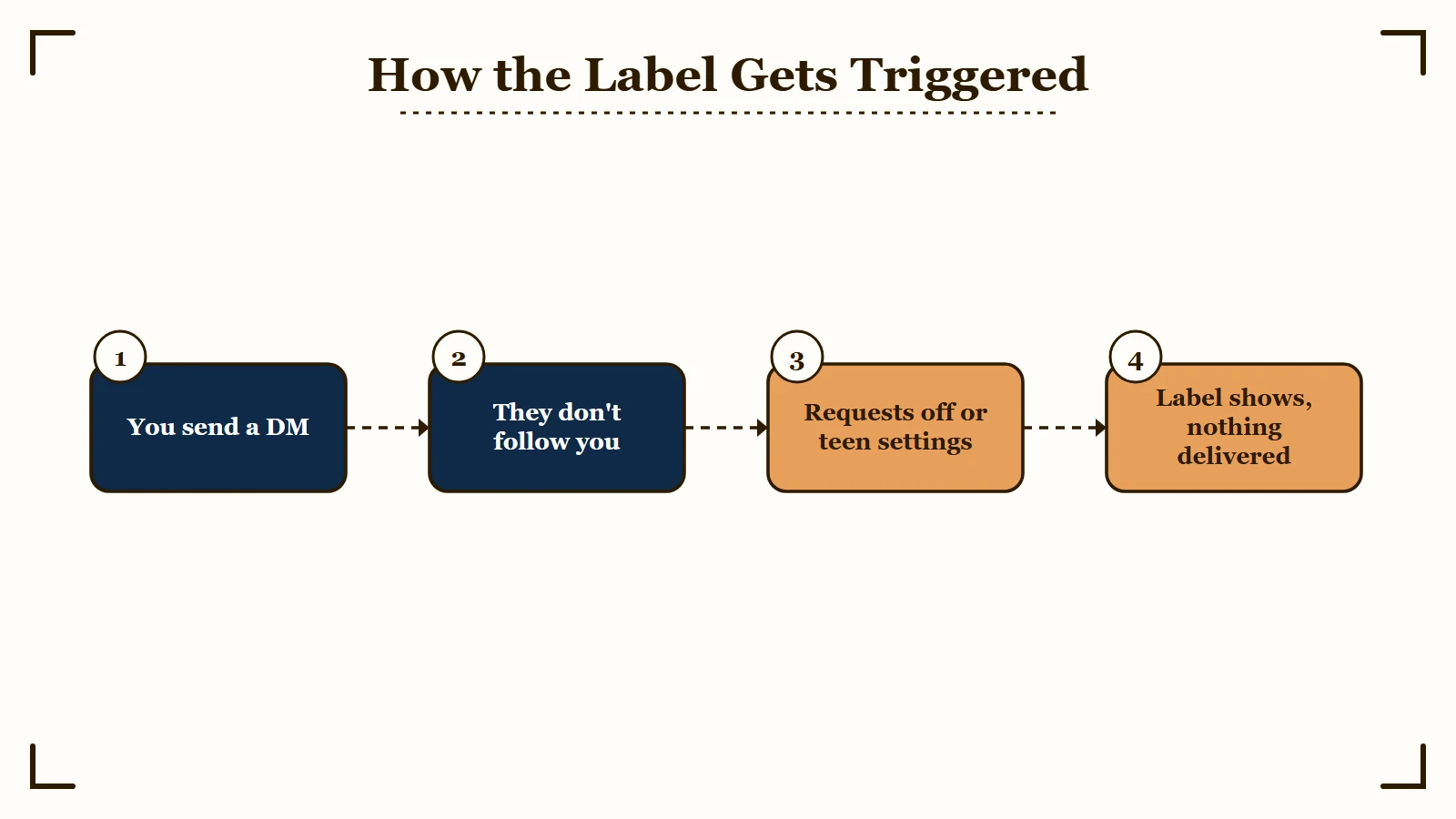
The first cause is a setting anyone can change. Instagram’s help page on managing message requests says every account can choose whether requests from people on Instagram “go to your Message Requests folder or whether to receive them at all.”
Messages from accounts the owner follows skip that choice and land straight in their Chats list.
The second cause is age. Since January 2024, teens under 16, or under 18 in some countries, can’t receive DMs by default from anyone they don’t follow or aren’t connected to, “including other teens,” per Meta’s January 2024 announcement. Instagram’s teen safety settings page adds a second rule: anyone over 18 can’t start a private chat with a teen they are not connected to.
I stop looking for a fix on my own account the moment this label appears, because it describes their inbox. The one exception is a sending limit on your own account, and that one breaks every new chat you try to start, so it is easy to tell apart.
Is “Not Everyone Can Message This Account” the Same Wall?
Yes, “Not everyone can message this account” and “This account can’t receive your message because they don’t allow new message requests from everyone” describe the same closed inbox in different words.
The long version is years old. The April 2021 shop owner quoted an earlier form, “@user can’t receive your message,” right beside “you can’t message this account unless they follow you.”
Customers of one business account got both “You can’t message this account unless they follow you” and “Not everyone can message this account” in July 2024.
| What Instagram shows you | What it means | What you can do |
|---|---|---|
| “You can’t message this account unless they follow you” | Their inbox only takes messages from accounts they follow | Get a follow back, or reach them another way |
| “This account can’t receive your message because they don’t allow new message requests from everyone” | The same limit in older wording | Same as above |
| “Not everyone can message this account” | They limit who can message them, and you sit outside that group | Same as above |
| “You can’t forward messages to [account] unless they follow you” | The same limit applied to forwarded messages | Send it as a normal message once they follow you |
| “You can’t message this account” inside an old chat | Likely an unfollow on top of that limit, or a block | Check whether their profile still loads |
| Photos and voice notes won’t send in a first message | The request rule for people who don’t follow you | Send text only and wait for them to accept |
The forward version shows up in an April 2026 report, where the same forward worked from the poster’s second account. I don’t read anything personal into which wording shows up, since they all trace back to the same few settings.
Did Your Message Reach Them When Instagram Shows This Label?
No, a message stopped by this label does not reach the other person, and it does not wait in their requests either.
The long form of the label says so outright: “This account can’t receive your message.” The account owner in the April 2021 thread wrote that they “don’t even get a message request from these people.”
That is the opposite of the normal request rule. When no label appears, a first message to someone who doesn’t follow you “is sent as a message request and can only contain text,” per Instagram’s messaging help page. Photos, videos and voice notes stay locked until they accept, and why a second message fails covers the wait.
Once the label appears, I tell people to stop refreshing the chat, because no request is sitting on the other side waiting to be found. A reply to a September 2026 question makes the same point: a friend found “there’s nothing” on her side. A normal request is different, since it can sit unread in a folder for weeks.
Two settings hide a message that did send. Instagram’s Limit interactions tool can cover every account that doesn’t follow the owner, and it moves new chats from those accounts into a “Hidden requests” folder. A restricted sender’s messages land in requests too, as how Restrict works explains.
Why Does the Label Show Up in a Chat You Already Had?
Instagram has not documented what happens to an existing chat when one person stops following the other, and the reports disagree.
In the September 28 case, an old chat started showing the label after both people removed each other. A February 2024 report describes the long “can’t receive your message” notice appearing in a running chat that still let messages through.
If their setting depends on who they follow, an unfollow is enough to move you outside it, even with months of messages above the text box. My read of the September 28 case is an unfollow on top of a message setting.
The poster added in the replies that neither follows the other now and that the friend still shows as online. That rules out Restrict, since Instagram’s Restrict page says a restricted person can’t “see when you’re online.”
Did They Block You or Just Limit Who Can Message Them?
If their profile still loads with posts and a follower count, they did not block you.
A block hides the account from you and renames the chat to Instagram User. A message limit only closes the inbox, and the profile stays in view.
| What you check | Message limit or teen protections | Block | Restrict |
|---|---|---|---|
| Their profile | Loads normally | User not found or a blank page | Loads normally |
| Name in your chat | Their normal name | Instagram User | Their normal name |
| Your new message | Not delivered, and the label shows | Can’t be sent | Lands in their requests and stays on Sent |
| What you can do | Get a follow back or use another channel | Nothing from your side | Wait for them to open requests |
Spotting an Instagram block walks through the logged-out test in full, including what the chat looks like after a block. A mute leaves delivery alone, so it never explains this label.
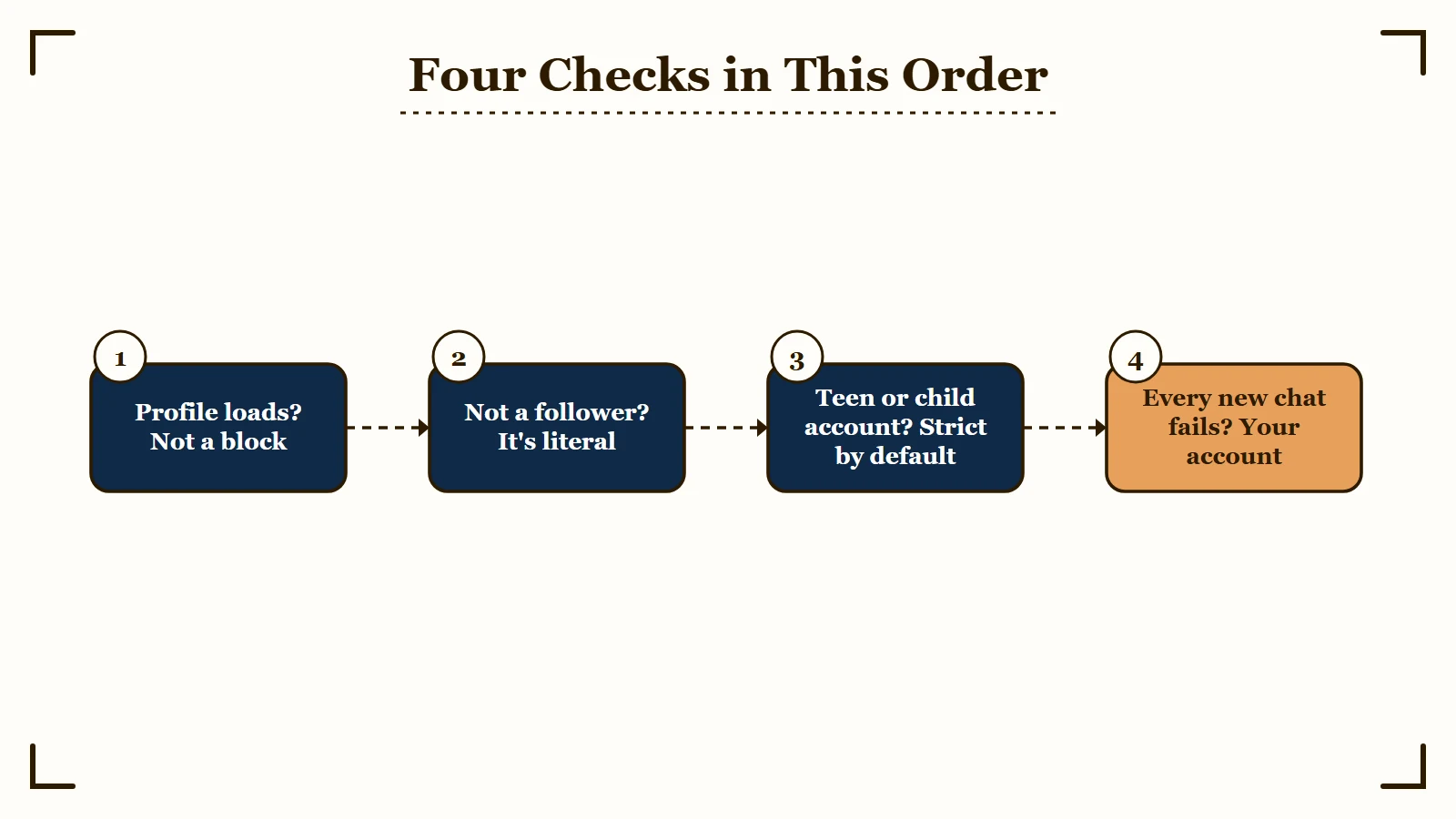
The profile check is the one I never skip. Run these four checks in order:
- Open their profile from your own account. Posts and a follower count mean you are not blocked.
- Search your own Followers list for their username. If they are not in it, they do not follow you, and the label means exactly what it says.
- Think about who runs the account. Anyone under 18, and accounts run by parents that mainly feature a child, sit behind strict message settings by default.
- Message someone else who doesn’t follow you. If every new chat fails, the limit is on your account, and our DMs not loading guide covers that case.
Why Do You See It When You Both Follow Each Other?
When you truly follow each other, the label contradicts Instagram’s own rule, so check the follow before you blame the app.
If your account is private, their follow may still be a pending request, and until you approve it they are not following you.
Reports of mutual followers getting the label run from 2022 into April 2026. In a 2022 thread about the same problem, one person fixed it by turning off a VPN and reinstalling the app, while four others said nothing they tried had worked.
Treat the reinstall as a last resort. Deleting the app erases drafts saved on that phone, as our drafts guide explains, so save them first.
What Can You Do When You Can’t Message Someone on Instagram?
You can’t turn their setting off from your side, so your options are to earn a follow back or reach them another way.
Pick the route that matches why you were writing to them.
- Follow them and wait for a follow back. The label depends on whether they follow you, so a follow back opens the chat.
- Use the contact details on their profile. Creator and business profiles often list an email address or contact buttons, and that is where pitches belong anyway.
- Reply to one of their Stories if you see a reply box. Instagram’s help page on Story replies says people who are not allowed to reply “won’t see that option,” so a visible box means the reply is permitted.
- Ask a friend you both know to pass on your username.
- Stop there instead of messaging from other accounts. Instagram’s message limits page says its limits exist to stop “direct messages that people may not want to get, like spam.” People who keep sending after a warning “may not be able to send more direct messages for a period of time.”
If the person is under 18, you are over 18 and they don’t follow you or already chat with you, there is no route through the inbox. Meta built that rule on purpose, so that strangers over 18 cannot open chats with teens.
For a collab pitch I go straight to the email on the profile. A creator who closed their inbox to strangers has already told you DMs are the wrong place for a cold pitch.
Before: The same collab pitch sent again from two other accounts after the first one hit the label.
After: A follow, then one email to the address in their bio: “I tried to DM you about the October campaign, but your inbox only takes messages from accounts you follow. The brief is below, and I’m happy to move to DMs if you follow back.”
Why Do Customers See This Label When They Message You?
Customers see the label when your account refuses message requests, and the two documented reasons are your message settings and Instagram treating your account as a teen’s.
Check the setting first because it takes a minute, then check your age status.
The complaint is old and still arriving. A business owner in July 2024 said the label was blocking the inbound leads the account existed to capture. An online shop in September 2026 said it started about two months after the account was created, with every setting looking fine.
To open your inbox to people you don’t follow, use the path on Instagram’s message requests help page:
- Tap your profile picture in the bottom right, then the menu in the top right.
- Under How others can interact with you, tap Messages and story replies.
- Tap Message requests. On the web, click Message controls instead.
- Choose the Message Requests folder for people on Instagram instead of turning their requests off. The app splits people into groups such as “Your followers on Instagram” and “Others on Instagram,” as one owner listed them, so set both.
- Open Who can send you group message requests and pick Everyone if customers add you to group chats.
- Check Limit interactions in the same menu. If it covers accounts that don’t follow you, new chats from customers land in Hidden requests instead of your inbox.
Ads that open conversations follow their own rule. Instagram’s message requests page says “You can still receive messages from others through your ad campaigns and products you’ve shared.”
Two advertisers found the reply side broken anyway. About half of Instagram responses to one ad and 80% of clicks on another came from accounts they could not message back.
I keep a second way in on every account that sells through DMs, so one bad setting can’t stop orders. A shop owner in a 2022 thread moved orders to a link-in-bio page for the same reason.
Our Creator Money Page is a free bio page with email capture built in, and it keeps working whatever the inbox does.
Before: A bio that says “DM to order” and nothing else.
After: A bio that says “Order at the link below or email [email protected],” with the link going to a page that collects emails.
What If Your Settings Already Allow Requests?
If your settings already accept requests and customers still hit the label, the one documented cause left on your side is your age status.
Everything else people try comes from single reports that Instagram has never confirmed.
- In one 2024 thread, a business owner says a Meta agent told them it was probably because their personal profile lacked full access to the business account in Meta Business Suite.
- In the 2022 mutual-follow thread, one person says reporting the problem to Instagram several times got it solved in about two weeks.
- In a December 2025 thread, the suggested fix was switching to a personal account and back to a professional one.
- In an April 2025 thread, one reply says the fix was making sure the email tied to the account had its age set to 18 or older.
I start with the report, since it costs nothing and one person saw it work, then check the age on the email tied to the account.
Why Would Instagram Treat Your Account Like a Teen’s?
Instagram can treat you like a teen because Meta moves accounts it suspects belong to teens into Teen Account settings, even when the birthday says 18 or older.
Those settings only accept messages from accounts the user follows or is already connected to. Meta began testing it in the US in April 2025 and expanded the test to the UK, Canada and Australia in September 2025.
Meta’s April 2025 announcement says the system moves suspected teens into those settings whatever birthday the account lists, and Meta promised “the option to change their settings” in case it gets one wrong. On August 26, 2026, TechCrunch reported that Meta is strengthening that technology as part of a proposed settlement with 29 US states, which still needs a judge’s approval.
A day later, a seller posted that two of their business accounts had stopped taking messages from people they don’t follow, with message requests on and the account set to 18 and over. Nobody has shown the two events are connected, and I would not assume it.
It is still the first thing I rule out once the settings look right, because the check is concrete. Instagram’s Teen Account settings page sends teens to a Teen Account settings entry in Settings to change who can message them. Seeing that entry on your own account is a strong sign Instagram treats you as a teen.
Instagram’s age confirmation page lists three ways to confirm your age: your birthday, a photo ID or a video selfie, with Yoti running the check. The same page warns that you may need to verify before you can change the birthday on the account.
Where the video selfie is offered, Instagram’s selfie help page says the check can take up to 20 minutes and the image is deleted within 30 days.
In July 2025, Meta said it would automatically place accounts that parents or talent managers run for children into its strictest message settings, per Meta’s July 2025 update.
If you run one of those accounts, brands you don’t follow will hit the same wall, so put a business email in the bio.
Quick Takeaways
- “You can’t message this account unless they follow you” means their inbox only takes messages from accounts they follow, and your message never reached them.
- A profile that still loads rules out a block, and your own Followers list tells you whether they follow you.
- Your real options are a follow back, the email on their profile, or a Story reply if the box shows, and messaging from extra accounts risks a sending limit.
- If customers see it on your account, send requests to your Message Requests folder under Messages and story replies.
- If the setting is already right, confirm your age with Instagram, since Meta’s teen check can put accounts over 18 into teen message settings by mistake.