Why TikTok Will Not Let You Post and How to Fix Each Cause
Why TikTok Will Not Let You Post and How to Fix Each Cause
TikTok will not let you post? Find which of six failure states you have, from a 72 MB Android cap to a review hold, and the fix for each one.
- 1Which TikTok Posting Failure Do You Have?
- 2Why Does TikTok Crash When You Upload a Video?
- 3Why Does the Upload Stop and Drop Back Into Drafts?
- 4Why Is Your Video Invisible to Everyone but You?
- 5Why Does Your Video Sit at 0 Views After Posting?
- 6Should You Delete and Re-Upload a Stuck Video?
- 7How Do You Check if TikTok Blocked Your Account From Posting?
- 8How Can You Tell a TikTok Outage From an Account Problem?
- 9Frequently Asked Questions
- How long should I wait before assuming my video is stuck?
- Why does my video upload on my friend’s iPhone but not my Android?
- Does deleting a flagged video remove the strike?
- What export settings avoid TikTok upload problems?
- Is a shadowban real, or is my content just not landing?
- Can I post from a new account while my main one is restricted?
- 10Quick Takeaways
TL;DR: “TikTok will not let me post” is six different problems wearing one costume, and the fixes contradict each other. An Android phone caps in-app uploads at roughly 72 MB while an iPhone allows about 287 MB, so the same file fails on one device and sails through on the other. Work out which failure state you have first, because the standard advice of deleting and re-uploading makes two of the six actively worse.
TikTok will not let you post, and the app is telling you almost nothing about why. The upload bar freezes at 20%. Or it uploads fine, sits there on your profile, and nobody else can see it.
Those look like one problem. They are six, and they have almost nothing in common underneath.
They range from a file size limit to a moderation queue to an account penalty. One of them is a data centre in another state losing power.
Most guides hand you the same list of nine fixes and hope one sticks. That is a waste of your morning, and two items on that list will set you back further than doing nothing.
The first thing I check is which of the six failures I am looking at, because the fix for a review hold is the opposite of the fix for a rejected file. You will finish this knowing which one you have and what to do about it.
Which TikTok Posting Failure Do You Have?
The failure state is identified by where the upload stops, not by the error message. TikTok reuses the same generic wording across unrelated problems, so the stopping point is the only reliable signal.
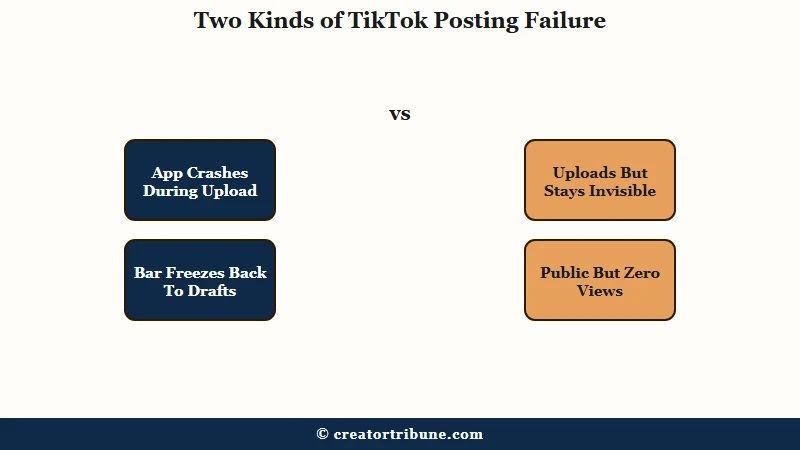
This table is the one I run through before touching a single setting. Find your row, then read that section.
| Symptom | Likely cause | First fix |
|---|---|---|
| App closes itself during upload | File too large for free memory | Export a smaller 1080p MP4 |
| Bar stops at a percentage, video returns to drafts | Connection, VPN, or format rejection | New upload session, VPN off |
| Posts fine, invisible to everyone but you | Moderation review queue | Wait 6 to 24 hours |
| Public but stuck at 0 views | New-account hold or duplicate detection | Do not re-upload the same file |
| Blocked before you reach the upload screen | Account posting restriction | Check Account Status, then appeal |
| Feed broken, everyone complaining at once | Server-side outage | Stop posting until it clears |
Why Does TikTok Crash When You Upload a Video?
Upload crashes are a memory problem, and the ceiling is far lower on Android than on iPhone.
In-app uploads cap at roughly 72 MB on Android against about 287 MB on iOS, so an identical file can crash one phone and upload cleanly on the other.
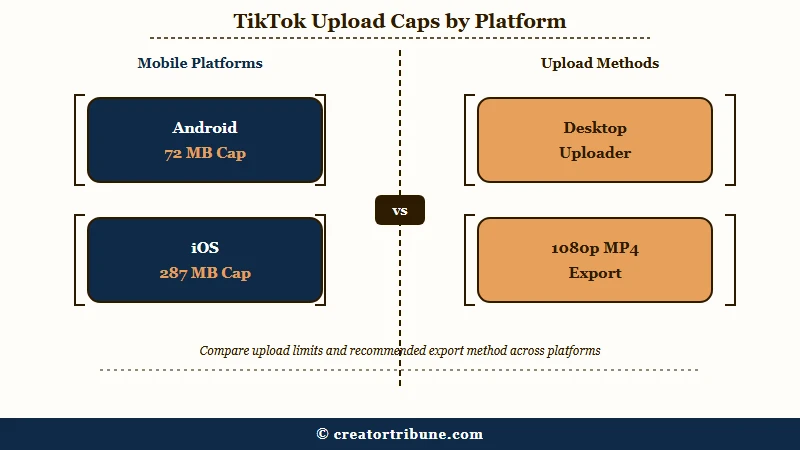
The Android cap is the number that surprised me most, and it reframes a whole category of upload failures that get blamed on the account instead. A four-times-smaller ceiling on the same app explains a large share of Android upload trouble on its own.
| Upload route | Practical file ceiling | Use it when |
|---|---|---|
| Android app | About 72 MB | Short clips only, under 60 seconds |
| iOS app | About 287 MB | Most everyday posting |
| Desktop uploader | Far higher than either app | Long videos and heavy exports |
Exporting in 4K does not help here and usually hurts. TikTok downscales everything to 1080p on its servers anyway, so a 4K file gets compressed twice and arrives softer than a clean 1080p export would have.
Before: 9-minute 4K master, heavy effect stack, exported straight from the editing app at whatever the default was.
After: 1080×1920 MP4, H.264 video, AAC audio, 30fps, bitrate around 5 to 10 Mbps, which lands comfortably under the mobile caps.
If the app is closing itself on launch as well as on upload, that is a wider stability problem and why TikTok keeps crashing covers the deeper cleanup steps.
Why Does the Upload Stop and Drop Back Into Drafts?
An upload that reaches a percentage and then falls back into drafts is a connection or format rejection, not a penalty.
The most common trigger is an active VPN, which TikTok reads as a suspicious IP and blocks mid-transfer.
My rule here is simple. Never retry from the same editing session, because the app holds the failed upload in a broken state and every retry from that screen fails the same way.
Work through it in this order:
- Turn off any VPN or proxy, then switch between wifi and mobile data to force a fresh connection.
- Save the clip as a draft, then fully close TikTok from your app switcher.
- Clear the app cache under Settings and Privacy, then Free up space. The cache clearing walkthrough has the exact menu path.
- Reopen the app, go to Drafts, and post from there as a brand new session.
- If it fails again, re-export as a standard MP4 with H.264 video and AAC audio before trying once more.
That fresh-session step is the one people skip, and it is the one that resolves this state most often. If you are seeing a generic error box instead of a silent fallback to drafts, the “something went wrong” breakdown covers that specific modal.
Why Is Your Video Invisible to Everyone but You?
A video that uploads successfully but stays visible only to you is sitting in the moderation queue.
Automated review normally clears in 15 to 60 minutes, while anything escalated to human review runs 6 to 24 hours.
Waiting is the fix I like least, and it is still the right one. Longer videos, brand new accounts, and topics touching health, finance or politics all draw extra scrutiny and push you toward the slower end of that window.
Two things genuinely help while you wait. Check that your account is not set to private, and that the video’s own audience is set to Everyone rather than Friends. A privacy setting produces symptoms identical to a review hold.
There is also a known mismatch where the mobile app shows a video as public while the desktop TikTok Studio view shows that same video as private, so check both.
If the hold stretches past a day, videos stuck under review covers what each stage means and when the delay stops being normal.
Why Does Your Video Sit at 0 Views After Posting?
A public video frozen at exactly 0 views is almost always a distribution hold rather than a rejection.
New accounts face a sandbox period where the first several videos are held back up to 24 hours while the system checks the account is genuine.
The dormant-account version of this caught me off guard. An established account that stops posting for a few months gets treated with similar caution when it returns, so a comeback video can sit at zero for hours before distribution starts. That is not a penalty and it clears on its own.
Three other causes produce the same flat zero. Music pulled from outside the in-app audio library triggers a copyright block that halts distribution, and content the system reads as mature gets restricted from the main feed.
During a platform-wide outage the view counter itself breaks, showing zero while the real engagement is recorded safely on the back end.
Should You Delete and Re-Upload a Stuck Video?
Re-uploading the identical file makes the problem worse, while re-uploading a genuinely edited version is fine.
The distinction is whether the second copy looks like new content or a duplicate, and most advice collapses those into one instruction.
I’d push back hard on the common suggestion to just delete it and post it again. TikTok’s duplicate detection compares the file against what has already been published, and an identical second copy reads as recycled content. That throttles the new post and can flag the account for spam behaviour, which is a worse position than the review hold you were trying to escape.
The advice splits genuinely on this point. Some guides present delete-and-repost as a standard creator tactic, while others warn it risks strikes.
Both are describing real outcomes, because they are describing different actions. Reposting a changed video works. Reposting the same file does not.
Example scenario: You post a clip and it sits at 0 views for three hours. If you delete it and upload the exact same export, duplicate detection sees a recycled file and suppresses it further. If instead you trim the first two seconds, swap the audio for an in-app trending sound, and rewrite the caption and hashtags, the system reads it as a new post and distributes it normally.
So wait out the first 24 hours. Past that, change the video meaningfully before it goes back up, or leave it alone.
How Do You Check if TikTok Blocked Your Account From Posting?
Account-level restrictions are visible in the app, so you do not have to guess. Open your profile menu, go to TikTok Studio, then Account check, which lists any active violations and restrictions against your account.
Account Status is the first screen I open before entertaining any shadowban theory. If it comes back clean, the low reach is a content problem rather than a hidden penalty, and that single check saves days of chasing a punishment that was never applied.
The penalty structure itself is predictable. Individual strikes stay on your record for 90 days before expiring. A first or minor infraction typically restricts posting for 24 to 48 hours, while repeat violations extend that to somewhere between 7 and 30 days.
One trap is worth naming. Creating a second account to get around an active restriction counts as ban evasion and can escalate a temporary block into a permanent one across every linked profile. If you believe the restriction is wrong, the appeal process walkthrough covers how to submit one and what evidence helps.
How Can You Tell a TikTok Outage From an Account Problem?
An outage hits everything at once, while an account penalty only touches your posting.
If your For You feed is repeating videos, showing content in unfamiliar languages, or failing to load at all, the problem is upstream of your account.
My take is that outage days are wasted posting days, and the useful move is to stop rather than troubleshoot. TikTok’s US service has had genuine infrastructure failures of this kind, including a cascading systems failure that Engadget’s outage report traced to a data centre power loss, with videos stuck in review and view counts showing zero.
During one of those events Downdetector logged more than 615,000 reports, including roughly 36,000 inside a single 15-minute window. That is the scale that separates a platform failure from a personal one.
The worst thing you can do on an outage day is delete and repost, because you stack a duplicate-content flag on top of a problem that was going to resolve itself. Check a status tracker, or see whether TikTok is down, then come back when it clears.
Frequently Asked Questions
How long should I wait before assuming my video is stuck?
Give it 24 hours. Automated review usually finishes within 15 to 60 minutes, and human review runs 6 to 24 hours. Anything still frozen after a full day is worth acting on.
Why does my video upload on my friend’s iPhone but not my Android?
File size. The Android app caps in-app uploads at roughly 72 MB against about 287 MB on iOS. Export a smaller 1080p file, or upload through the desktop uploader instead.
Does deleting a flagged video remove the strike?
No. Deleting the content does not clear the strike from your record. Strikes expire on their own after 90 days, so appealing is more useful than deleting.
What export settings avoid TikTok upload problems?
Use 1080×1920 at 9:16, MP4 container, H.264 video, AAC audio, 30fps, and a bitrate around 5 to 10 Mbps. That combination stays under the mobile size caps and avoids double compression.
Is a shadowban real, or is my content just not landing?
Check TikTok Studio, then Account check. If it shows no active restrictions, there is no hidden penalty and the issue is reach, not enforcement.
Can I post from a new account while my main one is restricted?
No. That counts as ban evasion and can turn a temporary restriction into a permanent one across all linked accounts. Wait the restriction out instead.
Quick Takeaways
- Find your failure state before applying any fix, because the right move for a review hold is the opposite of the right move for a rejected file.
- Android caps in-app uploads near 72 MB against roughly 287 MB on iOS, which explains a large share of Android-only upload failures.
- Never retry a failed upload from the same editing session, save to drafts and start fresh.
- Re-uploading the identical file triggers duplicate detection, so change the audio, caption and opening seconds or leave it alone.
- Open TikTok Studio then Account check before assuming a shadowban, since real restrictions are listed there.