Does Instagram Notify When You Screenshot a Story or a DM
Does Instagram Notify When You Screenshot a Story or a DM
Instagram does not notify anyone when you screenshot a Story or post, but disappearing DMs are the exception. See what triggers an alert.
- 1Does Instagram Notify When You Screenshot a Story?
- 2Does Instagram Notify When You Screenshot a Post, Reel, or Profile?
- 3Why Does My Phone Say Instagram Detected This Screenshot?
- Why Does Instagram Say This App Doesn’t Allow Screenshots?
- 4Does Instagram Notify When You Screenshot a Disappearing DM?
- 5Can You Screenshot Instagram Instants?
- 6Why the Airplane Mode Trick and Screenshot Apps Fail
- 7What Screenshots Really Mean for Creators
- 8Quick Takeaways
The Short Answer: Instagram does not notify anyone when you screenshot or screen record a Story, feed post, Reel, or profile. The one real exception is disappearing media in direct messages, and as of October 2026 Instagram’s help page says a screenshot of a disappearing photo or video is disabled outright. A vanish mode chat still carries only a promise to alert the sender “if we detect” a capture.
The question of whether Instagram notifies when you screenshot a Story has been keeping people up at night since about 2018, and the confusion is completely understandable. Instagram did test screenshot alerts for a few months that year, then killed the feature, and the rumor never died with it.
One surface works differently, and as of October 2026 Instagram finally says so in writing.
For everything permanent, Stories, posts, Reels, profiles, regular messages, nobody is ever told you took a screenshot. For disappearing photos and videos in DMs, the capture is now blocked, so it comes back black or not at all, and vanish mode still alerts the sender when Instagram catches one.
I write about creator platforms every day, and this is one of the few privacy questions where the “it depends” answer is the right one. It depends entirely on what you are capturing.
Below I break down every surface one by one, including the Instants feature that launched in May 2026 and the phone message that says an app does not allow screenshots.
Does Instagram Notify When You Screenshot a Story?
Instagram does not notify anyone when you screenshot a Story. This covers regular Stories, Close Friends Stories, and Story Highlights. The poster sees that you viewed the Story in their viewer list, but there is no separate screenshot alert of any kind.
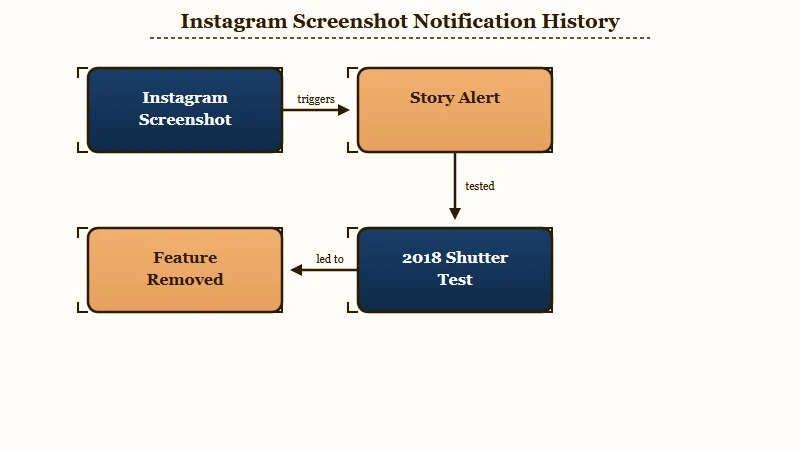
The reason so many people believe otherwise traces back to one real experiment. In February 2018, Instagram started testing a feature that put a small shutter icon next to the name of anyone who screenshotted a Story. The test ran for a few months and was pulled by June 2018 after users hated it and Story engagement dropped.
That four month window in 2018 did more damage to people’s mental model of Instagram than almost any feature the app has ever shipped. The test is long dead, but the fear outlived it by years. If you are checking a Close Friends Story from someone who added you, screenshot away, they will never know.
One caveat worth stating plainly. Being on someone’s viewer list is not the same as a screenshot alert, but it does mean they know you saw it.
If you want to check who can and cannot see your own content in the first place, the guide to hiding your followers covers the settings that really move the needle.
Does Instagram Notify When You Screenshot a Post, Reel, or Profile?
Instagram does not notify anyone when you screenshot a feed post, a Reel, a profile, or a comment. This holds true whether the account is public or private, and whether you take a static screenshot or record your screen. Permanent content is fair game, and unlike a Story it has no viewer list either.
You can screenshot someone’s profile picture, their bio, their grid, their follower count, and their carousels without a single notification firing. The same goes for saving a Reel by screen recording it. I have tested this across both a private and a public account, and the behavior is identical.
Screen recording deserves a specific callout because people assume it is sneakier than a screenshot. It is not treated any differently.
For permanent content, recording your screen is exactly as silent as a screenshot, and for disappearing content it triggers the exact same consequences. There is no stealth loophole in choosing one over the other.
The one thing screenshots quietly strip is context. A screenshotted Reel loses its audio, its caption, its tags, and the link back to the creator, which matters more than most people realize once that image starts moving through private group chats.
Every Instagram surface sits in the table below, so you know exactly where you stand before you tap the button.
| What you capture | Screenshot notifies? | Screen record notifies? | Can you even capture it? |
|---|---|---|---|
| Story or Highlight | No | No | Yes, freely |
| Feed post or Reel | No | No | Yes, with a few Android reports of a block |
| Profile or comment | No | No | Yes, freely |
| Regular DM text or media | No | No | Usually, though some Android users report a block |
| Vanish Mode or View Once | Yes, if Instagram detects it | Yes, if Instagram detects it | Photos and videos: no, disabled. Vanish mode text: yes |
| Instants | Blocked at capture | Blocked at capture | No, platform block |
Why Does My Phone Say Instagram Detected This Screenshot?
That notice is Android talking to you. It means an app was passed a signal, and the account whose Story or post you captured is told nothing.
The mechanism is public. Android 14 added a screenshot detection system behind an install-time permission named DETECT_SCREEN_CAPTURE, and Google’s own developer documentation is blunt about how little the app receives.
- The app never sees your screenshot. In Google’s wording, “the callback doesn’t provide an image of the actual screenshot”. Instagram learns that a capture happened in a screen you had open, and nothing about what was on it.
- The visible notice is the point. The same page states that “a notice is shown with every screenshot detection signal” and tells developers to warn people in advance so the system message does not come as a surprise.
- It is narrower than it looks. Google notes the Android 14 system API “only detects a screenshot if the user performs a specific combination of hardware button presses”, and that it does not fire for captures taken through developer tools such as ADB.
Nothing in that chain reaches the account whose Story you captured. Detection and notification are different things, and only the first is happening.
A September 7, 2026 post in r/Instagram titled “Instagram can detect screenshots” is at about 1,700 upvotes and 188 comments, with the poster reporting three detections in a few days of Story screenshots.
Read down the thread and it falls apart. The top explanation blames the paid Instagram subscription, and a subscriber replies that they tested it and got nothing.
Another user screenshotted a Story with their mother watching the other account, and no alert arrived. One commenter puts it plainly: the app chooses what to do with the signal, and detection does not mean the other person will know.
Android users report the same notice naming Reddit, ChatGPT and other apps, since the permission is not an Instagram decision. It is granted at install time, so there is no per-app switch.
The same notice sets off an identical panic about TikTok, and the answer there matches. Full breakdown in our guide to whether TikTok notifies screenshots.
Why Does Instagram Say This App Doesn’t Allow Screenshots?
“This app doesn’t allow screenshots” means your phone refused the capture. Android lets an app mark a screen as secure, and the phone then blocks the screenshot and shows its own notice instead.
Google’s reference documentation describes the switch, a window flag named FLAG_SECURE that treats a screen’s contents “as secure, preventing it from appearing in screenshots”. The wording of the notice comes from the phone maker. A Galaxy S26 owner quotes “This app doesn’t allow screenshots”, while an OPPO Find X9 Pro owner saw “Screenshots restricted for privacy and copyright”.
Instagram blocks captures on purpose for disappearing photos and videos, which its help page now says cannot be screenshotted, and for Instants, its May 2026 disappearing photo format. Nothing Instagram has published covers ordinary chats or posts, yet since May 2026 a string of r/Instagram posts describe the same block outside any disappearing chat.
- May 21: the OPPO Find X9 Pro owner could not screenshot any DM, while the same person’s Galaxy S25 Ultra could “screenshot anything just fine”.
- June 15 and August 17: the block showed up on posts instead of chats, on a Galaxy S25 FE and on another Android phone, where it stopped on its own three days later.
- August 14 and 25: two more people lost DM screenshots, one after reinstalling Instagram and one after an automatic update from the Play Store.
- September 16: the Galaxy S26 owner hit it only while running Instagram inside Samsung’s Secure Folder, in a chat that “isn’t even a disappearing/vanish chat”, and the same chats captured normally outside it.
- September 29: a post titled with the notice drew a reply from a Galaxy M15 owner on Android 16 who could still screenshot.
Every report that names a phone names an Android one. If you see the notice in a regular chat, check first that vanish mode is off and that the photo is not a disappearing one. If Instagram runs inside Samsung’s Secure Folder, try the normal install, which is what worked for the S26 owner.
Does Instagram Notify When You Screenshot a Disappearing DM?
Yes, when Instagram detects a capture, and for disappearing photos and videos it now blocks the screenshot before it happens. View Once photos, Allow Replay videos and anything inside Vanish Mode all fall under this exception.
This is the single exception to the whole “Instagram never tells” rule, and Instagram rewrote one of its own help pages about it between September 17 and October 9, 2026.
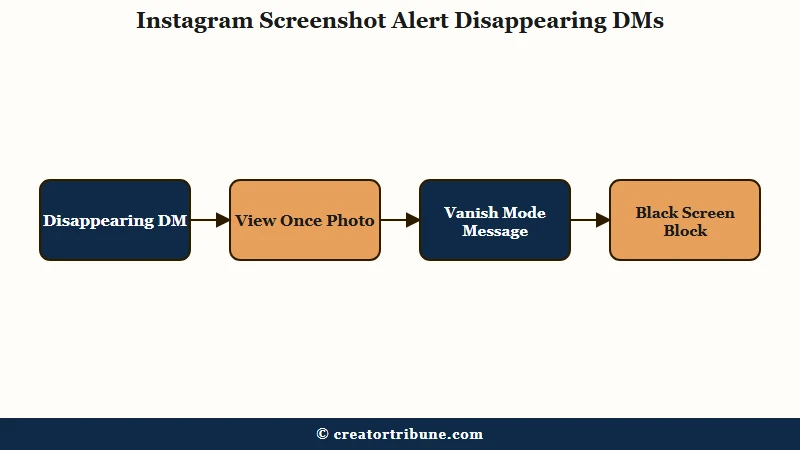
What is Vanish Mode: A direct message setting where texts and media disappear when someone leaves the chat or turns vanish mode off, designed for temporary, off-the-record conversations.
Meta announced the block on October 17, 2024, and wrote it in the future tense. The post read: “Soon, we’ll no longer allow people to use their device to directly screenshot or screen record ephemeral images or videos sent in private messages.” The same Meta announcement said it would stop people opening View Once and Allow Replay media on Instagram web, to close the obvious workaround.
For almost two years, the help pages on disappearing photos never confirmed it. The page on the status of a disappearing photo you sent said you can see if it was seen “or if we detect someone took a screenshot”. Every Internet Archive copy from February 2025 to July 11, 2026 reads that way, and so did the live page when I checked on September 17.
On October 9, 2026 the same page read: “Taking a screenshot is now disabled for a disappearing photo and video you’ve sent in a chat.” Other pages on the subject still describe detection rather than a block. The page on sending a disappearing photo or video still says you can see if it was seen “or if we detect someone took a screenshot”.
- The page on replaying a disappearing photo says the sender “will be able to tell that you’ve replayed it or taken a screenshot, if detected“.
- The vanish mode page says “You’ll receive a notification if we detect they take a screenshot”.
The vanish mode wording carries the sharper detail. That sentence sits inside a list of things Instagram warns you a recipient can still do with a disappearing message, directly above “take a photo of a disappearing message with a camera or other device before it disappears”.
Read in that company, the sentence works as a warning to senders that capture remains possible, with the promise going only as far as what Instagram’s system catches.
Instagram’s newer timed disappearing messages page makes the same promise in its Android and iPhone versions. A recipient can “take a screenshot or screen recording of your disappearing message before it’s no longer visible”, and the sender is notified if Instagram detects it. So one help page now states a block for disappearing photos and videos, while vanish mode and timed messages carry only an alert that depends on Instagram catching the capture.
Two limits nobody mentions, both from those same pages. Vanish mode “may be unavailable in Japan and for countries located in Europe”, and disappearing messages are “only available in certain locations”, so a reader in Europe may have no access to the surface this whole exception depends on.
September 2026, checked and not reproduced: a post in r/Instagram on September 16, now at roughly 510 upvotes, claimed the app had quietly started alerting both people when a regular DM was screenshotted, Snapchat style, outside disappearing mode. The poster then edited it to say “the feature is now completely gone for both my friend and I”. A commenter who tested it on a burner account got the notification only with disappearing messages switched on, which is the documented behavior, and another updated the app and could not reproduce it.
The reason behind the crackdown is not subtle. Reports of online enticement targeting teenagers surged by more than 300% between 2021 and 2023, according to the online safety nonprofit SWGfL, and blocking screen captures of private photos was Meta’s direct response. Whatever you think of Instagram, this specific change exists to make image-based abuse harder.
Before: You screenshot a friend’s View Once selfie assuming it is silent, the way a Story screenshot is.
After: The capture comes back black or not at all, because Instagram now disables screenshots of disappearing photos, and any capture Instagram does detect shows up for your friend in the chat.
If you want to send a photo with that protection turned on yourself, it is quick once you know where the toggle lives. Here is the sequence I use.
- Open the direct message thread and tap the camera or photo icon in the message bar.
- Take a new photo or pick one from your gallery.
- Before sending, tap the “View Once” control, the circle marked with a 1, so it is highlighted.
- Send it. The other person can open it a single time, and Instagram’s help page says taking a screenshot of it is disabled.
Can You Screenshot Instagram Instants?
No. Instagram blocks screenshots and screen recordings of Instants at the platform level on both iOS and Android.
Instants is the disappearing photo feature Instagram launched in mid-May 2026 for sending real time, unedited pictures to Close Friends or mutual followers.
The mechanics are worth knowing because Instants behaves differently from a normal DM. An unopened Instant expires after 24 hours, but the sender’s own Instants are quietly saved to a private archive for up to a year so they can be compiled into Story recaps later. That archive detail caught a lot of users off guard, and CNET’s coverage of Instants walks through the reaction.
The way I see it, Instants is the clearest signal yet of where Instagram is heading. Capture blocking used to be a niche safety feature buried in Vanish Mode. Now it is the default behavior for an entire new sharing format, which tells you the black screen is here to stay.
If someone sends you an Instant, treat it as truly ephemeral. There is no clean native way to save it, and the second phone camera pointed at your screen remains the only reliable capture method, which is exactly the friction Meta wants.
Why the Airplane Mode Trick and Screenshot Apps Fail
The airplane mode workaround for disappearing DMs is unreliable in 2026, and every “who screenshotted my Story” app is a scam.
These are the two pieces of advice floating around that will waste your time or steal your login.
Before you try either, here is how the most common myths hold up against what the app really does.
| Common belief | What really happens |
|---|---|
| Instagram alerts people who screenshot your Story | It never has, outside a short 2018 test that was scrapped |
| Screen recording is a stealthy loophole | It follows the same rules as a screenshot, surface for surface |
| Airplane mode lets you grab a Vanish Mode photo | Patched on modern app versions and unreliable at best |
| An app can reveal who screenshotted your posts | No app can, because Instagram never shares that data |
The airplane mode trick is where the guides openly contradict each other. Some still recommend turning on airplane mode, opening the disappearing message, screenshotting, and force closing the app before reconnecting.
Others are blunt that it no longer works. The honest read is that it is patched routinely and fails on any recent app version, so I would not rely on it for anything you truly care about.
On the third party apps, there is no ambiguity at all. Instagram’s system does not share screenshot data with outside developers, so any app claiming to reveal who saved your Story is either useless or a phishing tool built to harvest your password.
The same blind spot affects turning off read receipts, which is another place people install sketchy apps chasing data Instagram does not expose.
Forum posts also circulate specific old Android build numbers said to defeat the DM black screen. I could not verify any of them against a first-party source, and sideloading an outdated APK is a real security risk, so treat those as folklore.
What Screenshots Really Mean for Creators
For creators, the bigger risk is your own content getting screenshotted and stripped of everything that ties it back to you.
Every time your Reel or post gets captured and reshared in a private group chat, it travels without your handle, your audio, or your link. Instagram passed 3 billion monthly active users in September 2025, and Meta told investors on July 29, 2026 that it had reached 2 billion daily actives, so a single reshared screenshot can travel a long way before anyone thinks to ask who made it.
That silent, uncredited spread is often called dark social, and it is invisible in your analytics. You can watch Saves and Shares climb as a proxy, but you will never see the screenshots, and you cannot chase down a credit that was never there. The way I see it, that is the strongest argument for not renting your entire audience from an app you do not control.
The move I would make is to give people a reason to find you off platform, where a screenshot cannot erase the connection. A simple, free creator money page that collects emails turns anonymous screenshot traffic into an audience you genuinely own. It is the same logic behind turning casual viewers into subscribers instead of hoping the algorithm reintroduces you tomorrow.
None of this means you should stop posting screenshotable content. The opposite is true. Design posts people want to save and share, then make sure your name is baked into the visual itself so it survives the trip through a hundred group chats.
Quick Takeaways
- Screenshotting a Story, post, Reel, or profile is completely silent, and it always has been outside a brief 2018 test.
- Disappearing DMs are the only real exception: Instagram’s help page now says screenshots of disappearing photos and videos are disabled, while vanish mode still alerts the sender only “if we detect” a capture.
- Instants, launched in May 2026, blocks screenshots at the platform level and archives the sender’s photos for up to a year.
- A phone notice reading “Instagram detected this screenshot” is Android talking to you, and the poster is told nothing.
- A phone message saying the app doesn’t allow screenshots means the capture was refused, which Instagram does on purpose for disappearing media and which some Android users have reported in ordinary chats since May 2026.
- Skip the airplane mode trick and every “who viewed my Story” app, since one is patched and the other is a scam.
- If you create, assume your content will be screenshotted and reshared, so bake your identity into the visual and give viewers a way to find you off platform.