How to Hide Followers on Instagram and What Cannot Be Hidden
How to Hide Followers on Instagram and What Cannot Be Hidden
Instagram has no button to hide your followers or your count, and most guides get it wrong. Here is what really works and what is a myth.
- 1How to Hide Followers on Instagram in 2026
- 2Why You Cannot Hide Your Follower Count
- 3What Really Hides Your Lists and What Does Not
- 4Why That Hidden List Is Usually Instagram, Not a Setting
- 5The Creator Account Trap and the Real Fix
- 6Frequently Asked Questions
- Can you hide your follower count on Instagram?
- How do you hide your following list without going private?
- Does Restrict hide your followers on Instagram?
- Why can’t I see someone’s following list?
- Can a creator or business account hide followers?
- Do third-party apps that hide Instagram followers work?
- 7Quick Takeaways
TL;DR: Instagram has no native button to hide your followers or following list, and you can never hide the follower count itself. Going private hides your lists from strangers but not from people who already follow you. On a public account, blocking is the only thing that truly hides your lists, and the popular advice to use Restrict is wrong.
Search how to hide followers on Instagram and you get the same five steps everywhere: go private, restrict, use Close Friends, block, remove. Half of that advice does not do what the guides claim, and the most-shared tip is flatly wrong.
Here is the part nobody leads with. Instagram gives you no button to hide your follower or following list, and there is no setting anywhere to hide the follower count. That number stays on your profile header for everyone, even people you have blocked.
There is a second surprise that sends people in circles. When you tap a profile and see “We limit certain things you can see,” that hidden list is usually not a privacy setting the person switched on. It is Instagram’s own system hiding it automatically.
I dug through the official settings, the myths, a 2026 platform change most guides missed, and the one workaround that quietly died in 2024. Here is what really works, what does not, and the honest tradeoff creators have to make.
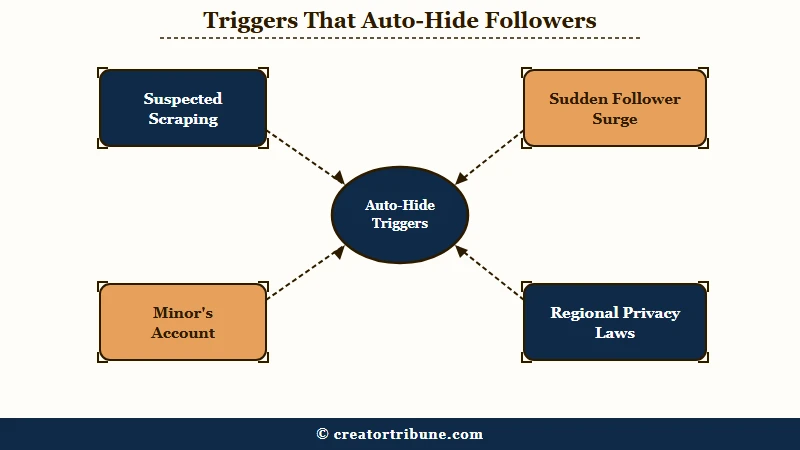
What is community protection: Instagram’s automated safety system that hides a profile’s follower and following lists when its algorithm detects scraping, a sudden follower surge, a minor’s account, or a regional privacy law, with no manual toggle to turn it on.
How to Hide Followers on Instagram in 2026
To hide followers on Instagram you go private to hide your lists from non-followers, block specific people to hide them on a public account, or remove existing followers one by one.
There is no single switch, and none of these hide your follower count.
The way I see it, the honest version of this answer is the one creators need most. Instagram was built to be social and discoverable, so it deliberately leaves your connections visible by default. Every method below is a workaround with a hard limit, not a clean privacy toggle.
Going private is the closest thing to a global fix. It hides your posts, stories, followers, and following list from anyone who does not already follow you. The catch is that it does nothing about your existing followers and it guts your reach, which I will get to.
For a public account, your only real lever is blocking, because a public profile shows its lists to the entire internet by design. If your goal is privacy from the wider world while you keep growing, my guide to growing on Instagram without reels pairs well with the tradeoff at the end of this piece.
Why You Cannot Hide Your Follower Count
Instagram has no setting to hide your follower or following count, so the number always shows on your profile header even to blocked or restricted users.
You can hide the list of names, never the total.
This trips up creators who want to avoid being judged on vanity metrics. You can lock your account down completely and the count still sits there in plain view. The only accounts that can hide the list itself with a native button are some verified or large key-opinion-leader profiles, which show “Only [username] can see all of their followers,” and that perk is not available to regular users.
Here is where the most popular guide on the internet gets it wrong. A widely shared wikiHow tutorial claims that restricting someone means “they also won’t be able to see who’s in your followers or following lists.” That is misinformation.
Restrict only limits how a person comments on your posts and messages you. It does nothing to your follower or following lists, and several specialist guides openly call out that exact wikiHow claim as a myth.
What I would trust is the behavior, not the headline: test it yourself and you will see the restricted person can still browse your full list.
What Really Hides Your Lists and What Does Not
Only three tools change who sees your lists: going private, blocking, and removing a follower. Restrict, Mute, and Close Friends do nothing to hide them.
Most “hide your followers” advice fails because it leans on the tools in that second group.
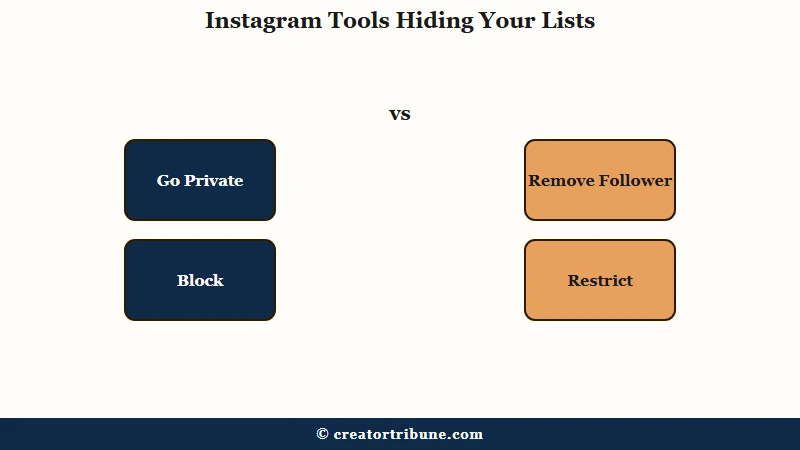
I would start by matching the tool to the exact result you want, because using the wrong one is why people think they are hidden when they are not. Here is the honest breakdown.
| Method | What it hides | What it does NOT hide | Best for |
|---|---|---|---|
| Go private | Lists, posts, and stories from anyone who does not follow you | Anything from existing followers, and never the count | Personal accounts that do not need reach |
| Block | Your entire profile and lists from one specific person | Your profile from everyone else, and never the count | Hiding from one person on a public account |
| Remove follower | That person’s access, but only if you are private | Anything on a public account, they just reopen your profile | Private accounts trimming who is inside |
| Restrict, Mute, Close Friends | Comments, DMs, or story visibility only | Your follower and following lists stay fully visible | Not list privacy at all |
To go private on a personal account, the path is quick once you know it. Here is the sequence I would use.
- Tap your profile picture, then the Menu icon, the three lines at the top right.
- Open Settings and privacy, then Account privacy.
- Toggle Private account on, then confirm.
- To cut off an existing follower, open Followers, tap Remove next to their name.
Before: You restrict the person you want gone from your lists, sure it hides your followers from them.
After: You find out Restrict only limits their comments and messages, so you block them instead, the one move that truly removes their access on a public account.
This quick reference keeps the tools straight when you are deciding.
| Tool | What it really does |
|---|---|
| Block | Hides your whole profile and lists from one person |
| Restrict | Limits their comments and DMs, lists stay visible |
| Mute | Hides their content from your feed, nothing about your lists |
| Close Friends | Controls who sees your story, not your lists |
Why That Hidden List Is Usually Instagram, Not a Setting
When you see “We limit certain things you can see, such as someone’s followers or following lists,” that is Instagram’s automated community protection, not a privacy toggle the user found. No menu turns it on.
This is the single most misunderstood thing about hiding lists in 2026. People see that grayed-out message on someone else’s profile, assume there is a secret setting, and waste an afternoon hunting for it. The setting does not exist.
Instagram’s system hides lists on its own when it detects certain patterns. The triggers include suspected scraping or stalking, a sudden surge of new followers that looks like spam targeting, accounts belonging to minors, profiles tied to a high volume of sensitive content, and regions with stricter privacy laws like the UK Online Safety Act.
What this means for you is simple and a little freeing. You cannot summon community protection on demand, and if it has hidden your own lists after a follower spike, it usually lifts on its own once the activity looks normal again.
If your reach dropped at the same time, that is a separate issue my Instagram shadowban guide and the piece on Instagram unfollowing people both unpack.
The Creator Account Trap and the Real Fix
Creator and Business accounts cannot go private at all, so the privacy methods above do not even apply to them without a costly downgrade.
That trap is the reason this question has no clean answer for creators.
This is the wall every growing account hits. Instagram forces professional accounts to stay public, and past a large follower count it locks you out of private entirely. To use the private setting, you have to switch back to a Personal account, and that is not free.
Downgrading strips real tools. You lose your analytics, native scheduling, monetization features, keyword search in your DMs, and the mutual “followed by” bubbles, all to hide a list that your existing followers can still see anyway. Do not bother chasing the old Flipside feature either, the secondary private grid Instagram tested in late 2023 and discontinued in May 2024.
Here is the tradeoff nobody wants to say out loud. A private account is close to invisible to the algorithm, with no Explore, no hashtag reach, and no public Reels, so for a creator, privacy and growth pull in opposite directions. With more than 2 billion people on Instagram, per Statista, staying public is how creators get found at all.
The durable answer is to stop depending on a platform that controls who sees what. An audience you own, an email list or a site, cannot be hidden, throttled, or quarantined by an algorithm, which is the whole point of my guide to turning views into subscribers and the free creator money page template.
Frequently Asked Questions
Can you hide your follower count on Instagram?
No. There is no setting to hide your follower or following count. The number stays visible on your profile header to everyone, including people you block or restrict. You can hide the list of names, never the total.
How do you hide your following list without going private?
On a public account, you cannot globally hide it. Blocking a specific person removes their access, but everyone else still sees your following list. Going private is the only way to hide it from all non-followers.
Does Restrict hide your followers on Instagram?
No, and this is a common myth. Restrict only limits how someone comments on your posts and messages you. Your follower and following lists stay fully visible to them. Use Block instead if you want to hide your lists.
Why can’t I see someone’s following list?
Usually the account is private and has not approved you, or Instagram’s automated community protection has hidden the list after detecting scraping, a follower surge, or a minor’s account. It is not a manual setting in most cases.
Can a creator or business account hide followers?
Not without switching to a Personal account first, since professional accounts cannot be private. Downgrading costs you analytics, scheduling, monetization, and DM keyword search, so weigh it carefully.
Do third-party apps that hide Instagram followers work?
No. No external app can override Instagram’s visibility rules. Apps that claim to hide your followers are scams or phishing traps built to steal your login, and using them risks your account.
Quick Takeaways
- Instagram has no native button to hide your followers or following list, and the follower count can never be hidden.
- Going private only hides your lists from non-followers. Existing followers keep full access until you remove or block them.
- On a public account, blocking is the only thing that truly hides your lists. Restrict, Mute, and Close Friends do not.
- That “We limit certain things you can see” message is Instagram’s automated protection, not a setting you can turn on.
- Creators cannot go private without losing analytics and reach, which is the case for owning an audience you fully control.