How to Go Live on TikTok Even Without 1,000 Followers Yet
How to Go Live on TikTok Even Without 1,000 Followers Yet
How to go live on TikTok, the real follower and age rules, why the LIVE button is missing, and how to get access before you hit 1,000.
TL;DR: To go live on TikTok you normally need 1,000 followers and you must be at least 18. TikTok’s desktop LIVE Studio app also takes access applications, and creators report approvals for accounts far below 1,000 followers. Here is how to start, why your LIVE button might be missing, and what the gifts really pay.
If you have been trying to figure out how to go live on TikTok and the button just is not there, you are not doing anything wrong. The rules changed, and most guides online are repeating outdated numbers.
The short version is that you usually need 1,000 followers and you have to be 18 or older to broadcast. Plenty of guides still say 16, but that is no longer what TikTok’s own help pages list.
That 1,000-follower requirement has a few legitimate side doors. The desktop LIVE Studio app accepts access applications, and creators say it approves accounts far below 1,000 followers. I will walk you through that route and a couple of others.
Once you finish here, you will know the exact steps to go live on phone and PC and why your Go Live button might be greyed out. You will also know the real eligibility rules and what those flashy gifts really put in your pocket.
How to Go Live on TikTok in a Few Taps
To go live on TikTok, tap the plus button at the bottom of the app, swipe across to the LIVE option, add a title, then tap Go LIVE.
The whole thing takes under a minute once your account is eligible.
The mobile flow is the one most creators use, and it is genuinely simple. Where creators get stuck is whether the account has LIVE unlocked in the first place.
Here is the sequence I walk through when I start a broadcast:
- Tap the Add post (+) button in the center of the bottom bar.
- Swipe through the modes at the bottom until you reach LIVE.
- Add a clear title and pick a cover image so people know what they are tapping into.
- Set a LIVE goal if you want viewers to chip in toward something, then tap Go LIVE.
- When you are done, tap End LIVE at the top, then End now.
Once you are live, tap the controls to assign moderators, invite a co-host, or filter comments. Picking the best time to post for your audience matters just as much for LIVE as it does for regular videos, since an empty room kills the momentum fast.
What Are the Real Requirements to Go Live
The real requirements to go live on TikTok are a minimum of 1,000 followers and an age of at least 18, with TikTok noting that the follower number may vary across regions.
You also need to be 18 or older to send or receive gifts.
This is where the outdated advice does real damage. Older posts insist you only need to be 16 to broadcast. TikTok’s What is TikTok LIVE help page sets three rules: 18 or older to go LIVE, 18 (19 in South Korea) to send or receive Gifts, and 1,000 followers to go LIVE.
Being 18 is not always enough on its own, because TikTok may ask you to prove it before you broadcast. Its age rules for TikTok LIVE list four methods, depending on where you live. You can send a government ID plus three selfies, take a selfie with ID through its partner Incode, allow a small refunded credit card charge, or get a facial age estimate from a live selfie.
With over 1.5 billion monthly active users on the platform (per Statista), TikTok applies these rules unevenly across regions, so your exact follower number to unlock LIVE can differ from a friend’s in another country.
TikTok runs the check when you start a LIVE, and if it cannot confirm your age, you cannot go LIVE even if you really are 18 or older. The Incode route gives you 15 minutes to finish, and quitting halfway means another 15-minute wait before you can try again.
If followers are the only thing standing between you and LIVE, closing the gap comes down to posting on that account often enough for new viewers to find you. If you run several accounts, SMTasker keeps a posting schedule across TikTok, Instagram and Threads through real Android phones you connect yourself, with a trial before you pay.
Keep it off the account you want LIVE on, or any account you cannot afford to lose. Automated activity can cost an account its standing, and TikTok requires an account in good standing for LIVE Gifts.
Why Your Go Live Button Is Missing or Greyed Out
Your Go Live button is usually missing because you are under 1,000 followers, but age limits, Community Guidelines strikes, region, and an outdated app can all hide it too.
Check the follower count first, then work down the other causes.
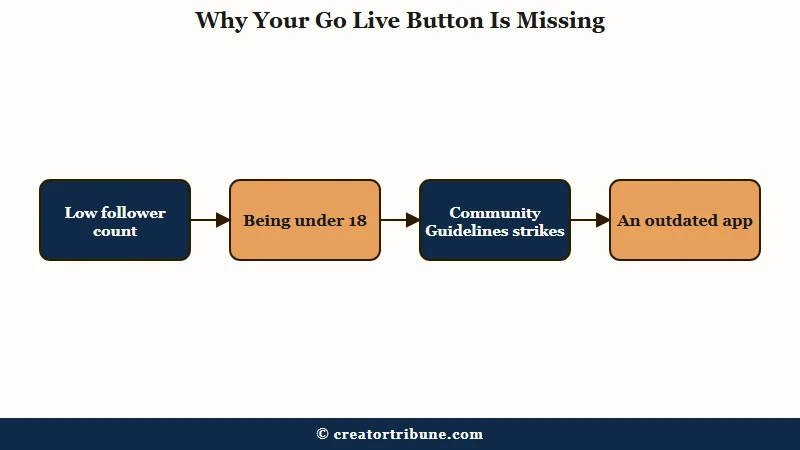
What surprised me is how often a creator clears 1,000 followers and still has no LIVE access. That points to a quieter gatekeeper, usually an account-health issue like guideline strikes or a chunk of fake followers dragging down trust.
If your access vanished after you already had it, a strike is the most likely reason, and you may need to appeal a TikTok ban or restriction to get it back.
Here is how I would run the diagnosis when the button is gone:
| Symptom | Likely cause | Fix |
|---|---|---|
| No LIVE button at all | Under 1,000 followers | Use the LIVE Studio trial or co-host, keep growing |
| LIVE option greyed out | Under 18, or TikTok could not confirm your age | Confirm your age when TikTok asks (ID, selfie, card or face estimate), or wait until you turn 18 |
| Had LIVE, now it is gone | Community Guidelines strike | Check Account Status and appeal |
| No LIVE in your country | Feature not rolled out in region | Wait for rollout, since LIVE Studio access also varies by region |
| Button vanished after an update | Outdated or buggy app version | Update the app and restart it |
If you suspect your account picked up a quiet penalty, the way LIVE access gets restricted for suspicious activity follows its own recovery path, different from a simple follower shortfall.
How to Go Live Without 1,000 Followers Yet
You can go live on TikTok without 1,000 followers by applying for early access in the desktop LIVE Studio app, joining a TikTok LIVE agency, or being invited as a co-host.
The desktop trial is the cleanest legitimate route.
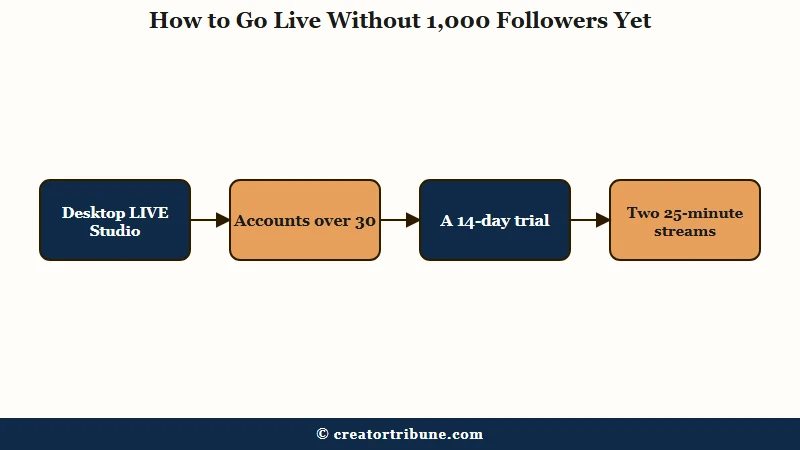
The backdoor most creators never hear about lives in TikTok LIVE Studio on a computer. Accounts older than about 30 days can apply directly inside the desktop app and often get approved with far fewer than 1,000 followers, sometimes only a handful.
That approval comes as a trial, and the trick is keeping it. The grant usually starts as a 14-day window that extends to roughly 180 days if you keep using it, so treat the first two weeks as a test you need to pass.
TikTok’s own guide to LIVE Studio access confirms you can apply inside the app, says access periods may vary, and says consistent LIVE activity helps you keep access. It names no fixed trial length, so the 30-day, 14-day and 180-day figures come from creator reports.
Here is the routine I would follow to lock in and keep that early access:
- Download TikTok LIVE Studio on a Windows PC and sign in with your real account.
- Open “Your LIVE access” at the top right of LIVE Studio and apply, if your account is at least 30 days old.
- Once approved, go live and stream for at least 25 minutes.
- Do a second 25-minute stream within the trial window to push the access toward the longer 180-day term.
Before: Sitting at 480 followers with no LIVE button on the phone app, waiting to grind all the way to 1,000.
After: Signed into TikTok LIVE Studio on a laptop, applied with that same 480-follower account, and got a 14-day trial. Two 25-minute streams in the first week stretched the access to about six months.
Two other routes exist, with caveats. Creators report that a LIVE agency in TikTok’s Creator Networks program can unlock streaming below 1,000 followers. TikTok calls these networks independent businesses it does not endorse, so vet any agency hard, since some take a cut of your earnings or are outright scams.
A co-host invite from a creator who already has LIVE can also pull you on screen. TikTok’s multi-guest help explains how to request a guest spot or accept an invite without naming a follower minimum for guests, though it warns the option “may not be available for everyone’s LIVE.” Gifts you collect as a guest still fall under TikTok’s previous rewards formula, because Scaled LIVE rewards counts only LIVEs you host.
How to Go Live on TikTok From a PC
To go live on TikTok from a PC, use the official TikTok LIVE Studio app or stream through OBS with a Server URL and Stream Key pulled from the Live Center.
LIVE Studio is the simpler path for most creators.
LIVE Studio handles scenes, screen sharing, and a webcam without extra software, which is why I point newer streamers there first. For a smooth 1080p broadcast you want decent hardware, and the gap between minimum and recommended specs is bigger than people expect.
What is TikTok LIVE Studio: TikTok’s official desktop app for Windows that lets you broadcast from a PC with scenes, screen share, and a webcam, separate from the phone LIVE feature.
| Spec | Minimum for 720p | Recommended for 1080p 60fps |
|---|---|---|
| Operating system | Windows 10 or 11, 64-bit | Windows 11, 64-bit |
| Processor | 4-core Intel or AMD | 6 to 8 core |
| Memory | 8 GB RAM | 16 GB RAM or more |
| Graphics | Integrated graphics | Dedicated GPU |
| Upload speed | 5 to 6 Mbps | 15 to 20 Mbps sustained |
If you go the OBS route instead, there is a trap that catches non-gamers off guard. TikTok requires that at least half of your content through third-party streaming tools like Streamlabs or Restream be gaming, and a “Just Chatting” or podcast stream can get your access revoked with a 14-day suspension. Your OBS stream key also expires after two hours, so a long broadcast means generating a fresh key partway through.
One more landmine for multi-streamers: thanking viewers for subscriptions or donations on Twitch or Kick while live on TikTok has triggered automated “gift solicitation” strikes. Keep cross-platform shout-outs off your TikTok LIVE to stay safe.
How Much Money Do TikTok LIVE Gifts Really Make
TikTok LIVE gifts pay the host a share set by missions, up to 53 percent of LIVE rewards under Scaled LIVE rewards, which TikTok began rolling out globally on August 4, 2025.
No single dollar figure per gift holds for every creator.
What are Diamonds: TikTok’s measure of a creator’s popularity on LIVE. Viewers buy Coins to send Gifts, Gifts add Diamonds to the creator’s account, and TikTok combines those Diamonds with a mission-based percentage to work out a reward calculated in US dollars.
The chain starts with Coins. A viewer buys Coins and spends them on a Gift, which adds Diamonds to your account: a Rose costs 1 Coin and a Galaxy costs 1,000.
On an iPhone, TikTok’s App Store listing sold Coins at 65 for $0.99 to 70 for $1.00 in October 2026, so one Galaxy’s 1,000 Coins cost a viewer about $14.29 to $15.23. The creator’s cut of that, worked through on what a Galaxy pays, comes to an estimated $2 to $5.30 depending on the missions completed.
The percentage comes from missions. TikTok’s Scaled LIVE rewards page allows up to 40 percent from Per-LIVE Missions, which track stream length, new unique followers and rule-following. Up to 13 percent more comes from Weekly Missions, which track days LIVE, engagement and your Creator League rank.
A day only counts as a go LIVE day after at least 25 total minutes on air, so short check-in streams add little to the weekly missions. The Creator League mission is also capped at $1,000 a week.
The “TikTok keeps half” line in older guides traces to TikTok’s 2022 creator hub article, which said it shared 50 percent of its net revenue from virtual items after app store and payment costs. The $100 withdrawal minimum does not appear in TikTok’s current US Rewards Policy, which says “minimum and maximum Reward Payment limits may apply, along with transaction fees.” It adds that TikTok will tell you about any other minimum before it pays, so trust the figure your app shows over any number quoted online.
TikTok publishes no typical figure for a stream, because the payout depends on the gifts sent and the missions you complete. Your running total sits under Profile, the Menu button, Balance, then LIVE rewards. If gift income is your goal, the path looks more like the Creator Rewards eligibility grind than a quick payday.
When a platform sets your reward percentage, decides which missions count, and can pull your LIVE access overnight, you do not want your income riding entirely on it. Building a direct line to your audience is the hedge, and a free creator money page is a simple first step toward owning that connection instead of renting it.
Quick Takeaways
- You normally need 1,000 followers and must be 18 to go live on TikTok, not 16 as old guides claim.
- TikTok may ask you to confirm your age with an ID, a selfie, a card check or a face estimate before you go LIVE.
- TikTok’s desktop LIVE Studio app takes access applications, and creators report approvals under 1,000 followers on a 14-day trial that can stretch to about 180 days.
- A missing Go Live button usually means low followers, but strikes, age, region, or an old app version can hide it too.
- On PC, third-party tools like OBS require at least 50 percent gaming content or your access gets suspended.
- Gifts pay a mission-based share of up to 53 percent under Scaled LIVE rewards, so build a direct audience connection you own.