AutoShorts AI Review and Why the Videos Still Get Zero Views
AutoShorts AI Review and Why the Videos Still Get Zero Views
An honest AutoShorts AI review covering real pricing, output quality, the single-series catch, and whether the auto-posted videos ever get views.
- 1What AutoShorts AI Does and Who It Is For
- 2How Much Does AutoShorts AI Cost
- 3Do AutoShorts AI Videos Get Views
- 4Where AutoShorts AI Falls Short
- 5AutoShorts AI vs Revid and Crayo
- 6AutoShorts AI Pros and Cons
- 7The Verdict on AutoShorts AI
- 8Frequently Asked Questions
- Is AutoShorts AI worth it?
- How much does AutoShorts AI cost?
- Do AutoShorts AI videos get any views?
- Can you monetize AutoShorts AI videos on YouTube?
- Can you use your own face in AutoShorts AI?
- What is the best AutoShorts AI alternative?
- 9Quick Takeaways
Bottom Line: AutoShorts AI does what it promises, turning a text prompt into a finished faceless short and auto-posting it for $19 to $69 a month. What it cannot do is make those videos get views, and in real 30-day tests most landed at zero. It is worth it only if you want production volume, not channel growth.
An honest AutoShorts AI review has to start with the part the marketing skips. The software is genuinely fast at producing faceless short videos, but fast production and real views are two different things.
I went in expecting the usual automated-channel pitch and found a tool that nails the boring half of the promise and quietly drops the half that matters. It builds the videos competently. Getting them watched is a separate problem the tool leaves entirely to you.
This review covers the real pricing, what the output looks like, the one limitation that pushes users into a daily deletion workaround, and the honest answer to whether anyone should pay. You will know by the end which plan, if any, fits your goal.
What AutoShorts AI Does and Who It Is For
AutoShorts AI is a tool that auto-generates and auto-posts faceless short videos to YouTube Shorts, TikTok, and Instagram Reels from a single text prompt.
It stitches stock footage, an AI voiceover, captions, and music into a 30 to 90 second clip, then publishes it on a schedule you set.
What is a faceless channel: A channel that posts videos with no on-camera presenter, relying on stock footage, voiceover, and captions instead of a real person.
The appeal is the hands-off loop. You connect your accounts, pick a niche like daily motivation or top-ten facts, choose a cadence, and the platform pushes content without you touching an editor. It runs in 19 languages with a handful of AI voices, and it can clone a voice from a short sample.
The honest framing of who this is for matters more than any feature list. The way I see it, AutoShorts is built for someone who treats short-form as a pure volume game, not for a creator trying to build a recognizable brand. You cannot put your own face in the videos, so what you publish looks a lot like what every other subscriber publishes.
If you want to understand the wider economics before committing, my breakdown of channel running costs sets the baseline this tool slots into.
How Much Does AutoShorts AI Cost
AutoShorts AI costs nothing to glance at and $19 to $69 a month to use for real, billed monthly with no annual option.
The free plan is more of a locked demo than a trial.
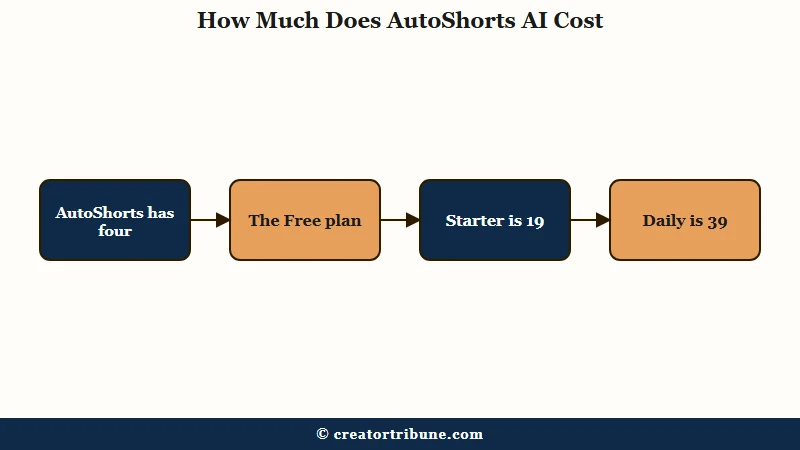
Here is how the tiers break down, and I would treat the Free plan as marketing rather than a genuine test drive.
| Plan | Price | What you get |
|---|---|---|
| Free | $0 | One watermarked HD video to look at |
| Starter | $19/mo | Three videos per week, watermark removed |
| Daily | $39/mo | One video per day, about $1.30 per video |
| Hardcore | $69/mo | Two videos per day, up to 60 a month |
The catch I would flag first is the free tier. Several users report it is practically unusable for evaluation, with support telling them they need to pay the full subscription to properly test the software. That is a poor look for a product asking for a card up front, and it is the opposite of how I would want to trial a tool before trusting it with my channels.
There are no annual plans, so at least you are not locked into a year. The flip side is that the month-to-month pricing makes it easy to keep paying for output you are not really using.
Do AutoShorts AI Videos Get Views
The hardest truth in any AutoShorts AI review is that the videos frequently get close to zero views.
Automating production does not automate an audience.
In a documented 30-day test, most fully automated videos pulled in zero views, and even manually tweaked ones peaked at two or three. Other users describe the same ceiling, a steady trickle in the 0 to 3 range no matter how consistently they post. That is the number I would weigh against the monthly fee, not the videos-per-day count the pricing page leads with.
There is a structural reason behind it. Faceless, stock-footage shorts are now a commodity, and YouTube and TikTok increasingly favor content with an authentic human presence over interchangeable AI filler.
To earn anything through the YouTube Partner Program you need 1,000 subscribers and either 4,000 watch hours or 10 million Shorts views in 90 days, and commoditized content makes those thresholds far harder to reach. For context on scale, YouTube serves more than 2.5 billion logged-in users a month according to Statista, so the competition for those generic slots is brutal.
Before: The pitch is set it and forget it. Connect your accounts, pick a niche, and a faceless channel grows on autopilot while you sleep.
After: You get up to 60 generic videos a month, most landing at zero to three views, and you still babysit weak scripts and static images.
Where AutoShorts AI Falls Short
AutoShorts AI falls short on creative control, and its single-series limit is the flaw that frustrates paying users most.
The automation is rigid in ways the marketing does not mention.
The big one is the single content series lock. You can only run one automated series at a time, which makes testing different niches painful. One reviewer described deleting and recreating the series up to ten times a day just to push out varied videos or trial a new angle, which defeats the entire point of paying for automation.
Quality control has its own wall. The generated visuals are static images rather than dynamic footage, and when you try to fix a bad generation you burn through a limited monthly allowance of image credits. The scripts can be weak and repetitive enough that users run them through a separate writing tool first, a hidden time cost that erodes the convenience pitch.
Timing control is thin too. You cannot set an exact clip length, only a general range, and you cannot adjust the duration of individual slides or insert new ones. For a tool built specifically for tightly formatted short-form platforms, that lack of precision surprised me.
My look at smarter repurposing workflows shows what more control really buys you.
AutoShorts AI vs Revid and Crayo
AutoShorts AI wins on hands-off volume but loses to Revid on editing control and is not even the same category as Crayo.
Picking by job-to-be-done saves money here.
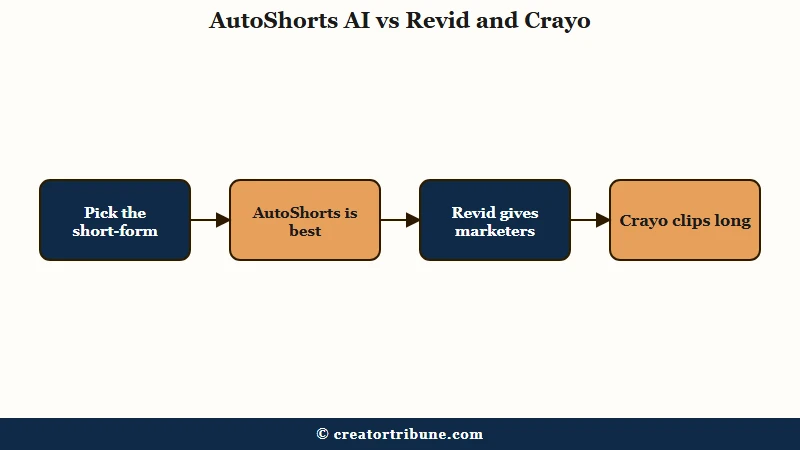
The way I see it, these three tools solve different problems, so the comparison is really about which job you need done.
| Tool | Best for | Creative control | Auto-posts for you |
|---|---|---|---|
| AutoShorts | Hands-off daily faceless volume | Low, locked to one series | Yes, to your connected accounts |
| Revid | Marketers who want refined edits | High, transitions and templates | Limited, more of an editor |
| Crayo | Cutting long videos into clips | Medium, you pick the moments | No, it repurposes your footage |
If you already make long videos, Crayo is the smarter buy because it clips what you have instead of generating filler. If you want polish for client work, Revid gives you the frame-level control AutoShorts withholds. My Revid AI review and my Opus Clip review walk through those two paths in detail.
AutoShorts AI Pros and Cons
AutoShorts AI is worth a short list of genuine strengths and a longer list of real tradeoffs. I would read the cons twice before paying.
What it does well:
- Turns a text prompt into a finished, posted short with almost no effort.
- Handles the full chain of script, voiceover, captions, and scheduling in one place.
- Supports 19 languages and voice cloning, which is rare at this price.
- Keeps pricing low and month-to-month, so quitting is easy.
Where it frustrates:
- Output is templated and instantly reads as generic AI filler.
- The single-series lock makes testing multiple niches a daily chore.
- Static images and capped image credits limit real quality control.
- Weak scripts often need a second tool to fix before posting.
- The free plan is too restricted to honestly evaluate the product.
The Verdict on AutoShorts AI
My verdict is that AutoShorts AI is worth $19 to $39 a month only for a volume-first marketer, and a waste for anyone building a brand.
The tool is competent at the wrong half of the job.
Buy it if you are running a deliberate volume play, you accept that most videos will flop, and you are betting on sheer quantity across automated accounts to occasionally hit. The Daily plan at $39 is the sweet spot there, since Hardcore mostly multiplies output nobody watches.
Skip it if you want audience loyalty, if you need to test different formats quickly, or if you are expecting a hands-off money printer. None of those goals survive contact with the single-series lock and the zero-view ceiling.
The deeper issue is that reach you rent from an algorithm is fragile, which is why I would point that energy toward owning an audience instead. My free Creator Money Page template is built for turning whatever views you do earn into something you keep.
Frequently Asked Questions
Is AutoShorts AI worth it?
AutoShorts AI is worth it only if your goal is high-volume faceless output, not channel growth. It automates production well, but most videos get very few views. Brand builders and anyone wanting creative control should skip it.
How much does AutoShorts AI cost?
AutoShorts AI costs $19 a month for three videos a week, $39 for one a day, and $69 for two a day. There is a free plan limited to one watermarked video, and no annual billing option.
Do AutoShorts AI videos get any views?
Usually not many. In a documented 30-day test most automated videos got zero views, with tweaked ones reaching two or three. Faceless AI content struggles because platforms now favor authentic human creators.
Can you monetize AutoShorts AI videos on YouTube?
It is difficult. You still need 1,000 subscribers and 4,000 watch hours or 10 million Shorts views in 90 days. Generic faceless content makes hitting those thresholds much harder than a channel with a real presenter.
Can you use your own face in AutoShorts AI?
No. AutoShorts AI only produces faceless videos from stock footage, voiceover, and captions. There is no option to add your own face or a custom avatar, which is why the output looks similar across users.
What is the best AutoShorts AI alternative?
It depends on your job. Use Crayo to clip existing long videos, or Revid for refined edits with real creative control. Both give you more say over the final video than AutoShorts allows.
Quick Takeaways
- AutoShorts AI automates production well but cannot solve distribution, and most test videos landed at zero to three views.
- Real pricing is $19 to $69 a month with no annual plan, and the free tier is too limited to properly test.
- The single-series lock forces a daily delete-and-recreate workaround that defeats the point of automation.
- It fits a volume-first marketer on the $39 Daily plan, not anyone building a brand or audience.
- If you already make long videos, a clipping tool like Crayo is a smarter buy than generating filler.