Vidyo AI Review After Its Quso Rebrand
Vidyo AI Review After Its Quso Rebrand
Vidyo AI is now Quso.ai. This review covers the rebrand, pricing, the real cost per usable clip, and whether it beats Opus Clip for solo creators.
- 1Is Vidyo AI the Same as Quso.ai?
- 2What Does Vidyo AI (Quso) Cost?
- 3How Good Are the Clips and Captions?
- 4How Does Vidyo AI Compare to Opus Clip and Submagic?
- 5Who Should Use Vidyo AI and Who Should Skip It?
- 6What Are the Pros and Cons of Vidyo AI?
- 7The Verdict on Vidyo AI
- 8Frequently Asked Questions
- Did Vidyo AI rebrand to Quso.ai?
- Is Vidyo AI free to use?
- How much does Vidyo AI cost?
- Is Vidyo AI better than Opus Clip?
- How many languages does Vidyo AI support?
- 9Quick Takeaways
Bottom Line: Vidyo AI rebranded to Quso.ai in December 2024 and grew into a full social suite, clipping plus scheduling plus AI avatars in one dashboard. It is a strong value for solo creators and podcasters who want an all-in-one tool, but its four-language support and a 20 to 40 percent clip discard rate mean it is not the right pick for everyone.
If you came here for a Vidyo AI review, the first thing to know is that Vidyo AI no longer exists under that name. The company rebranded to Quso.ai in December 2024 and moved its 4 million users onto a new dashboard.
That matters more than a logo swap, because the product changed shape. What was a focused long-form-to-shorts clipper is now a broader social suite with scheduling, a content planner, and AI avatars bolted on.
I want to cut through the rebrand confusion and answer the real question: is this tool worth paying for in 2026, and how does it stack up against Opus Clip and Submagic for a solo creator. Here is what I found on pricing, clip quality, the languages it supports, and who should walk away.
Is Vidyo AI the Same as Quso.ai?
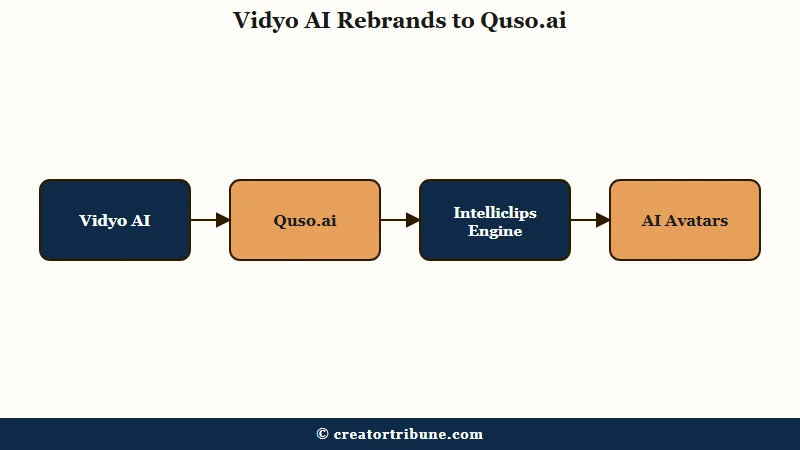
Yes. Vidyo AI is now Quso.ai, rebranded in December 2024, with the same company (Quso Inc., New York) and core clipping engine carried over. The name changed and the feature set expanded into a full marketing suite.
The reason this trips people up is that older reviews and pricing still float around under the Vidyo name. From what I have seen, some guides still quote Vidyo-era pricing near 41 dollars a month while the current Quso tiers run 15 to 49 dollars depending on billing.
The engine that does the actual clipping, called Intelliclips, came along with the rebrand. So a 2024 Vidyo review of clip quality still broadly applies, but anything about the dashboard, scheduling, or pricing is likely out of date.
What Does Vidyo AI (Quso) Cost?
Quso runs a free plan with 75 monthly credits plus three paid tiers from 15 to 49 dollars a month, where one credit equals one minute of source video. Annual billing roughly halves the monthly rate.
The free tier is more generous than most rivals, and I think that is the headline. It includes direct TikTok publishing, which Opus Clip locks behind its 29-dollar Pro plan, and it holds your clips for 30 days versus Opus Clip’s 3-day expiry on free.
The catch on free is a watermark and a 720p export cap. Here is how the tiers break down.
| Plan | Annual price per month | Monthly credits | What you unlock |
|---|---|---|---|
| Free | $0 | 75 | 720p, watermark, direct TikTok publishing, 30-day storage |
| Lite | $15 ($29 monthly) | Entry tier | Watermark removal, HD export |
| Essential | $20 ($39 monthly) | 300 | Filler-word removal, multi-platform scheduling |
| Growth | $25 ($49 monthly) | 600 to 1,800 | AI avatars, advanced analytics |
One ceiling worth knowing: even the top Custom Growth plan caps scheduling at 300 posts, so high-volume agencies can hit a wall the marketing does not advertise.
How Good Are the Clips and Captions?
Clip quality is solid for talking-head and podcast content, but you should plan to discard 20 to 40 percent of generated clips and spend 10 to 20 minutes per video fixing boundaries. Captions are accurate in English and customizable, with full support for only four languages.
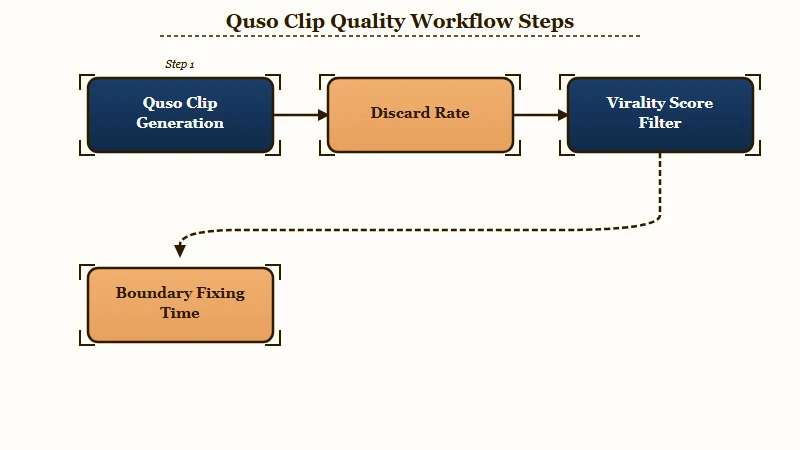
The credit math is where I would set expectations. One credit equals one minute of source video, so a 60-minute podcast costs 60 credits and the engine pulls 5 to 45 clips. After you throw out the weak ones, the real cost per publishable clip is higher than the per-minute pricing suggests.
The virality score is useful as a filter, not a verdict. From what I have seen, it misses comedic timing, sarcasm, and nuanced educational moments, so I treat it as a first-pass sort rather than a ranking I trust blindly.
Vague: Upload a two-hour podcast, generate every suggested clip, and post the ones with the highest virality scores.
Specific: Upload the podcast, sort by virality score, then watch only the top 10 clips and keep the 4 or 5 where the hook lands in the first two seconds and the caption matches the audio. Treat the score as a shortlist, not a guarantee.
The language ceiling is the real limiter. Quso fully supports English, Spanish, German, and French, while Opus Clip supports 25 or more. For a creator working in Portuguese, Japanese, or Korean, that gap alone is disqualifying.
How Does Vidyo AI Compare to Opus Clip and Submagic?
Quso is the all-in-one suite, Opus Clip is the specialized clipper, and Submagic is the caption-animation specialist. The right pick depends on whether you want one dashboard or the best tool for each job.
From my testing the tradeoff is clear-cut. Opus Clip is the better pure clipper, with stronger multimodal AI, XML export for editors, and far wider language support. It is also the better-funded company, having reached a reported 215 million dollar valuation after a SoftBank Vision Fund round, which signals an aggressive roadmap.
Submagic wins on caption animation and markets live support replies in 6 minutes or less. Quso’s edge is consolidation: it folds clipping, scheduling, a planner, and 80-plus AI avatars into one bill. If you want the deeper head-to-head between the two specialists, the Opus Clip versus Submagic breakdown covers that matchup in full.
| Tool | Best at | Languages | Watch out for |
|---|---|---|---|
| Quso (Vidyo) | All-in-one suite plus scheduling | 4 | Clip discard rate, language limit |
| Opus Clip | Pure clip quality and export | 25+ | Social features gated to paid tiers |
| Submagic | Caption animation styles | 48 | Add-on pricing, not a full editor |
Who Should Use Vidyo AI and Who Should Skip It?
Use Quso if you are a solo English-speaking creator or podcaster who wants clipping and scheduling in one tool. Skip it if you work in an unsupported language, post very little, or rely on comedic and visual nuance. The all-in-one value only pays off at consistent volume.
Here is who gets the most out of it, in my view.
- Podcasters who need automatic split-screen and multi-speaker vertical layouts.
- Solo creators replacing three separate subscriptions with one dashboard.
- Anyone who wants free direct-to-TikTok publishing while testing the workflow.
And here is who I would steer away.
- Creators working primarily in any language beyond English, Spanish, German, or French.
- Low-volume creators making under 15 minutes of video a month, where free tools like CapCut make more sense.
- Comedy or highly visual creators whose best moments depend on timing the AI consistently misreads.
- High-volume agencies who will hit the 300-post scheduling ceiling fast.
What Are the Pros and Cons of Vidyo AI?
Quso’s strengths are its generous free tier and all-in-one consolidation; its weaknesses are language coverage and the gap between generated and usable clips. Here is the honest ledger.
What works in its favor:
- The free plan includes direct TikTok publishing and 30-day storage, well ahead of rivals.
- One dashboard covers clipping, scheduling, planning, and 80-plus AI avatars.
- Annual pricing of 15 to 25 dollars a month undercuts most specialized stacks.
- Multi-speaker and split-screen layouts make it strong for podcast repurposing.
What holds it back:
- Only four supported languages, against 25 or more on Opus Clip.
- A 20 to 40 percent clip discard rate inflates the real cost per usable clip.
- ProductHunt reviewers report editing glitches and occasional technical bugs.
- The 300-post scheduling cap limits high-volume agency use.
The Verdict on Vidyo AI
Quso (formerly Vidyo AI) is worth it for the right solo creator at 15 to 25 dollars a month annually, but it is a generalist, not the best clipper on the market. The free tier is genuinely useful, so you can test before you commit.
The way I see it, the suite approach is the whole pitch. If you value one tool that clips, schedules, and plans over the sharpest possible clips, Quso earns its price. If clip quality and language coverage are your priority, a dedicated clipper will serve you better. You can test the current version at Quso.ai on the free plan before paying.
Frequently Asked Questions
Did Vidyo AI rebrand to Quso.ai?
Yes. Vidyo AI became Quso.ai in December 2024. The company and core clipping engine stayed the same, but the product expanded into a full social suite with scheduling, a planner, and AI avatars.
Is Vidyo AI free to use?
Quso has a free plan with 75 monthly credits, 720p exports, a watermark, and 30-day clip storage. It uniquely allows direct TikTok publishing on free, though you need a paid tier to remove the watermark.
How much does Vidyo AI cost?
Paid plans run about 15 dollars a month for Lite, 20 for Essential, and 25 for Growth on annual billing. Monthly billing is higher, roughly 29 to 49 dollars depending on the tier.
Is Vidyo AI better than Opus Clip?
Opus Clip is the stronger pure clipper with wider language support and XML export. Quso is better if you want clipping plus scheduling and planning in one tool rather than the highest clip quality.
How many languages does Vidyo AI support?
Quso fully supports four languages: English, Spanish, German, and French. That is well behind Opus Clip’s 25-plus, so it is a poor fit for creators working in other languages.
Quick Takeaways
- Vidyo AI is now Quso.ai, rebranded in December 2024 with 4 million users carried over.
- The free plan is unusually generous, with direct TikTok publishing and 30-day storage.
- Budget for a 20 to 40 percent clip discard rate, so the real cost per usable clip is higher than the per-minute pricing.
- Choose Quso for all-in-one convenience; choose Opus Clip for clip quality and language coverage.