Spot Facebook Reach Throttling Before Reach Collapses
Spot Facebook Reach Throttling Before Reach Collapses
Facebook reach throttling diagnostic for Pages. Page Quality signals, the 15 percent video completion floor, and the 2-week sprint that brings reach back.
- 1What Facebook Reach Throttling Really Is
- 2The Two Numbers That Confirm Throttling
- 3The Page Quality Diagnostic Path
- 4The Triggers That Tank Distribution
- 5The Recovery Sequence That Works
- 6Surprising Patterns Pages Miss
- 7Frequently Asked Questions
- How can I tell if my Facebook Page is throttled or just experiencing normal low reach?
- Where do I find the Page Quality dashboard?
- What is the single fastest way to fix a throttled Page?
- Why does Facebook penalize watermarked reposts so heavily in 2026?
- Does deleting flagged posts remove the Page Quality flag?
- How long does Facebook reach throttling last after I fix the trigger?
- 8What to Do Right Now
TL;DR: Facebook does not call it a shadowban. The platform calls it reduced distribution, and most Pages are already inside it by default in 2026: organic reach averages 3 to 5 percent of followers. The clean signal that you are throttled below baseline is a video completion rate under 15 percent across three consecutive posts. Recovery runs a 2-week sprint with 3 to 4 original posts per week, not daily.
The hard truth about Facebook reach in 2026 is that most Pages are throttled by default. Organic reach across business Pages averages 3 to 5 percent of followers. That is not a shadowban. That is the baseline.
What creators usually mean when they say “Facebook is shadowbanning my Page” is something narrower. Reach dropped below an already-low baseline, and the algorithm is now showing posts to even fewer non-followers than usual.
Meta has a name for this. Reduced distribution. It is the same machinery as a shadowban on Instagram, just stricter at the start, and the diagnostic path is different because Facebook’s Pages tooling is different.
This guide stays in Meta Business Suite. The diagnostic takes about four minutes. By the end you will know whether your Page is genuinely throttled below baseline, hit a content-policy flag, or just bumping against Facebook’s grim 2026 reach economy.
What Facebook Reach Throttling Really Is
Facebook reach throttling is reduced distribution of a Page’s content below its own baseline, triggered by content-policy signals or quality signals the algorithm reads from the post.
It is separate from the general 3 to 5 percent organic reach floor that hits every Page. A throttled Page sees reach drop to a fraction of even that baseline.
What is reduced distribution: Meta’s term for content that stays live but is shown to fewer non-followers because the algorithm classified it as low-quality, borderline, or policy-adjacent.
The way I see it, the term “shadowban” gets attached to Facebook reach problems in two different scenarios. One is real: a specific signal pulled distribution below the Page’s normal baseline. The other is just the Facebook 2026 organic-reach economy doing what it does, which is suppress nearly all Page content unless you pay to boost it.
In my experience, separating those two is the first three minutes of work. If your reach is at 3 percent of followers and it has always been at 3 percent of followers, that is not throttling. That is Facebook in 2026. If reach was at 5 percent and is now at 0.5 percent across the last 28 days, that is throttling.
For creators dealing with reach problems across multiple platforms, the cross-platform shadowban test covers the universal diagnostic before the Facebook-specific one in this guide.
The Two Numbers That Confirm Throttling
The cleanest single signal of Facebook reach throttling is non-follower reach dropping below 20 percent of your 90-day average across the last 28 days, combined with video completion rate under 15 percent on three consecutive posts.
Together those two numbers separate “throttled below baseline” from “Facebook is just hard in 2026.”
Walk it in this order inside Meta Business Suite.
- Open business.facebook.com and sign in.
- Click Insights in the left sidebar, then Reach.
- Set the date range to the last 28 days and note the non-follower reach number.
- Compare that to your trailing 90-day average for the same metric.
- If the 28-day non-follower reach is below 20 percent of the 90-day average, you have a throttling event, not a baseline issue.
The second number is video completion rate. Open any video post from the last week, click Insights, and look at the average watch time divided by total video length. Healthy completion sits around 25 to 30 percent on Facebook for the algorithm to expand reach. Anything under 15 percent triggers what Meta now calls “dry-up” where the algorithm stops pushing the video to new audiences entirely.
Both signals matter because they tell you different things. The non-follower reach number tells you whether the algorithm has pulled back distribution at the Page level. The completion rate number tells you whether your video content is failing the quality threshold for individual posts. A Page can have one problem without the other.
The Page Quality Diagnostic Path
The Page Quality tab inside Meta Business Suite is the single most useful diagnostic surface for any Pages reach problem, and it lists every content-distribution violation Meta has flagged against the Page in the last year.
Most creators do not know this tab exists, and the ones who do open it rarely check it before reach drops.
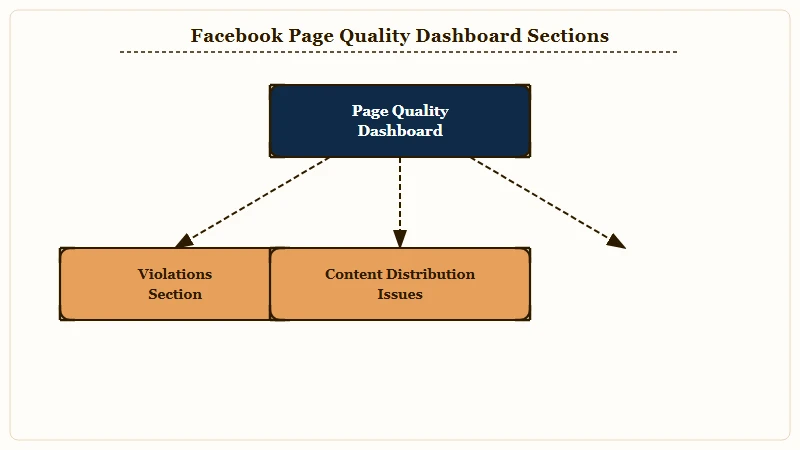
Navigate the path in this order, the tab moves around between Suite updates.
- Open Meta Business Suite at business.facebook.com.
- In the left sidebar, click All Tools, then under Manage Business, find Page Quality.
- Read the Violations section: this lists any community standards hits in the last year.
- Read the Content Distribution Issues section: this lists low-quality content classifications even when no rule was broken.
- Read the Recommendation Eligibility status: this tells you whether the Page is eligible for the Recommended Content feed (which now drives over 20 percent of what users see).
A Page flagged “not eligible for recommendations” is the closest Facebook signal to Instagram’s recommendation-eligibility flag in Account Status. It is the Page equivalent of getting pulled from the For You surface.
If Page Quality is clean and reach is still down, the issue is likely a specific post-level signal rather than Page-wide throttling. The Facebook Page restricted breakdown covers the harder cases when Page Quality shows active restrictions.
The Triggers That Tank Distribution
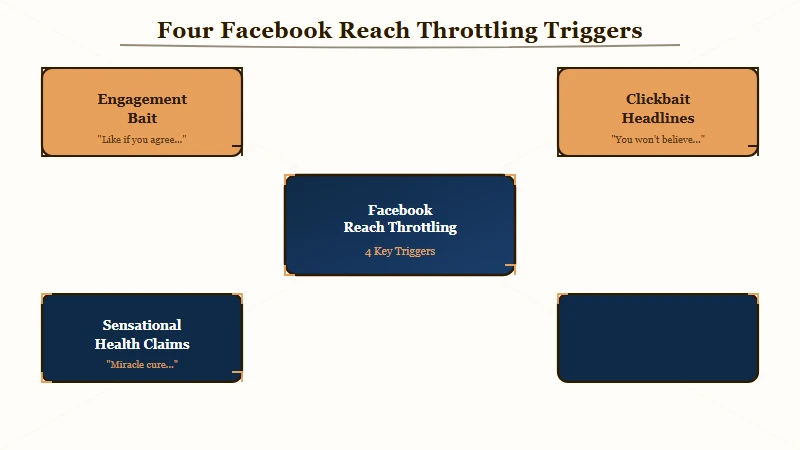
The four most common reach-throttling triggers on Facebook in 2026 are engagement bait, clickbait headlines, sensational health claims, and repurposed or reposted content.
Each one is documented in Meta’s content distribution guidelines, and each one has a specific fix.
| Trigger | Example | Severity |
|---|---|---|
| Engagement bait | “Comment YES if you agree,” “Share with friends” | High |
| Clickbait | Headlines that misrepresent the content for clicks | High |
| Sensational health claims | “This cured my anxiety in 3 days” | High |
| Repurposed content | TikTok-watermarked Reels, low-effort reposts | Medium |
Engagement bait is the trigger most Pages do not realize they are still hitting. Phrases like “comment below if you agree” or “tag a friend who needs this” used to be growth tactics.
They are now distribution-throttle triggers per Meta’s published guidelines on Content Distribution Guidelines. A single bait phrase in a post caption is enough to soft-suppress the post, and repeated use suppresses the Page.
Repurposed content is the trigger most creators underestimate. Meta now uses what it calls “pattern-based identification” to track the structure of a video and identify the Page that first uploaded it.
If you cross-post a TikTok-watermarked Reel to your Facebook Page, the algorithm knows it is not the originator and downranks the post. The fix is to upload native Facebook video that does not carry a competitor watermark.
Worked example of how to spot a content trigger in your own posting pattern.
Vague: “I think one of my posts got flagged.”
Specific: “Last Tuesday I posted a watermarked TikTok reel with the caption ‘comment YES if you agree,’ and since then non-follower reach has been at 0.4 percent across four posts in a row. The repost was the trigger and the caption added a second hit.”
The Recovery Sequence That Works
Recovery is a two-week sprint with three to four original posts per week, not daily, and no engagement bait phrasing.
Meta reads daily-posting bursts during recovery as quantity-over-quality, which extends the suppression.
The three phases hold across all four triggers.
- Audit the last 10 posts in Page Quality and identify which ones the system flagged or which trigger pattern they match.
- Pause posting for 48 to 72 hours. Set any flagged post to unpublished (not deleted) so Meta retains the watch-time signal but the post stops appearing in surfaces.
- Resume with 3 to 4 native, original posts per week for two weeks. Video posts should target 25 to 30 percent completion rate as the floor. No watermarked content, no engagement bait phrasing.
The “unpublished, not deleted” rule is the recovery step most Page admins get wrong. Deleting posts drops the Page’s total engagement weight and signals cleanup behavior. Unpublishing keeps the historical weight while removing the post from public surfaces, which is what you want during recovery.
A useful checkpoint during the sprint is the non-follower reach trend in Insights. Pull it weekly and watch for the curve to bend upward. Recovery is working when non-follower reach climbs back above 50 percent of the 90-day average within the first two weeks. If it has not moved at all by day 14, the underlying trigger was not addressed.
Surprising Patterns Pages Miss
Three patterns trip up Page admins on Facebook in 2026 in ways that did not apply on the platform two years ago.
All three involve algorithm changes that creators have not caught up to.
The first is the daily-posting trap. The old playbook said post every day on Facebook to stay in feed. The 2026 algorithm reads daily Page bursts as low-quality signal-padding and dampens reach more than it would have on the same cadence three years ago. A steady 3 to 4 posts per week with strong engagement signals outperforms 7 to 10 weak posts per week.
The second is the cross-platform watermark penalty. Pages that grew on Facebook by reposting Reels from Instagram with the visible Instagram watermark are now getting throttled because Meta’s algorithm reads the watermark as “originated on Instagram.” Same content uploaded natively performs 2 to 3 times better. The watermark is not just an aesthetic issue, it is a distribution penalty.
The third is the recommended-content gap. Facebook’s Recommended Content feed now drives more than 20 percent of what users see, and Pages flagged “not eligible for recommendations” lose access to that entire surface even when their reach to existing followers is fine. The Page Quality tab is the only place to check this status, and most Page admins have never opened it.
A fourth pattern worth flagging because it intersects with Instagram: if your Page is connected to an Instagram account through Meta Business Suite, a violation logged on Instagram can throttle reach on Facebook through the cross-platform connection.
The Instagram-side fix is in the Instagram shadowban breakdown, and the Facebook-side effects clear once the Instagram trigger is addressed.
Frequently Asked Questions
How can I tell if my Facebook Page is throttled or just experiencing normal low reach?
Compare 28-day non-follower reach to your trailing 90-day average. If the recent number is below 20 percent of the 90-day average, you have throttling. If both numbers are at 3 to 5 percent, you have the normal Facebook baseline.
Where do I find the Page Quality dashboard?
Open Meta Business Suite at business.facebook.com. Click All Tools in the left sidebar. Under Manage Business, find Page Quality. The tab lists Violations, Content Distribution Issues, and Recommendation Eligibility status.
What is the single fastest way to fix a throttled Page?
Stop using engagement-bait phrases in captions immediately. Set any TikTok-watermarked repost to unpublished. Switch from daily posting to 3 to 4 native originals per week. Most recovery curves bend within two weeks of these three changes.
Why does Facebook penalize watermarked reposts so heavily in 2026?
Meta’s algorithm uses pattern-based identification to track which Page first uploaded a video structure. Watermarked content reads as “originated on another platform” and gets downranked because Facebook prioritizes original native content over recycled cross-platform uploads.
Does deleting flagged posts remove the Page Quality flag?
No. Deletion removes the post from public view but leaves the violation on the Page’s record for the full retention window. Unpublishing the post is the better move because it preserves the engagement-history weight while removing the public surface.
How long does Facebook reach throttling last after I fix the trigger?
Most algorithmic restrictions resolve within 14 to 30 days of consistent clean signal. Severe or repeat-offender cases involving Community Standards violations can stretch past 90 days. The Page Quality tab updates within 7 days of a successful appeal or trigger fix.
What to Do Right Now
Open Page Quality first. Compare 28-day non-follower reach to the 90-day average second. Decide whether you are dealing with throttling, a content-policy flag, or the Facebook baseline before changing anything. Acting before this three-minute diagnostic is how Pages spend weeks chasing the wrong fix.
If Page Quality is clean and the reach gap is real, the issue is post-level signals like engagement bait, watermarks, or low video completion. Run the two-week sprint with 3 to 4 native originals per week and no bait phrasing.
If Page Quality shows an active flag, address that specific violation first. Some flags appeal cleanly through the Page Quality interface. Others require waiting out a 30 to 90 day clean-content window before the flag drops off automatically.
If both numbers are at Facebook’s 3 to 5 percent baseline and the trend is flat, you do not have throttling. You have the 2026 Facebook reach economy, and the only fixes for that are paid boost or pivoting more energy to a platform with a more generous organic surface. If a similar reach drop is also happening on your Instagram account, the Instagram reach dropped breakdown covers the cross-platform diagnostic in detail.