What Are Super Hearts on Instagram and How Do You Send One
What Are Super Hearts on Instagram and How Do You Send One
Super Hearts are an Instagram Plus Story reaction. See how to send one, what the other person sees, what it costs, and why it is not a Live gift.
- 1What Are Super Hearts on Instagram?
- 2How Do You Send a Super Heart on Instagram?
- 3Do Super Hearts Cost Money on Instagram?
- 4Are Super Hearts the Same as Paid Hearts on Instagram Live?
- 5What Does Someone See When You Send a Super Heart?
- What Does It Mean When Someone Super Hearts Your Story?
- 6Why Can’t You Send Super Hearts on Instagram?
- 7Quick Takeaways
What’s Changed: Super Hearts are an animated Story reaction that only Instagram Plus subscribers can send, by pressing and holding the heart on a friend’s Story. Plus costs $3.99 a month in the US, receiving one is free, and the reaction lands in the Story owner’s inbox. The paid hearts on Instagram Live are a different product, which Instagram calls badges.
If someone just sent a pile of animated hearts to your Story, you have met Super Hearts on Instagram. The sender pays for them through Instagram Plus, $3.99 a month in the US, and you pay nothing to receive one.
You may also have seen Super Hearts described as a paid gift you buy for creators on Live and Reels. Google’s own AI answer said exactly that on October 27, 2026, and both YouTube videos it cites agree, though one of them admits it can’t show the gift on screen. The section on paid Live hearts below shows what Instagram sells there instead.
If all you want to know is whether to pay for them, my answer is no if Super Hearts are your only reason. The cost section explains why.
What Are Super Hearts on Instagram?
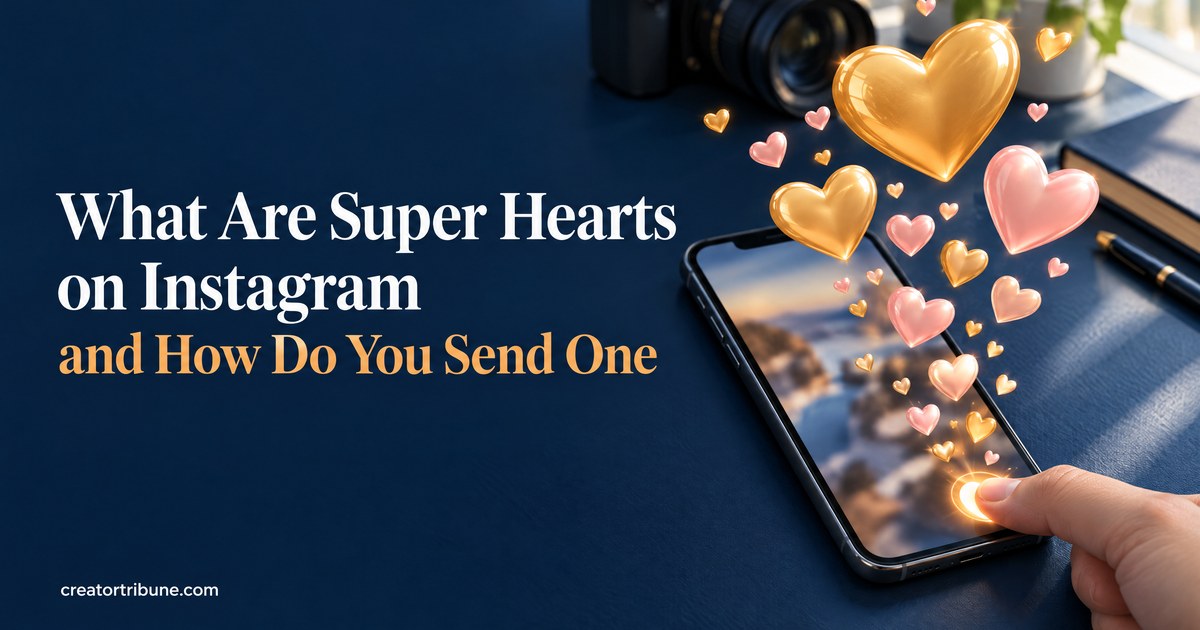
Super Hearts are an animated reaction for Instagram Stories that comes with an Instagram Plus subscription. Press and hold the heart on a friend’s Story and a burst of hearts plays across the screen, in place of the small heart a normal tap sends.
Meta’s Instagram Plus announcement describes them as “animated hearts that burst across the screen to celebrate stories from friends.” They sit in the “Get closer to who matters” group, one of 11 features Plus includes.
The feature started under another name. When Meta began testing Plus in March 2026, reportedly in Mexico, Japan and the Philippines, TechCrunch reported that subscribers could give an animated “Superlike” on Stories. It launched as Super Hearts when Meta began rolling Plus out globally on May 27, 2026, according to TechCrunch’s launch report.
Holding the heart longer sends more than one. This YouTube walkthrough says the heart grows while you hold it and that holding on sends more Super Hearts, depending on what your account allows. That is the likely reason a recent r/Instagram post describes +14 hearts from one sender on a single Story.
I read a Super Heart as a louder like and nothing more. If you got one, the next sections explain what it cost the sender and what they can see.
How Do You Send a Super Heart on Instagram?
Sending a Super Heart is a long press on the heart of a friend’s Story, and it only works on an account with Instagram Plus. A quick tap on the same heart still sends an ordinary like.
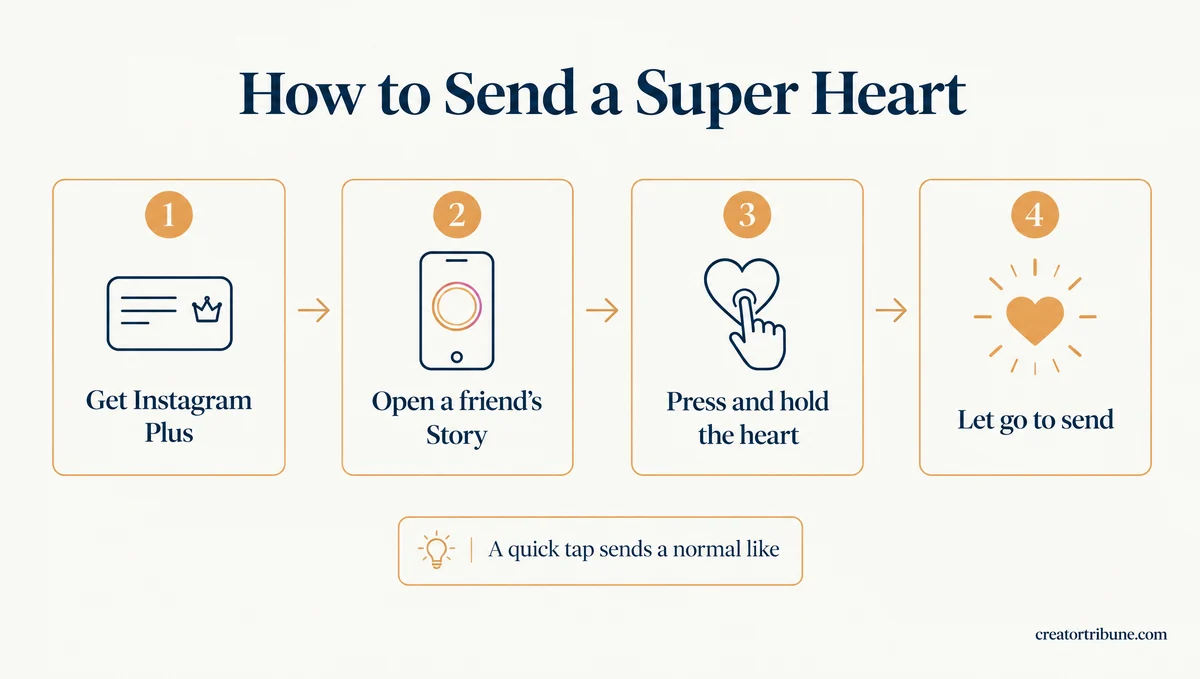
The hold is the part I’d warn a new subscriber about, because a longer press can send more than one. Here is the full sequence in the Instagram app:
- Tap and hold your profile icon at the bottom right, choose Go to Accounts Center, then scroll to Instagram Plus under More from Meta, as Lowyat’s guide describes.
- Tap it and check the plan and price before you subscribe. Meta says the features you get “will be shown in the signup process before you subscribe.”
- Open a friend’s Story in the Instagram app on your phone.
- Press and hold the heart at the bottom right of the screen. The heart grows while you hold it.
- Let go to send it. Keep holding if you want to send more than one.
Before: You tap the heart on a friend’s Story once. They get a normal Story like.
After: You press and hold the same heart until it grows. The hearts burst across the screen, and your friend gets a Super Heart in their inbox.
Skip any guide that sends you to the Subscriptions screen in your professional dashboard. That menu is for creator subscriptions, where fans pay a creator for extra content, and one YouTube how-to mixes the two up.
If the long press only ever sends a normal like, your account doesn’t have Plus yet. The troubleshooting section below covers why.
Do Super Hearts Cost Money on Instagram?
Super Hearts cost the sender an Instagram Plus subscription, which is $3.99 a month in the US, and cost the receiver nothing. Meta’s Plus pages mention no per-heart charge and describe no payout to the person who receives one.
Meta’s Meta One announcement on September 15, 2026 lists Instagram Plus at $3.99 a month. Meta One is Meta’s family of subscription plans, and its $7.99 Core bundle includes Instagram Plus, Facebook Plus and WhatsApp Plus, so a Core subscriber can send Super Hearts without a second plan.
Prices outside the US are set locally, and several markets pay far less:
| Country | Monthly price | Source |
|---|---|---|
| United States | $3.99 | Meta, September 2026 |
| India | ₹49 a month for 6 months, then ₹99 | Subscriber review on r/IndiaTech, July 2026 |
| Malaysia | RM4.50, first month free | Lowyat, June 2026 |
| New Zealand | NZD 6.99 | rova, July 2026 |
| Mexico, Japan, Philippines (test) | MX$39, ¥319, PHP 65 | TechCrunch, March 2026 |
Meta’s FAQ says you can cancel Plus at any time in your Instagram settings and keep the features until the billing period ends. I would not pay $3.99 a month for Super Hearts alone, since a reply or a normal like says the same thing for free. The full Instagram Plus breakdown covers the other ten features and whether they earn the fee.
Are Super Hearts the Same as Paid Hearts on Instagram Live?
Super Hearts and the paid hearts on Instagram Live are two different products. The Live hearts are badges, which viewers buy during a live video, and Instagram’s paid items on Reels are gifts bought with Stars. Instagram’s help pages for badges and gifts never use the name Super Heart.
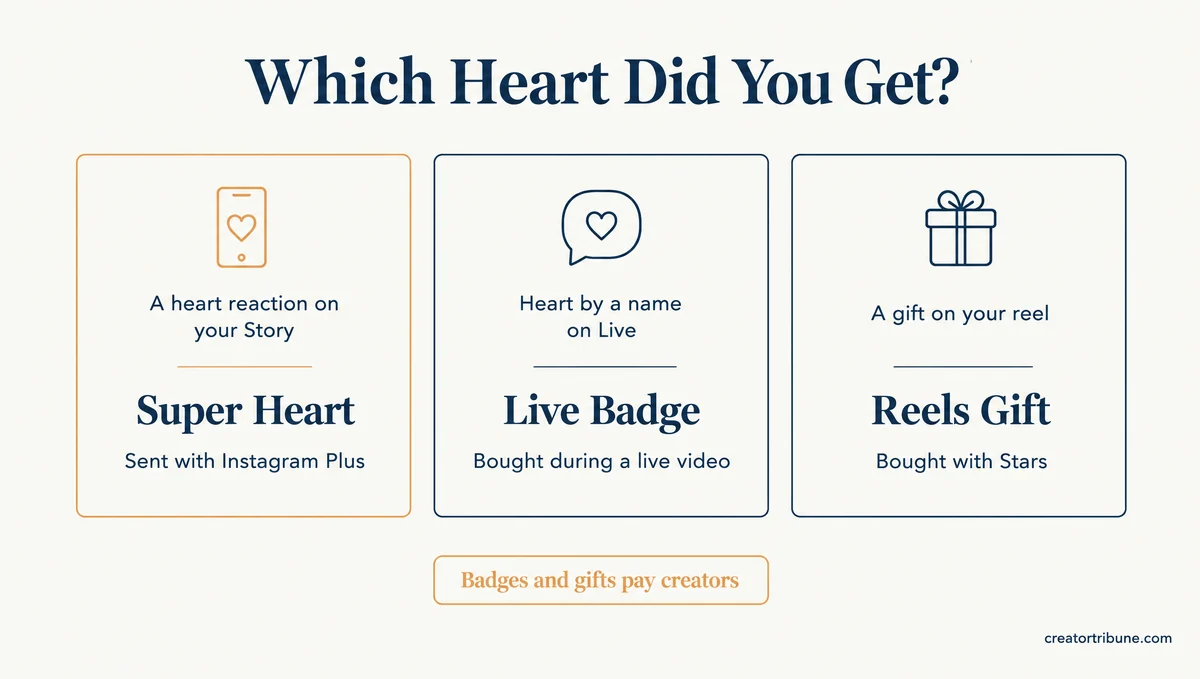
Instagram’s badges help page says that when you buy a badge during a live video, “a heart icon appears next to your name in the comments.” Sked Social lists three tiers: one heart for $0.99, two for $1.99 and three for $4.99.
Reels use gifts instead. The gifts help page has viewers buy Stars to send them, and tells creators they will receive “$.01 USD for every Star received.”
The mix-up probably has an old root. When Instagram announced badges on May 27, 2020, its badges announcement promised buyers “access to a special heart.” Six years later Super Hearts arrived as a Story perk, and search answers now merge the two.
| Feature | Where it appears | Who pays | Payout to the receiver |
|---|---|---|---|
| Super Hearts | Instagram Stories | The sender, through Instagram Plus | None described |
| Badges | Instagram Live | The viewer, $0.99 to $4.99 per badge | Yes, creators earn from badges |
| Gifts | Instagram Reels | The viewer, with Stars | Yes, $0.01 per Star |
| Facebook super hearts | Facebook, spreading to Reels and Feed posts | The sender, through Facebook Plus | None described |
Google’s AI answer, as of October 27, 2026, describes a Super Heart you buy through a gift icon on Live and Reels. The two YouTube videos it cites, from Genie Guide and Tekwiq, tell you to tap a gift icon during a live and pick a Super Heart.
Tekwiq’s video went up on May 1, before the global launch. Its narrator says, “I am not eligible, that is why I cannot show you.”
I don’t buy the idea that a Super Heart is a tip, because nothing on Meta’s Plus pages sends money to the person who receives one.
Facebook is where Meta says the feature is spreading. Meta’s September 15 post says Facebook Plus, also $3.99 a month, includes super hearts and is “expanding super reactions to Reels and Feed posts.” On Instagram, a Super Heart is still a Story reaction, and the next section shows where it lands.
What Does Someone See When You Send a Super Heart?
A Super Heart goes to the inbox of the person whose Story you reacted to, and it comes from your account. Meta describes nothing that shows it to other people watching the same Story.
Meta’s Instagram Plus page says Super Hearts are meant to “make your reaction stand out in their inbox.” That puts them in the Story owner’s direct messages, the same place Story replies and emoji reactions land.
What surprised me is that two Plus features cancel each other out. The same page says Story Preview lets you “peek at someone’s story without appearing in their viewer list,” but a Super Heart lands in their inbox from your account, so reacting ends the anonymity.
Post likes run on a separate system, and hiding like counts covers who can see those. Missing a Super Heart a friend says they sent? Open your messages first, and if they won’t load at all, DMs not loading has the fixes.
What Does It Mean When Someone Super Hearts Your Story?
A Super Heart means the sender pays for Instagram Plus and picked a bigger reaction than a normal like. It is a clear sign they liked the Story, but it is still only a reaction.
People read a lot into them, especially on a selfie, and a question in r/Advice asks exactly what one means. Read it the plain way, then judge the person by how they talk to you.
Why Can’t You Send Super Hearts on Instagram?
You can’t send Super Hearts unless the account you’re using has Instagram Plus, and Plus still isn’t offered on every account. Instagram’s own help page for Plus says only: “This feature is not available to everyone right now.”
Start with the plain heart, the test I trust most: if a normal like fails too, Plus is not the problem. Work down this table from the top:
| What happens | Likely cause | What to do |
|---|---|---|
| Holding the heart sends a normal like | No Instagram Plus on this account | Look for Instagram Plus in Accounts Center and subscribe if it is offered |
| No Instagram Plus option anywhere | Plus has not reached your account or country | Update the app and check again later |
| Nothing happens on a computer | Plus launched in the iPhone and Android apps only | Switch to the phone app |
| A normal like fails too | A like problem, such as a glitch or an action block | Work through the fixes for failed likes |
| It works on some friends’ Stories only | Possibly that friend’s reply settings | Try another Story, since Instagram doesn’t say whether reply limits block Super Hearts |
The computer row comes from Metricool, which notes that at launch “Instagram Plus was only available in the Instagram app for iPhone and Android, not on desktop.” Meta’s FAQ adds that “included benefits may vary,” so check the sign-up screen for Super Hearts before you pay.
Quick Takeaways
- Super Hearts are an Instagram Plus reaction for Stories: press and hold the heart on a friend’s Story, and hold longer to send more.
- Sending one needs Instagram Plus at $3.99 a month in the US, or the $7.99 Meta One Core bundle, while receiving one is free.
- The paid hearts on Live are badges and the paid items on Reels are gifts bought with Stars, and Instagram calls neither a Super Heart.
- A Super Heart lands in the Story owner’s inbox from your account, so it ends the anonymity Story Preview gives you.
- If the long press only sends a normal like, look for Instagram Plus in Accounts Center before trying anything else.
If someone sent you a Super Heart, read it as a big like from a Plus subscriber and reply if you want to. If you only want Plus so you can send them, keep the $3.99 a month and answer their Story with a reply instead.