Klap Review and the Billing Trap to Watch
Klap Review and the Billing Trap to Watch
Klap review for 2026. Pricing, clip quality, how it beats Opus Clip on cost and 4K, and the billing trap behind its 2.5-star Trustpilot score.
- 1Is Klap Worth It in 2026
- 2Klap Pricing and What Each Plan Includes
- 3How Klap Compares to Opus Clip and Vizard
- 4What Klap Does Well
- 5Where Klap Falls Short
- 6Who Should Use Klap and Who Should Skip It
- 7Frequently Asked Questions
- Is Klap free to use?
- Is Klap better than Opus Clip?
- Why does Klap have a low Trustpilot score?
- How many clips do you get with Klap?
- Does Klap add captions automatically?
- 8Quick Takeaways
Bottom Line: Klap is one of the best-value AI clippers in 2026, turning long videos into short clips for roughly a third of Opus Clip’s per-minute cost and exporting in 4K. The clips are genuinely good. The catch is billing: a 2.5-star Trustpilot score driven almost entirely by people who got auto-charged for a year or could not find the cancel button. Worth it if you go in with eyes open.
I have tried most of the long-to-short AI clippers, and Klap is the one I keep recommending on price and output quality. It takes a podcast or talking-head video and spits out captioned, reframed vertical clips that are ready to post with very little cleanup.
This Klap review is going to be split-brained on purpose, because the product and the company are two different experiences. The clipping itself is strong and cheap. The subscription handling is where the complaints pile up, and you should know that before you put a card in.
By the end you will know exactly what each plan costs, where Klap beats Opus Clip and Vizard, what real users praise and complain about, and whether the billing risk is worth the output. I will not pretend the Trustpilot score does not exist.
Is Klap Worth It in 2026
Klap is worth it if you want cheap, high-quality auto-clipping and you manage your subscription carefully.
It produces 1080p and 4K clips at about a third of Opus Clip’s per-minute cost, but its billing and support reputation is genuinely rough.
The value case is real. Short-form video is where the returns are, and Sprout Social’s short-form ROI data puts it at the highest of any content format, so a tool that cranks out postable clips for $14 a month is doing real work.
The way I see it, Klap is a great tool attached to a frustrating company. If you treat the subscription like a rental you actively cancel rather than a set-and-forget, the math works out strongly in your favor.
Klap Pricing and What Each Plan Includes
Klap costs $14 a month on the Starter plan billed yearly, scaling to $39 and $94 a month for Pro and Pro+.
Annual billing runs about 50% cheaper than monthly, which is where a lot of the billing confusion starts.
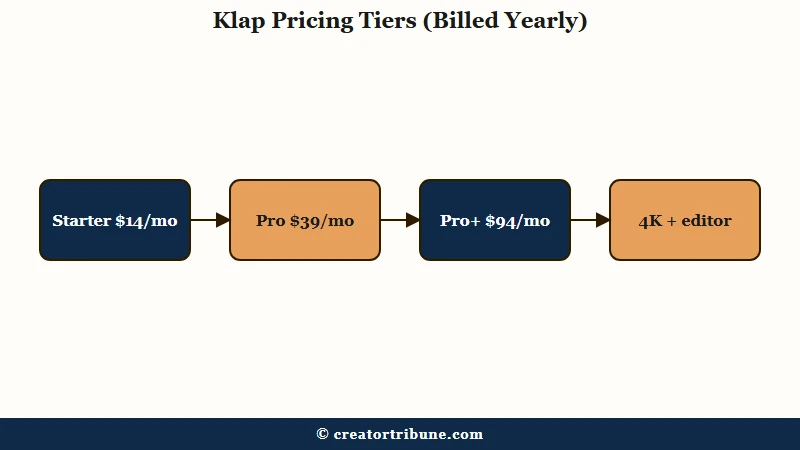
Here is how the tiers break down. I would start almost everyone on Starter, since 100 clips from 10 videos a month is more than most solo creators will use.
| Plan | Yearly (per month) | Monthly | Monthly limit | Notes |
|---|---|---|---|---|
| Starter | $14 | $29 | 100 clips from 10 videos | 45-min max video, 1080p HD, full brand kit |
| Pro | $39 | $79 | 300 clips | Batch processing, higher limits |
| Pro+ | $94 | $189 | 1,000 clips | High-volume creators and teams |
The free trial lets you generate clips from one video to preview the quality, but downloading or posting needs a paid plan. There is also a 3-day paid trial that requires a card, which is the first place to be careful.
What surprised me is that every plan includes a full timeline editor and 4K export on paid tiers. A lot of competitors gate manual editing or high resolution behind their top plan, so Klap is genuinely generous on features even at $14.
How Klap Compares to Opus Clip and Vizard
Klap beats Opus Clip on price and resolution and beats Vizard on automation speed, while Vizard still wins on manual editing depth.
For hands-off clipping at a low price, Klap is the strongest of the three.
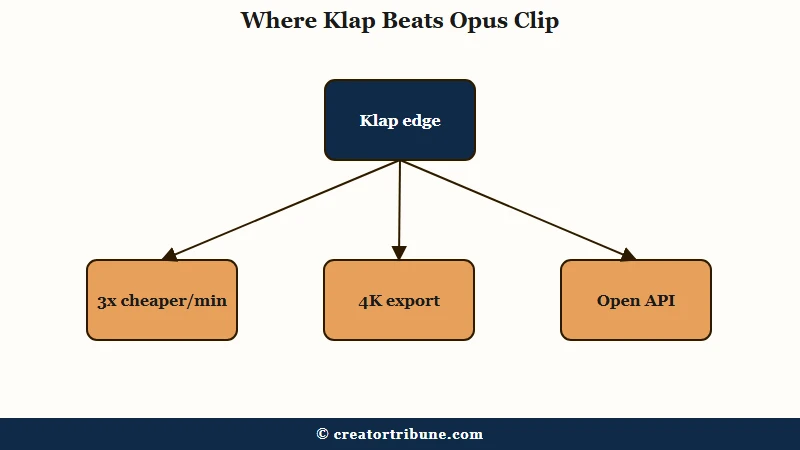
Against Opus Clip, the gap is mostly cost and output ceiling. Klap runs about $0.03 per processed minute versus roughly $0.10 for Opus Clip, exports up to 4K where Opus Clip maxes at 1080p, and opens its API to all customers instead of enterprise-only. My full Opus Clip review covers where Opus still earns its higher price.
Against Vizard, it is a question of style. Vizard is more editor-oriented with stronger manual timeline control, while Klap leans into one-click automation and cleaner captions. If you want to see that matchup directly, the Opus Clip vs Vizard breakdown and the Vizard review lay out the editor-first path.
Example scenario: Feed all three a 60-minute podcast. Klap returns ten captioned vertical clips with content-aware reframing in a few minutes with almost no setup. Vizard returns similar clips but expects you to open the timeline and refine. Opus Clip returns polished clips too, but you pay roughly 3x per minute for the privilege.
What Klap Does Well
Klap’s strengths are speed, caption quality, content-aware reframing, and price. These are the reasons it keeps showing up on creator shortlists despite the service complaints.
- Auto-reframing that tracks the real subject of a scene, including products or gameplay, not just a talking face.
- Dynamic captions in 52 languages with word-level highlighting and full style control.
- A virality score that factors in trends and the news cycle to flag which clips are worth posting first.
- The lowest serious per-minute cost in the category, with 4K export and a full editor on paid plans.
From my experience the captions alone save the most time. They land styled and mostly aligned, so a clip is post-ready with a quick check rather than a full caption pass.
Where Klap Falls Short
Klap’s weak spots are billing transparency, customer support, and a few technical bugs. Its 2.5-star Trustpilot rating comes almost entirely from service issues, not clip quality.
- Billing and cancellation are the big one: users report being charged for a full year when they meant to pay monthly, and struggling to find the cancel button at all.
- Support is slow, with email replies sometimes taking weeks to resolve account problems.
- Technical bugs show up as long export times and captions that occasionally drift out of sync with the audio.
- The newer auto B-roll feature is hit-or-miss, dropping stock footage that does not always match the moment.
One detail worth flagging: one user reported being charged £16.67 by a third-party cancellation service because they could not find the option inside Klap’s own dashboard.
To Klap’s credit, the company often offers a free month to smooth over billing disputes in its public replies, but needing that apology is the problem.
Who Should Use Klap and Who Should Skip It
Use Klap if you want cheap, fast, high-quality clips and will manage the subscription actively. Skip it if you need responsive support or hate billing friction.
The decision really comes down to your tolerance for the company, not the tool.
Klap is a strong fit for solo creators and podcasters repurposing a back catalog, especially anyone turning long videos into shorts. At $14 a month for 100 clips, the output-per-dollar is hard to beat.
Skip it, or pick a competitor, if you are the kind of user who will forget to cancel and resent an annual charge, or if you need a support team that answers fast. Set a calendar reminder before any renewal, pay yearly only once you are sure, and the experience is mostly upside.
Frequently Asked Questions
Is Klap free to use?
Klap has a limited free trial that generates clips from one video so you can preview quality, but downloading or posting requires a paid plan starting at $14 a month billed yearly. A 3-day paid trial exists but needs a credit card upfront.
Is Klap better than Opus Clip?
For most creators on price, yes. Klap costs about a third of Opus Clip per processed minute and exports up to 4K versus Opus Clip’s 1080p. Opus Clip still has a strong reputation, so the choice depends on budget and output needs.
Why does Klap have a low Trustpilot score?
Klap sits around 2.5 stars on Trustpilot almost entirely because of billing and support complaints, not clip quality. The frequent issues are surprise annual charges, a hard-to-find cancel button, and slow email support, not the editing output itself.
How many clips do you get with Klap?
The $14 Starter plan gives 100 clips from up to 10 videos a month, with a 45-minute max video length. Pro raises that to 300 clips and Pro+ to 1,000 clips a month for high-volume creators and teams.
Does Klap add captions automatically?
Yes. Klap auto-generates word-level captions in 52 languages with customizable fonts, colors, and logos. The captions are one of its strongest features, though some users report occasional sync drift that needs a quick manual fix.
Quick Takeaways
- Klap is one of the best-value AI clippers in 2026, starting at $14 a month billed yearly for 100 clips from 10 videos.
- It beats Opus Clip on cost (about 3x cheaper per minute) and resolution (4K versus 1080p), with a full editor on every paid plan.
- The 2.5-star Trustpilot score is about billing and support, not clip quality, so manage the subscription actively.
- Set a renewal reminder and pay monthly until you are sure, since surprise annual charges are the top complaint.
- Choose it for cheap fast clipping; skip it if you need fast support or hate billing friction.