What Link in Bio Means and How to Set Yours Up
What Link in Bio Means and How to Set Yours Up
What does link in bio mean, why creators say it, where it came from, and how to use yours so it grows your audience instead of leaking clicks.
- 1What Does Link in Bio Mean
- 2Why Do People Say Link in Bio
- 3How Do You Find and Click a Link in Bio
- 4What Should You Put in Your Link in Bio
- 5How to Add a Link in Your Instagram Bio
- 6How to Add a Link in Your TikTok Bio
- 7What Is Linktree and What It Costs
- 8The Best Free Link-in-Bio Tools, and Beacons vs Linktree
- 9Frequently Asked Questions
- What does link in bio mean?
- Why do people say link in bio?
- Where is the link in bio?
- What should you put in your link in bio?
- Is a link in bio free?
- How do I add a link to my Instagram bio?
- Do you need 1000 followers to add a link to your TikTok bio?
- Is Linktree free?
- What is the best free link-in-bio tool?
- 10Quick Takeaways
TL;DR: Link in bio means the single clickable link in your social profile, the one spot platforms like Instagram and TikTok let you send people off-app. Creators say it because captions cannot hold a live link. Used well, that one link is where you turn borrowed followers into an audience you truly own.
If you have spent any time on Instagram or TikTok, you have seen a caption end with “link in bio” and maybe wondered what people keep pointing at. What does link in bio mean in plain terms is simple: it is the one clickable link sitting in a profile, the only spot most social apps let you send someone to a website.
The phrase exists because of a restriction, not a feature. Social platforms strip the clickable link out of captions and comments to keep you scrolling inside the app, so the profile bio became the single door out.
I will explain where the phrase came from, why it stuck, how to find and tap one, and then the part that matters most: how to use your own link in bio so it grows something instead of just leaking clicks.
What Does Link in Bio Mean
Link in bio means the clickable URL in a social media profile, the gateway a creator uses to send followers from the app to a website, shop, or signup page. It is usually the only live link a profile gets.
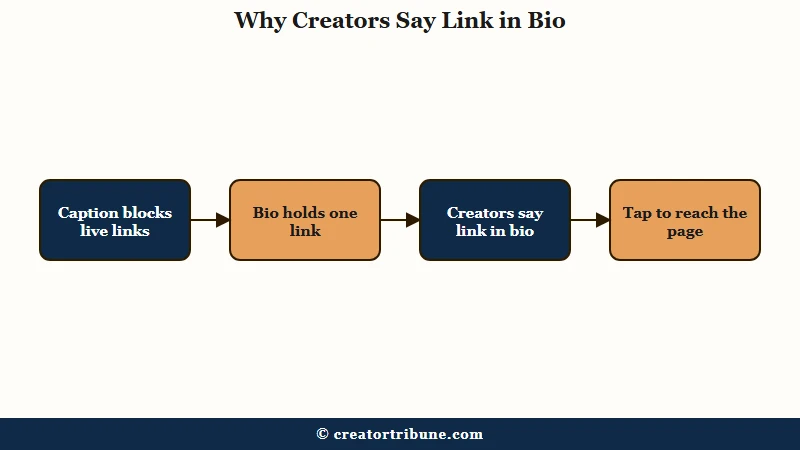
Because a caption on Instagram or TikTok will not turn a URL into a tappable link, creators write “link in bio” to tell you where the working link lives. The way I see it, it is a verbal arrow pointing from the post you are looking at to the one door the platform leaves open.
That single link carries a lot of weight. For most creators it is the busiest exit on their whole profile, which is why what you point it at matters more than people assume.
Why Do People Say Link in Bio
People say link in bio because social platforms block clickable links in captions and comments, leaving the profile bio as the one place a real link works. The phrase grew up alongside that limit.
This is not a new trend. The workarounds started in 2011, a year after Instagram launched, when LTK gave bloggers a way to make shoppable posts despite the no-links rule. The dedicated link-in-bio tool arrived in 2016 with Linktree, which was reportedly built in six hours and pulled 3,000 users overnight, enough to crash its servers.
The history also carries a warning worth remembering. In 2018 Instagram briefly banned Linktree as a “spam website,” then lifted the ban and apologized after users pushed back, a reminder that any tool sitting between you and your audience can be cut off by the platform it depends on.
| Year | What happened |
|---|---|
| 2011 | LTK gives bloggers an affiliate workaround for the no-links rule |
| 2016 | Linktree launches, built in six hours, 3,000 users overnight |
| 2018 | Instagram briefly bans Linktree as spam, then apologizes |
| 2023 | Instagram adds up to five native links in the bio |
| 2026 | Linktree passes 70 million members worldwide |
How Do You Find and Click a Link in Bio
You find a link in bio by opening the person’s profile and tapping the link shown just under their username and follower counts. It opens in the app or your browser.
Here is the quick version I give people who are new to it:
- Tap the username or profile picture on any post to open the full profile.
- Look directly under the name and the follower and following counts.
- Tap the link to open it, either inside the app or in your phone’s browser.
If the profile uses a link-in-bio hub, that one link opens a menu of several destinations instead of jumping straight to a single page. A plain link sends you to one place, while a hub acts as a small landing page holding a handful of links at once.
What Should You Put in Your Link in Bio
The strongest link in bio leads with one priority destination that captures an email, not a long archive of every link you have ever made. With more than two billion people on Instagram alone, that one slot is real estate worth using on purpose.
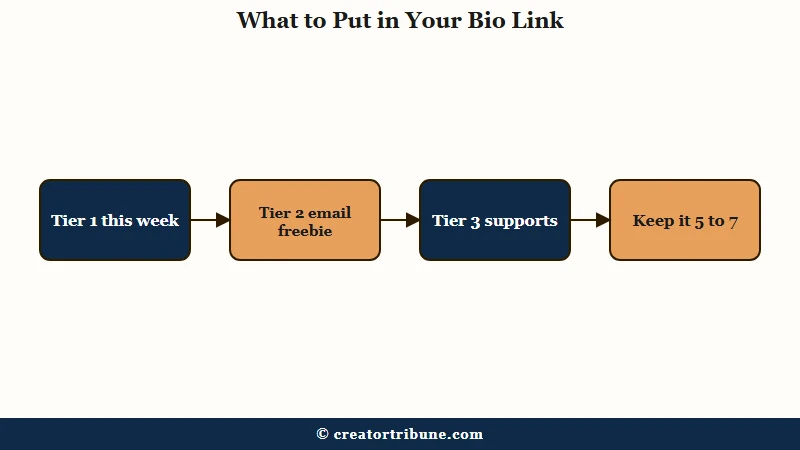
From what I have seen, the creators who grow treat the bio like a rotating storefront, not a filing cabinet. A simple three-tier setup keeps it focused: the top link is whatever you are pushing this week, the next is an always-on offer, and the rest are quiet supports.
| Tier | What goes here | Example |
|---|---|---|
| Tier 1 | Your current priority | This week’s video or a launch |
| Tier 2 | Always-on, high value | An email freebie or your shop |
| Tier 3 | Supporting | Contact page or other profiles |
Keep the total small. Conversion holds best around five to seven links and drops off noticeably past thirteen, when visitors hit decision paralysis and tap nothing at all.
Before: a dozen links stacked in your bio hub, so a visitor scans the wall, hesitates, and closes the tab.
After: three tiers led by an email freebie, so a one-time viewer trades their address and becomes a subscriber you keep.
There is one trap worth naming. A free tool that puts its own name in your URL is advertising itself at your busiest exit, and a list of buttons on someone else’s domain converts worse than a page you own, which can convert three to five times better.
We built a page you fully own for exactly that, a free link-in-bio template that captures emails. The tool comparison further down shows where the popular free options quietly cost you.
If you are setting yours up now, the step-by-step walkthroughs for your TikTok bio and your Instagram bio are in the sections just below.
How to Add a Link in Your Instagram Bio
Open your profile, tap Edit profile, tap the Links field, choose Add external link, paste the full URL with https, add a short title, and save. Creator and Business accounts can add up to five links this way.
One detail worth knowing before you rely on it: when you add more than one native link, Instagram hides the extras behind a small drop-down, so only your first link shows by default. The native links also give you no click tracking, so you cannot see which one people tap. That is the trade-off a single link-in-bio hub solves, since it puts every destination on one page you can measure.
How to Add a Link in Your TikTok Bio
Switch to a free Business account or reach 1,000 followers on a Personal or Creator account, then open Edit profile, tap Website, enter your URL, and save. TikTok gives you just one clickable bio link, so it has to count.
The follower rule keeps shifting, and TikTok has been loosening it in some regions, but the reliable path is a free Business account, which unlocks the link with no follower minimum. If the Website field is greyed out, your account is either still personal and under the threshold, or the app needs an update and a restart.
Because you only get one link, this is where a hub page earns its place. One tidy page behind that single URL can hold your latest video, an email freebie, and your shop without burning the slot on a single destination.
What Is Linktree and What It Costs
Linktree is the original link-in-bio tool: it hosts a list of your links on one mobile page at a linktr.ee address, and its free plan is permanent but takes a 12 percent cut of any sale. It reportedly passed 70 million members in 2026.
Setup takes a minute: sign up, pick a username that becomes your URL, and add a button for each link. The free plan covers unlimited links, but it cannot capture emails, keeps Linktree branding on your page, limits analytics to 28 days, and applies that 12 percent commerce fee, the highest in the category. Once you sell more than about 70 dollars a month, a paid tier works out cheaper than the free one.
The Best Free Link-in-Bio Tools, and Beacons vs Linktree
Most free link-in-bio tools are free until you try to sell or grow a list, then they either paywall email capture or take a cut of every sale. The feature that actually separates them sits one click deeper: whether the free plan lets you collect an email address.
| Tool | Email capture on free plan | Cut on free sales | Best for |
|---|---|---|---|
| Linktree | No, paid only | 12 percent | A fast, simple link list |
| Beacons | Limited, via a free product workaround | About 9 percent | Selling small digital downloads |
| Carrd | No, forms need Pro | No native store | One-page design control |
| Taplink | Yes, opt-in forms on free | 0 percent | Adding forms to a bio page |
| Milkshake | No | No digital sales | Quick mobile-only pages |
| Stan Store | No free plan, 29 dollars a month | Email flows locked to 99 dollar tier | Paid all-in-one storefront |
The head-to-head most creators ask about is Beacons vs Linktree. On the free plan Beacons takes a 9 percent cut and lets you capture emails through a free-product workaround, while Linktree takes 12 percent and captures none. Beacons is built to sell with a native storefront, and Linktree is the faster, simpler setup with a link that is whitelisted to open cleanly inside TikTok. Choose Beacons to sell, Linktree to keep it simple.
One caution on platform risk: Koji, once a popular bio tool, was acquired by Linktree and its pages are shutting down. A page living on someone else’s domain can vanish when the company is sold, which matters more than a slightly nicer template if you are building something to keep.
The most overlooked option is a page you host yourself. It captures emails for free, takes no cut of sales, and carries your name instead of a platform’s, which is exactly why it never shows up in these roundups: there is no subscription to sell you. We built a free link-in-bio template you fully own on that idea, so the people who tap through become subscribers you keep. To turn those taps into a list, our guide on how to convert views to subscribers covers the follow-up.
Frequently Asked Questions
What does link in bio mean?
It means the single clickable link in a social media profile. Since Instagram and TikTok do not allow live links in captions, creators point followers to the profile, where one working link lives. It usually leads to a website, shop, or signup page.
Why do people say link in bio?
Because captions and comments cannot hold a clickable link, so the bio is the one spot that can. Saying “link in bio” tells followers where to tap to reach whatever the post is promoting. It is the standard way around the no-links rule.
Where is the link in bio?
On the profile page, just under the username and the follower and following counts. Tap the person’s name or picture from a post to open their profile, then tap the link. It opens in the app or your browser.
What should you put in your link in bio?
Lead with one priority, like your latest video or an email freebie, then add a few supporting links. Keep the total between five and seven so visitors do not freeze. A page you own that captures emails is the strongest choice.
Is a link in bio free?
Most link-in-bio tools have a free tier that covers a basic link list. Paid plans add analytics, custom branding, and logo removal. A self-hosted template can give you those for free while keeping your own name in the URL.
How do I add a link to my Instagram bio?
Open your profile, tap Edit profile, tap Links, choose Add external link, paste the URL with https, add a title, and save. Creator and Business accounts can add up to five native links, though Instagram hides the extras behind a drop-down and offers no click tracking.
Do you need 1000 followers to add a link to your TikTok bio?
Not if you use a free Business account, which unlocks the clickable Website link with no follower minimum. Personal and Creator accounts have historically needed about 1,000 followers, though TikTok has been loosening that in some regions.
Is Linktree free?
Linktree has a permanent free plan for unlimited links, but it cannot capture emails, keeps its branding, limits analytics to 28 days, and takes a 12 percent cut of sales. Past about 70 dollars a month in sales, a paid plan costs less.
What is the best free link-in-bio tool?
For building an email list, a self-hosted template or Taplink wins because email capture is free and you own the data. For selling small products, Beacons is the better free pick. Linktree is fine for a simple link list.
Quick Takeaways
- Link in bio means the one clickable link in a social profile, the only door most apps leave open off-platform.
- Creators say it because captions and comments cannot hold a live link, so the bio carries all the traffic.
- The phrase has a history of platform risk, like Instagram briefly banning Linktree as spam in 2018.
- Keep your bio to five to seven focused links, since conversion drops past about thirteen.
- Spend the top slot on a page you own that captures emails, because that list is the audience no platform can take away.