How to Turn Off Profile Views on TikTok or See Who Visited
How to Turn Off Profile Views on TikTok or See Who Visited
Can you see who views your TikTok profile? Mostly not, and past 5,000 followers TikTok disables it entirely. Here is what to track instead.
- 1Can You See Who Views Your TikTok Profile
- 2Why Profile Views Stop Working Above 5,000 Followers
- 3How to Turn Off Profile Views on TikTok
- If You Turn Profile Views Off After Viewing, Do They Still See You?
- Does Turning Off Profile Views Hide Your Post Views Too?
- 4Do Video Views Show Up in Your Profile Visitors
- 5Are Who Viewed My TikTok Apps Safe
- 6What Growing Creators Should Track Instead
- 7Frequently Asked Questions
- Does TikTok notify someone when I look at their profile?
- Why is the Profile views option missing from my account?
- Can someone with a private account still see my profile views?
- 8Quick Takeaways
TL;DR: Profile view history is off by default, so most people have nothing to switch off in the first place. With it on, you see a visitor only when they turned it on too, and only from the last 30 days. TikTok limits the whole feature to accounts under 5,000 followers, so growing creators read profile visits in Analytics rather than by name.
Can you see who views your TikTok profile? The honest answer is a qualified maybe, and it gets more restrictive the bigger your account gets. TikTok does have a Profile View History feature, but it only works when both people opt in, and TikTok restricts it to accounts under 5,000 followers.
That last detail catches a lot of creators off guard. The more your account grows, the less TikTok lets you see about who is checking you out, which is the opposite of what most people expect from a feature built around visibility.
This guide covers what the feature shows, who gets locked out of it, how to turn profile views off on TikTok in a few taps, and why the third-party “who viewed me” apps are a trap. I will also walk through what growing creators should read in Analytics once the names stop showing up.
What is Profile View History: A TikTok setting that lists accounts that visited your profile page in the last 30 days, visible only between users who both have it turned on.

Can You See Who Views Your TikTok Profile
You can see who views your TikTok profile only if both you and the visitor have Profile View History enabled, and even then the list shows just the past 30 days.
TikTok ships the setting switched off, so nobody is logging your visits until you opt in and the person visiting has too.
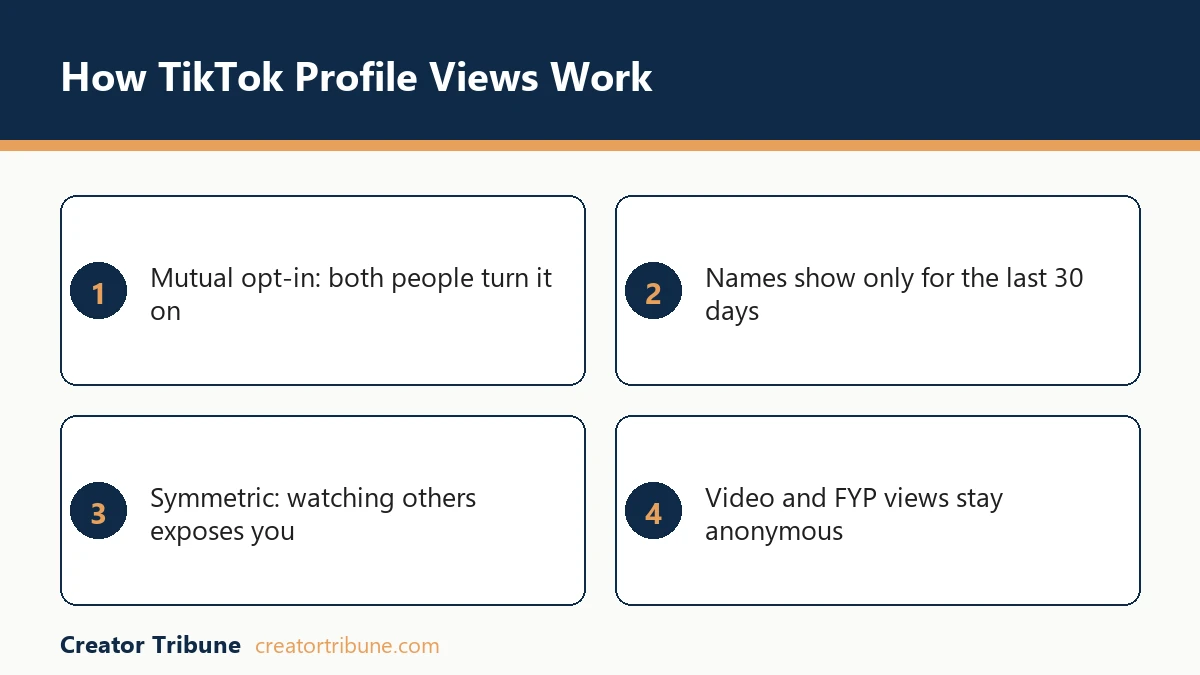
Here is the catch most guides gloss over. The feature is symmetric, so the moment you turn it on to spy on your own visitors, your name also starts showing up on the lists of everyone you visit. There is no one-way mode, no premium tier that hides you while exposing everyone else.
The window is also short. Visits roll off after 30 days, so the list is a rolling snapshot of recent traffic, not a permanent record. That makes it more useful as a “who stopped by this week” signal than any kind of long-term audience research tool, the way I see it.
More than 1.5 billion people use TikTok every month, according to Statista, so the platform has every incentive to keep this kind of tracking limited. Wide-open visitor logs would be a privacy and harassment nightmare at that scale.
Why Profile Views Stop Working Above 5,000 Followers
TikTok restricts Profile View History to accounts with fewer than 5,000 followers, so the feature is effectively reserved for small and mid-sized accounts.
TikTok words this as an access requirement. Its profile view history help page says you “must be 16 years or older and have fewer than 5,000 followers to have access to this feature”, and it does not spell out what happens to an existing toggle on the day you cross the line. Plan for losing the named list before you get there.
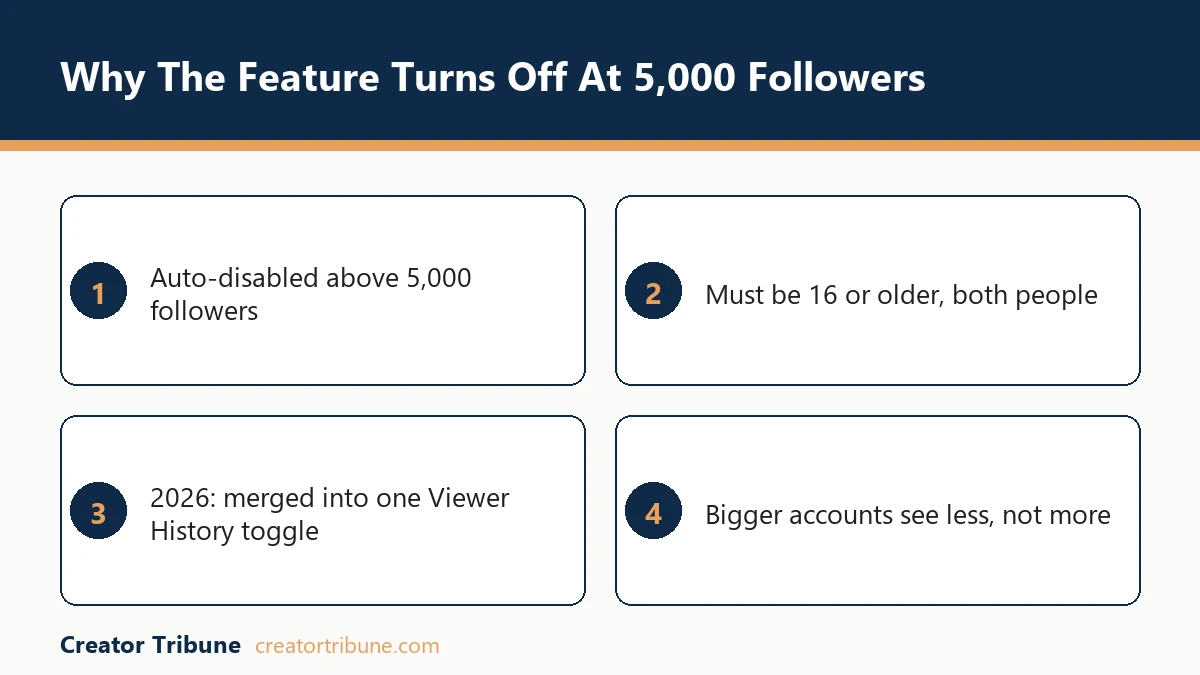
This is the part I find genuinely counterintuitive. You would assume a bigger creator gets more data, not less, but TikTok flips that. The way I see it, the company treats a 5,000-follower account as the point where individual visitor names stop being a casual curiosity and start being a moderation and stalking risk.
There is an age gate stacked on top of the follower cap. You have to be at least 16 to use the feature at all, and it only returns names when both parties meet that age requirement. If your audience skews young, your visitor list can stay empty even when your view counts are high.
The same gate covers the other setting. TikTok’s post view history page carries the same requirement, “Only people who are 16 years or older and have fewer than 5,000 followers will have access to this feature”, so crossing 5,000 closes both doors at once.
| Requirement | What it means for you |
|---|---|
| Both users opted in | You only see visitors who also enabled the feature |
| Under 5,000 followers | At or above this, you lose access to the feature |
| Age 16 or older | Both people must meet this for names to appear |
| Within 30 days | Older visits drop off the list automatically |
How to Turn Off Profile Views on TikTok
To turn off profile views on TikTok, open Settings and privacy, tap Privacy, tap Profile views, then switch Profile view history off.
Turning it off is also the only legitimate way to browse other profiles without leaving your name behind. If you never switched it on, there is nothing to turn off, because TikTok says plainly that “This setting is turned off by default.”
The fastest path trips people up because TikTok buries it. Here is the sequence I would walk through:
- Open TikTok and tap Profile in the bottom right.
- Tap the Menu icon (the three lines) in the top corner.
- Go to Settings and privacy, then Privacy.
- Tap Profile views (look for the footprint icon) and toggle it on or off.
Two shortcuts skip most of that, and TikTok documents both. From your profile, tap the Profile views button at the top, tap the Settings button, and the toggle is sitting right there. From your Inbox, tap Activities, open the profile-views notification or the Profile views entry, then tap Settings at the top.
The profile route is two taps fewer than digging through the settings menu. All three routes TikTok documents run through the phone app.
If You Turn Profile Views Off After Viewing, Do They Still See You?
Turn it off before you browse, not afterwards. TikTok’s help page describes the off state as “Turning off profile view history means you won’t see who has viewed your profile, and others won’t see that you’ve viewed theirs”, and it never says what happens to a visit that was logged while the setting was still on.
Treat the earlier visit as standing. TikTok publishes nothing about clearing visits already recorded, so switching the setting off afterwards is not a documented undo.
Before: You leave the feature on, scroll through a competitor’s profile, then switch it off hoping to stay invisible.
After: You switch the feature off first, then browse, since the setting only hides visits made while it is already off.
Does Turning Off Profile Views Hide Your Post Views Too?
No. Post view history is a separate toggle under Privacy, and switching profile views off does nothing to it.
Each setting has to be turned off on its own.
The two get mixed up constantly. Post view history sits in the same Privacy menu and covers views on posts from the last 7 days, against profile views’ 30.
Story viewers sit outside post view history. TikTok’s note on that setting says “Your Story view history won’t be affected and is separated from post view history”, and its profile view history page does not mention Stories at all, so treat your Story viewer list as unaffected either way.
Plenty survives even with post view history off. TikTok’s help page warns that “even if you turn this setting off, your comments and likes on others’ posts will still appear as views to them”, and it lists non-followers who liked or commented as visible “regardless if the other person has post view history turned on or off”.
Switching profile views off hides your profile visits. A single like or comment still puts your name in front of whoever posted.
Do Video Views Show Up in Your Profile Visitors
No, watching someone’s video does not put you on their profile visitor list, because the feature tracks visits to the profile page only.
Views from the For You feed stay anonymous, and so do searches and video replays.
This is one of the misreads I would clear up first. People assume that if they rewatch a crush’s video ten times, it somehow registers as a profile visit, and it does not. The only thing that lands you on the list is tapping through to the profile page itself while both of you have the feature on.
| Action on TikTok | Tracked by Profile View History | What it reveals |
|---|---|---|
| Visiting a profile page | Yes, if both opted in | Username, for the last 30 days |
| Watching a video in the feed | No | Anonymous, only a total count |
| Viewing a Story | Separate Story viewer list | Your name on that Story, not the profile log |
| Searching or replaying | No | Nothing about who searched |
It cuts the other way for creators too. Your TikTok video view count and your profile visitor list are two different metrics that do not feed each other.
If your numbers look off in the app, that is a display issue worth checking, and a stuck or missing engagement count is a separate problem from low reach. When the views themselves dry up, that points back to distribution, which is its own low FYP views diagnostic rather than anything to do with profile tracking.
Are Who Viewed My TikTok Apps Safe
No, third-party “who viewed my TikTok profile” apps are not safe, because TikTok does not share visitor data with outside developers, so any app promising it is lying.
At best they show fake data; at worst they hijack your account.
These tools have a predictable playbook. They ask you to log in with your TikTok credentials, then harvest that password to resell the account on the secondary market or pump out spam from it.
For an established creator, one bad login can mean losing the audience you spent years building, and recovering a hacked TikTok account is far more painful than just never installing the app.
The risk is not only your password. Some of these “viewer” apps run background cryptominers that drain your battery and quietly harvest data from your other apps, and the bait itself is an old trick.
The format has a long track record. BitDefender claims that almost a quarter of all Facebook scams over a two-year stretch used the “see who’s viewed your profile” hook, as covered in this Guardian report on social scams.
My rule is simple. If an app claims it can show you something TikTok itself refuses to show, it is selling a lie wrapped around a data grab, and I would not put it anywhere near my main account.
What Growing Creators Should Track Instead
Once you pass 5,000 followers and lose the names, the metric that matters is profile visits over time in TikTok Analytics, paired with how many of those visits convert into follows.
The named list is mostly curiosity. What moves the account is how many of those visitors go on to follow you afterward.
Creators chasing that visit-to-follow number usually end up leaning on a scheduling tool to hold a posting rhythm while they test bios and pinned posts. SMTasker is one of those, running Instagram, TikTok and Threads accounts from real Android phones, with a five day trial before you pay.
In your Business or Creator account Analytics, the Overview tab shows total profile views as a trend line. The way I read it, a spike in profile visits after a video means the content drove curiosity, and the real question is whether your bio and pinned posts converted that curiosity into a follow. That ratio tells you far more than any single username ever could.
Before: Chasing which specific accounts viewed you and reading it as interest.
After: Watching the profile-visit trend after each post and tuning your bio to lift the visit-to-follow rate.
That conversion mindset is where the names stop mattering. A profile visitor you never capture is a visitor you lose, so the smarter move is turning that attention into an audience you own through a link in bio that points somewhere you control.
I keep a simple creator money page doing exactly that, so profile traffic flows toward an email list instead of evaporating. Pair that with posting when your audience is active and the profile-view trend becomes a feedback loop you can steer.
Frequently Asked Questions
Does TikTok notify someone when I look at their profile?
No, TikTok sends no push notification or alert for profile views. If you both have the feature on, your username just appears in their Profile views list for them to find later, with no real-time ping.
Why is the Profile views option missing from my account?
The usual reasons are that you have more than 5,000 followers, you are under 16, or your app needs updating. The follower cap is the most common cause for growing creators, since TikTok limits access to accounts under 5,000 followers.
Can someone with a private account still see my profile views?
Yes, the same rules apply to private accounts. A private user who has the feature on and visits your profile still shows up on your list, and being private does not make their visit invisible.
Quick Takeaways
- Profile view history is off by default, and you only see a visitor when both accounts have it on, across the last 30 days.
- TikTok limits the feature to accounts with fewer than 5,000 followers and to users 16 and over, so growing creators lose the named visitor list.
- Watching a video never counts as a profile visit; only tapping through to the profile page does.
- Post view history is a separate toggle covering posts from the last 7 days, and TikTok says likes and comments still show as views even with it off.
- Any third-party “who viewed me” app is a scam that risks your password, your account, and your device.
- Track profile visits and visit-to-follow rate in Analytics instead, and route that traffic into an audience you own.